(3)(1)(1)(1)-(4).png)
Youvi is an offline video library with video hosting interface, featuring danmaku, comments, tags (including aliases and implications), subtitles and more. Fully local and portable (localhost needed for subtitles and multiple audio tracks), works without internet. Download videos from Youtube, Niconico, Bilibili with danmaku and watch in videohosting UI, or add you own videos, or all together!
Avaible on Russian, Ukrainian, English, Japanese, Traditional and Simplified Chinese
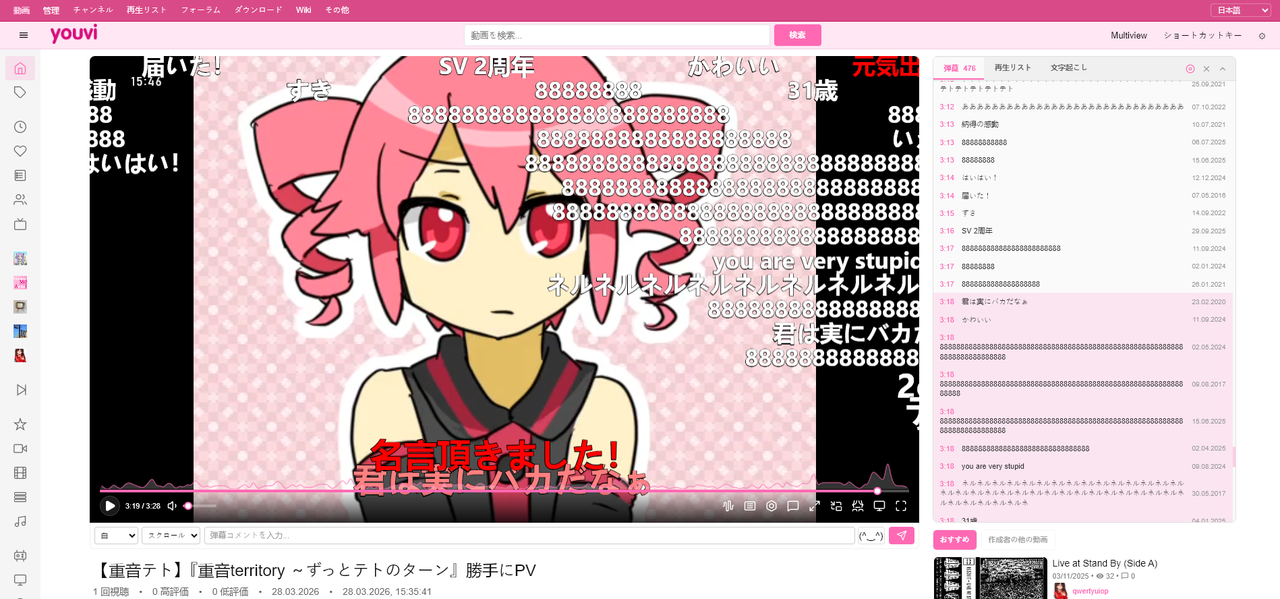
- Danmaku - Niconico-style comments on videos (native import from Niconico/Bilibili and YouTube comments/live chat import)
- Tagging - 14 tag types with aliases, implications, boolean search
- Video archival - Import videos with metadata, description, comments and danmaku through yt-dlp (YouTube, Niconico, Bilibili)
- Channels & playlists - Nothing special, just the basic functionality of a typical video hosting service. But it's your personal local “video hosting.”
- Subtitle support - ASS/SRT/SSA with font extraction from MKV (via FFmpeg WASM)
- Fully portable - Works from USB drive, no installation required
- Chromium-based browser (Chrome, Edge, Brave, Vivaldi, etc on Chromium) (Firefox sadly doesnt work (μ_μ) )
- Python 3 (for local HTTP server, subtitles and audio-track extraction)
- Node js (for the Downloads tab backend)
- yt-dlp and ffmpeg in PATH (only for the Downloads tab)
- Download and extract files
- Move your video folders into one parent folder
- Open terminal in project folder and start a local site server:
python -m http.server 8000- In another terminal start the download backend:
node download/download-server.js- Open
http://localhost:8000/index.html - Select language (top right)
- Click "Select Folder" and choose your video folder
This launch mode gives the full usual setup: normal site browsing, previews, subtitle/audio extraction through FFmpeg WASM, and the Downloads tab backend.
If you only need the basic offline site without subtitle/audio extraction and without the Downloads tab, you can still open index.html directly through file:///.
The Downloads tab needs the Node.js backend, plus yt-dlp and ffmpeg installed on the same machine where that backend runs.
yt-dlp must be installed on your computer for downloads to work.
Start it from project root:
node download/download-server.jsIt can be used from:
file:///http://localhost/...nginxor another local reverse-proxy setup
For custom local names, keep the backend local-only and explicitly allow your alias:
set YOUVI_BIND_HOST=127.0.0.1
set YOUVI_ALLOWED_HOSTS=youvi.moe
node download/download-server.js
If the site is served over HTTPS, use nginx (or another reverse proxy) and proxy /download-api/ to http://127.0.0.1:3000/. Do not expose the Node download backend directly to the public internet.
This is a web application working through File System Access API
Through it you can organize videos on your hard drive and watch them like on a video hosting site. Tag and search videos through a tag system with 14 types, aliases, implications, boolean search, set parent-child video relations, organize videos by channels and playlists.
There are scripts (and now also built-in download tab) for importing comments/danmaku into Youvi JSON files. You can import YouTube comments as regular comments and danmaku (from timestamped comments or live chat), import Niconico timed comments/danmaku track (the same stream can be saved as Youvi comments list or as Youvi danmaku), and import native danmaku from Bilibili. This is one of the reasons why this thing was made. And you can also obviously write comments and danmaku by yourself.
Only external components are FFmpeg wasm (downloaded), Lucid Icons (SVG code in files), and optional local backends/tools such as Python for subtitle/audio mode and Node.js + yt-dlp + ffmpeg for the Downloads tab.
Site works without internet. Available in 6 languages: English, Russian, Ukrainian, Japanese, Simplified Chinese, Traditional Chinese.
Site is portable - works from USB flash drive, external HDD, any location. You can carry it with you and plug in the flash drive to watch from any PC. Everything except ffmpeg wasm (subtitles and multilingual tracks) and the optional Node.js download backend works through launching via file:///
Since I absolutely loooooove the internet I tried to polish the interface as much as possible. That's why the site feels like a real large video hosting service to me. There are lots of different micro-moments, and the overall appearance is great (in my opinion).
Viewing and storing anime (as well as movies, TV shows, and other PGC) Although the site's tags are used for everything, they are primarily designed for anime. Also there are ASS/SRT/SSA subtitles and audio tracks that were added to site because anime.
YouTube / Niconico / Bilibili archival: You can preserve complete backups including video files (via yt-dlp), description, comments and danmaku - creating a fully offline mirror with a browseable interface. For YouTube it can import regular comments, timestamp-based danmaku and also live chat. For Niconico it can import its native timed comments/danmaku track and save it either as Youvi comments or as Youvi danmaku. For Bilibili it can import native danmaku. So now it is not only YouTube archival anymore. You can download videos with all this stuff directly on site in downloads tab. Setup for it is described in the separate Downloads Tab section above.
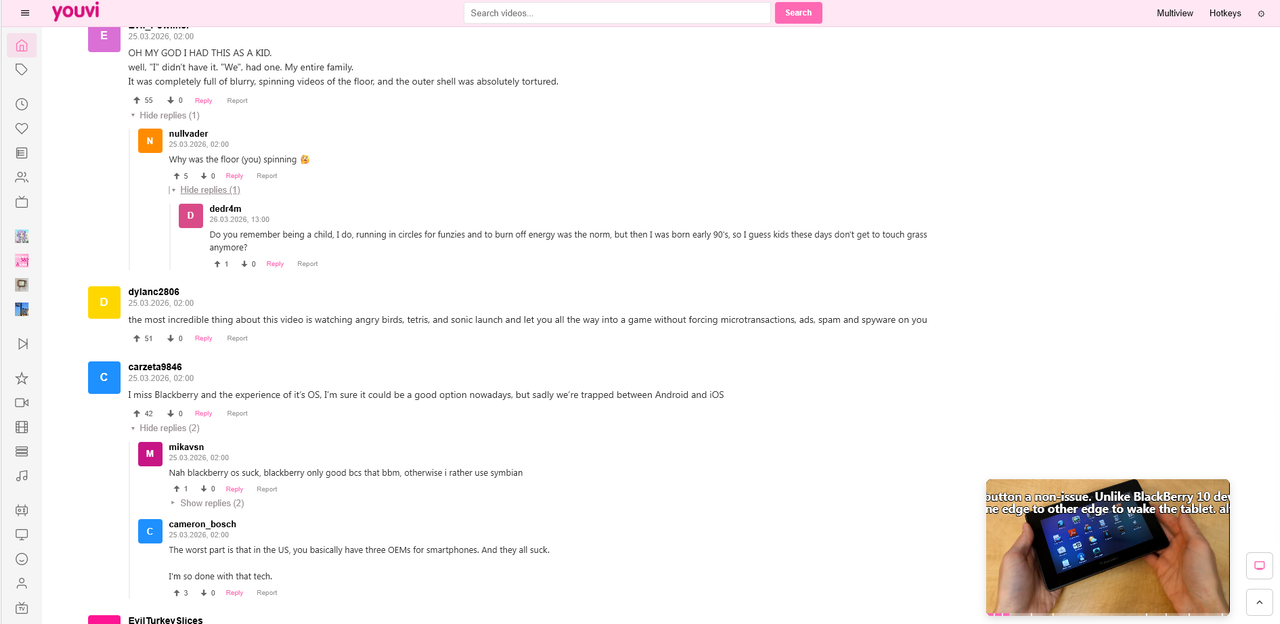
And in general, just categorize any video Anything can be categorized; the tag system is universal and suitable for everything.
- Download file
- Open index.html
- Select language in top right
- Click "Select Folder" button
Move all your video folders into 1 folder and select it if you want to watch the entire collection. Folder nesting doesn't matter, the site will recognize everything.
The site will start processing videos, wait until previews appear. When it finishes on page 1, go to page 2 and so on until you process everything (my collection grew slowly so this works for me). Videos only need to be processed once, after which it remembers all previews.

Videos - Youvi main page
Management - page for video selection
Why 2 pages? Because the project grew and cutting out core functions from the old main page turned out to be difficult, so I just lefted it. (it used to be a 2000s-style video hosting which is visible in the design. Legacy level just like real sites) But now it have PC First "overloaded" (that what i like) but modern UI)
Channels - list of channels
Playlists - list of playlists
Forums - Forum (place where you can write notes, text and other things in forum ui)
Downloads - Download video from other sites to Youvi
Wiki - Wiki (omg wow)
More - Tag tables and sitemap
Site has 14 tag types:
Format: Name (type). Types: (ka)=channel, (gt)=general, (ch)=character, (au/ar)=author/artist, (ge)=genre, (tp)=type, (yr)=year, (st)=studio, (ct)=category, (ra)=rating, (at)=anime, (ser)=series, (mt)=movie, (nat)=animation
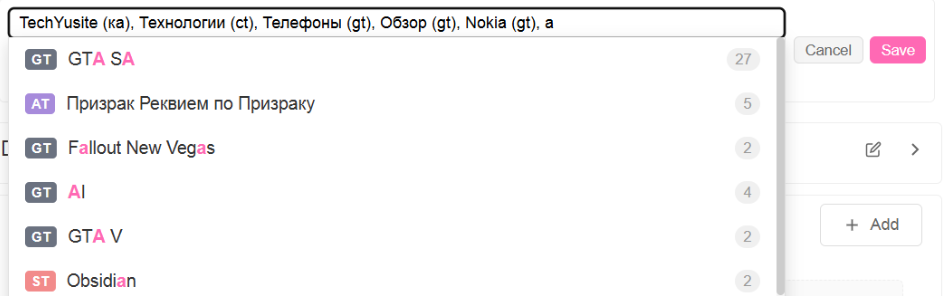
Ka is a tag for channels. Yes, channels are just a tag. To add a channel you need to write somename (ka) under the video and go to the channel after which it will be created and you can subscribe to it and write in its text section, create playlists from its videos.
Gt (general tag) is a universal tag.
Ra is a rating tag, you decide how to set it - either like on booru safe/questionable etc or ratings like regulators such as R-18, PG-13 or 12+ or whatever you want. Nothing is strictly defined, choose by yourself.
Ra tag can filter video from site. questionable/explicit tag under video hides if if sort option General enabled in footer. Video completly hided from everywhere. Questionable video have yellow badge, explicit red. Other tags doesnt filter.
Nat (not anime title) is intended as a tag for all animation except anime, including Chinese and Korean.
The only mandatory requirement hardcoded is that video must have a ka tag. But for recommendations on the video playback page and better search, it's better to tag all videos in detail.
Tags page: When hovering over a tag, two buttons appear - aliases and implications. Aliases should be written without tag type, the type will be picked up automatically, implications with type. Bottom of the modal displays all tags that will be set. Implications are automatically set or removed (depending on what you chose) from all videos where the tag you configured was present. Page is divided into the same 14 types.
This is the main page. Huge banner with logo and site mascot - Yuvi. Under the banner are categories. Categories are a tag of type ct, I selected certain categories for classification, videos from which will appear here. Buttons 2-7 - number of cards per row.
Sidebar has site categories, tags, everything is clear. First 2 rows - latest playlists with 6 or more videos. Only on page 1 and only in latest mode. Then videos follow.
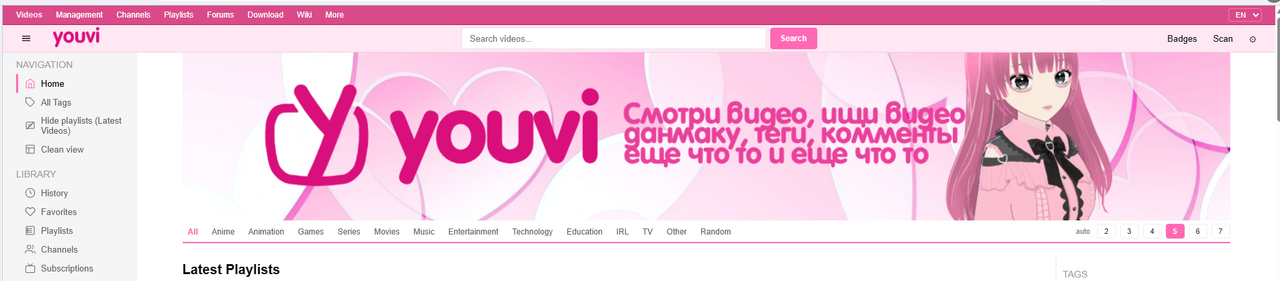
https://hub.vroid.com/en/characters/2565006066505044249/models/6721601482429355745 3D model on VroidHub, Made without any AI.
Supports ASS, SRT, extracts from MKV files and supports external loading. Works through ffmpeg wasm. Extracts everything including fonts and puts in .subs folder. For operation, a regular Python server is enough:
cd your_folder
python -m http.server
Multiple audio tracks are extracted from MKV files, to extract click the wave button in the player and click the needed one, wait and audio will play. Places in tracks folder next to video.
Danmaku and its input is everywhere in all video modes (even in PIP via Document-PIP API). Old standalone script way is still there for YouTube timestamp comments, if you want:
py yt_comments_to_danmaku.py https://www.youtube.com/watch?v=smth(obsolete option - Rename the downloaded file to video name dot extension dot danmaku, i.e. if video is name.mp4, danmaku file will be name.mp4.danmaku.json. Put in .metadata folder (create if it doesn't exist) next to video. Comments are the same but write comments instead of danmaku. I optimized them and they works without lags on 3200 danmakus on 3 min video!)
NEW OPTION! AUTO ADDING DANMAKU, COMMENTS AND ETC WITH VIDEO WHILE DOWNLOADING IT ON SITE. Choose platform in downloads tab and it will add sidecar files automatically while downloading video.
YouTube: comments, timestamp-based danmaku, live chat as danmaku, description.
Niconico: native timed comments/danmaku track, description. Comments saves it as Youvi comments, Danmaku saves the same track as Youvi danmaku.
Bilibili: native danmaku, description.
No need to copy, rename and manually place files anymore.
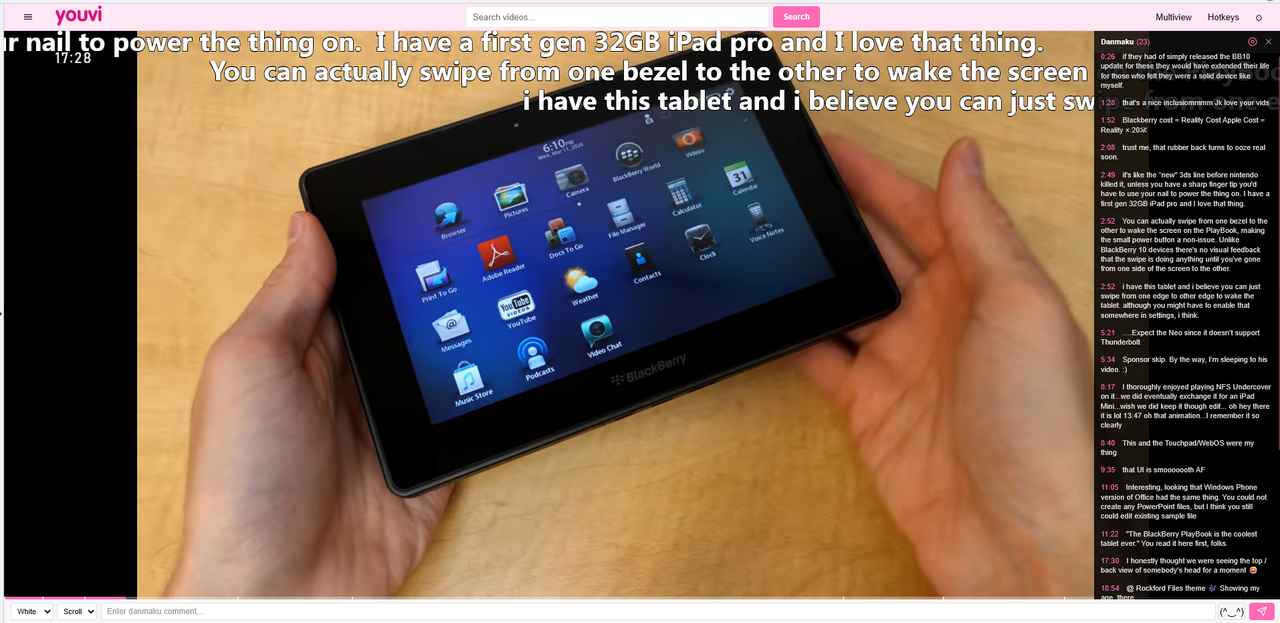
Danmaku in theater mode
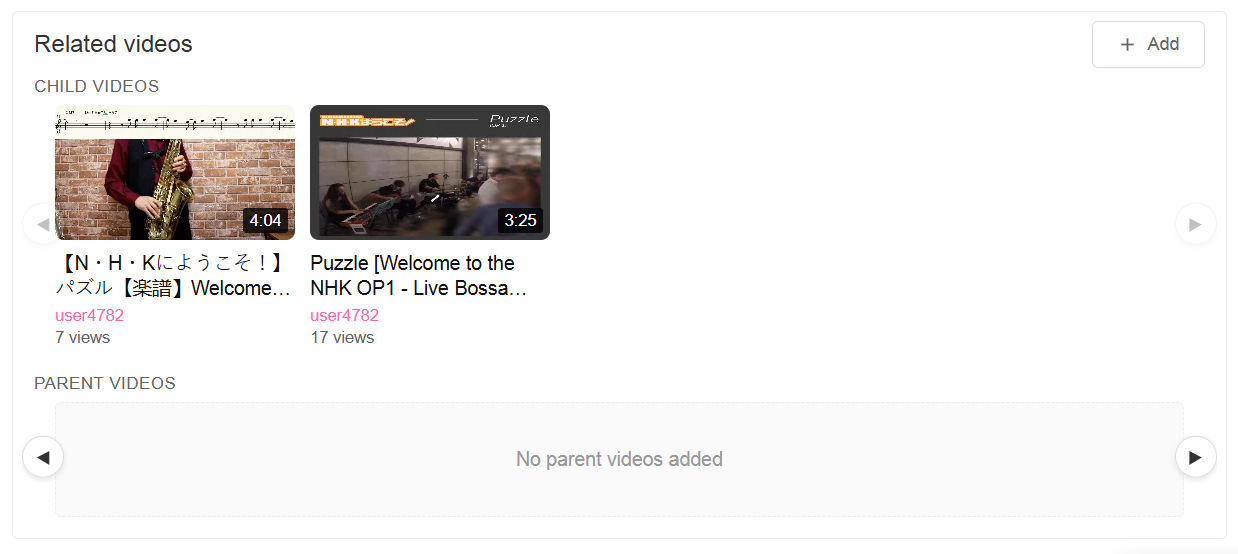
You can set video parent and child. Like on Niconico.
Single JSON for tags in Youvi folder, single JSON for URL codes. Everything else separately. Each video has in metadata folder: meta.json (info about video, preview, tags of this video, parent-child relation), description in txt file, danmaku, comments. Each video has its own files. You can load any folder like this and the site will pick up the data.
The site has a wiki with more detailed technical and user information about the site.
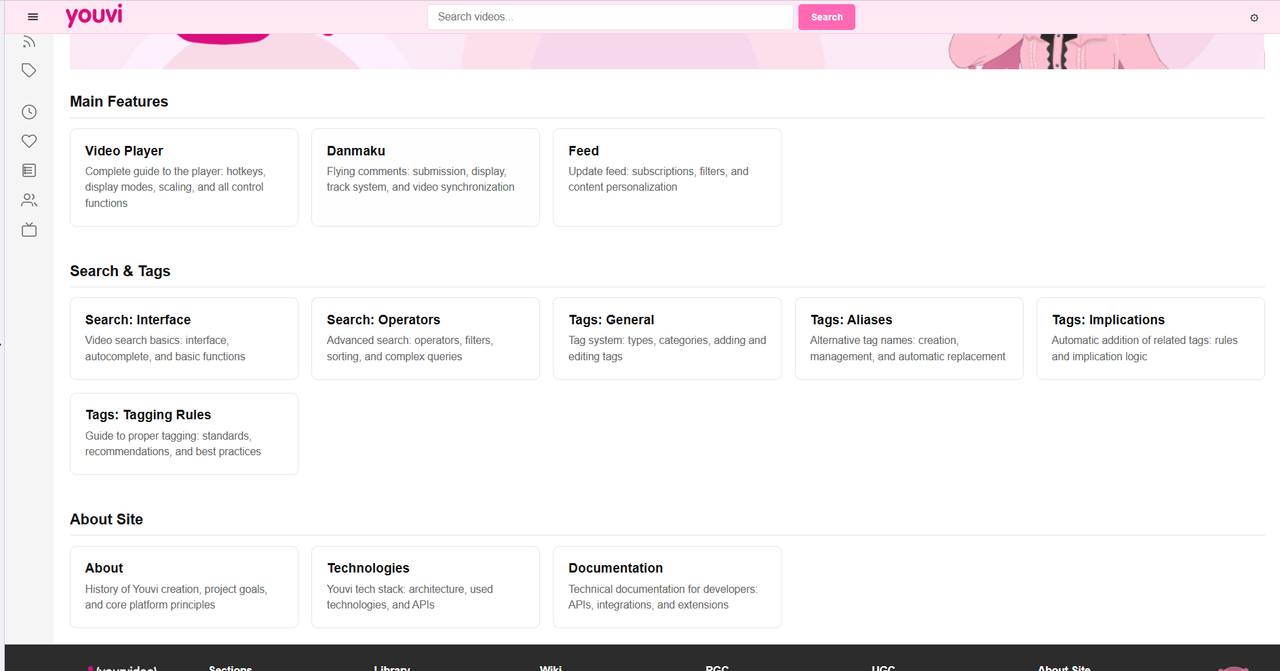
Optimized it a lot so it doesn't lag, on my not-so-powerful computers with 500 videos it works fast.
I'm not a professional coder, so the code may be rough. AI-assisted development,100k-150k+ lines. Full-featured portable "video hosting" with many features. This is my personal project created by me for myself, the most important thing is that it works and satisfies me. I worked on this project for half a year. This was my first project where I applied programming beyond academic tasks, and since there was no ready-made local first working witohout server mix of YouTube, NicoNico, booru sites and a player with subtitle support on the internet, I made this.
MIT License - see LICENSE file for details
Personal tool in maintenance mode.
Issues welcome but responses not guaranteed. Fork freely if you want. I will be happy to see any activity
If I encounter a problem that will interfere with me personally, I will fix it, but of course there is no schedule.
Sorry for my English