|
|

|

XAdmin is a Telegram Bot designed to provide remote shell access to a host PC.
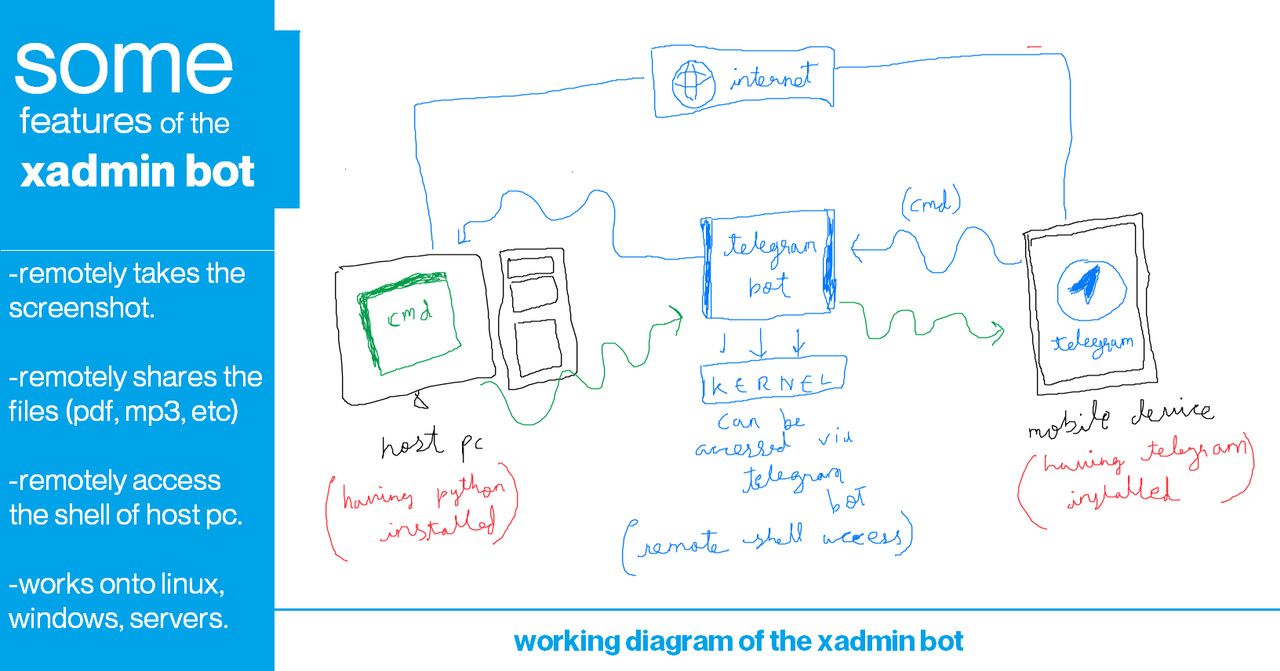
Unlike 🔒 SSH, 💻 Remote Desktop Connection, or 📞 Telnet to connect to the remote PC, my program just needs to be run on the host PC & it connects the CMD to the Telegram Bot.
- 🖥️ Remote Shell Access: Execute shell commands on the remote PC via Telegram BOT.
- 📸 Screenshot Capture: Use the
/sscommand to capture and send screenshots. - 📂 File Sharing: Prepend
@before the file name to share files. - ⚙️ Fetch Random Command: Use
/randomto fetch random Windows commands from THIS WEBSITE. - 🌐 IP Address Extraction: Retrieve the external IP address using the
/ipcommand. - 💾 Disk and File Listing: List all logical disks with
/listand all files with/files.
-
Clone the Repository:
git clone https://github.com/xprabhudayal/xadmin.git cd xadmin -
Install Dependencies: Ensure you have Python installed, then run:
pip install -r requirements.txt-
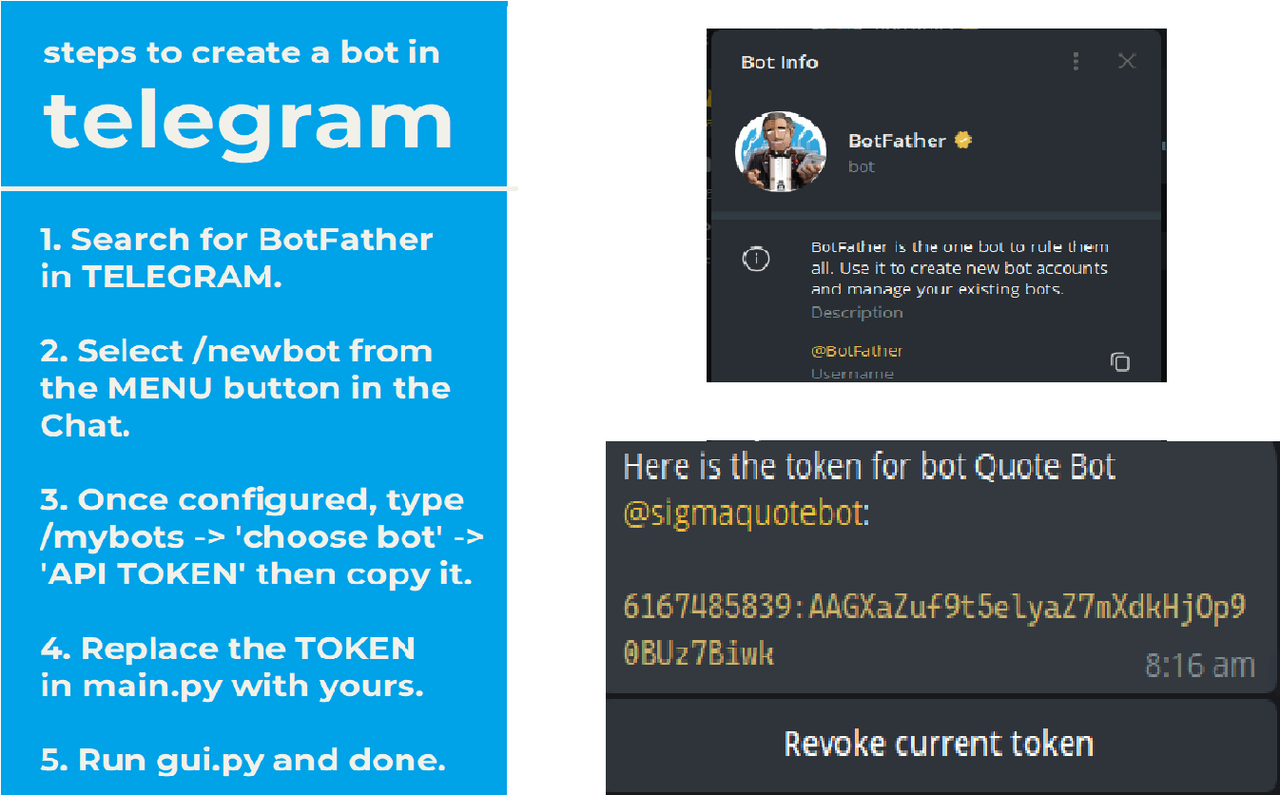
Configure Bot Token: Open main.py and replace TOKEN with your Telegram bot token.
-
Run gui.py to run the bot.
This project is licensed under the MIT License.