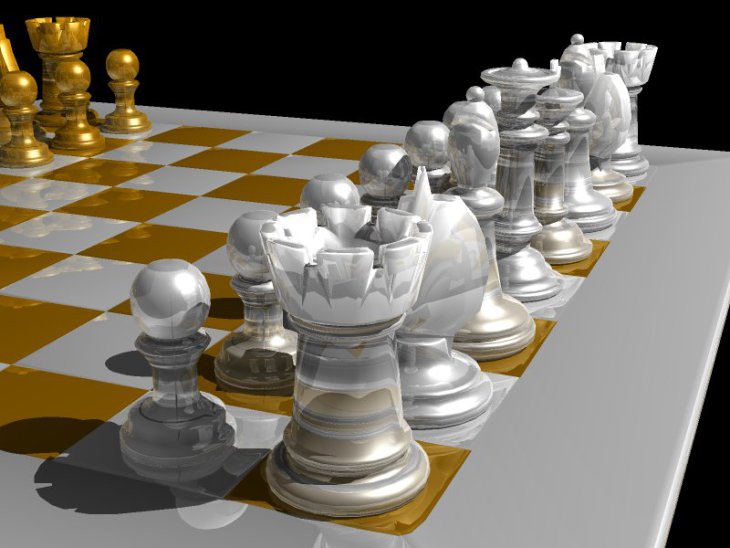
Full blog post about this code is here (screenshots, history, etc)
This is a real-time raytracer, supporting .3ds, .ply (ascii) and .tri (binary) formats.
Updated, 2026/April: Code now compiles and works with CUDA/13.0 and ROCm/HIP/7.2. Thank you, Qwen3.5 27B and GPT-OSS-120B :-)
The code has 3 dependencies: You must install...
- OpenGL with GLEW and GLUT (e.g. apt install libglew-dev )
- libSDL (e.g. apt install libsdl1.2-dev or libsdl2-dev )
...and of course, the GPU parts. The build system auto-detects CUDA or ROCm/HIP. To explicitly enable ROCm/HIP:
./configure --enable-rocm
To force CUDA:
./configure --enable-cuda
After installing the dependencies, a simple...
./configure && make && ./src/cuda/realtime_raytracer 3D-objects/chessboard.tri
or...
./configure && make && ./src/rocm_hip/realtime_raytracer 3D-objects/chessboard.tri
...will show you a real-time-raytraced rotating chessboard.
Read below for keyboard control intructions, or just press 'H' for help.
Use the following keys to navigate around the object:
- Hit 'H' for help.
- Hit 'R' to stop/start auto-spin (camera rotates around the object).
- Fly using the cursorKeys/A/Z.
- Rotate the light with W/Q.
- S/F are 'strafe' left/right
- E/D are 'strafe' up/down (strafe keys don't work in auto-spin mode).
- F4 toggles points mode
- F5 toggles specular lighting
- F6 toggles phong normal interpolation
- F7 toggles reflections
- F8 toggles shadows
- F9 toggles anti-aliasing
- ESC quits.
Since it reports frame rate at the end, you can use this as a benchmark for CUDA/AMD cards. Just spawn with "-b" to request benchmarking: (Note: keys don't work in benchmarking mode)
For CUDA builds:
./src/cuda/realtime_raytracer -b 150 3D-objects/chessboard.tri
For ROCm/HIP builds:
./src/rocm_hip/realtime_raytracer -b 150 3D-objects/chessboard.tri
This will draw 150 frames and report speed back. 14 years ago (2012), my NVIDIA GT240 reported:
Rendering 150 frames in 8.117 seconds. (18.4797 fps)
Today, my laptop's (AMD Ryzen 5 7535HS with Radeon 660M Graphics) reports ~110 frames per second.
Clearly, times have changed - we need larger objects :-)