
This project is one of the machine learning projects which I completed as part of DataTalksClub Machine Learning Zoomcamp.
The aim of this project is to build a image classification service using fruit images. The original data set is available at https://github.com/Horea94/Fruit-Images-Dataset and it contains training and test images for 131 classes of fruits and vegetables. To avoid computational complexity due to the large number of classes, I prefered to use only a subset of the original data set in this project and I chose to have only 10 classes of fruits. For each class, I moved 25% of the training set to the validation set. The final version of the data set that I used in this project is available inside the fruit-dataset-small folder in the current repository. The fruit classes and the number of images in training, validation and test sets are given in the following table:
| Class | Number of images in training set | Number of images in validation set | Number of images in test set |
|---|---|---|---|
| Apple Red 1 (shortened as Apple) | 369 | 123 | 164 |
| Banana | 367 | 123 | 166 |
| Blueberry | 346 | 116 | 154 |
| Lemon | 369 | 123 | 164 |
| Orange | 359 | 120 | 160 |
| Peach | 369 | 123 | 164 |
| Pear | 369 | 123 | 164 |
| Strawberry | 369 | 123 | 164 |
| Tomato 4 (shortened as Tomato) | 359 | 120 | 160 |
| Watermelon | 356 | 119 | 157 |
Some example images from the data are as follows:

Exploratory data analysis (EDA) can be found in notebook.ipynb. As part of EDA, I checked the number of images in the train, test, and validation sets and visualised some of the images to get an idea of how the images look like.
For model training, I borrowed the pre-trained Xception convolutional neural network (CNN) model and trained a dense layer on top of it using the codes in notebook.ipynb. I used TensorFlow and Keras libraries. The notebook was run in Saturn Cloud where I was provided with enough GPU hours. If you would like to run this notebook in a cloud environment, please remember to clone.
During the training process, I compared the validation accuracy by trying different values of learning rate and dropout rate. As a result, I decided to set the learning rate to 0.01 and I prefered not to use dropout at all as it did not result in a big improvement and the simpler model without dropout had already performed very well with accuracy rates close to 1 both in training and validation sets.
The codes for training the final model with the fine-tuned hyperparameters are separately provided in the python script named train.py.
This script saves the best keras model in the current folder. When I ran it, the best model was the one named as xception_v1_02_1.000.h5.
In addition, in order to decrease the computational resources needed, I converted the saved keras model to tflite model which is a lighter version. For that, I used the script convert_model.py. Hence, the final model is now named as fruit-model.tflite and it can be found in the current repository.
To reproduce these steps, perform the following steps:
- Clone this repository in a folder on your computer:
git clone https://github.com/topahande/deep-learning-project.git - Go to the directory deep-learning-project:
cd deep-learning-project - Run the command:
python train.py - Run the command:
python convert_model.py
The final model was deployed using Flask with Gunicorn as WSGI HTTP server (see predict.py and predict_test.py). Note that Gunicorn works only on Linux and Mac OS. If you are on Windows computer, you could try using waitress instead of Gunicorn (if so, also remember to edit the requirements.txt file accordingly).
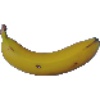
predict_test.py contains the url link of a fruit image taken from the test data. Once the model is deployed, running the predict_test.py script should return the predicted class for this image (make sure that you are in directory deep-learning-project).
But before this, let's first deal with the dependency and environment management.
For dependency and environment management, I created a conda environment named dl-project with python version 3.9 (note that the dependency tflite_runtime does not work with later versions of python), and loaded the dependencies using the file requirements.txt.
To deploy the model, run the following commands in a terminal:
conda create -n dl-project python=3.9
conda activate dl-project
conda install pip
pip install -r requirements.txt
gunicorn --bind 0.0.0.0:9696 predict:app
In another terminal, run the following commands:
conda activate dl-project
python predict_test.py
The output should be Banana :)
Containerization was done using Docker (see Dockerfile). Before running the following codes, please install Docker Desktop on your computer and start it.
- First, run
python:3.9-slimbase image with Docker:
docker run -it --rm --entrypoint=bash python:3.9-slim
- Then, build the docker image and name it
fruit-project(using the specifications given in Dockerfile):
docker build -t fruit-project .
- Now, we can run our docker image:
docker run -it --rm -p 9696:9696 fruit-project:latest
- In another terminal, run the following command:
python predict_test.py
Again, this should produce the output Banana :)
Finally, we can deploy our service to cloud or kubernetes cluster (local or remote). This is on my to-do list.