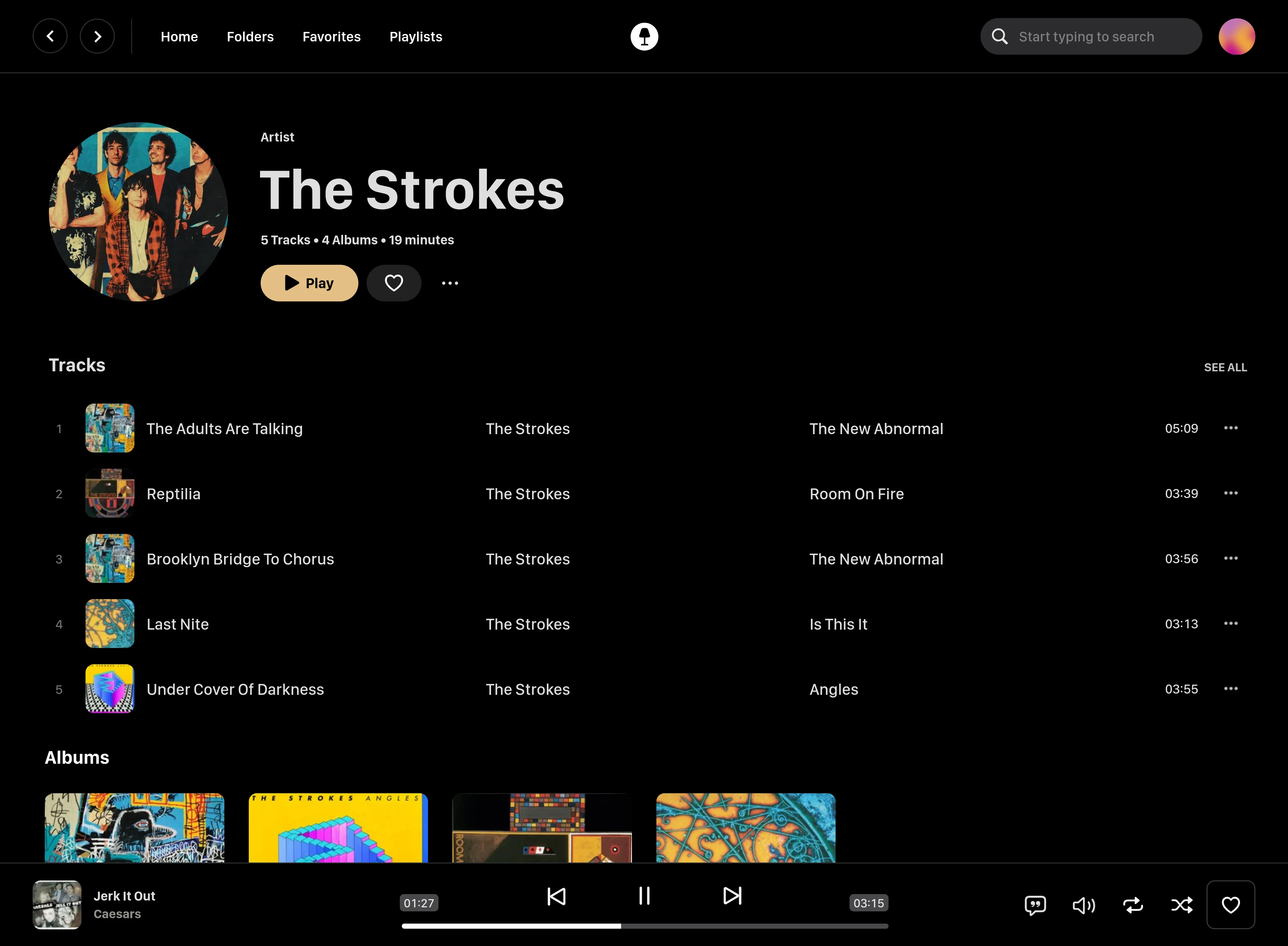
Swing Music is a blazingly fast and beautiful, self-hosted music streaming server. Like a cooler Spotify ... but bring your own music.
- Daily Mixes - curated everyday based on your listening activity
- Metadata normalization - a clean and consistent library
- Album versioning - normalized albums and association with version labels (eg. Deluxe, Remaster, etc)
- Related artist and albums
- Folder view - Browse your music library by folders
- Beautiful browser based UI
- Silence detection - Combine cross-fade with silence detection to create a seamless listening experience
- Collections - Group albums and artists based on your preferences
- Statistics - Get insights into your listening activity
- Last.fm scrobbling
- Multi-user support
- Cross-platform - Windows, Linux, MacOS (coming soon), arm64, x86
On Linux or MacOS run the command below to install Swing Music:
curl -fsSL https://setup.swingmx.com | bashTo run Swing Music on Windows, download the portable build from the downloads page and run it.
The app should start at http://localhost:1970 by default. Open the URL in your browser to configure and use Swing Music.
Tip
To stream your music from your Android device, download the Android mobile client.
Here's a sample Docker compose file:
services:
  swingmusic:
    image: ghcr.io/swingmx/swingmusic:latest
    container_name: swingmusic
    volumes:
      - /path/to/music:/music
      - /path/to/config:/config
    ports:
      - "1970:1970"
restart: unless-stoppeddocker pull ghcr.io/swingmx/swingmusic:latestThen run:
docker run --name swingmusic -p 1970:1970 -v /path/to/music:/music -v /path/to/config:/config --restart unless-stopped ghcr.io/swingmx/swingmusic:latestReplace /path/to/music and /path/to/config with the appropriate values. In addition, specify the /music directory as the root directory inside Swing Music.
Tip
For more info, see the Docker section on the docs.
Options flags can be passed when starting the app in the terminal to tweak runtime settings or perform tasks. You can use the -h flag to see all supported options.
Tip
You can read more about options in the docs.
Swing Music is looking for contributors. If you're interested, please join us at the Swing Music Community group on Telegram. For more information, take a look at #186.
This software is provided to you with terms stated in the AGPLv3 License or any later version. Read the full text in the LICENSE file located at the root of this repository.
Shout out to the following code contributors who have helped maintain and improve Swing Music: