Open-source real-time voice agent server built on WebRTC, with multi-language client SDKs, plugin extensibility, and Markdown-based skills.
StreamCoreAI keeps the latency-sensitive media and orchestration path in Go, while letting the rest of your stack stay in the languages your team already uses.
That means you can:
- run the core media pipeline in Go
- connect from TypeScript, Python, Rust, or Go
- extend the agent with Python, TypeScript, or JavaScript plugins
- register native Go tools inside the server when you want zero-IPC integrations
- shape behavior with Markdown skills
Most voice stacks force everything into one runtime. StreamCoreAI is built differently: keep the real-time path in Go, but let product, AI, and integration teams move faster in TypeScript and Python.
This repository is the Go server component in the StreamCoreAI project family.
Thank you! Interested in sponsoring? Reach out for logo placement on GitHub + demo page.
StreamCoreAI is designed for teams building real-time AI voice products who want:
- a fast Go core for media, session handling, and orchestration
- multi-language SDKs so clients are not tied to one stack
- plugin extensibility without forcing every integration into Go
- skills that shape tone and behavior without burying everything in prompts or code
- an open-source, self-hostable foundation for browser, SDK, and telephony voice flows
It is a strong fit for:
- browser voice agents
- AI assistants
- internal copilots
- AI calling systems
- support agents
- custom vertical voice products
See StreamCoreAI in action:
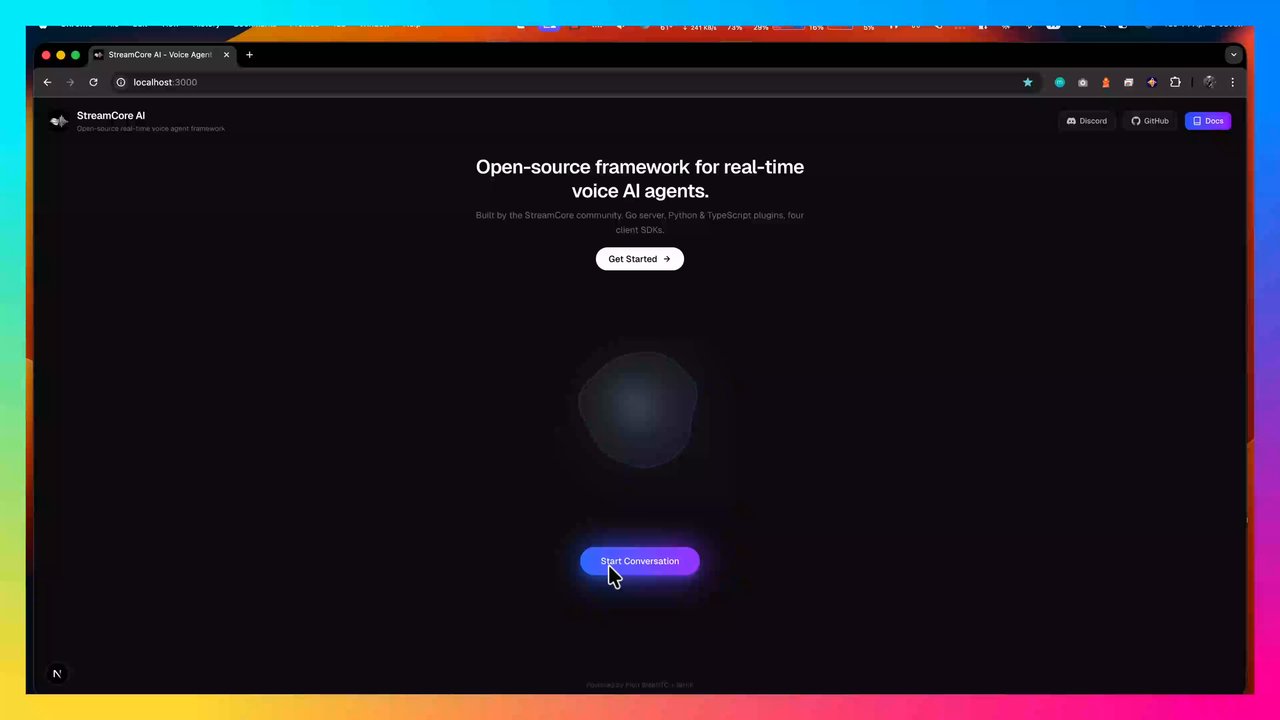
- Real-time bidirectional voice over WebRTC with Opus audio
- WHIP signaling (RFC 9725) with a single HTTP POST for SDP exchange
- Streaming STT with Deepgram, OpenAI Whisper, or local VibeVoice-ASR
- Streaming LLM responses with OpenAI or Ollama and conversation history
- Configurable TTS with Cartesia, Deepgram, ElevenLabs, or local VibeVoice-Realtime
- Built-in RAG with pluggable vector store backends (pgvector, Supabase) — retrieves context before the LLM call with zero tool-call overhead
streamcore-cliingestion tool — parses.txt,.md,.csv,.pdf,.docx,.xlsxfiles, chunks them, and uploads embeddings to your vector store- Barge-in support so users can interrupt the assistant mid-response
- Plugin system for Python, TypeScript, and JavaScript tools over JSON-RPC
- Native Go tool interface for zero-IPC extensions compiled into the server
- Skills system that injects Markdown instructions into the system prompt
- Thinking sound — optional audible tone played through the RTP stream while a slow tool executes
- Client SDKs for TypeScript (
@streamcore/js-sdk), Go (github.com/streamcoreai/go-sdk), Python (streamcoreai-sdk), and Rust - Plugin SDKs for TypeScript (
@streamcore/plugin) and Python (streamcore-plugin) - Health endpoint at
/health
The hot path runs in Go with Pion WebRTC, goroutines, and bounded channels:
- RTP read and Opus decode
- STT streaming and VAD
- LLM orchestration and tool calls
- TTS synthesis
- Opus encode and RTP write
That keeps the real-time loop predictable and low-latency.
Clients can connect from:
- TypeScript
- Python
- Rust
- Go
That makes it practical to build browser apps, backend workers, CLI tools, test harnesses, and desktop integrations without reimplementing the protocol for each environment.
Plugins give the agent capabilities. Skills shape its behavior.
- Plugins call APIs, databases, calendars, CRMs, workflows, and internal tools
- Skills define tone, personality, guardrails, brand voice, and workflow guidance
This keeps business logic and behavioral instructions easier to manage than a single giant prompt.
┌─────────────────────┐                    ┌─────────────────────────────────────┐
│    Client / SDK     │                    │          Go Server (Pion)           │
│                     │                    │                                     │
│  Mic → WebRTC ──────┼──── Opus RTP ──────┼──→ Opus Decode → STT               │
│  Speaker ← WebRTC ←─┼──── Opus RTP ←─────┼──← Opus Encode ← TTS               │
│                     │                    │               │                     │
│  HTTP POST ─────────┼── WHIP (SDP) ──────┼──→ Peer + session created          │
│  DataChannel ◄──────┼──── events   ←─────┼──← LLM streaming                   │
│                     │                    │               │                     │
│                     │                    │               ├── RAG context       │
│                     │                    │               ├── Skills prompt     │
│                     │                    │               ├── Plugin runtime    │
│                     │                    │               │   ├── Python        │
│                     │                    │               │   ├── TypeScript    │
│                     │                    │               │   └── JavaScript    │
│                     │                    │               └── Native Go tools   │
└─────────────────────┘                    └─────────────────────────────────────┘
Signaling flow: the client creates an SDP offer, gathers ICE candidates, and POSTs it to /whip. The server creates a peer, gathers its ICE candidates, and returns the SDP answer with a server-generated session ID. No persistent signaling socket is required.
Pipeline flow: microphone audio enters over WebRTC, is decoded to PCM, sent through STT, passed to the LLM, optionally routed through tools, synthesized with TTS, encoded back to Opus, and streamed to the client. Transcript and response text are sent back over a WebRTC DataChannel.
Telephony note: SIP and phone connectivity are handled by a separate SIP bridge in the StreamCoreAI project family.
For Docker:
- Docker
- Docker Compose
For local development:
- Go 1.22+
- Node.js 20+ and npm
- Python 3.10+ if you want Python plugins or examples
- Rust 1.87+ if you want Rust SDKs or examples
Provider requirements:
| Role | Providers | Required credentials |
|---|---|---|
| STT | deepgram, openai, vibevoice |
Deepgram API key, OpenAI API key, or local VibeVoice ASR server |
| LLM | openai, ollama |
OpenAI API key or local Ollama instance |
| TTS | cartesia, deepgram, elevenlabs, vibevoice |
Matching provider API key, or local VibeVoice TTS server |
| RAG (optional) | pgvector, supabase |
Postgres connection string or Supabase URL + API key. Also requires an OpenAI API key for embeddings. |
cp config.toml.example config.toml
# Edit config.toml with your API keys

docker build -t streamcoreai-server .
docker run --rm -p 8080:8080 -v "$(pwd)/config.toml:/config.toml:ro" streamcoreai-server
Then connect a client to http://localhost:8080/whip. You can use the browser client from streamcoreai/examples or any of the SDKs listed below.
Start the server from this repository:
cp config.toml.example config.toml
# Edit config.toml with your API keys

go run .
In another terminal, run a client from its own repository. For example, with the browser app:
git clone https://github.com/streamcoreai/examples.git
cd examples/typescript
npm install
npm run dev
Then open http://localhost:3000. By default it connects to http://localhost:8080/whip.
Run everything locally using Ollama for LLM and VibeVoice for STT/TTS:
1. Install and start Ollama
# Install from https://ollama.ai or via:
brew install ollama  # macOS
# curl -fsSL https://ollama.com/install.sh | sh  # Linux

# Start Ollama and pull a model
ollama serve  # runs in background on macOS, or start as systemd service on Linux
ollama pull gpt-oss:20b
2. Install Python dependencies and start VibeVoice servers
# Install dependencies (Apple Silicon)
pip install mlx-audio numpy websockets fastapi uvicorn

# OR for Linux/CUDA:
# pip install torch transformers librosa numpy websockets fastapi uvicorn

# Terminal 1: Start ASR server
python external/vibeVoice/vibeVoiceAsr/server.py
# Listens on ws://127.0.0.1:8200

# Terminal 2: Start TTS server
python external/vibeVoice/vibeVoiceTTS/server.py
# Listens on http://127.0.0.1:8300
3. Configure the Go server
cp config.toml.example config.tomlEdit config.toml:
[stt]
provider = "vibevoice"

[llm]
provider = "ollama"

[tts]
provider = "vibevoice"

[ollama]
base_url = "http://localhost:11434"
model = "llama3.2"

[vibevoice]
asr_url = "ws://127.0.0.1:8200"
tts_url = "http://127.0.0.1:8300"
voice = "en-Emma_woman"
4. Start the Go server
go run .Now you have a fully local voice AI with no external API dependencies.
Use config.toml.example as your starting point:
[server]
port = "8080"

[plugins]
directory = "./plugins"

[pipeline]
barge_in = true
greeting = ""
greeting_outgoing = ""
debug = false

[stt]
provider = "deepgram"

[llm]
provider = "openai"

[tts]
provider = "cartesia"

[deepgram]
api_key = ""
model = "nova-3"

[openai]
api_key = ""
model = "gpt-4o-mini"
system_prompt = "You are a helpful AI voice assistant. Keep your responses concise and conversational."

[ollama]
base_url = "http://localhost:11434"
model = "llama3.2"
system_prompt = "You are a helpful AI voice assistant. Keep your responses concise and conversational."

[cartesia]
api_key = ""
voice_id = ""

[elevenlabs]
api_key = ""
voice_id = ""
model = ""

[vibevoice]
asr_url = "ws://127.0.0.1:8200"
tts_url = "http://127.0.0.1:8300"
voice = "en-Emma_woman"

# RAG is optional — omit the [rag] section to disable it entirely.
# [rag]
# provider = "supabase"       # "pgvector" or "supabase"
# top_k = 3                   # Number of chunks to retrieve per query
# embedding_model = "text-embedding-3-small"

# [pgvector]
# connection_string = "postgres://user:pass@localhost:5432/mydb"
# table = "documents"         # Table with content TEXT and embedding vector(1536) columns

# [supabase]
# url = "https://xxx.supabase.co"
# api_key = ""                # Supabase anon or service_role key
# function = "match_documents" # Postgres RPC function name (used by server for queries)
# table = "documents"         # Table name (used by streamcore-cli for ingestion)
Notes:
plugins.directoryis required if you want plugins and skills loaded. If it is omitted, the server skips plugin discovery.pipeline.barge_inlets users interrupt the assistant while it is speaking.pipeline.greetingplays when a session starts.pipeline.greeting_outgoingis used for outbound SIP calls when present.pipeline.debug = trueemits timing events over the DataChannel.stt.provider = "openai"uses Whisper-style final transcription instead of streaming partials.llm.provider = "ollama"uses a local Ollama instance instead of OpenAI. Make sure Ollama is running and the specified model is pulled (e.g.,ollama pull llama3.2).stt.provider = "vibevoice"andtts.provider = "vibevoice"use local VibeVoice models. Start the Python servers first (see Local VibeVoice Setup).rag.providerenables built-in RAG. When set, the server embeds each user utterance and retrieves the top-k most relevant chunks from your vector store before calling the LLM — all in a single LLM pass with no tool-call overhead.
RAG lets the agent answer questions grounded in your own documents. It runs inline in the voice pipeline — the server embeds the user's query, retrieves relevant chunks from a vector store, and injects them as context before the LLM call. This avoids an extra LLM round-trip that a tool-call approach would require.
| Provider | Backend | Config section |
|---|---|---|
pgvector |
PostgreSQL with the pgvector extension | [pgvector] |
supabase |
Supabase (calls a Postgres RPC function over HTTP) | [supabase] |
Both providers use OpenAI embeddings (text-embedding-3-small by default). Your [openai] API key must be set.
- Enable the pgvector extension in your Postgres database:
CREATE EXTENSION IF NOT EXISTS vector;- Create the documents table:
CREATE TABLE documents (
    id SERIAL PRIMARY KEY,
    content TEXT NOT NULL,
    embedding vector(1536),
    source TEXT
);- Add to
config.toml:
[rag]
provider = "pgvector"

[pgvector]
connection_string = "postgres://user:pass@localhost:5432/mydb"- In your Supabase project, create the documents table and an RPC function:
CREATE EXTENSION IF NOT EXISTS vector;

CREATE TABLE documents (
    id SERIAL PRIMARY KEY,
    content TEXT NOT NULL,
    embedding vector(1536),
    source TEXT,
    created_at TIMESTAMP DEFAULT NOW()
);

CREATE OR REPLACE FUNCTION match_documents(
    query_embedding vector(1536),
    match_count int DEFAULT 3
)
RETURNS TABLE (content text, similarity float)
LANGUAGE plpgsql AS $$
BEGIN
    RETURN QUERY
    SELECT d.content, 1 - (d.embedding <=> query_embedding) AS similarity
    FROM documents d
    ORDER BY d.embedding <=> query_embedding
    LIMIT match_count;
END;
$$;

-- Enable Row Level Security
ALTER TABLE documents ENABLE ROW LEVEL SECURITY;

-- Allow authenticated users and anon to SELECT (for server/agent queries)
CREATE POLICY "Allow read access to documents"
ON documents FOR SELECT
TO authenticated, anon
USING (true);

-- Allow authenticated users and anon to INSERT (for streamcore-cli ingestion)
CREATE POLICY "Allow insert access to documents"
ON documents FOR INSERT
TO authenticated, anon
WITH CHECK (true);

-- Allow authenticated users and anon to UPDATE
CREATE POLICY "Allow update access to documents"
ON documents FOR UPDATE
TO authenticated, anon
USING (true);- Add to
config.toml:
[rag]
provider = "supabase"

[supabase]
url = "https://xxx.supabase.co"
api_key = "your-service-role-key"
function = "match_documents"
table = "documents"The server handles query-time retrieval only. To populate your vector store, use the streamcore-cli tool from the streamcore-cli/ directory.
Install:
cd streamcore-cli
go build -o streamcore-cli .
Ingest files:
# Ingest one or more files — supports .txt, .md, .csv, .pdf, .docx, .xlsx
streamcore-cli ingest docs/faq.pdf product-catalog.xlsx notes.md

# Override provider or point to a specific config
streamcore-cli ingest --provider supabase --config ../server/config.toml data.csv

# Control chunk size and overlap
streamcore-cli ingest --chunk-size 256 --chunk-overlap 32 manual.docx
The CLI reads your server's config.toml automatically for provider credentials, so you don't configure things twice. It parses each file into text, splits it into overlapping chunks (default 512 words with 64-word overlap), embeds each chunk via OpenAI, and inserts it into your vector store.
| Flag | Default | Description |
|---|---|---|
--config |
auto-detected | Path to server config.toml |
--provider |
from config | Override RAG provider (pgvector, supabase) |
--chunk-size |
512 | Target chunk size in words |
--chunk-overlap |
64 | Overlap between chunks in words |
VibeVoice provides fully local STT and TTS — no API keys needed. It uses VibeVoice-ASR for speech recognition and VibeVoice-Realtime-0.5B for text-to-speech via two lightweight Python sidecar servers.
On Apple Silicon the servers use mlx-audio (MLX). On Linux/Windows they fall back to PyTorch automatically.
# Apple Silicon (MLX)
pip install mlx-audio numpy websockets fastapi uvicorn

# OR PyTorch (Linux / CUDA)
pip install torch transformers librosa numpy websockets fastapi uvicornpython external/vibeVoice/vibeVoiceAsr/server.py
# Listens on ws://127.0.0.1:8200
# Default model: mlx-community/VibeVoice-ASR-4bit (Mac) or microsoft/VibeVoice-ASR (PyTorch)python external/vibeVoice/vibeVoiceTTS/server.py
# Listens on http://127.0.0.1:8300
# Default model: mlx-community/VibeVoice-Realtime-0.5B-6bit (Mac) or microsoft/VibeVoice-Realtime-0.5B (PyTorch)[stt]
provider = "vibevoice"
[tts]
provider = "vibevoice"
[vibevoice]
asr_url = "ws://127.0.0.1:8200"
tts_url = "http://127.0.0.1:8300"
voice = "en-Emma_woman"The ASR server accepts live PCM audio over WebSocket and emits JSON transcript events. The TTS server accepts HTTP POST requests and returns raw PCM audio.
Plugins give the LLM callable tools during a conversation. Skills inject Markdown instructions into the system prompt for every session.
- Plugin Development Guide
- Skills Development Guide
This repo already includes sample plugins and skills under plugins/.
Create a Python plugin that tells the time:
mkdir -p plugins/plugins/time-getplugins/plugins/time-get/plugin.yaml
name: time.get
description: Get the current time in a timezone
version: 1
language: python
entrypoint: main.py
parameters:
  type: object
  properties:
    timezone:
      type: string
      description: IANA timezone name
  required:
    - timezone
plugins/plugins/time-get/main.py
from datetime import datetime
from zoneinfo import ZoneInfo
from streamcoreai_plugin import StreamCoreAIPlugin

plugin = StreamCoreAIPlugin()

@plugin.on_execute
def handle(params):
    tz = ZoneInfo(params["timezone"])
    now = datetime.now(tz)
    return f"The current time is {now.strftime('%I:%M %p')} in {params['timezone']}."

plugin.run()
Restart the server, then ask the agent for the time in a specific timezone.
The plugin.yaml file supports these fields:
| Field | Type | Required | Description |
|---|---|---|---|
name |
string | yes | Unique tool name the LLM calls (e.g. weather.get) |
description |
string | yes | What the tool does — shown to the LLM |
version |
int | yes | Manifest version |
language |
string | yes | python, typescript, or javascript |
entrypoint |
string | yes | File to run (e.g. main.py, index.ts) |
parameters |
object | yes | JSON Schema describing the tool's parameters |
confirmation_required |
bool | no | If true, the agent asks the user to confirm before executing (default: false) |
thinking_sound |
bool | no | If true, a soft looping tone plays through the audio stream while the tool executes — useful for slow API calls so the user knows something is happening (default: false) |
The thinking sound has a 500ms grace period. If the tool returns faster than that, no sound is played.
| Plugin | Language | Description |
|---|---|---|
math.calculate |
TypeScript | Evaluate math expressions |
weather.get |
TypeScript | Current weather for a location |
time.get |
Python | Current date/time in any timezone |
vision.analyze |
TypeScript | Analyze images from a device camera |
gmail |
TypeScript | Read and send emails via Gmail (OAuth2). See Gmail plugin README for setup. |
| Skill | Description |
|---|---|
tool-savvy |
Guides the agent to use tools instead of guessing |
friendly-conversationalist |
Warm, natural conversational personality |
polite-assistant |
Concise and polite voice interaction style |
concise-responder |
Keeps responses short for spoken delivery |
error-recovery |
Handles errors gracefully in voice conversations |
vision-assistant |
Enables camera-based image analysis |
gmail-assistant |
Walks through emails one-by-one with reply & confirm flow |
If you need zero-IPC extensions, you can also register native Go tools directly in the server via pluginMgr.RegisterNative(...). See the Go section in the plugin development guide.
Client SDKs:
- TypeScript SDK:
@streamcore/js-sdk - Go SDK:
github.com/streamcoreai/go-sdk - Python SDK:
streamcoreai-sdk - Rust SDK
Plugin SDKs:
- TypeScript plugin SDK:
@streamcore/plugin - Python plugin SDK:
streamcore-plugin
Examples:
- TypeScript browser app
- Go CLI example
- Go TUI example
- Python examples
- Rust CLI example
- Rust TUI example
Signaling follows RFC 9725.
| Step | Method | Path | Body | Response |
|---|---|---|---|---|
| 1 | POST |
/whip |
SDP offer (application/sdp) |
201 Created with SDP answer, Location: /whip/{sessionId}, and ETag |
| 2 | DELETE |
/whip/{sessionId} |
none | 200 OK |
| - | OPTIONS |
/whip or /whip/{sessionId} |
none | 204 No Content with Accept-Post: application/sdp |
The client gathers ICE candidates before sending the offer. The server gathers ICE candidates before returning the answer. No trickle ICE is used.
The client must create a DataChannel labeled events before generating the offer. The server currently sends these JSON messages:
| Type | Payload | Description |
|---|---|---|
transcript |
{ "type": "transcript", "text": string, "final": boolean } |
User transcript updates |
response |
{ "type": "response", "text": string } |
Streamed LLM response text |
timing |
{ "type": "timing", "stage": string, "ms": number } |
Optional latency timings when pipeline.debug = true |
Current timing stages are:
llm_first_tokentts_first_byte
This implementation aligns with the core WHIP flow in RFC 9725:
POSTwithapplication/sdp201 Createdwith SDP answerLocationheader for the session URLETagheader for the ICE sessionDELETEfor teardownOPTIONSwithAccept-Post: application/sdp- full ICE gathering on both sides
The server uses sendrecv audio and a DataChannel to support bidirectional voice interaction.
Today, session management is in-memory and single-process. For horizontal scaling you will need sticky routing or external session coordination.
Near-term areas to build on:
- persistent memory across sessions
- more end-to-end SDK and plugin examples
- easier deployment and hosted workflows
Apache 2.0. See LICENSE.
