A modular CLI platform for running Python microtools from a shared tools directory.
pip install git+https://github.com/skpaul82/axle-cli.gitIf you have Python 3 installed, try using pip3:
pip3 install git+https://github.com/skpaul82/axle-cli.gitOr clone manually:
git clone https://github.com/skpaul82/axle-cli.git
cd axle-cli
pip install -r requirements.txt
pip install -e .Note: PyPI installation (
pip install axle-cli) is planned for a future release.
Watch how Axle-CLI works:
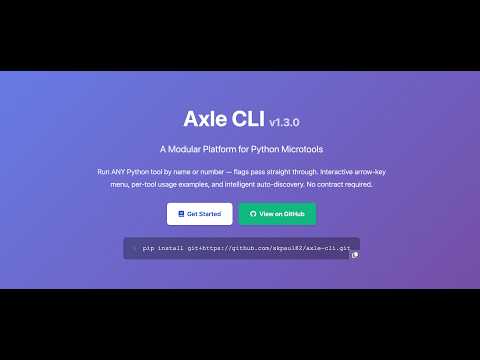
Run axle with no arguments to get a full interactive tool picker — navigate with ↑↓ arrow keys, press Enter to select, then type your arguments:
axle # opens interactive menuRun any tool directly by name or number — flags pass straight through to the tool:
axle competitor_analysis --urls https://rival.com --target-keyword "web developer"
axle 4 --urls https://rival.com --target-keyword "web developer"

axle content_optimizer --url https://mysite.com --target-keyword "cloud hosting"
axle 5 --url https://mysite.com --target-keyword "cloud hosting"

axle content_optimizer --file article.html --target-keyword "SaaS" --competitors c1.html c2.html
axle content_optimizer --text "Your content here..." --target-keyword "best crm software"

axle seo_keyword_checker "target keyword to analyse"Running axle tool_name or axle N with no extra args now shows that tool's own usage examples (pulled from its Usage: docstring, automatically converted to axle syntax):
axle competitor_analysis     # shows examples for this tool
axle 4                       # same — works by number too
axle help content_optimizer # same, via help commandaxle help <tool> now shows only: name → summary → examples. Use --details for the full options list and function inventory:
axle help content_optimizer            # clean summary + examples
axle help content_optimizer --details # full argparse options + functions- Launch
axlewith no arguments on a real terminal to get an arrow-key tool picker - Navigates with ↑↓ / j k, Enter to select, q to quit
- After selection: context-aware argument prompt (flags / prompt / function)
- Echoes the resolved command before running
axle <tool_name> [flags]— run without going throughaxle runaxle <N> [flags]— run by tool numberaxle <tool_name> <function> [args]— call specific function in multi-function toolsaxle <tool_name>alone → shows tool examples, never errors
- Examples extracted automatically from each tool's
Usage:docstring python tool.py --args→ shown asaxle tool_name --argsaxle help <tool> --detailsfor full argparse options + function list
- Pre-execution security scan (disabled by default)
- Enable per-run:
axle run <tool> --security - Enable globally:
axle security --enable - Policies: strict / warn / permissive
- Automatic code quality checks before running (disabled by default)
- Enable per-run:
axle run <tool> --code-review - Enable globally:
axle review --enable - Auto-fixes formatting and import issues
- Works with any Python script — no contract required
- Auto-detects argparse-based tools, contract tools, and multi-function scripts
- Extracts functions, docstrings, and usage examples automatically
| Command | Description |
|---|---|
axle |
Interactive arrow-key tool picker |
axle <tool_name> |
Show tool examples (no args) or run directly |
axle <N> |
Same, by tool number |
axle <tool_name> [--flags] |
Run tool with flags passed through |
axle <N> [--flags] |
Same, by number |
| Command | Description |
|---|---|
axle list |
List all available tools |
axle run <tool> [args] |
Run a tool (classic syntax) |
axle run <tool> --security |
Run with security validation |
axle run <tool> --code-review |
Run with code review |
axle help <tool> |
Show tool examples |
axle help <tool> --details |
Show full options + function list |
axle info <tool> |
Show tool description |
axle scan |
Dependency vulnerability scan |
axle doctor |
Environment diagnostics |
axle path |
Show tools folder location |
axle security --enable/--disable/--show |
Configure security |
axle review --enable/--disable/--show |
Configure code review |
axle update |
Update to latest version |
axle update --check |
Check for updates |
axle metadata scan/show/search/list |
Tool metadata system |
axle -V |
Show version |
# SEO competitor analysis
axle competitor_analysis --urls https://rival1.com https://rival2.com --target-keyword "web developer"
axle 4 --urls https://rival1.com https://rival2.com --target-keyword "web developer"

# Content optimization
axle content_optimizer --url https://mysite.com/blog --target-keyword "cloud hosting"
axle content_optimizer --file article.html --target-keyword "SaaS" --competitors c1.html c2.html
axle content_optimizer --text "Your content here..." --target-keyword "best crm software"

# SEO keyword analysis (prompt-based)
axle seo_keyword_checker "python is great for data science"

# See all tools interactively
axle

# Get help for a specific tool
axle help competitor_analysis
axle help competitor_analysis --details- Python 3.10+
- RAM: 8 GB minimum, 16 GB preferred
- Disk: 5–8 GB free (for ML models and caches)
Axle works with any Python script. Just drop it in your tools/ directory.
import argparse

def main():
    parser = argparse.ArgumentParser(description="My Tool")
    parser.add_argument("--input", required=True)
    parser.add_argument("--output", default="out.json")
    args = parser.parse_args()
    # your logic here

if __name__ == "__main__":
    main()
Run it as:
axle my_tool --input data.csvdef get_description() -> str:
return "Brief description of what this tool does"
def main(prompt: str) -> None:
print(f"Processing: {prompt}")Run it as:
axle my_tool "your prompt here"Use XX_tool_name.py for ordering:
tools/
  01_seo_keyword_checker.py
  02_meta_tag_auditor.py
  04_my_tool.py
Find your tools directory: axle path
docs/index.md— overviewdocs/usage.md— how to use toolsdocs/commands.md— complete command referencedocs/security.md— security validationdocs/installation.md— step-by-step setupdocs/changelog.md— version history
- ⭐ Star on GitHub: skpaul82/axle-cli
- 🐦 Follow on X: @_skpaul82
- 🌐 Website: www.axle.sanjoypaul.com
- 🌐 FB Group: Agentic AIO
MIT License – see LICENSE for details.
♥ Built for the community. ♥ Shared with love for creators, builders, and learners.