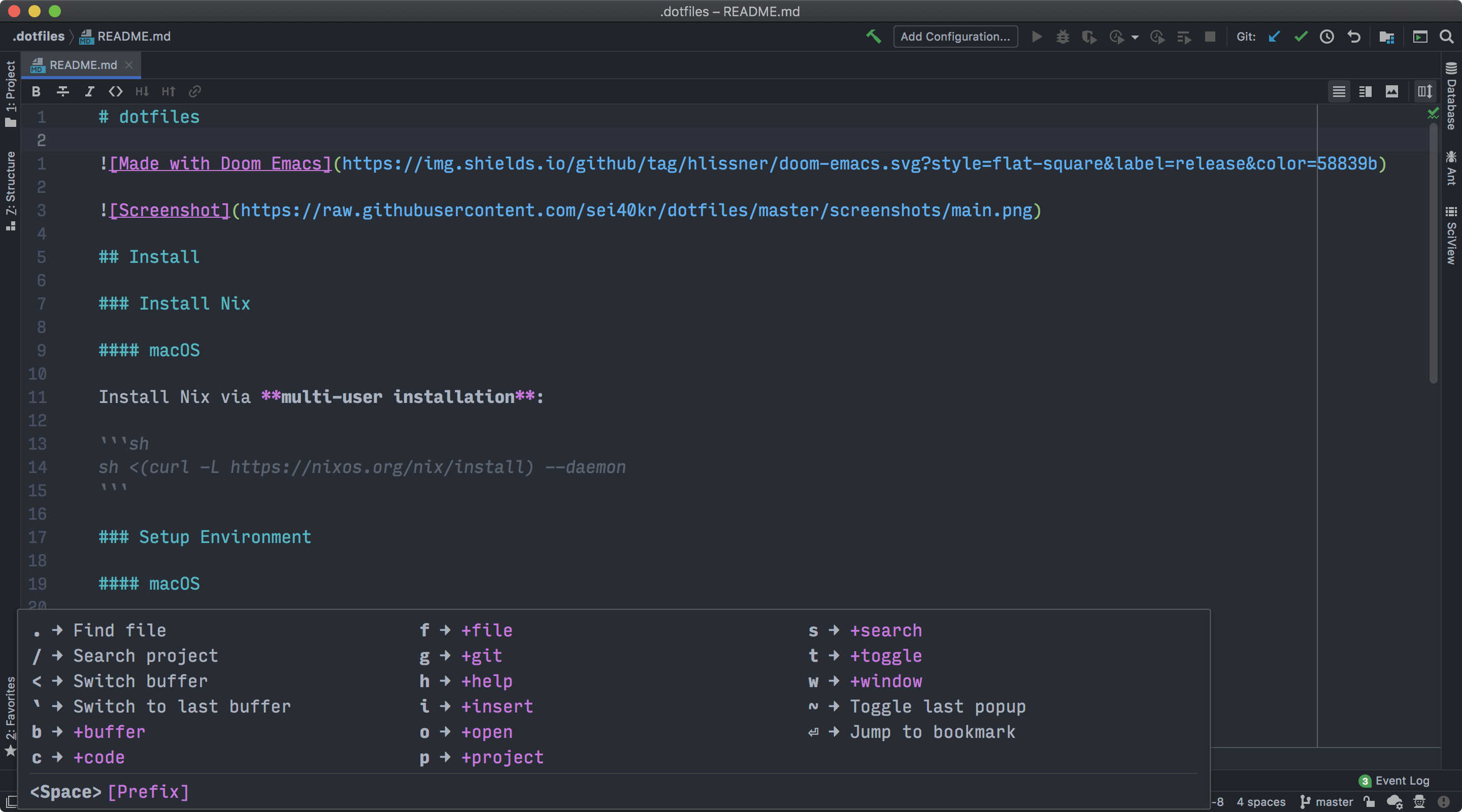
Doom Emacs key bindings in IdeaVim.
Renamed ideavimrc -> init.vim, so you need to import init.vim into your
.ideavimrc.
expand-region.vim was removed. To configure expand/shrink region key
bindings, see Tips > Expand/Shrink Region section below.
source /path/ to /idea-doom-emacs/ init.vim
" If you want camel case movement and editingsource /path/ to /idea-doom-emacs/ subword- mode .vim
Key binding
Description
SPC b d, SPC b kKill buffer
SPC b sSave buffer
SPC b KKill all buffers
SPC b NNew empty buffer
SPC b OKill other buffers
SPC b SSave all buffers
Key binding
Description
SPC c DJump to references
SPC c aExecute Intention Action
SPC c cCompile
SPC c dJump to definition
SPC c fFormat buffer/region
SPC c iFind implementations
SPC c jJump to symbol in current workspace
SPC c kShow documentation
SPC c oOrganize imports
SPC c rRename
SPC c tFind type definition
SPC c CRecompile
Key binding
Description
SPC f cOpen project editorconfig
SPC f rRecent files
SPC f sSave file
SPC f RRename/move file
SPC f yCopy filename
Key binding
Description
SPC g 'GitHub menu
SPC g .Git file actions
SPC g /Git menu
SPC g [, [ cJump to previous hunk
SPC g ], ] cJump to next hunk
SPC g bSwitch branch
SPC g rRevert hunk
SPC g sStatus
SPC g tTime machine
SPC g BBlame
SPC g CClone
SPC g FFetch
SPC g SGit stage file
Key binding
Description
SPC g c bBranch
SPC g c pPull request
SPC g c rInitialize repo
SPC g c RClone repo
Key binding
Description
SPC g l pList pull requests
Key binding
Description
SPC g o oBrowse file or region
SPC g o pBrowse a pull request
Key binding
Description
SPC h eShow Event Log
SPC h rReload IdeaVim config
SPC h tChange theme
Key binding
Description
SPC i e (M-SPC i e in insert mode)Insert emoji/unicode
SPC i s (M-SPC i s in insert mode)Insert Live Template
SPC i u (M-SPC i u in insert mode)Insert emoji/unicode
SPC i y (M-SPC i y in insert mode)Insert from clipboard
Key binding
Description
SPC o fNew window
SPC o FSelect window
SPC o oReveal in filer
SPC o pToggle Project View
SPC o PFind file in Project View
SPC o tOpen terminal
SPC o TOpen terminal here
Key binding
Description
SPC p !Run cmd in project root
SPC p iInvalidate project cache
SPC p pSwitch projects
SPC p RRun project
SPC p tShow TODO
SPC p zList project tasks
Key binding
Description
SPC t bPresentation Mode
SPC t FFullscreen
SPC t lLine numbers
SPC t rRead-only mode
SPC t wSoft line wrapping
SPC t zDistraction Free Mode
SPC t ZZen Mode
Key binding
Description
SPC /, SPC s pSearch project
SPC s kLook up in Dash docsets
Key binding
Equivalent to
SPC w c, SPC w dC-w c
SPC w hC-w h
SPC w jC-w j
SPC w kC-w k
SPC w lC-w l
SPC w sC-w s
SPC w vC-w v
SPC w wC-w w
SPC w WC-w W
Key binding
Description
<C-w> d, <C-w> <C-d>Show error description
SPC w mMaximize window (unsplit)
Key binding
Description
g s b<Plug>(easymotion-bl)
g s e<Plug>(easymotion-el)
g s f<Plug>(easymotion-f)
g s F<Plug>(easymotion-F)
g s j<Plug>(easymotion-j)
g s k<Plug>(easymotion-k)
g s n<Plug>(easymotion-n)
g s N<Plug>(easymotion-N)
g s s<Plug>(easymotion-s2)
g s t<Plug>(easymotion-t)
g s T<Plug>(easymotion-T)
g s w<Plug>(easymotion-wl)
g s g e<Plug>(easymotion-gel)
Key binding
Description
g rRefresh
jNext line
kPrevious line
lDWIM
KGo to parent
LNext neighbour
HPrevious neighbour
o oOpen no split
o sOpen vertical
o vOpen horizontal
qQuit
Key binding
Description
SPC RETJump to bookmark
SPC <Switch buffer (Switcher)
[ SPCInsert blank line above current line
] SPCInsert blank line below current line
Actions on Save feature is available since IntelliJ IDEA 2021.2.
Go Settings > Tools > Actions on Save and check Reformat code
(also check Optimize imports, Rearrange code if you want).
If it doesn't work, make sure you don't set ideawrite option to file.
It should be all.
Add the following into your init.vim:
vnoremap < <gv
vnoremap > >gv Spacemacs Style (Recommended) Add the following into your init.vim:
map <Leader> v <Action> (EditorSelectWord)
let g: WhichKeyDesc_expand_region= ' <Leader>v Expand region' vmap v <Action> (EditorSelectWord)vmap V <Action> (EditorUnSelectWord)Add the following into your init.vim:
map <C-S-=> <Action> (EditorSelectWord)vmap <C-S-=> <Action> (EditorSelectWord)vmap <C-=> <Action> (EditorUnSelectWord)
intellimacs - Spacemacs' like key bindings for IntelliJ platform