
Software for humans and AI. Written once.






Your tools have two kinds of consumers now. Humans who open a dashboard and explore. AI agents that call your methods through a protocol. Until now, you've been building for one or the other, or building everything twice.
Photon is built around a different premise: write what you mean, and let both consumers figure it out from that.
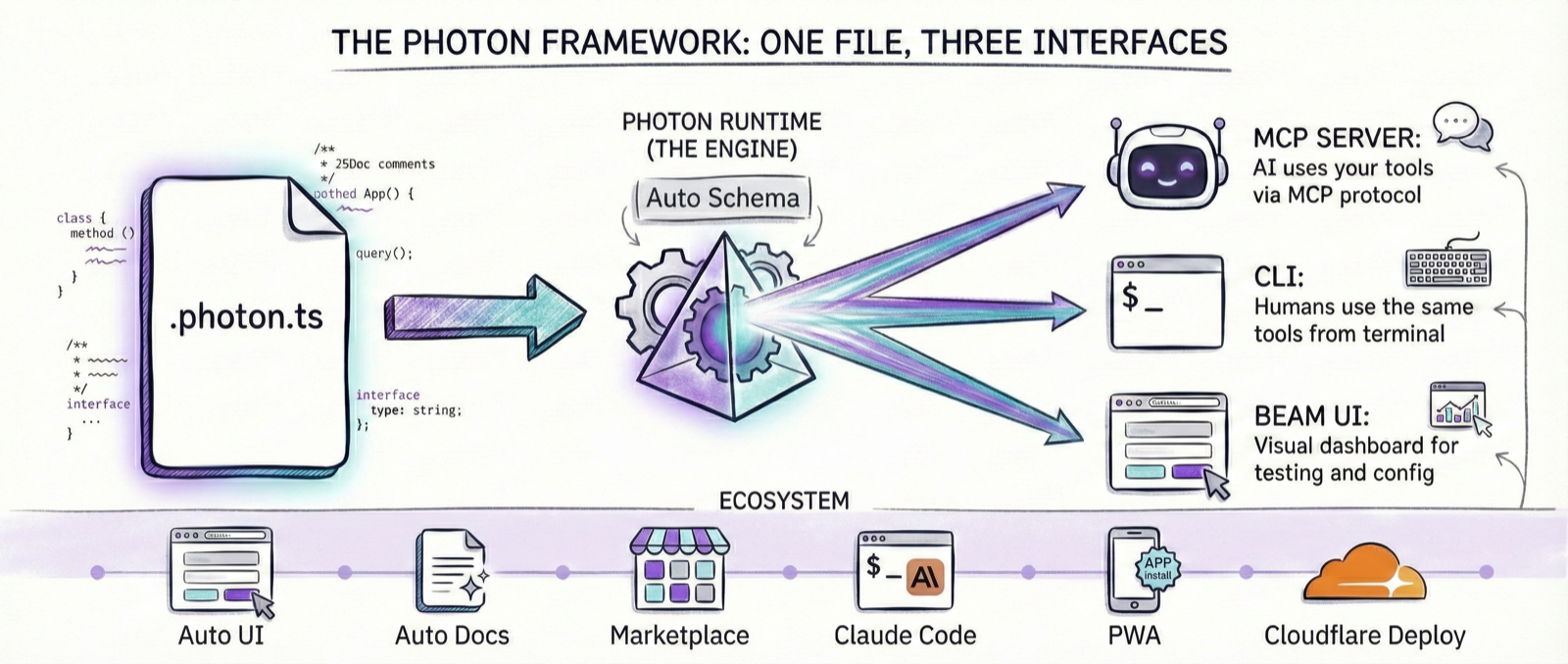
You write a TypeScript class. Methods are your capabilities. Types describe what's valid. Comments explain the intent. That's it. Photon reads all of it and generates a web UI for human exploration, a CLI for scripting, and an MCP server for AI agents. Same logic. Same validation. Same data. Three interfaces from one file.
analytics.photon.ts → Web UI (Beam) · CLI · MCP Server for AI
The code stays simple, almost embarrassingly simple, because the complexity isn't in what you write. It's in what Photon derives from it.
npm install -g @portel/photon
photon maker new my-tool      # Create a photon
photon                        # Open Beam, the web UI
Or without installing:
npx @portel/photon maker new my-tool
npx @portel/photon
Requires Node.js 18+. TypeScript is compiled internally; no
tsconfig.jsonneeded.
Here is a complete, working photon:
export default class Analytics {
  async report(params: { period: string }) {
    return await db.query(`SELECT * FROM events WHERE period = $1`, [params.period]);
  }
}
From this, Photon generates:
- A web form in Beam with a
periodtext input photon cli analytics report --period 2024-Q4- An MCP tool that Claude or Cursor can invoke
No decorators. No registration. No server boilerplate. You wrote the logic. Photon derived the rest.
The more you express, the more Photon understands.
Photon reads your TypeScript as intent. Every construct you'd write anyway carries meaning it can act on.
| What you write | What Photon derives |
|---|---|
| Method signatures | Tool definitions: names, inputs, outputs |
| Type annotations | Input validation rules, UI field types |
| JSDoc comments | Documentation for AI clients and human users |
| Constructor parameters | Config UI, environment variable mapping |
@tags |
Validation, formatting, scheduling, webhooks |
So when you add a @param city {@pattern ^[a-zA-Z\s]+$} annotation you were going to write anyway, Beam automatically validates it in the form, the CLI validates it before running, and the MCP schema enforces it for the AI. One annotation. Three consumers.
Beam is the web dashboard. Every photon becomes an interactive form. Run photon. That's the whole command.
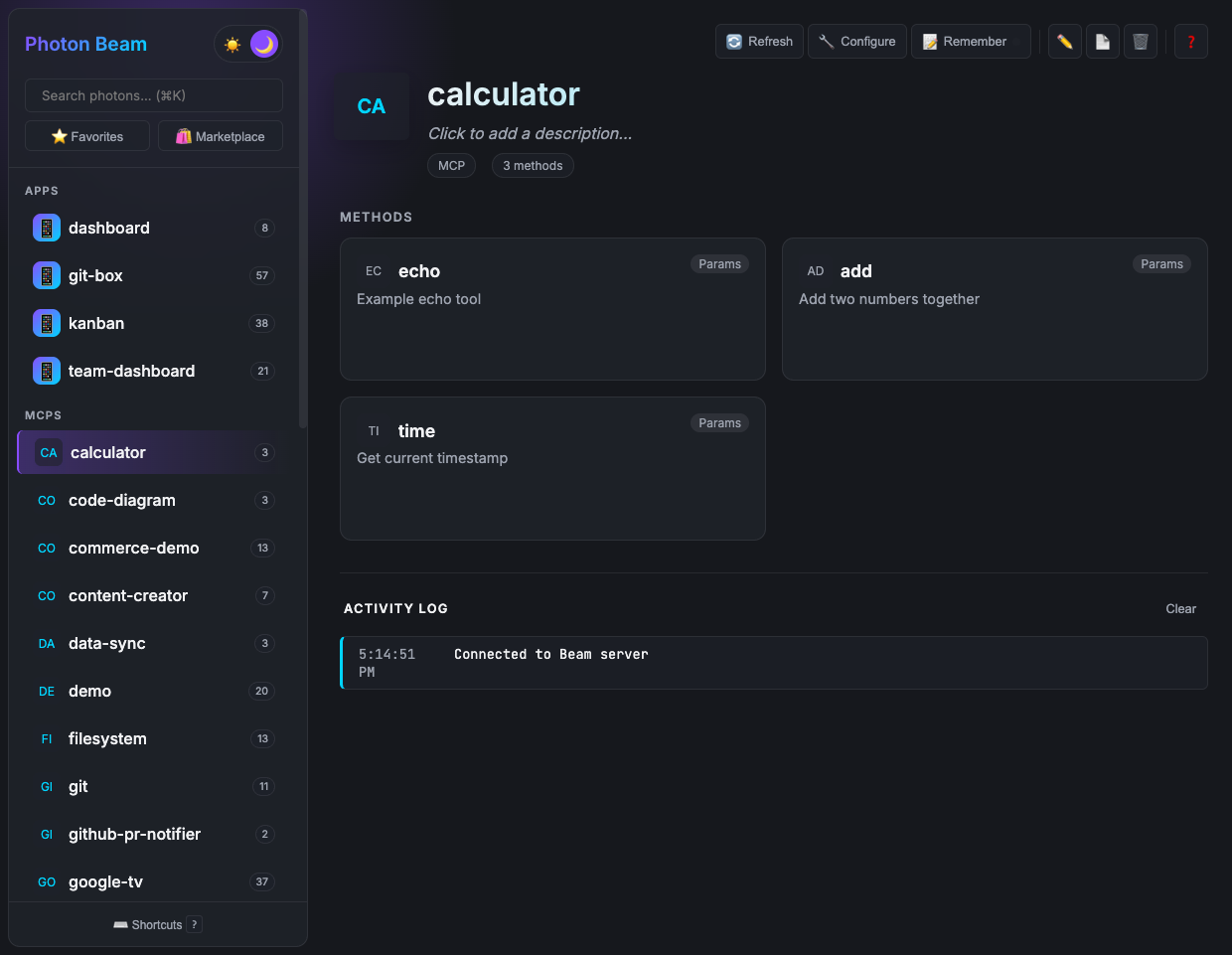
The UI is fully auto-generated from your method signatures: field types, validation, defaults, layouts. You never write frontend code. When you add a {@choice a,b,c} tag to a parameter, Beam renders a dropdown. When you mark a string as {@format email}, the field validates email format. The UI evolves as your code does.
When forms aren't the right interface for what you're building, you can replace Beam's auto-generated view with your own HTML. The custom UI receives tool results via window.photon.onResult(), a thin bridge with no framework required.
Custom UIs follow the MCP Apps Extension (SEP-1865) standard and work across compatible hosts. See the Custom UI Guide.
photon info analytics --mcp{
"mcpServers": {
"analytics": {
"command": "photon",
"args": ["mcp", "analytics"]
}
}
}Paste into your AI client's config. Your photon is now an MCP server. Claude can call your methods. Cursor can call your methods. Any MCP-compatible host can call your methods.
The AI sees the same thing a human sees in Beam: the method names, the parameter descriptions from your JSDoc, the validation rules from your types. The JSDoc comment you wrote to document the tool for yourself is what Claude reads to decide when and how to call it.
The MCP tools themselves work with Claude Desktop, Claude Code, Cursor, and any MCP-compatible client.
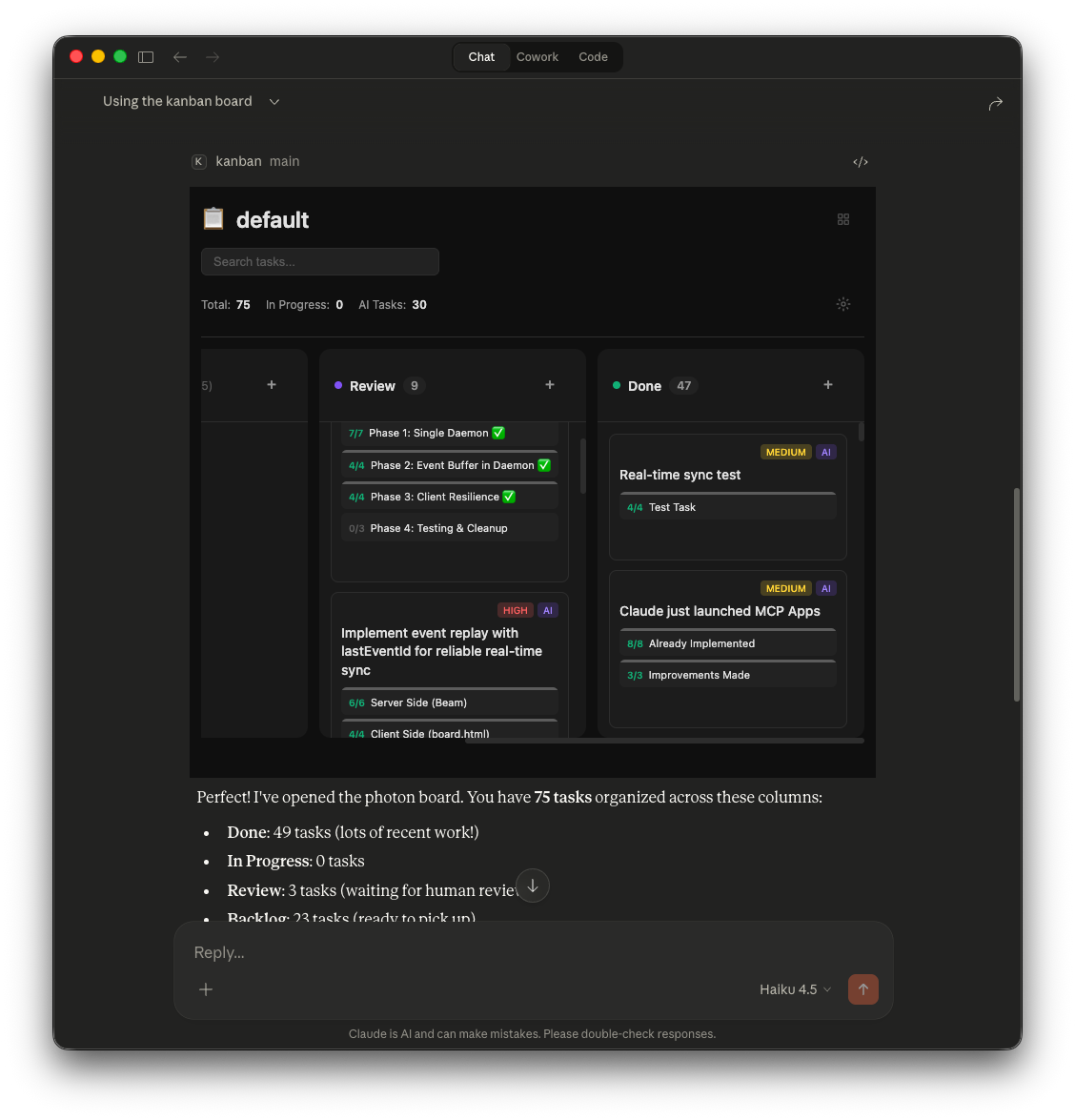
When your photon has a custom UI, clients that support the MCP Apps Extension render it natively, no separate app needed. The photon below is running inside Claude Desktop, same UI, same data as Beam.
Here is how a photon grows. Each step adds one thing and gets multiple capabilities from it.
export default class Weather {
  async forecast(params: { city: string }) {
    return `Weather for ${params.city}: Sunny, 72°F`;
  }
}
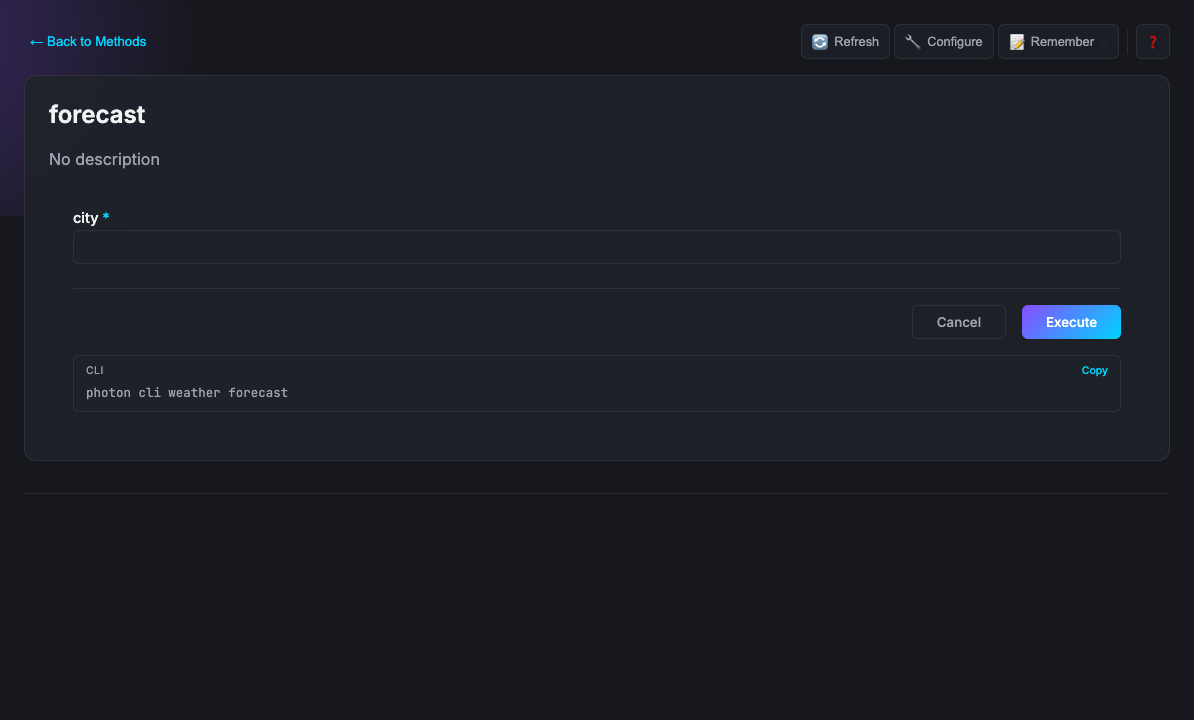
A text input in Beam. A --city flag in the CLI. An MCP input schema. From five lines.
/**
 * Weather - Check weather forecasts worldwide
 */
export default class Weather {
  /**
   * Get the weather forecast for a city
   * @param city City name (e.g., "London")
   */
  async forecast(params: { city: string }) { ... }
}
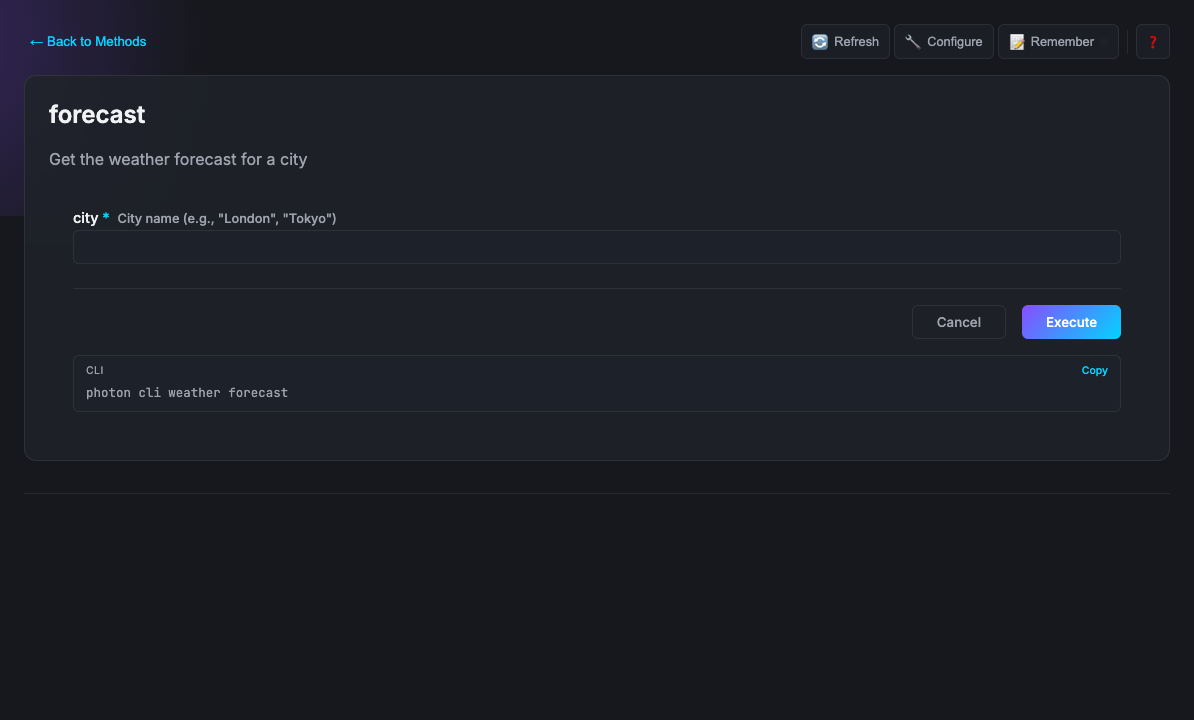
The class description becomes how AI clients introduce the tool to users. The @param description is what the AI reads before deciding what value to pass. Same comments. Human help text and AI contract at once.
export default class Weather {
  constructor(
    private apiKey: string,
    private units: string = 'metric'
  ) {}

  async forecast(params: { city: string }) {
    const res = await fetch(`...?appid=${this.apiKey}&units=${this.units}`);
    return await res.json();
  }
}
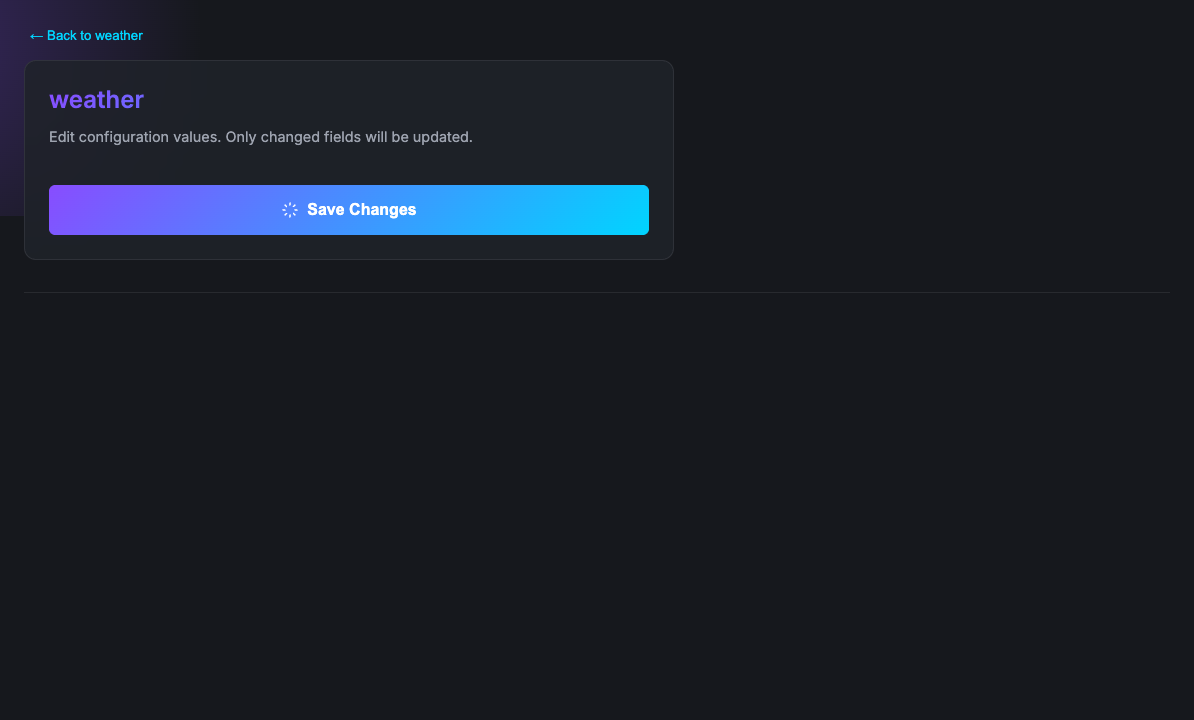
apiKey becomes a password field in the Beam settings panel and maps to the WEATHER_API_KEY environment variable. units gets a text input with 'metric' pre-filled. You declared what you need. Photon built the configuration surface.
/**
 * @dependencies node-fetch@^3.0.0
 */
export default class Weather {
  /**
   * @param city City name {@example London} {@pattern ^[a-zA-Z\s]+$}
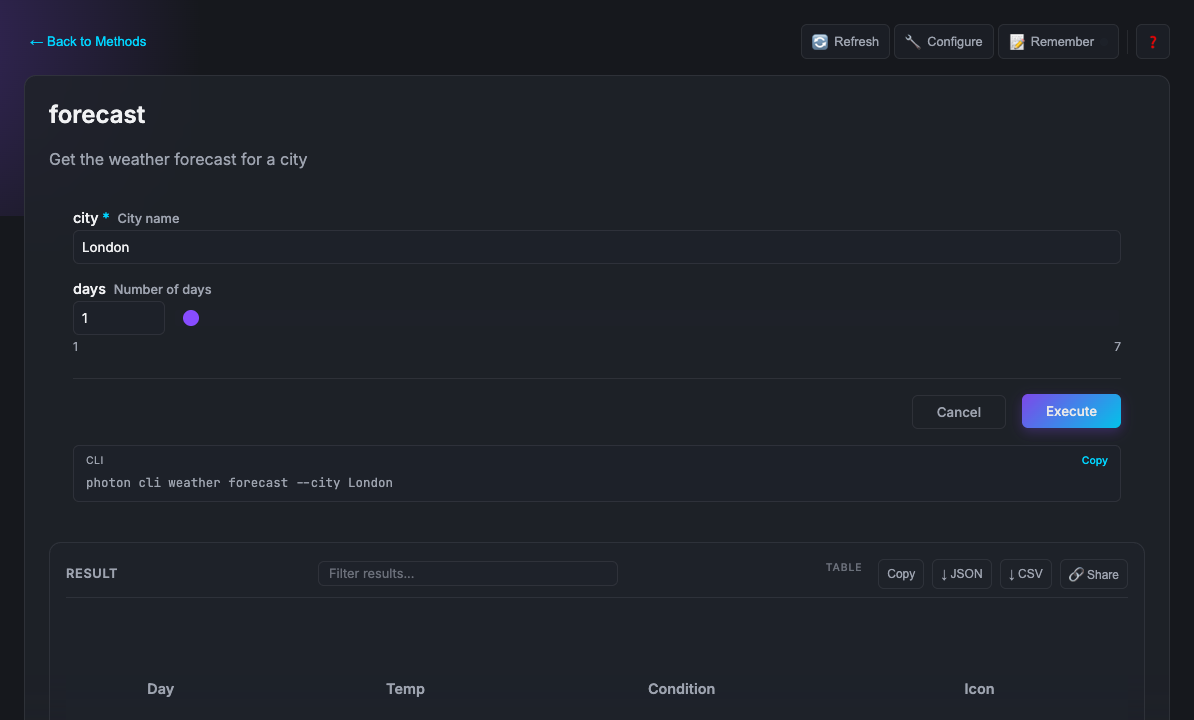
   * @param days Number of days {@min 1} {@max 7}
   * @format table
   */
  async forecast(params: { city: string; days?: number }) { ... }
}
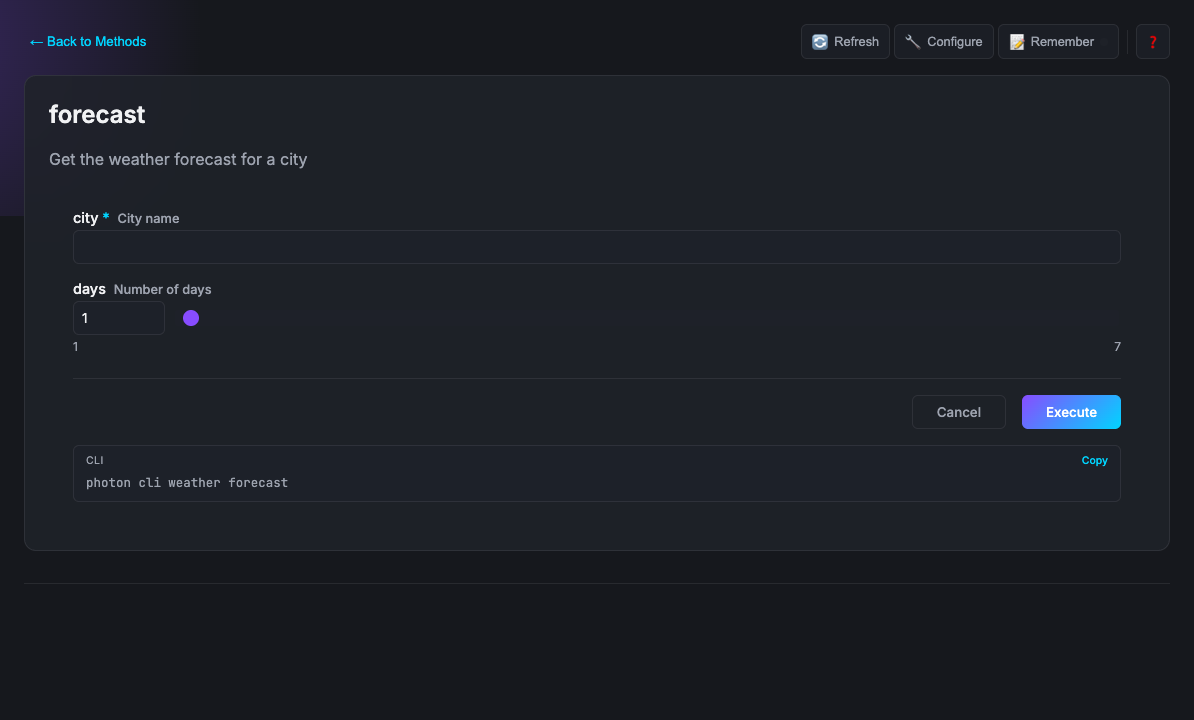
@dependencies installs node-fetch automatically on first run, no npm install needed. The {@pattern} validates in the form, the CLI, and the MCP schema simultaneously. days becomes a number spinner with bounds. @format table renders the result as a table in Beam. One annotation, three surfaces.
If your photon wraps a command-line tool, declare it and Photon enforces it at load time:
/**
 * @cli ffmpeg - https://ffmpeg.org/download.html
 */
export default class VideoProcessor {
  async convert({ input, format }: { input: string; format: string }) {
    // ffmpeg is guaranteed to exist when this runs
  }
}
Things you don't build because Photon handles them:
| Auto-UI | Forms, field types, validation, layouts generated from your signatures |
| Stateful instances | Multiple named instances of the same photon, each with isolated state |
| Persistent memory | this.memory gives your photon per-instance key-value storage, no database needed |
| Scheduled execution | @scheduled runs any method on a cron schedule |
| Webhooks | @webhook exposes any method as an HTTP endpoint |
| OAuth | Built-in OAuth 2.0 flows for Google, GitHub, Microsoft |
| Distributed locks | @locked serializes access: one caller at a time, across processes |
| Cross-photon calls | this.call() invokes another photon's methods |
| Real-time events | this.emit() fires named events to the browser UI with zero wiring |
| Dependency management | @dependencies auto-installs npm packages on first run |
Two primitives. Together they unlock a class of things that are surprisingly hard to build today.
Locks serialize access. When a method is marked @locked, only one caller can execute at a time, whether that caller is a human in Beam, a CLI script, or an AI agent. Everyone else waits their turn.
Events push state changes to any browser UI in real time. this.emit('name', data) in your method fires window.photon.on('name', handler) in your custom UI. No WebSockets to configure. No polling. The data marshalling and delivery is handled by the system.
Together: turn-based coordination with live state.
export default class Chess {
  /** Make a move. Locks ensure human and AI alternate turns. */
  /** @locked */
  async move(params: { from: string; to: string }) {
    const result = await this.applyMove(params.from, params.to);

    // Browser UI updates instantly, no polling needed
    this.emit('board-updated', result.board);
    this.emit('turn-changed', { next: result.nextPlayer });

    return result;
  }
}
// In your custom UI (ui/chess.html)
window.photon.on('board-updated', board => renderBoard(board));
window.photon.on('turn-changed', ({ next }) => showTurn(next));A human moves through Beam. Claude is configured with the MCP server. The lock ensures they truly alternate. Events keep the board live on both sides. That's a fully functional turn-based chess game, human vs AI, in about 50 lines of application logic.
The same pattern applies beyond games: approval workflows where a human reviews before AI continues, collaborative tools where edits from any source appear instantly, simulations where steps must execute in strict sequence, any system where who acts next matters.
32 photons ready to install: databases, APIs, developer tools, and more.
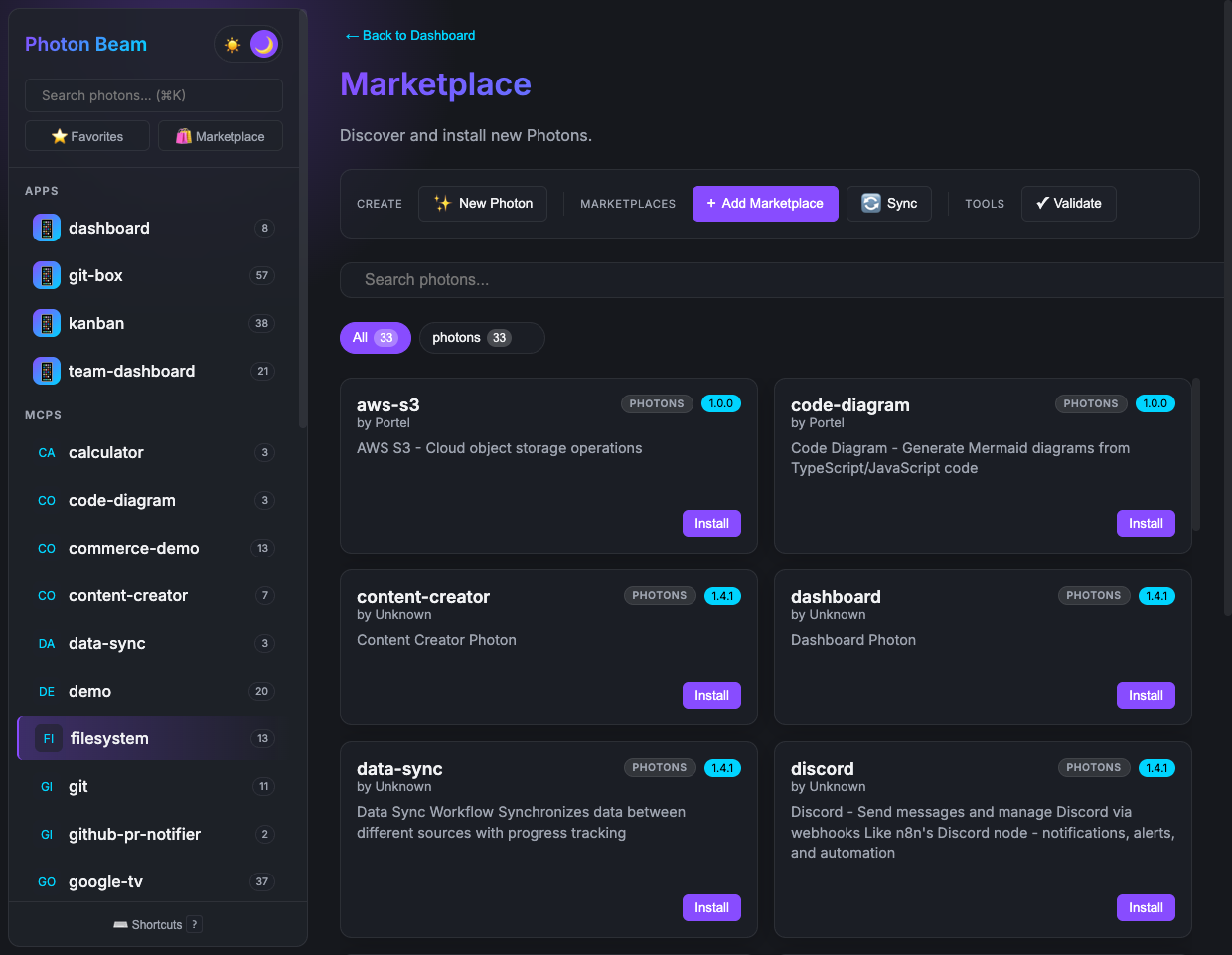
photon search postgres
photon add postgres
Browse the full catalog in the official photons repository. You can also host a private marketplace for your team: internal tools that stay off the public internet.
# Run
photon                            # Open Beam UI
photon mcp <name>                 # Run as MCP server
photon mcp <name> --dev           # MCP server with hot reload
photon cli <name> [method]        # Run as CLI tool

# Create
photon maker new <name>           # Scaffold a new photon

# Manage
photon info                       # List all photons
photon info <name> --mcp          # Get MCP client config
photon maker validate <name>      # Check for errors

# Marketplace
photon add <name>                 # Install photon
photon search <query>             # Search marketplace
photon upgrade                    # Upgrade all

# Ops
photon doctor                     # Diagnose environment
photon test # Run tests| Tag | Where | What it does |
|---|---|---|
@dependencies |
Class | Auto-install npm packages on first run |
@cli |
Class | Declare system CLI dependencies, checked at load time |
@format |
Method | Result rendering (table, list, markdown, code, etc.) |
@param ... {@choice a,b,c} |
Param | Dropdown selection in Beam |
@param ... {@format email} |
Param | Input validation and field type |
@param ... {@min N} {@max N} |
Param | Numeric range constraints |
@ui |
Class/Method | Link a custom HTML template |
@webhook |
Method | Expose as HTTP endpoint |
@scheduled |
Method | Run on a cron schedule |
@locked |
Method | Distributed lock across processes |
@autorun |
Method | Auto-execute when selected in Beam |
@mcp |
Class | Inject another MCP server as a dependency |
@icon |
Class/Method | Set emoji icon |
See the full Tag Reference for all 30+ tags with examples.
Start here:
| Guide | |
|---|---|
| Getting Started | Create your first photon, step by step |
| Tag Reference | Complete JSDoc tag reference with examples |
| Naming Conventions | How to name methods so they read naturally as CLI commands |
| Troubleshooting | Common issues and solutions |
Build more:
| Topic | |
|---|---|
| Custom UI | Build rich interactive interfaces with window.photon |
| OAuth | Built-in OAuth 2.0 with Google, GitHub, Microsoft |
| Daemon Pub/Sub | Real-time cross-process messaging |
| Webhooks | HTTP endpoints for external services |
| Locks | Distributed locks for exclusive access |
| Advanced Patterns | Lifecycle hooks, dependency injection, interactive workflows |
| Deployment | Docker, Cloudflare Workers, AWS Lambda, Systemd |
Operate:
| Topic | |
|---|---|
| Security | Best practices and audit checklist |
| Marketplace Publishing | Create and share team marketplaces |
| Best Practices | Patterns for production photons |
| Comparison | Benchmarks vs official MCP implementations |
Reference: Architecture · Changelog · Contributing
Open an issue or a PR. See CONTRIBUTING.md.
MIT.