A simple, intuitive and kid-friendly MP3 player for retro-handhelds. 🎮👶
- 🗂️ Simple browsing of albums and tracks - designed for easy kid navigation
▶️ Easy play/pause audio with simple seek controls- 🎨 Clean, kid-friendly interface with large buttons and clear visuals
- 💾 Dynamic story loading from SD card
- 👶 Kid-focused design - no complex menus or confusing options
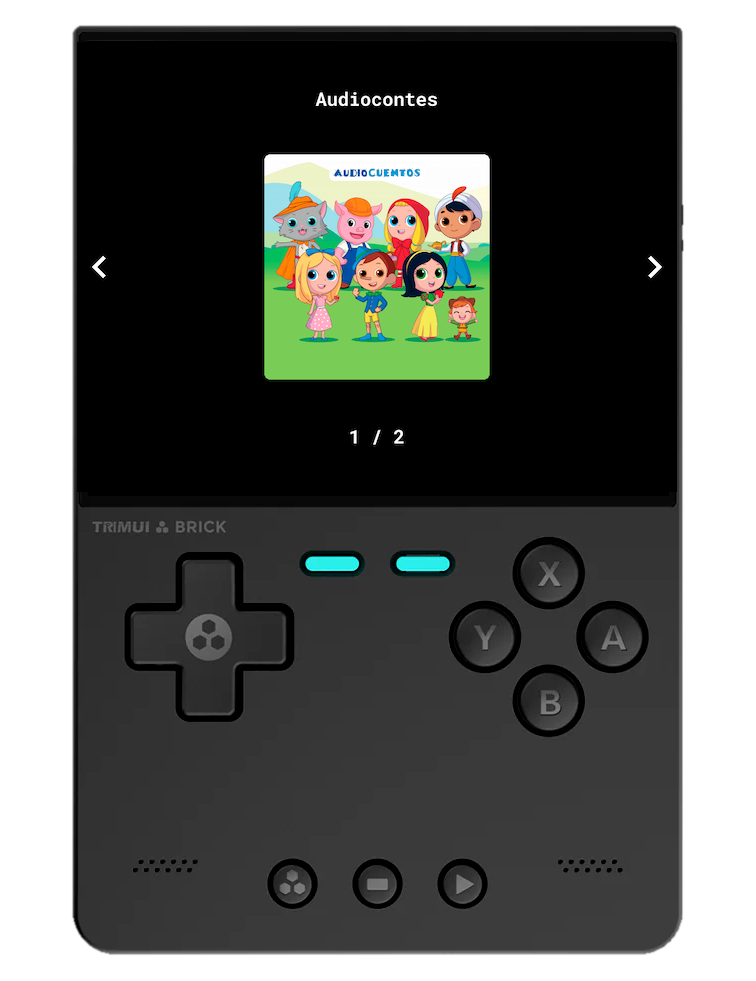
Controls:
| Button | Action |
|---|---|
| ⬅️/➡️ | Navigate between albums |
| ⬆️/⬇️ | Jump 10 albums at a time |
| Select album and go to tracks view |
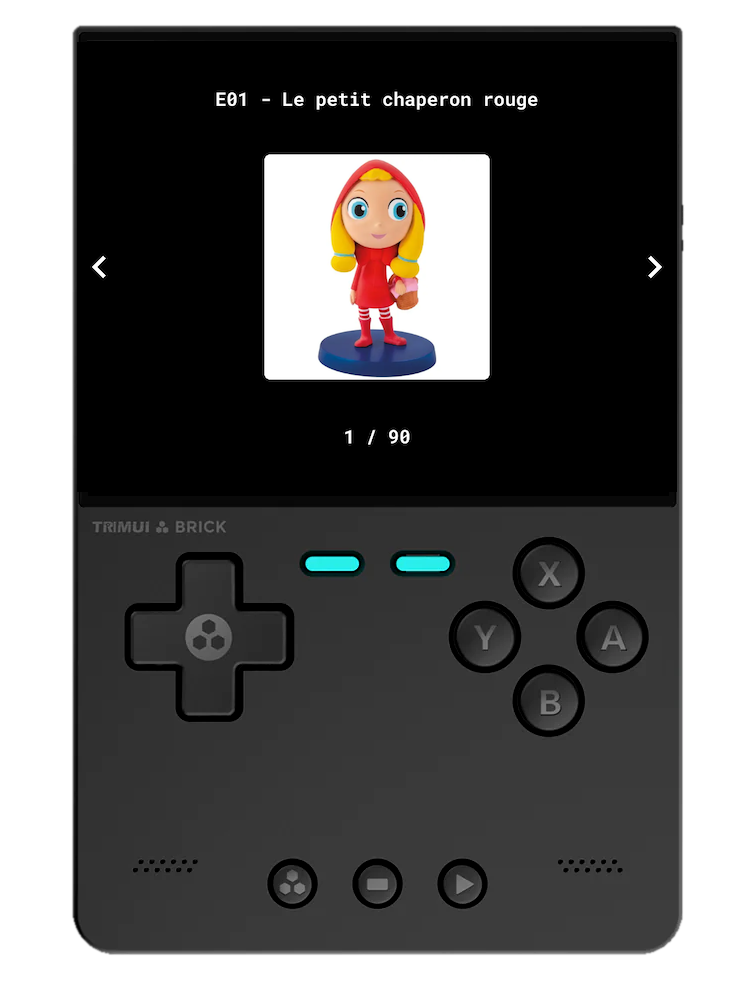
Controls:
| Button | Action |
|---|---|
| ⬅️/➡️ | Navigate between tracks |
| ⬆️/⬇️ | Jump 10 tracks at a time |
| Select track and start playing | |
| Go back to albums view |
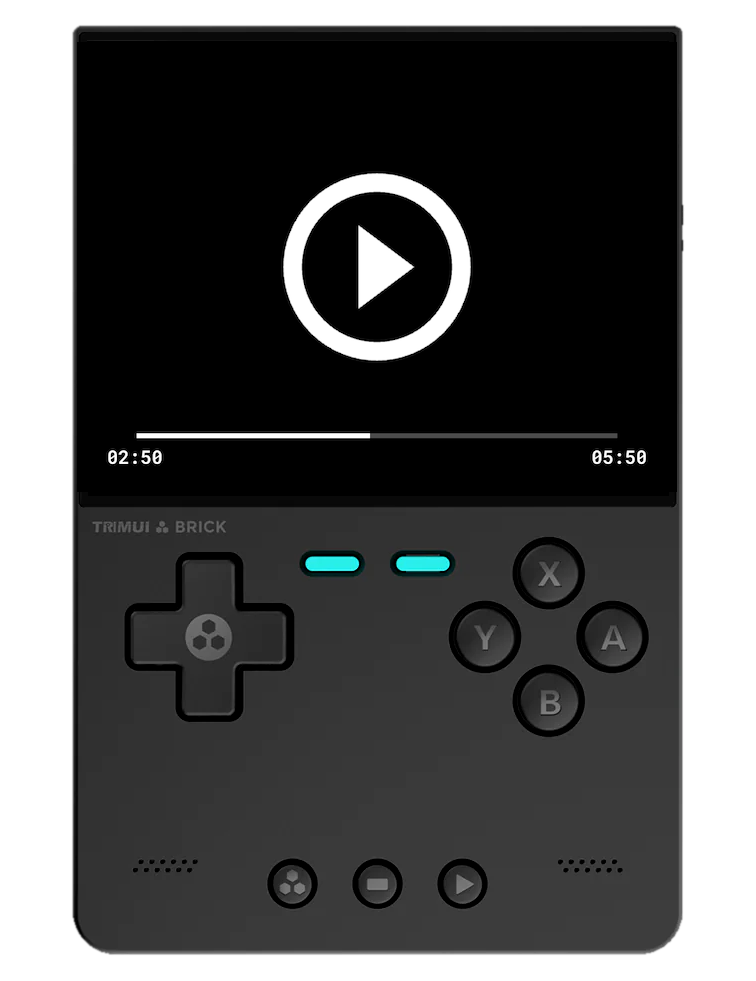
Controls:
| Button | Action |
|---|---|
| Play/Pause | |
| ⬅️/➡️ | Seek backward/forward |
| Stop and go back to tracks view |
Features:
- 🌙 Dimmable Screen: The screen automatically dims after a period of inactivity so kids won't look at the screen too much while listening to stories. Touch any button to brighten the screen again.
To quit the application, hold the Start / Select / Menu button for 2 seconds.
- 📥 Download the latest
Storiies.muxappfile from the Releases page - 📁 Move the downloaded file to the
/ARCHIVEfolder on your SD card - 📦 Open Archive Manager and select the file to extract it
- ✅ After extraction, you'll find an entry called "Storiies" in the Applications section
- 📥 Download the latest
Storiies.pak.zipfile from the Releases page - 💻 Extract the zip file on your computer
- 📁 Copy the
Storiies.pakfolder to the/Tools/<platform>/folder on your SD card - ✅ Launch Storiies from the Tools section
- 📥 Download the latest
Storiies.zipfile from the Releases page - 💻 Extract the zip file on your computer
- 📁 Copy the
Storiiesfolder andStoriies.shto the/roms/ports/folder on the SHARE partition of your SD card - ✅ Launch Storiies from the Ports section
-
📂 Add your album folders to the
storiiesfolder:- For muOS:
/MUOS/application/Storiies/storiies/on your SD card - For NextUI:
/Tools/<platform>/Storiies.pak/storiies/on your SD card - For Knulli:
/roms/ports/Storiies/storiies/on the SHARE partition of your SD card
- For muOS:
-
📋 Each album folder should contain:
- 🎵 MP3 audio files
- 🖼️ PNG/JPG cover images (optional)
The interface is designed to be so simple that even young kid can use it independently! 👶✨
For muOS:
SD Card/
└── MUOS/
    └── application/
        └── Storiies/
            └── storiies/
                ├── Disney/
                │   ├── E001 - Le Roi Lion.mp3
                │   ├── E001 - Le Roi Lion.png
                │   ├── E002 - Le Livre de la Jungle.mp3
                │   └── E002 - Le Livre de la Jungle.png
                └── My Album/
                    ├── Track 1.mp3
                    └── Track 1.png
For NextUI:
SD Card/
└── Tools/
    └── <platform>/
        └── Storiies.pak/
            └── storiies/
                ├── Disney/
                │   ├── E001 - Le Roi Lion.mp3
                │   ├── E001 - Le Roi Lion.png
                │   ├── E002 - Le Livre de la Jungle.mp3
                │   └── E002 - Le Livre de la Jungle.png
                └── My Album/
                    ├── Track 1.mp3
                    └── Track 1.png
For Knulli:
SD Card/
└── SHARE/
    └── roms/
        └── ports/
            ├── Storiies.sh
            └── Storiies/
                └── storiies/
                    ├── Disney/
                    │   ├── E001 - Le Roi Lion.mp3
                    │   ├── E001 - Le Roi Lion.png
                    │   ├── E002 - Le Livre de la Jungle.mp3
                    │   └── E002 - Le Livre de la Jungle.png
                    └── My Album/
                        ├── Track 1.mp3
                        └── Track 1.png