Compile and run Metaflow flows on Kubeflow Pipelines (argo workflows backend).
- Have access to a Kubeflow Pipelines instance with the API server URL.
- Use the CLI commands to compile your flow into a Kubeflow Pipeline and deploy it.
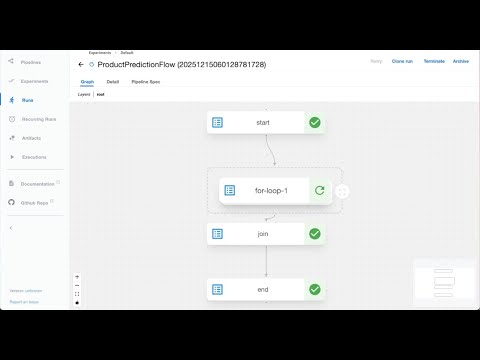
python my_flow.py kubeflow-pipelines --url https://my-kubeflow-instance.com createThis command will:
- Compile your Metaflow flow into a Kubeflow Pipeline YAML specification
- Upload it to your Kubeflow Pipelines instance
- Create a new version of the pipeline
Metaflow needs to be able to connect to Kubeflow Pipelines for deployment. If you have connectivity already set up, you don't need to do anything.
If you can't connect to the service directly, you can set up a port forward to the service:
kubectl port-forward -n kubeflow svc/ml-pipeline-ui 8081:80After this, you can specify the service URL as http://localhost:8081 in one of these ways:
- On the CLI for
kubeflow-pipelineswith the--urloption - In the Metaflow config, specify
"METAFLOW_KUBEFLOW_PIPELINES_URL": "http://localhost:8081" - Set an environment variable,
METAFLOW_KUBEFLOW_PIPELINES_URL=http://localhost:8081
Compile a new version of your flow to Kubeflow Pipelines:
Recurring Runs: If your flow is decorated with @schedule, this command will automatically create or update the corresponding Recurring Run in Kubeflow Pipelines.
python my_flow.py kubeflow-pipelines \
    --url https://my-kubeflow-instance.com \
    create \
    --version-name v1.0.0 \
    --experiment "My Production Experiment" \
    --alpha 0.5
Options:
--experiment: The experiment name to create the recurring run under (if @schedule is present). Defaults to "Default".--version-name: Allows one to deploy a custom version name. Else, a new version with UTC timestamp is created.--only-yaml: Print the YAML specification to stdout and exit without uploading to Kubeflow Pipelines.- Flow Parameters: Any flow parameters (e.g.,
--alpha) passed here will be baked into the recurring run configuration (if @schedule is present), overriding the defaults defined in your code.
Use --help for all available options including tags, namespace, max-workers, and production token management.
Trigger an execution of your deployed pipeline:
python my_flow.py kubeflow-pipelines \
    --url https://my-kubeflow-instance.com \
    trigger \
    --experiment my-experiment \
    --alpha 0.1 \
    --max-epochs 100
Flow parameters can be passed as command-line arguments. Use --help for all available options.
By default, the latest version of the deployed pipeline is used for the trigger. Else, one can also pass in a custom version using --version-name.
Fetch the status of a running or completed pipeline execution:
python my_flow.py kubeflow-pipelines \
    --url https://my-kubeflow-instance.com \
    status \
    --kfp-run-id abc-123-def-456
Use --help for all available options.
Terminate a running pipeline execution:
python my_flow.py kubeflow-pipelines \
    --url https://my-kubeflow-instance.com \
    terminate \
    --kfp-run-id abc-123-def-456
Use --help for all available options.
Delete the flow definition and all its associated versions from Kubeflow Pipelines.
This command also searches for and deletes any associated Recurring Runs (Schedules) to ensure no orphaned schedules continue trying to trigger deleted pipelines.
In essence, this undeploys the pipeline but preserves execution history (runs) and artifacts.
python my_flow.py kubeflow-pipelines \
    --url https://my-kubeflow-instance.com \
    delete
Use --help for all available options.