Every single GitHub Flavored Markdown (GFM) feature in one file. Copy and paste freely.
- Headings
- Text Formatting
- Blockquotes
- Lists
- Task Lists / Checkboxes
- Links
- Images
- Code
- Tables
- Horizontal Rules
- Line Breaks & Paragraphs
- Escaping Characters
- HTML in Markdown
- Emoji
- Footnotes
- Alerts / Admonitions
- Details / Collapsible Sections
- Definition Lists (via HTML)
- Mathematical Expressions (LaTeX)
- Mermaid Diagrams
- GeoJSON / TopoJSON Maps
- STL 3D Models
- References & Autolinks
- Mentions & Team Mentions
- SHA, Issue & PR References
- Keyboard Keys
- Superscript & Subscript
- Highlighting / Marking Text
- Anchor Links
- Relative Links & Repository Links
- Badges & Shields
- Popular README Widgets & Dynamic Cards
- Star History Chart
- GitHub Readme Stats
- Top Languages Card
- GitHub Repo Card (Pin)
- GitHub Streak Stats
- GitHub Profile Trophy
- GitHub Activity Graph
- Contribution Snake Animation
- Typing SVG
- Capsule Render (Header/Footer Banners)
- Skill Icons
- Socialify (Project Social Image)
- Repobeats Analytics
- Visitor / Profile View Counter
- Wakatime Stats
- GitHub Readme Jokes
- GitHub Readme Quotes
- GitHub Contributors Image
- GitHub Metrics (Lowlighter)
- Readme Stats Combo (Side by Side)
- Full Profile README Example Layout
- Table of Contents (Auto-generated)
- Comments (Hidden Text)
- Videos
- Color Chips / Color Preview
- Diff / Colored Diff Blocks
- YAML Front Matter
- Drag-and-Drop Attachments
- GitHub-Specific Syntax Summary
# Heading 1
## Heading 2
### Heading 3
#### Heading 4
##### Heading 5
###### Heading 6
Heading 1
=========
Heading 2
---------<h3 id="my-custom-id">Heading with Custom ID</h3>**Bold text**
__Also bold text__
*Italic text*
_Also italic text_
***Bold and italic***
___Also bold and italic___
**_Another bold and italic_**
*__Yet another bold and italic__*
~~Strikethrough text~~
<u>Underlined text</u>
<ins>Inserted text (underlined)</ins>
<del>Deleted text (strikethrough via HTML)</del>
<s>Another strikethrough via HTML</s>
<mark>Highlighted / marked text</mark>
Superscript: X<sup>2</sup>
Subscript: H<sub>2</sub>O
<small>Small text</small>
<big>Big text (deprecated but sometimes works)</big>
<samp>Sample output text</samp>
<var>Variable text</var>
<cite>Citation text</cite>
<q>Short inline quotation</q>
<abbr title="Hyper Text Markup Language">HTML</abbr> — hover for full text
<bdo dir="rtl">This text will be written right to left</bdo>Bold text Also bold text
Italic text Also italic text
Bold and italic Also bold and italic Another bold and italic Yet another bold and italic
Strikethrough text
Underlined text
Inserted text (underlined)
Deleted text (strikethrough via HTML)
Another strikethrough via HTML
Highlighted / marked text
Superscript: X2 Subscript: H2O
Small text
Big text (deprecated but sometimes works)
Sample output text
Variable text
Citation text
Short inline quotation
HTML — hover for full text
This text will be written right to left
> Single-level blockquote

> Multi-line blockquote
> that spans several lines
> and keeps going.

> Nested blockquotes
>> Second level
>>> Third level
>>>> Fourth level

> **Bold text inside a blockquote**
>
> - List inside a blockquote
> - Another item
>
> ```
> Code block inside a blockquote
> ```
Single-level blockquote
Multi-line blockquote that spans several lines and keeps going.
Nested blockquotes
Second level
Third level
Fourth level
Bold text inside a blockquote
- List inside a blockquote
- Another item
Code block inside a blockquote
- Item 1
- Item 2
  - Nested item 2a
  - Nested item 2b
    - Deep nested item
- Item 3

* Asterisk item 1
* Asterisk item 2

+ Plus item 1
+ Plus item 2- Item 1
- Item 2
- Nested item 2a
- Nested item 2b
- Deep nested item
- Item 3
- Asterisk item 1
- Asterisk item 2
- Plus item 1
- Plus item 2
1. First item
2. Second item
3. Third item
   1. Sub-item 3a
   2. Sub-item 3b
4. Fourth item

1. All items can use 1.
1. Markdown auto-increments
1. The rendered numbers-
First item
-
Second item
-
Third item
- Sub-item 3a
- Sub-item 3b
-
Fourth item
-
All items can use 1.
-
Markdown auto-increments
-
The rendered numbers
57. This list starts at 57
58. Next item
59. And so on- This list starts at 57
- Next item
- And so on
1. Ordered item
   - Unordered sub-item
   - Another unordered sub-item
     1. Back to ordered
     2. Still ordered
2. Next ordered item- Ordered item
- Unordered sub-item
- Another unordered sub-item
- Back to ordered
- Still ordered
- Next ordered item
1. First item

   Paragraph within the first item. Indent with spaces to keep it under the list item.

2. Second item

   Another paragraph here.

   > Even a blockquote inside a list item.

3. Third item

   ```python
   # Code block inside a list item
   print("Hello from inside a list!")
1. First item

   Paragraph within the first item. Indent with spaces to keep it under the list item.

2. Second item

   Another paragraph here.

   > Even a blockquote inside a list item.

3. Third item

   ```python
   # Code block inside a list item
   print("Hello from inside a list!")
- [x] Completed task
- [x] Another completed task
- [ ] Incomplete task
- [ ] Another incomplete task
  - [x] Nested completed task
- [ ] Nested incomplete task- Completed task
- Another completed task
- Incomplete task
- Another incomplete task
- Nested completed task
- Nested incomplete task
Task lists inside ordered lists:
1. [x] First task done
2. [ ] Second task pending
3. [ ] Third task pending- First task done
- Second task pending
- Third task pending
[GitHub](https://github.com)
[GitHub with title](https://github.com "GitHub Homepage")https://github.com
http://example.com
fake@example.comhttps://github.com http://example.com fake@example.com
[I'm a reference link][reference id]
[Or use the link text itself]

[reference id]: https://github.com
[Or use the link text itself]: https://github.com/about
I'm a reference link Or use the link text itself
[Link to a file in the repo](docs/guide.md)
[Link to a header](#headings)
[Link to a file in parent directory](../other-repo/file.md)[Jump to Text Formatting](#text-formatting)
[Jump to Tables](#tables)Jump to Text Formatting Jump to Tables
[**Bold link**](https://github.com)
[*Italic link*](https://github.com)
[`Code link`](https://github.com)
[~~Strikethrough link~~](https://github.com)
Bold link
Italic link
Code link
Strikethrough link
`https://this-wont-be-a-link.com`https://this-wont-be-a-link.com



![Alt text][logo]

[logo]: https://github.githubassets.com/images/modules/logos_page/GitHub-Mark.png "GitHub Logo"[](https://github.com)<img src="https://via.placeholder.com/600x200" alt="Sized image" width="400" />
<img src="https://via.placeholder.com/600x200" alt="Sized image" width="50%" /><p align="center">
<img src="https://via.placeholder.com/300" alt="Centered image" />
</p>
<details>
<summary>Click to reveal image</summary>

</details>Click to reveal image

Or using HTML <picture>:
<picture>
  <source media="(prefers-color-scheme: dark)" srcset="https://via.placeholder.com/200/000000/ffffff?text=Dark">
  <source media="(prefers-color-scheme: light)" srcset="https://via.placeholder.com/200/ffffff/000000?text=Light">
  <img alt="Theme-aware image" src="https://via.placeholder.com/200">
</picture>Use `git status` to check your working tree.
Use ``literal `backtick` inside inline code`` with double backticks.Use git status to check your working tree.
Use literal `backtick` inside inline code with double backticks.
```
Plain code block with no language
```

```javascript
// JavaScript
function greet(name) {
  console.log(`Hello, ${name}!`);
}
```

```python
# Python
def greet(name):
    print(f"Hello, {name}!")
```

```bash
# Bash
echo "Hello, World!"
for i in {1..5}; do
  echo "Number: $i"
done
```

```ruby
# Ruby
def greet(name)
  puts "Hello, #{name}!"
end
```

```java
// Java
public class Main {
    public static void main(String[] args) {
        System.out.println("Hello, World!");
    }
}
```

```go
// Go
package main

import "fmt"

func main() {
    fmt.Println("Hello, World!")
}
```

```rust
// Rust
fn main() {
    println!("Hello, World!");
}
```

```typescript
// TypeScript
const greet = (name: string): void => {
  console.log(`Hello, ${name}!`);
};
```

```c
// C
#include <stdio.h>
int main() {
    printf("Hello, World!\n");
    return 0;
}
```

```cpp
// C++
#include <iostream>
int main() {
    std::cout << "Hello, World!" << std::endl;
    return 0;
}
```

```csharp
// C#
using System;
class Program {
    static void Main() {
        Console.WriteLine("Hello, World!");
    }
}
```

```swift
// Swift
print("Hello, World!")
```

```kotlin
// Kotlin
fun main() {
    println("Hello, World!")
}
```

```php
// PHP
<?php
echo "Hello, World!";
?>
```

```sql
-- SQL
SELECT * FROM users WHERE active = 1 ORDER BY name;
```

```html
<!-- HTML -->
<div class="container">
  <h1>Hello, World!</h1>
</div>
```

```css
/* CSS */
.container {
  display: flex;
  justify-content: center;
  align-items: center;
}
```

```scss
// SCSS
$primary-color: #333;
.container {
  color: $primary-color;
  .header {
    font-size: 2rem;
  }
}
```

```json
{
  "name": "example",
  "version": "1.0.0",
  "dependencies": {}
}
```

```yaml
# YAML
name: CI Pipeline
on: [push, pull_request]
jobs:
  build:
    runs-on: ubuntu-latest
    steps:
      - uses: actions/checkout@v4
```

```toml
# TOML
[package]
name = "my-app"
version = "0.1.0"
edition = "2021"
```

```xml
<!-- XML -->
<configuration>
  <setting name="debug" value="true" />
</configuration>
```

```ini
; INI
[section]
key = value
another_key = another_value
```

```markdown
<!-- Markdown inside a code block -->
# This is markdown
**Bold** and *italic*
```

```dockerfile
# Dockerfile
FROM node:18-alpine
WORKDIR /app
COPY package*.json ./
RUN npm install
COPY . .
EXPOSE 3000
CMD ["node", "server.js"]
```

```makefile
# Makefile
.PHONY: build
build:
	go build -o bin/app ./cmd/app

test:
	go test ./...
```

```shell
# Shell session
$ git clone https://github.com/user/repo.git
Cloning into 'repo'...
$ cd repo
$ ls
README.md  src/  tests/
```

```r
# R
library(ggplot2)
ggplot(data = mtcars, aes(x = wt, y = mpg)) +
  geom_point()
```

```lua
-- Lua
function greet(name)
  print("Hello, " .. name .. "!")
end
```

```haskell
-- Haskell
main :: IO ()
main = putStrLn "Hello, World!"
```

```elixir
# Elixir
defmodule Greeter do
  def hello(name), do: IO.puts("Hello, #{name}!")
end
```

```terraform
# Terraform / HCL
resource "aws_instance" "example" {
  ami           = "ami-0c55b159cbfafe1f0"
  instance_type = "t2.micro"
}
```

```graphql
# GraphQL
query {
  user(id: "1") {
    name
    email
    posts {
      title
    }
  }
}
```

```powershell
# PowerShell
Get-Process | Where-Object { $_.CPU -gt 100 } | Sort-Object CPU -Descending
```

```plaintext
This is plaintext — no syntax highlighting.
Just raw text as-is.
``` function hello() {
console.log("Indented code block");
}function hello() {
console.log("Indented code block");
}
| Header 1 | Header 2 | Header 3 |
| -------- | -------- | -------- |
| Row 1    | Data     | Data     |
| Row 2    | Data     | Data     |
| Row 3 | Data | Data || Header 1 | Header 2 | Header 3 |
|---|---|---|
| Row 1 | Data | Data |
| Row 2 | Data | Data |
| Row 3 | Data | Data |
| Left-aligned | Center-aligned | Right-aligned |
| :----------- | :------------: | ------------: |
| Left         |    Center      |         Right |
| Text         |     Text       |          Text |
| More | More | More || Left-aligned | Center-aligned | Right-aligned |
|---|---|---|
| Left | Center | Right |
| Text | Text | Text |
| More | More | More |
| Feature        | Syntax                    | Rendered                 |
| -------------- | ------------------------- | ------------------------ |
| Bold           | `**bold**`                | **bold**                 |
| Italic         | `*italic*`                | *italic*                 |
| Strikethrough  | `~~strike~~`              | ~~strike~~               |
| Code           | `` `code` ``              | `code`                   |
| Link           | `[text](url)`             | [text](https://github.com) |
| Emoji | `:+1:` | :+1: || Feature | Syntax | Rendered |
|---|---|---|
| Bold | **bold** |
bold |
| Italic | *italic* |
italic |
| Strikethrough | ~~strike~~ |
|
| Code | `code` |
code |
| Link | [text](url) |
text |
| Emoji | :+1: |
👍 |
| Col 1 | Col 2 | Col 3 | Col 4 | Col 5 | Col 6 | Col 7 | Col 8 |
| ----- | ----- | ----- | ----- | ----- | ----- | ----- | ----- |
| a | b | c | d | e | f | g | h || Col 1 | Col 2 | Col 3 | Col 4 | Col 5 | Col 6 | Col 7 | Col 8 |
|---|---|---|---|---|---|---|---|
| a | b | c | d | e | f | g | h |
Header 1 | Header 2
--- | ---
Data | Data| Header 1 | Header 2 |
|---|---|
| Data | Data |
---
***
___
- - -
* * *This is the first line.
This is the second line (two trailing spaces above create a line break).
This is a new paragraph (blank line above).
This line uses an HTML break.<br>This continues on a new line.
This line uses an HTML break.<br/>Also valid with self-closing tag.This is the first line.
This is the second line (two trailing spaces above create a line break).
This is a new paragraph (blank line above).
This line uses an HTML break.
This continues on a new line.
This line uses an HTML break.
Also valid with self-closing tag.
\* Not italic \*
\# Not a heading
\- Not a list item
\> Not a blockquote
\[ Not a link \]
\` Not inline code \`
\| Not a table pipe \|
\\ Literal backslash
\_ Not italic \_
\~ Not strikethrough \~
\{ \} \( \) Literal braces and parens
\. Not an ordered list trigger
\! Not an image trigger
* Not italic * # Not a heading - Not a list item > Not a blockquote [ Not a link ] ` Not inline code ` | Not a table pipe | \ Literal backslash _ Not italic _ ~ Not strikethrough ~ { } ( ) Literal braces and parens . Not an ordered list trigger ! Not an image trigger
GitHub allows a subset of HTML tags in Markdown. Here are the commonly supported ones:
<b>Bold</b>
<i>Italic</i>
<em>Emphasis</em>
<strong>Strong</strong>
<u>Underline</u>
<s>Strikethrough</s>
<del>Deleted</del>
<ins>Inserted</ins>
<mark>Highlighted</mark>
<sup>Superscript</sup>
<sub>Subscript</sub>
<small>Small text</small>
<code>Inline code</code>
<pre>Preformatted text</pre>
<kbd>Keyboard input</kbd>
<samp>Sample output</samp>
<var>Variable</var>
Bold
Italic
Emphasis
Strong
Underline
Strikethrough
Deleted
Inserted
Highlighted
Superscript
Subscript
Small text
Inline code
Preformatted text
Keyboard input Sample output Variable
<div align="center">
  <h3>Centered Heading</h3>
  <p>Centered paragraph</p>
</div>

<p align="right">Right-aligned text</p>

<br>

<hr>

<blockquote>HTML blockquote</blockquote>Right-aligned text
HTML blockquote
<table>
  <thead>
    <tr>
      <th>Feature</th>
      <th>Status</th>
      <th>Notes</th>
    </tr>
  </thead>
  <tbody>
    <tr>
      <td>Auth</td>
      <td>:white_check_mark:</td>
      <td>Fully implemented</td>
    </tr>
    <tr>
      <td colspan="2"><strong>Merged cell</strong></td>
      <td>Uses colspan</td>
    </tr>
    <tr>
      <td rowspan="2">Spans 2 rows</td>
      <td>Row A</td>
      <td>Data A</td>
    </tr>
    <tr>
      <td>Row B</td>
      <td>Data B</td>
    </tr>
  </tbody>
</table>| Feature | Status | Notes |
|---|---|---|
| Auth | ✅ | Fully implemented |
| Merged cell | Uses colspan | |
| Spans 2 rows | Row A | Data A |
| Row B | Data B | |
:smile: :laughing: :blush: :smiley: :heart_eyes:
:sunglasses: :thumbsup: :thumbsdown: :clap: :pray:
:fire: :100: :sparkles: :star: :star2:
:rocket: :zap: :boom: :collision: :rainbow:
:white_check_mark: :heavy_check_mark: :ballot_box_with_check:
:x: :negative_squared_cross_mark: :no_entry_sign:
:warning: :exclamation: :question: :interrobang:
:heart: :yellow_heart: :green_heart: :blue_heart: :purple_heart:
:tada: :confetti_ball: :balloon: :gift: :trophy:
:bug: :wrench: :hammer: :nut_and_bolt: :gear:
:memo: :pencil: :pencil2: :clipboard: :books:
:bulb: :flashlight: :mag: :mag_right:
:lock: :unlock: :key: :shield:
:bell: :no_bell: :mute: :speaker: :sound:
:email: :mailbox: :inbox_tray: :outbox_tray:
:arrow_up: :arrow_down: :arrow_left: :arrow_right:
:arrows_clockwise: :arrows_counterclockwise:
:rewind: :fast_forward: :arrow_forward: :arrow_backward:
:heavy_plus_sign: :heavy_minus_sign: :heavy_multiplication_x: :heavy_division_sign:
:recycle: :wastebasket: :package: :link: :paperclip:
:octocat: :shipit:
😄 😆 😊 😃 😍
😎 👍 👎 👏 🙏
🔥 💯 ✨ ⭐ 🌟
🚀 ⚡ 💥 💥 🌈
✅ ✔️ ☑️
❌ ❎ 🚫


You can also paste Unicode emoji directly: 🎉 🚀 ✅ ❌ ⚠️ 💡 🔥 🐛 📝 🔧
Here is a sentence with a footnote.[^1]

Here is another sentence with a named footnote.[^note]

[^1]: This is the first footnote.
[^note]: This is the named footnote.

    Footnotes can span multiple paragraphs if you indent them.
Here is a sentence with a footnote.1
Here is another sentence with a named footnote.2
GitHub supports five types of alerts (also called callouts):
> [!NOTE]
> Useful information that users should know, even when skimming content.

> [!TIP]
> Helpful advice for doing things better or more easily.

> [!IMPORTANT]
> Key information users need to know to achieve their goal.

> [!WARNING]
> Urgent info that needs immediate user attention to avoid problems.

> [!CAUTION]
> Advises about risks or negative outcomes of certain actions.
Note
Useful information that users should know, even when skimming content.
Tip
Helpful advice for doing things better or more easily.
Important
Key information users need to know to achieve their goal.
Warning
Urgent info that needs immediate user attention to avoid problems.
Caution
Advises about risks or negative outcomes of certain actions.
> [!NOTE]
> You can use **bold**, *italic*, `code`, and [links](https://github.com) inside alerts.
>
> - Lists work too
> - Another item
>
> ```python
> print("Code blocks inside alerts!")
> ```
Note
You can use bold, italic, code, and links inside alerts.
- Lists work too
- Another item
print("Code blocks inside alerts!")<details>
<summary>Click to expand</summary>
This content is hidden by default.
You can put **any Markdown** in here:
- Lists
- **Bold text**
- `Code`
</details>
<details open>
<summary>This section is open by default</summary>
Use the `open` attribute to have it expanded initially.
</details>Click to expand
This content is hidden by default.
You can put any Markdown in here:
- Lists
- Bold text
Code
This section is open by default
Use the open attribute to have it expanded initially.
<details>
<summary>Outer section</summary>

Some outer content.

<details>
<summary>Inner section</summary>

Some inner content.

</details>

</details>
Outer section
Some outer content.
Inner section
Some inner content.
Click to see full configuration file
{
  "compilerOptions": {
    "target": "ES2020",
    "module": "commonjs",
    "lib": ["ES2020"],
    "strict": true,
    "esModuleInterop": true,
    "skipLibCheck": true,
    "forceConsistentCasingInFileNames": true,
    "outDir": "./dist",
    "rootDir": "./src",
    "declaration": true,
    "declarationMap": true,
    "sourceMap": true
  },
  "include": ["src/**/*"],
  "exclude": ["node_modules", "dist"]
}Markdown doesn't natively support definition lists, but HTML works:
<dl>
  <dt>Term 1</dt>
  <dd>Definition of term 1</dd>

  <dt>Term 2</dt>
  <dd>Definition of term 2</dd>
  <dd>A second definition for term 2</dd>

  <dt><strong>Bold Term</strong></dt>
  <dd>You can use formatting in terms and definitions too</dd>
</dl>- Term 1
- Definition of term 1
- Term 2
- Definition of term 2
- A second definition for term 2
- Bold Term
- You can use formatting in terms and definitions too
GitHub supports LaTeX math via MathJax.
The quadratic formula is $x = \frac{-b \pm \sqrt{b^2 - 4ac}}{2a}$ inline.

Einstein's equation: $E = mc^2$

The Pythagorean theorem: $a^2 + b^2 = c^2$
The quadratic formula is
Einstein's equation:
The Pythagorean theorem:
$$
\int_{-\infty}^{\infty} e^{-x^2} dx = \sqrt{\pi}
$$

$$
\sum_{n=1}^{\infty} \frac{1}{n^2} = \frac{\pi^2}{6}
$$

$$
\begin{aligned}
\nabla \times \vec{E} &= -\frac{\partial \vec{B}}{\partial t} \\
\nabla \times \vec{B} &= \mu_0 \vec{J} + \mu_0 \varepsilon_0 \frac{\partial \vec{E}}{\partial t}
\end{aligned}
$$

$$
\begin{pmatrix}
a & b \\
c & d
\end{pmatrix}
\begin{pmatrix}
x \\
y
\end{pmatrix}
=
\begin{pmatrix}
ax + by \\
cx + dy
\end{pmatrix}
$$

$$
f(x) = \begin{cases}
  x^2 & \text{if } x \geq 0 \\
  -x^2 & \text{if } x < 0
\end{cases}
$$\begin{pmatrix} ax + by \ cx + dy \end{pmatrix} $$
$$
\lim_{x \to 0} \frac{\sin x}{x} = 1
$$

$$
\prod_{i=1}^{n} x_i = x_1 \cdot x_2 \cdots x_n
$$

$$
\binom{n}{k} = \frac{n!}{k!(n-k)!}
$$

$$
\hat{y} = \beta_0 + \beta_1 x_1 + \beta_2 x_2 + \epsilon
$$

$$
\mathcal{L}(\theta | x) = \prod_{i=1}^{n} f(x_i | \theta)
$$

$$
\oint_C \vec{F} \cdot d\vec{r} = \iint_S (\nabla \times \vec{F}) \cdot d\vec{S}
$$GitHub natively renders Mermaid diagrams in fenced code blocks.
```mermaid
flowchart TD
    A[Start] --> B{Is it working?}
    B -->|Yes| C[Great!]
    B -->|No| D[Debug]
    D --> B
    C --> E[End]
```
flowchart TD
A[Start] --> B{Is it working?}
B -->|Yes| C[Great!]
B -->|No| D[Debug]
D --> B
C --> E[End]
flowchart LR
    A[Input] --> B[Process]
    B --> C[Output]
    B --> D[Logs]
sequenceDiagram
    participant User
    participant Client
    participant Server
    participant Database

    User->>Client: Click login
    Client->>Server: POST /api/login
    Server->>Database: SELECT user
    Database-->>Server: User data
    Server-->>Client: JWT token
    Client-->>User: Redirect to dashboard

    Note over Client,Server: HTTPS encrypted

    alt Valid credentials
        Server->>Client: 200 OK
    else Invalid credentials
        Server->>Client: 401 Unauthorized
    end
classDiagram
    class Animal {
        +String name
        +int age
        +makeSound() void
    }
    class Dog {
        +String breed
        +fetch() void
    }
    class Cat {
        +bool isIndoor
        +purr() void
    }
    Animal <|-- Dog
    Animal <|-- Cat
stateDiagram-v2
    [*] --> Idle
    Idle --> Processing : Submit
    Processing --> Success : Complete
    Processing --> Error : Fail
    Error --> Idle : Retry
    Success --> [*]
erDiagram
    USER ||--o{ ORDER : places
    ORDER ||--|{ LINE_ITEM : contains
    PRODUCT ||--o{ LINE_ITEM : "ordered in"
    USER {
        int id PK
        string name
        string email UK
    }
    ORDER {
        int id PK
        date created_at
        string status
    }
    PRODUCT {
        int id PK
        string name
        float price
    }
    LINE_ITEM {
        int quantity
        float unit_price
    }
gantt
    title Project Timeline
    dateFormat  YYYY-MM-DD
    section Planning
    Requirements     :done,    des1, 2024-01-01, 2024-01-15
    Design           :active,  des2, 2024-01-16, 2024-02-01
    section Development
    Frontend         :         dev1, 2024-02-01, 30d
    Backend          :         dev2, 2024-02-01, 35d
    section Testing
    QA               :         test1, after dev2, 15d
    UAT              :         test2, after test1, 10d
    section Deployment
    Release          :milestone, rel1, after test2, 0d
pie title Language Distribution
    "JavaScript" : 40
    "Python" : 25
    "Go" : 15
    "Rust" : 10
    "Other" : 10
gitgraph
    commit
    commit
    branch develop
    checkout develop
    commit
    commit
    branch feature
    checkout feature
    commit
    commit
    checkout develop
    merge feature
    checkout main
    merge develop
    commit
journey
    title User Onboarding Experience
    section Sign Up
      Visit landing page: 5: User
      Fill registration form: 3: User
      Verify email: 2: User
    section First Use
      Complete tutorial: 4: User
      Create first project: 4: User, System
      Invite team members: 3: User
    section Adoption
      Daily usage: 5: User
      Upgrade plan: 3: User
mindmap
  root((Project))
    Frontend
      React
      TypeScript
      Tailwind CSS
    Backend
      Node.js
      Express
      PostgreSQL
    DevOps
      Docker
      GitHub Actions
      AWS
    Testing
      Jest
      Cypress
      Playwright
timeline
    title Product Roadmap
    section Q1 2024
        January : MVP Launch
                : Core features ready
        February : Beta Testing
        March : Public Launch
    section Q2 2024
        April : API v2
        May : Mobile App
        June : Enterprise Features
quadrantChart
    title Tech Stack Evaluation
    x-axis Low Complexity --> High Complexity
    y-axis Low Impact --> High Impact
    quadrant-1 Do First
    quadrant-2 Plan Carefully
    quadrant-3 Delegate
    quadrant-4 Eliminate
    Auth System: [0.8, 0.9]
    Logging: [0.2, 0.3]
    CI Pipeline: [0.5, 0.7]
    Dark Mode: [0.3, 0.4]
    API Gateway: [0.7, 0.8]
GitHub renders GeoJSON and TopoJSON maps in fenced code blocks.
```geojson
{
  "type": "FeatureCollection",
  "features": [
    {
      "type": "Feature",
      "properties": {
        "name": "GitHub HQ"
      },
      "geometry": {
        "type": "Point",
        "coordinates": [-122.3321, 37.5481]
      }
    },
    {
      "type": "Feature",
      "properties": {
        "name": "Area around GitHub HQ"
      },
      "geometry": {
        "type": "Polygon",
        "coordinates": [
          [
            [-122.3400, 37.5550],
            [-122.3250, 37.5550],
            [-122.3250, 37.5400],
            [-122.3400, 37.5400],
            [-122.3400, 37.5550]
          ]
        ]
      }
    }
  ]
}
```
{
"type": "FeatureCollection",
"features": [
{
"type": "Feature",
"properties": {
"name": "GitHub HQ"
},
"geometry": {
"type": "Point",
"coordinates": [-122.3321, 37.5481]
}
},
{
"type": "Feature",
"properties": {
"name": "Area around GitHub HQ"
},
"geometry": {
"type": "Polygon",
"coordinates": [
[
[-122.3400, 37.5550],
[-122.3250, 37.5550],
[-122.3250, 37.5400],
[-122.3400, 37.5400],
[-122.3400, 37.5550]
]
]
}
}
]
}
```topojson
{
  "type": "Topology",
  "objects": {
    "example": {
      "type": "GeometryCollection",
      "geometries": [
        {
          "type": "Point",
          "coordinates": [0, 0],
          "properties": {"name": "Origin"}
        }
      ]
    }
  }
}
```
{
"type": "Topology",
"objects": {
"example": {
"type": "GeometryCollection",
"geometries": [
{
"type": "Point",
"coordinates": [0, 0],
"properties": {"name": "Origin"}
}
]
}
}
}
GitHub can render STL files. You can reference them from your repo:
[View 3D model](model.stl)Or embed with a fenced block (for .stl files in the repo):
```stl
solid cube
  facet normal 0 0 -1
    outer loop
      vertex 0 0 0
      vertex 1 0 0
      vertex 1 1 0
    endloop
  endfacet
  facet normal 0 0 -1
    outer loop
      vertex 0 0 0
      vertex 1 1 0
      vertex 0 1 0
    endloop
  endfacet
endsolid cube
```
solid cube
facet normal 0 0 -1
outer loop
vertex 0 0 0
vertex 1 0 0
vertex 1 1 0
endloop
endfacet
facet normal 0 0 -1
outer loop
vertex 0 0 0
vertex 1 1 0
vertex 0 1 0
endloop
endfacet
endsolid cube
Visit https://github.com for more information.Visit https://github.com for more information.
Full SHA: a]5c3785ed8d6a35868bc169f07e40e889087fd2
Short SHA: a5c3785
When used in a repo context, these auto-link to commits.
#1
GH-1
username/repo#1
organization/repo#1github/docs#1
github/linguist#100@username — mentions a specific user
@organization/team-name — mentions an entire teamIn issues, PRs, and comments:
Fixes #42
Closes #42
Resolves #42

Related to #10, #20, and #30

See commit abc1234
See abc1234...def5678 for the full diff

Compare: main...feature-branch<kbd>Ctrl</kbd> + <kbd>C</kbd>
<kbd>Cmd</kbd> + <kbd>V</kbd>
<kbd>Shift</kbd> + <kbd>Alt</kbd> + <kbd>F</kbd>
<kbd>Enter</kbd>
<kbd>Esc</kbd>
<kbd>Tab</kbd>
<kbd>Space</kbd>
<kbd>Backspace</kbd>
<kbd>Delete</kbd>
<kbd>Home</kbd>
<kbd>End</kbd>
<kbd>Page Up</kbd>
<kbd>Page Down</kbd>
<kbd>F1</kbd> through <kbd>F12</kbd>
<kbd>↑</kbd> <kbd>↓</kbd> <kbd>←</kbd> <kbd>→</kbd>Ctrl + C Cmd + V Shift + Alt + F Enter Esc Tab Space Backspace Delete Home End Page Up Page Down F1 through F12 ↑ ↓ ← →
Superscript: X<sup>2</sup>, e<sup>iπ</sup>, 10<sup>3</sup>
Subscript: H<sub>2</sub>O, CO<sub>2</sub>, log<sub>2</sub>(n)
Nested: X<sup>2<sup>n</sup></sup>
Combined: a<sub>1</sub><sup>2</sup>Superscript: X2, eiπ, 103 Subscript: H2O, CO2, log2(n)
Nested: X2n Combined: a12
<mark>This text is highlighted</mark>
<mark style="background-color: yellow;">Yellow highlight</mark>
This text is highlighted
Every heading automatically gets an anchor. The rules:
- Convert to lowercase
- Remove punctuation (except hyphens)
- Replace spaces with hyphens
- Collapse consecutive hyphens
[Link to this section](#anchor-links)
[Link to Headings section](#headings)
[Link to Task Lists](#task-lists--checkboxes)
Link to this section Link to Headings section Link to Task Lists
<a id="custom-anchor"></a>

[Jump to custom anchor](#custom-anchor)[README](README.md)
[Source code](src/index.js)
[Documentation](docs/)
[Parent directory file](../other-file.md)
[License](./LICENSE)
[Go to line 42 in a file](src/index.js#L42)
[Go to lines 10-20 in a file](src/index.js#L10-L20)Badges are just images that link to something. Use shields.io:





























[](https://choosealicense.com/licenses/mit/)
[](http://makeapullrequest.com)
These are widely used third-party services that generate dynamic images/SVGs for your README.
[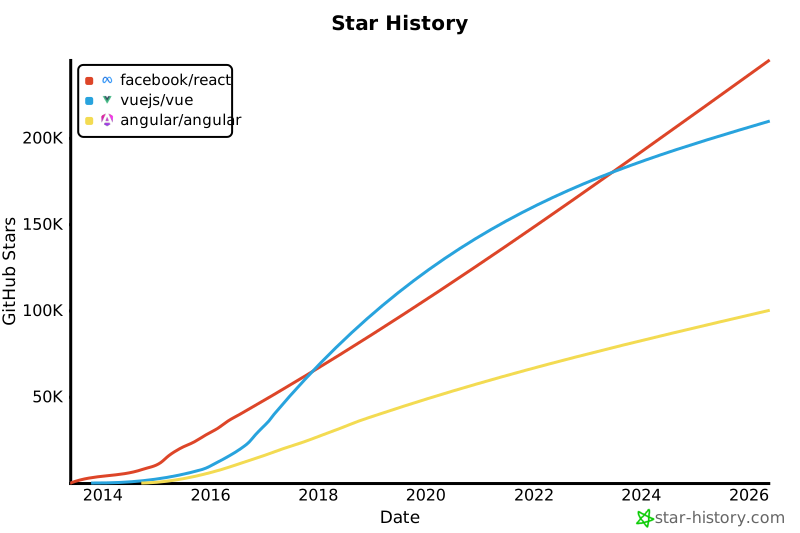](https://star-history.com/#facebook/react&vuejs/vue&angular/angular&Date)<a href="https://star-history.com/#facebook/react&Date">
<picture>
<source media="(prefers-color-scheme: dark)" srcset="https://api.star-history.com/svg?repos=facebook/react&type=Date&theme=dark" />
<source media="(prefers-color-scheme: light)" srcset="https://api.star-history.com/svg?repos=facebook/react&type=Date" />
<img alt="Star History Chart" src="https://api.star-history.com/svg?repos=facebook/react&type=Date" />
</picture>
</a>[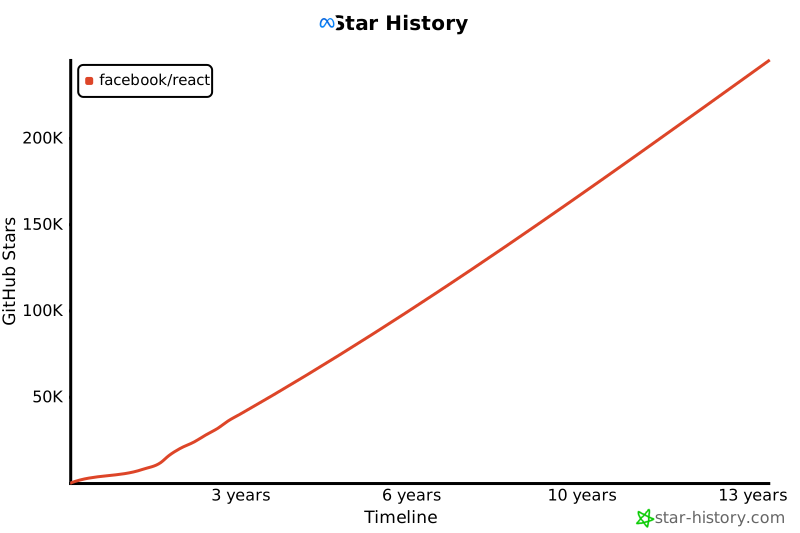](https://star-history.com/#facebook/react&Timeline)From github-readme-stats:
<!-- Available themes: default, dark, radical, merko, gruvbox, tokyonight, onedark, cobalt, synthwave, highcontrast, dracula, prussian, monokai, vue, vue-dark, shades-of-purple, nightowl, buefy, blue-green, algolia, great-gatsby, darcula, bear, solarized-dark, solarized-light, chartreuse-dark, nord, gotham, material-palenight, graywhite, vision-friendly-dark, ayu-mirage, midnight-purple, calm, flag-india, omni, react, jolly, maroongold, yeblu, blueberry, slateorange, kacho_ga, outrun, ocean_dark, city_lights, github_dark, github_dark_dimmed, discord_old_blurple, aura_dark, panda, noctis_minimus, cobalt2, swift, aura, apprentice, moltack, codeSTACKr, rose_pine, catppuccin_latte, catppuccin_mocha -->


<!-- Hide specific stats -->

<!-- Show additional stats -->

<!-- Show icons -->

<!-- Include private contributions -->

<!-- Custom title -->

<!-- Hide border -->

<!-- Hide rank -->

<!-- Compact layout -->

<!-- Compact layout -->

<!-- Donut layout -->

<!-- Donut vertical layout -->

<!-- Pie layout -->

<!-- Hide specific languages -->

<!-- Show more languages -->

[](https://github.com/facebook/react)<a href="https://github.com/facebook/react">
<img align="center" src="https://github-readme-stats.vercel.app/api/pin/?username=facebook&repo=react&theme=tokyonight" />
</a>
<a href="https://github.com/vuejs/vue">
<img align="center" src="https://github-readme-stats.vercel.app/api/pin/?username=vuejs&repo=vue&theme=tokyonight" />
</a>[](https://gist.github.com/Yizack/bbfce31e0217a3689c8d961a356cb10d)From github-readme-streak-stats:
[](https://git.io/streak-stats)<!-- Different themes -->
[](https://git.io/streak-stats)
[](https://git.io/streak-stats)
<!-- Date format -->
[](https://git.io/streak-stats)
<!-- Hide border -->
[](https://git.io/streak-stats)
<!-- Custom border radius -->
[](https://git.io/streak-stats)
From github-profile-trophy:
[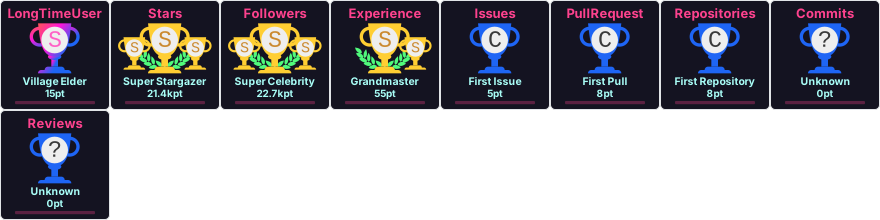](https://github.com/ryo-ma/github-profile-trophy)<!-- Single row -->
[](https://github.com/ryo-ma/github-profile-trophy)
<!-- Specific trophies only -->
[](https://github.com/ryo-ma/github-profile-trophy)
<!-- No frame -->
[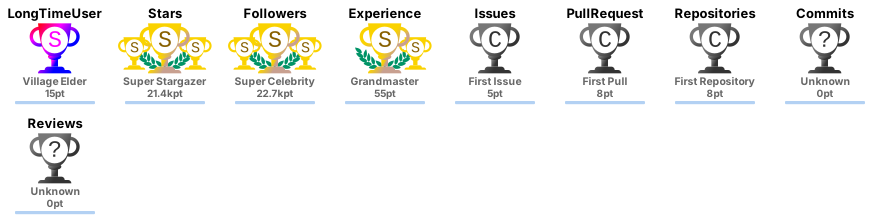](https://github.com/ryo-ma/github-profile-trophy)
<!-- Column count -->
[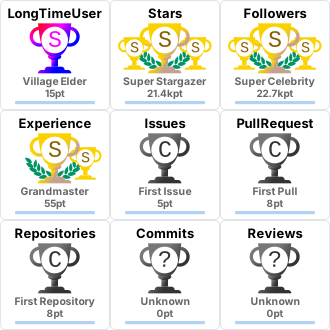](https://github.com/ryo-ma/github-profile-trophy)
<!-- Themes: flat, onedark, gruvbox, dracula, monokai, chalk, nord, alduin, darkhub, juicyfresh, buddhism, oldie, radical, onestar, discord, algolia, gitdimmed, tokyonight, matrix, apprentice, dark_dimmed, dark_lover -->
[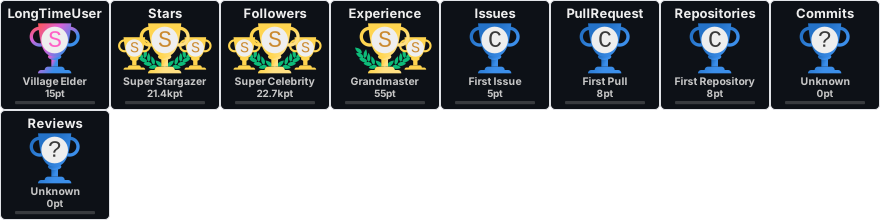](https://github.com/ryo-ma/github-profile-trophy)
From github-readme-activity-graph:
[](https://github.com/ashutosh00710/github-readme-activity-graph)<!-- Themes: github, github-compact, react, react-dark, rogue, merko, gruvbox, tokyo-night, dracula, monokai, coral, alto, high-contrast, github-dark, github-light, xcode, lucent -->
[](https://github.com/ashutosh00710/github-readme-activity-graph)
[](https://github.com/ashutosh00710/github-readme-activity-graph)
<!-- Custom colors -->
[](https://github.com/ashutosh00710/github-readme-activity-graph)
<!-- With area fill -->
[](https://github.com/ashutosh00710/github-readme-activity-graph)
From snk (requires GitHub Actions setup):

GitHub Actions workflow to generate the snake:
# .github/workflows/snake.yml
name: Generate Snake
on:
  schedule:
    - cron: "0 0 * * *"
  workflow_dispatch:
jobs:
  build:
    runs-on: ubuntu-latest
    steps:
      - uses: Platane/snk@v3
        with:
          github_user_name: ${{ github.repository_owner }}
          outputs: |
            dist/github-contribution-grid-snake.svg
            dist/github-contribution-grid-snake-dark.svg?palette=github-dark
      - uses: crazy-max/ghaction-github-pages@v3
        with:
          target_branch: output
          build_dir: dist
        env:
GITHUB_TOKEN: ${{ secrets.GITHUB_TOKEN }}From readme-typing-svg:
[](https://git.io/typing-svg)<!-- Centered, with duration and pause -->
[](https://git.io/typing-svg)
<!-- Multiline with different speeds -->
[](https://git.io/typing-svg)From capsule-render:
<!-- Wave -->

<!-- Egg -->

<!-- Shark -->

<!-- Slice -->

<!-- Rect -->

<!-- Soft -->

<!-- Cylinder -->

<!-- Rounded -->

<!-- Animations: fadeIn, scaleIn, blink, blinking, twinkling -->

<!-- Footer -->

From skill-icons:
[](https://skillicons.dev)<!-- Dark theme -->
[](https://skillicons.dev)
<!-- Light theme -->
[](https://skillicons.dev)
<!-- Per row count -->
[](https://skillicons.dev)
<!-- Full icon list: ableton, activitypub, actix, adonis, ae, aiscript, alpinejs, anaconda, androidstudio, angular, ansible, apollo, appwrite, arduino, astro, atom, autocad, aws, azul, azure, babel, bash, bevy, bitbucket, blender, bootstrap, bsd, bun, c, cs, cpp, crystal, cassandra, cloudflare, cmake, codepen, coffeescript, css, cypress, d3, dart, deno, devto, discord, bots, django, docker, dotnet, dynamodb, eclipse, elasticsearch, electron, elixir, emacs, ember, express, fastapi, fediverse, figma, firebase, flask, flutter, forth, fortran, gamemakerstudio, gatsby, gcp, git, github, githubactions, gitlab, gmail, gherkin, go, gradle, godot, grafana, graphql, gtk, gulp, haskell, haxe, heroku, hibernate, html, htmx, idea, ai, instagram, ipfs, java, js, jenkins, jest, jquery, kafka, kali, kotlin, ktor, kubernetes, laravel, latex, less, linkedin, linux, lit, lua, md, mastodon, materialui, matlab, maven, mint, misskey, mongodb, mysql, neovim, nestjs, netlify, nextjs, nginx, nim, nix, nodejs, notion, npm, nuxt, obsidian, ocaml, octave, opencv, openshift, openstack, p5js, perl, ps, php, pinia, plan9, planetscale, pnpm, postgres, postman, powershell, pr, prisma, processing, prometheus, pug, py, pytorch, qt, r, rabbitmq, rails, raspberrypi, react, reactivex, redis, redux, regex, remix, replit, rider, robloxstudio, rocket, rollupjs, ros, ruby, rust, sass, spring, sqlite, stackoverflow, styledcomponents, supabase, scala, sklearn, solidity, solidjs, svelte, svg, swift, symfony, tailwind, tauri, tensorflow, terraform, threejs, twitter, ts, ubuntu, unity, unreal, v, vala, vercel, vim, visualstudio, vite, vitest, vscode, vscodium, vue, vuetify, wasm, webflow, webpack, windicss, wordpress, workers, xd, yarn, zig -->From socialify:
[](https://socialify.git.ci)
<!-- Patterns: Signal, Charlie Brown, Formal Invitation, Plus, Circuit Board, Overlapping Hexagons, Brick Wall, Floating Cogs, Diagonal Stripes, Solid -->
<!-- Fonts: Inter, Bitter, Raleway, Rokkitt, Source Code Pro, KoHo, Jost -->From repobeats:
[](https://repobeats.axiom.co)<!-- visitor-badge -->

<!-- hits counter -->
[](https://hits.seeyoufarm.com)
<!-- komarev profile views -->

<!-- komarev with options -->


[](https://wakatime.com/@octocat)
<!-- Compact layout -->
[](https://wakatime.com/@octocat)
From readme-jokes:
[](https://github.com/ABSphreak/readme-jokes)From github-readme-quotes:
[](https://github.com/piyushsuthar/github-readme-quotes)
<!-- Vertical layout -->
[](https://github.com/piyushsuthar/github-readme-quotes)From contrib.rocks:
[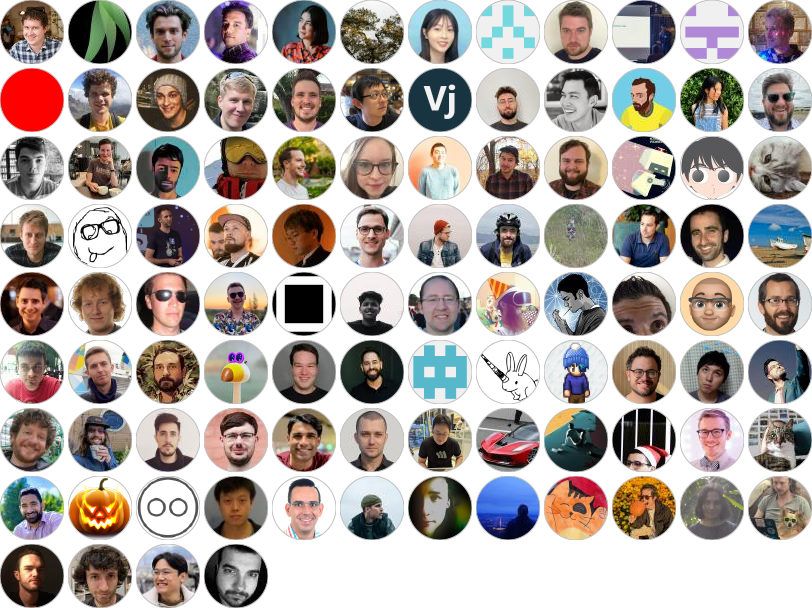](https://github.com/facebook/react/graphs/contributors)
<!-- Max contributors and columns -->
[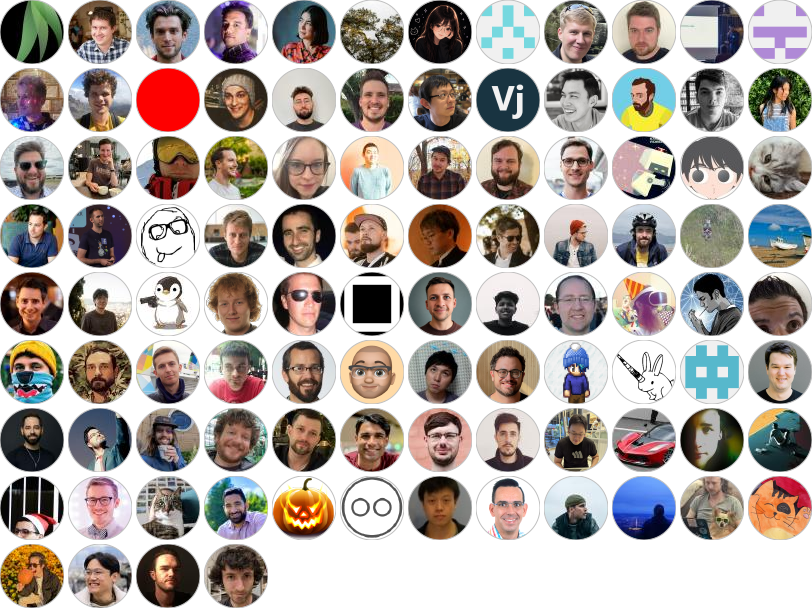](https://github.com/facebook/react/graphs/contributors)From metrics — extremely customizable, requires GitHub Actions:
This supports dozens of plugins: achievements, languages, stars, habits, isometric calendar, wakatime, music, tweets, and much more.
Quick way to generate project cards for social sharing:
https://socialify.git.ci/{owner}/{repo}/image?description=1&font=Inter&language=1&name=1&owner=1&theme=Dark
<p align="center">
  <img width="48%" src="https://github-readme-stats.vercel.app/api?username=octocat&show_icons=true&theme=tokyonight" />
  <img width="48%" src="https://github-readme-stats.vercel.app/api/top-langs/?username=octocat&layout=compact&theme=tokyonight" />
</p>
<div align="center">

[](https://git.io/typing-svg)
[](https://skillicons.dev)
---
<img width="48%" src="https://github-readme-stats.vercel.app/api?username=octocat&show_icons=true&theme=tokyonight" />
<img width="48%" src="https://github-readme-stats.vercel.app/api/top-langs/?username=octocat&layout=compact&theme=tokyonight" />
[](https://git.io/streak-stats)
[](https://github.com/ashutosh00710/github-readme-activity-graph)

</div>GitHub automatically generates a table of contents accessible via the "hamburger" icon at the top-left of any README or Markdown file. You can also create a manual TOC using anchor links as shown at the top of this document.
Comments (Hidden Text)
These won't render at all — useful for notes to collaborators.
<!-- This is a comment. It won't show in the rendered Markdown. -->

[//]: # (This is also a comment using the reference-link hack)

[//]: # "Another comment style"

[//]: # 'And yet another'

[comment]: <> (One more comment style)GitHub supports video uploads directly in issues, PRs, and discussions. In Markdown files you can:
[Watch the video](https://www.youtube.com/watch?v=dQw4w9WgXcQ)[](https://www.youtube.com/watch?v=dQw4w9WgXcQ)
<video src="https://user-images.githubusercontent.com/video.mp4" controls width="600"></video>https://github.com/user/repo/assets/12345678/abcdefgh-1234-5678-abcd-1234567890abWhen you drag-and-drop a video into a comment, GitHub auto-generates this.
GitHub renders color codes as colored chips in code spans:
`#ff0000` `#00ff00` `#0000ff`
`#ffffff` `#000000` `#808080`
`rgb(255, 0, 0)` `rgb(0, 128, 255)`
`hsl(120, 100%, 50%)` `hsl(240, 100%, 50%)`
`#f00` `#0f0` `#00f`
`#ff634780` (with alpha)
#ff0000 #00ff00 #0000ff
#ffffff #000000 #808080
rgb(255, 0, 0) rgb(0, 128, 255)
hsl(120, 100%, 50%) hsl(240, 100%, 50%)
#f00 #0f0 #00f
#ff634780
```diff
- This line was removed
+ This line was added
  This line is unchanged
! This line is notable
# This is a comment in a diff
@@ -1,4 +1,4 @@
 context line
-old line
+new line
 context line
```
- This line was removed
+ This line was added
This line is unchanged
! This line is notable
# This is a comment in a diff
@@ -1,4 +1,4 @@
context line
-old line
+new line
context lineGitHub recognizes YAML front matter at the very beginning of Markdown files and renders it as a table:
---
title: My Document
author: John Doe
date: 2024-01-01
tags: [markdown, github, reference]
---
This renders as a metadata table at the top of the file on GitHub.
In GitHub issues, PRs, and discussions (not in README files viewed on GitHub), you can:
- Drag and drop images directly into the comment box
- Paste images from clipboard with Ctrl/Cmd + V
- Supported formats: PNG, GIF, JPG, JPEG, SVG, BMP, ICO, MP4, MOV, WEBM, LOG, DOCX, PPTX, XLSX, TXT, PDF, ZIP
The generated syntax looks like:
A quick-reference of GitHub-only extensions beyond standard Markdown:
| Feature | Syntax | Where it works |
|---|---|---|
| Task lists |
- [x] done / - [ ] todo
|
Everywhere |
| Alerts | > [!NOTE] |
Everywhere |
| Emoji shortcodes | :emoji_name: |
Everywhere |
| Footnotes | [^1] |
Everywhere |
| Mermaid diagrams | ```mermaid |
Everywhere |
| Math (LaTeX) |
$inline$ / $$block$$
|
Everywhere |
| GeoJSON maps | ```geojson |
Everywhere |
| TopoJSON maps | ```topojson |
Everywhere |
| STL 3D models | ```stl |
Everywhere |
| Color chips |
`#hex` in backticks |
Issues, PRs, Discussions |
| @mentions | @username |
Issues, PRs, Discussions |
| Issue refs | #123 |
Issues, PRs, Discussions |
| Commit refs | SHA |
Issues, PRs, Discussions |
| Cross-repo refs | owner/repo#123 |
Issues, PRs, Discussions |
| Auto-close keywords | Fixes #123 |
PR descriptions, commits |
| YAML front matter |
--- block at top |
Markdown files |
<details> toggle |
HTML tag | Everywhere |
<picture> theming |
HTML tag | Everywhere |
| Video embeds | Drag-and-drop upload | Issues, PRs, Discussions |
| Diff highlighting | ```diff |
Everywhere |
| Keyboard keys |
<kbd> tag |
Everywhere |
| You type | You get |
|---|---|
**bold** |
bold |
*italic* |
italic |
***bold italic*** |
bold italic |
~~strikethrough~~ |
|
`inline code` |
inline code |
[link](url) |
link |
 |
image |
> quote |
blockquote |
- item |
unordered list |
1. item |
ordered list |
- [x] task |
checked task |
- [ ] task |
unchecked task |
--- |
horizontal rule |
# H1 through ###### H6
|
headings |
``` ... ```
|
code block |
|col|col| |
table |
$math$ |
inline math |
$$math$$ |
block math |
:emoji: |
emoji |
[^1] |
footnote |
> [!NOTE] |
alert/callout |
<kbd>key</kbd> |
keyboard key |
<sup>x</sup> |
superscript |
<sub>x</sub> |
subscript |
<mark>text</mark> |
highlight |
<details> |
collapsible |
<!-- --> |
hidden comment |
Made with ❤️ for the Markdown community
Copy, paste, and adapt anything from this reference freely.