Transform PDF invoices into structured spreadsheet data with AI-powered extraction





PDF2Sheet Auto is a full-stack web application that automatically extracts data from PDF invoices and converts it into structured spreadsheet records. It helps businesses eliminate manual data entry and manage invoices efficiently.
The system supports both PDF uploads and email-based ingestion, applies intelligent extraction logic, and syncs the results with spreadsheets.
Upload / Forward PDF
        ↓
PDF Parsing & Text Extraction
        ↓
Data Recognition & Mapping
        ↓
Validation & Confidence Scoring
        ↓
Spreadsheet Export
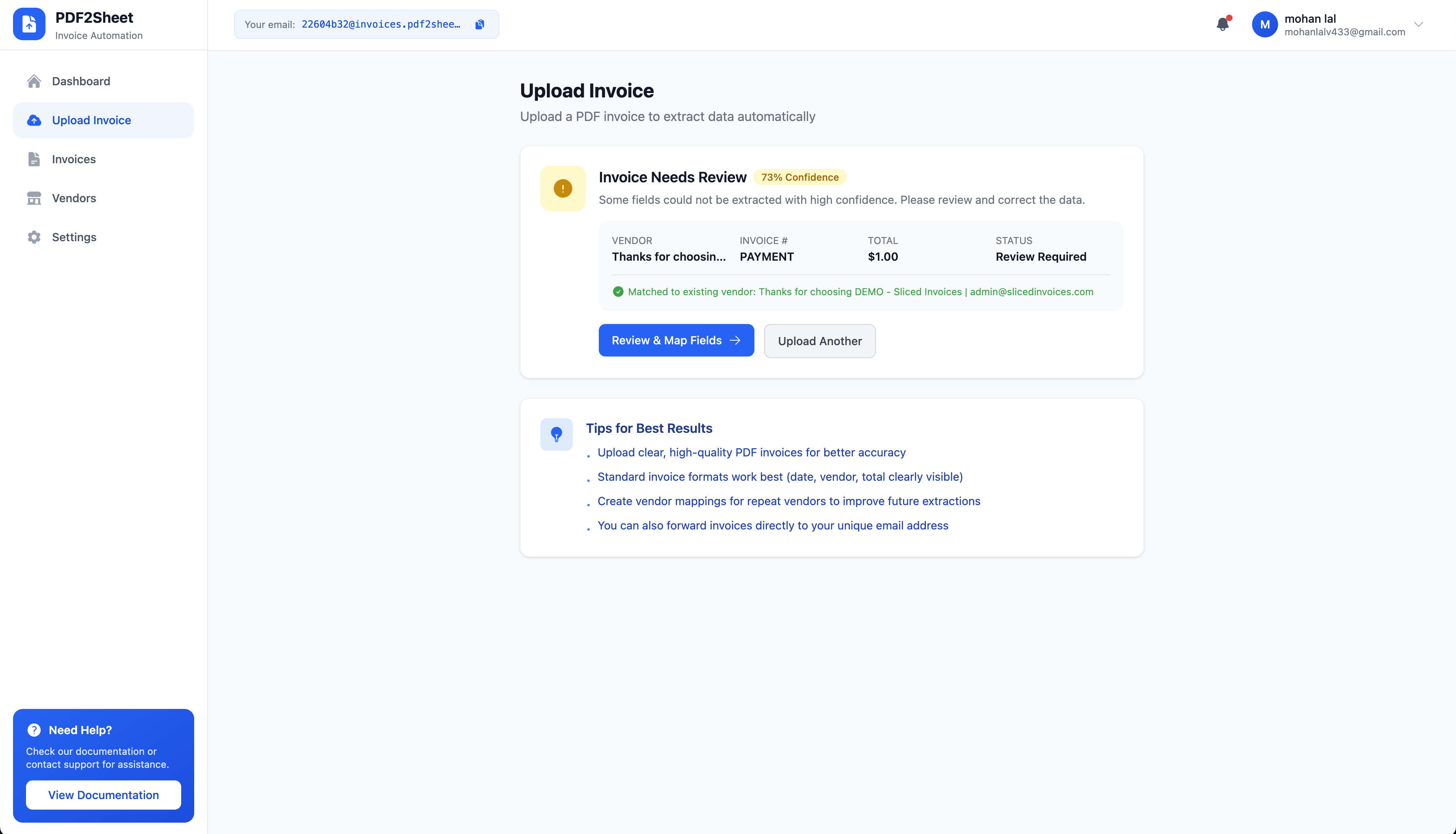
- Upload invoice PDF or forward it via email
- System parses the document
- Important fields are extracted
- Vendor mapping is applied
- Data is pushed to spreadsheets
- 📤 PDF Upload & Email Ingestion
- 🤖 Intelligent Field Extraction
- 📊 Google Sheets / Excel Integration
- 🏪 Vendor Templates & Mapping
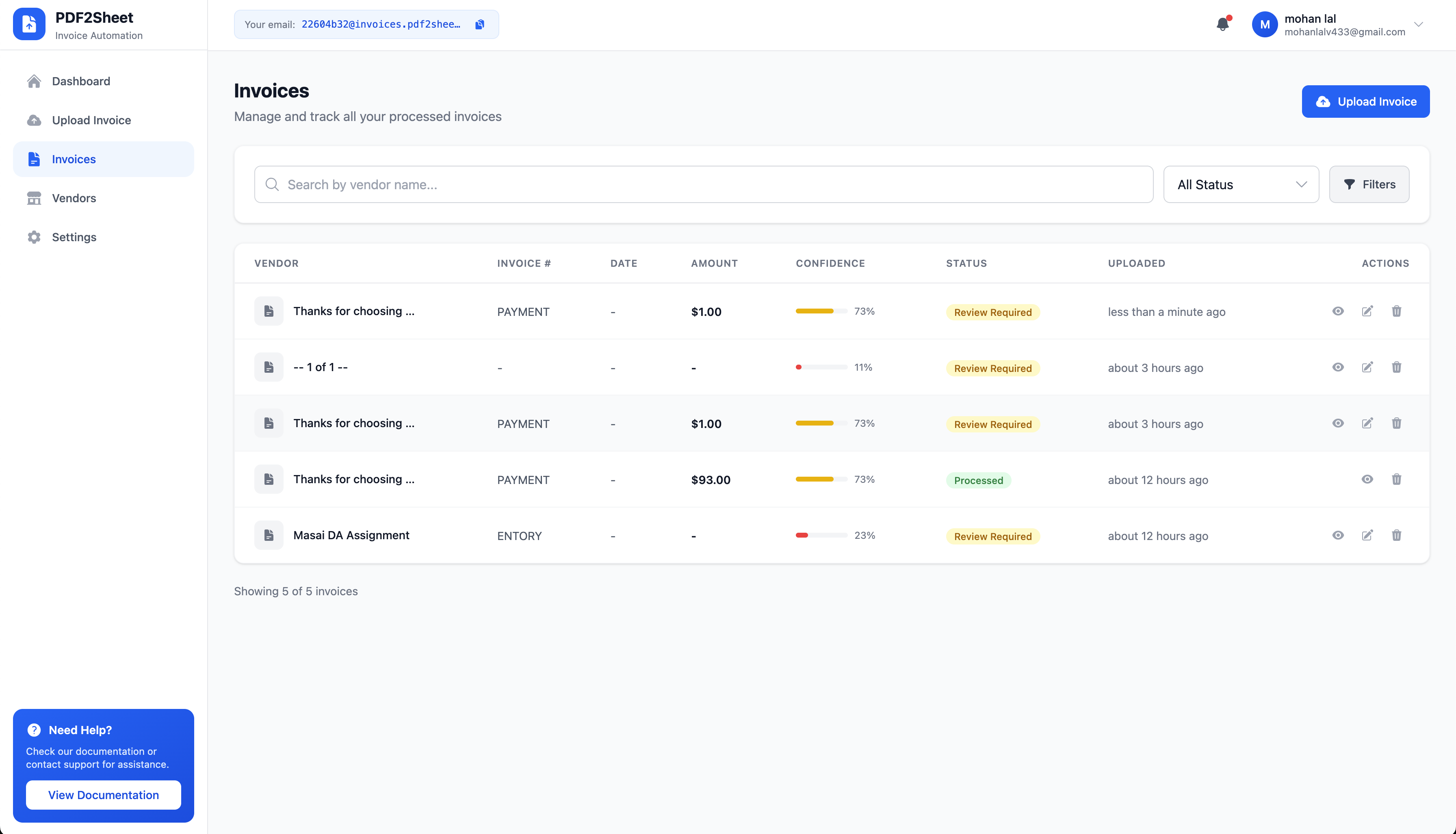
- ✅ Manual Review Queue
- 🔁 Duplicate Detection
- 📈 Confidence Scoring
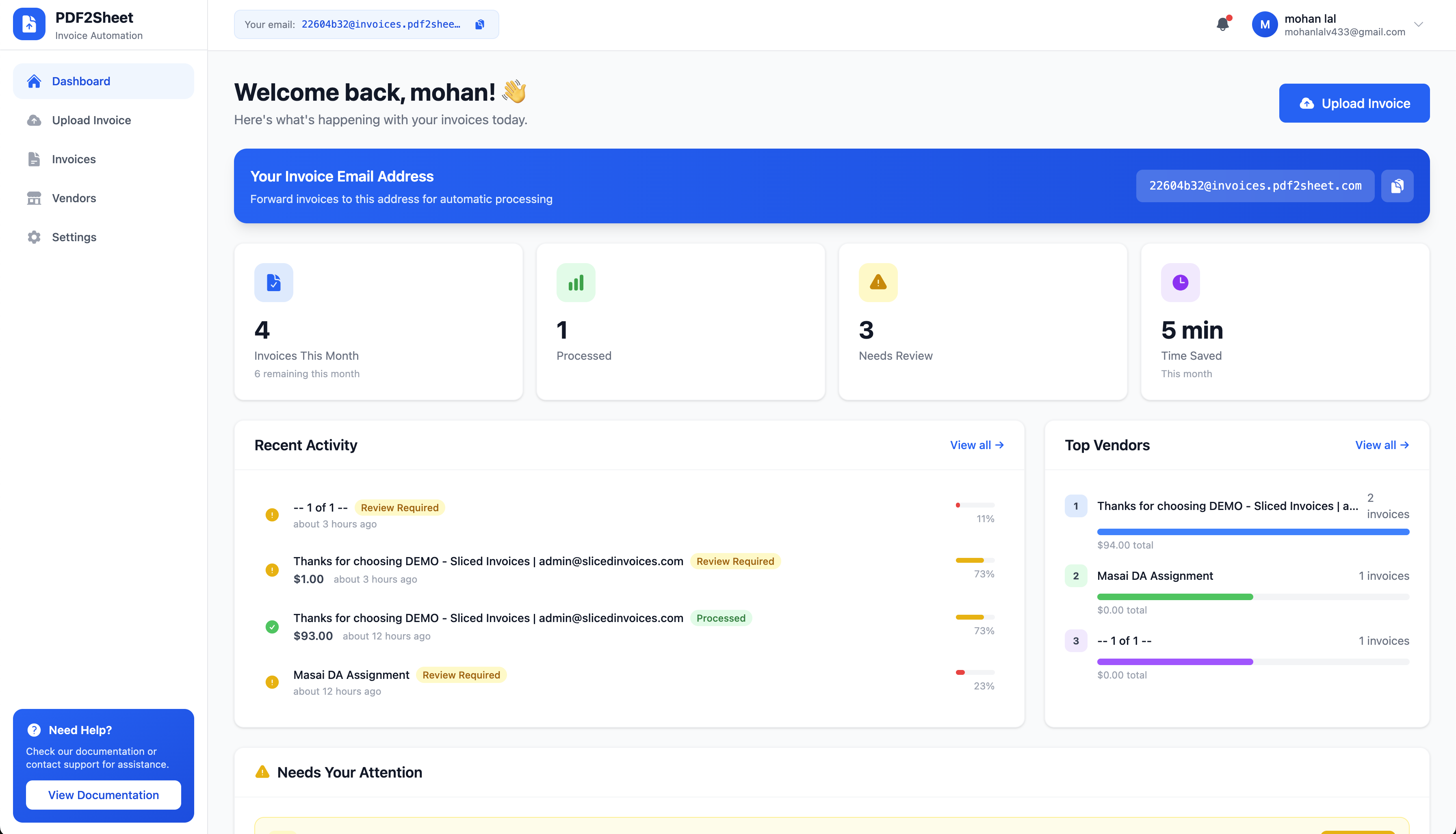
- Real-time processing statistics
- Top vendors analytics
- Pending & failed alerts
- Monthly usage tracking
- JWT Authentication
- Role-based access
- User preferences
- Responsive UI
| Technology | Purpose |
|---|---|
| Node.js | Runtime |
| Express.js | API Framework |
| MongoDB | Database |
| Mongoose | ODM |
| JWT | Authentication |
| pdf-parse | PDF Processing |
| Multer | File Upload |
| Nodemailer | Email Handling |
| Technology | Purpose |
|---|---|
| React 18 | UI Framework |
| Vite | Build Tool |
| Tailwind CSS | Styling |
| React Router | Routing |
| Zustand | State Management |
| Axios | API Client |
PDF2Sheet/
├── backend/
│   ├── server.js
│   └── src/
│       ├── config/
│       ├── models/
│       ├── controllers/
│       ├── services/
│       ├── routes/
│       ├── middleware/
│       └── utils/
│
├── frontend/
│   ├── index.html
│   └── src/
│       ├── components/
│       ├── pages/
│       ├── store/
│       ├── services/
│       └── utils/
│
├── README.md
└── LICENSE
- Node.js v18+
- MongoDB v6+
- Git
- npm / yarn
git clone https://github.com/yourusername/pdf2sheet-auto.git
cd pdf2sheet-autocd backend
npm install
cp .env.example .env
npm run devCheck API:
curl http://localhost:5000/healthcd frontend
npm install
echo "VITE_API_URL=http://localhost:5000/api/v1" > .env
npm run devOpen:
http://localhost:5173
NODE_ENV=development
PORT=5000

MONGODB_URI=mongodb://localhost:27017/pdf2sheet

JWT_SECRET=your_secret_key
JWT_EXPIRE=7d

FRONTEND_URL=http://localhost:5173

UPLOAD_PATH=./uploads
MAX_FILE_SIZE=10485760VITE_API_URL=http://localhost:5000/api/v1http://localhost:5000/api/v1
| Method | Endpoint | Description |
|---|---|---|
| POST | /auth/register | Register |
| POST | /auth/login | Login |
| GET | /auth/me | Get Profile |
| Method | Endpoint | Description |
|---|---|---|
| GET | /invoices | List Invoices |
| GET | /invoices/:id | Get Invoice |
| POST | /invoices/upload | Upload PDF |
| PUT | /invoices/:id | Update |
| DELETE | /invoices/:id | Delete |
| GET | /invoices/stats | Stats |
Upload Example:
curl -X POST http://localhost:5000/api/v1/invoices/upload \
 -H "Authorization: Bearer TOKEN" \
-F "pdf=@invoice.pdf"| Method | Endpoint | Description |
|---|---|---|
| GET | /vendor-maps | List |
| POST | /vendor-maps | Create |
| PUT | /vendor-maps/:id | Update |
| DELETE | /vendor-maps/:id | Delete |
| Method | Endpoint | Description |
|---|---|---|
| GET | /dashboard/stats | Statistics |
| GET | /dashboard/activity | Activity |
| GET | /dashboard/attention | Alerts |
| GET | /dashboard/top-vendors | Vendors |
{
  email: String,
  password: String,
  name: String,
  company: String,
  role: "user" | "admin",
  subscription: Object
}{
userId: ObjectId,
status: String,
pdfFile: Object,
extractedData: Object,
confidence: Object,
processingTime: Number
}{
vendorName: String,
fieldMappings: Array,
category: String
}npm install
npm startAdd environment variables in dashboard.
npm run buildDeploy dist/ folder.
FROM node:18-alpine
WORKDIR /app
COPY package*.json ./
RUN npm ci
COPY . .
EXPOSE 5000
CMD ["npm","start"]version: '3.8'
services:
backend:
build: ./backend
ports:
- "5000:5000"
environment:
- MONGODB_URI=mongodb://mongo:27017/pdf2sheet
depends_on:
- mongo
mongo:
image: mongo:6
volumes:
- mongo_data:/data/db
volumes:
mongo_data:- Fork the repo
- Create feature branch
- Commit changes
- Push branch
- Open Pull Request
git checkout -b feature/new-feature
git commit -m "Add feature"
git push origin feature/new-featureMIT License © 2024 PDF2Sheet Auto
- 📧 Email: support@pdf2sheet.com
- 🐛 Issues: GitHub Issues
- 📖 Docs: docs.pdf2sheet.com