


popcorn
Script code, render cinema, grab your popcorn 🍿🎬
popcorn is a DSL-driven tool for scripting code editor animations and rendering them as videos. Write a .pop script that describes what to type, where to focus, and when to pause — popcorn plays it back inside a Monaco editor, captures every frame, and hands you a production-ready video file.
Perfect for tutorial clips, conference demos, social content, and anything else where a live-coding screencast would be too risky or too tedious to record in one take.
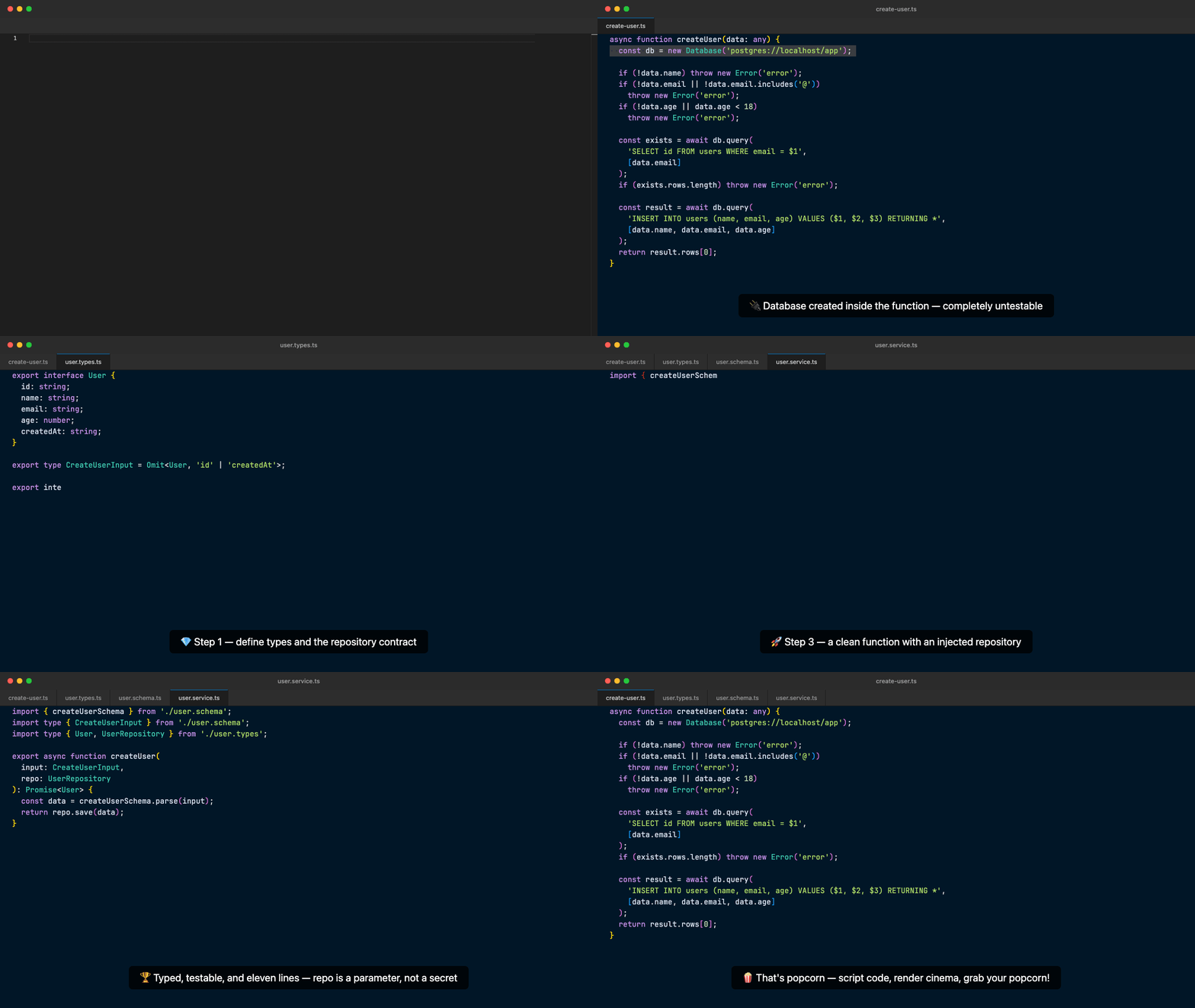
Generated with popcorn — see the full-demo example.
The quickest way to use popcorn — no cloning required. Install the Playwright Chromium browser once, then run any scene:
# One-time setup: install the Chromium browser used for rendering
npx playwright install chromium

# Render a scene
npx @itgorillaz/popcorn render scene.pop
npx @itgorillaz/popcorn render scene.pop -f gif
npx @itgorillaz/popcorn render scene.pop -f mp4 -o /path/to/output.mp4
FFmpeg is bundled via
ffmpeg-static— no separate FFmpeg installation needed.
A pre-built Docker image is available so you don't need Node.js, FFmpeg, or a Chromium install locally. Mount your current directory as /workspace inside the container:
docker run --rm -v "$(pwd)":/workspace itgorillaz/popcorn render /workspace/scene.pop -o /workspace/output.gif -f gifClone the repository, install dependencies, and install the Chromium browser:
git clone https://github.com/it-gorillaz/popcorn.git
cd popcorn
npm install
npx playwright install chromium
npm installautomatically runs thepreparescript, which compiles the PEG grammar and bundles vendor assets (Monaco editor and themes).
Then run scenes directly:
node bin/popcorn.js render scene.popOr link it globally and use the popcorn command:
npm link
popcorn render scene.popRender a .pop scene file into a video.
popcorn render <scene> [options]
| Option | Description |
|---|---|
-o, --output <file> |
Output file path (defaults to the scene file name with the appropriate extension) |
-f, --format <format> |
Output format: mp4, gif, or webm (defaults to mp4) |
Examples:
# Render to mp4 (default)
popcorn render scene.pop

# Render to gif
popcorn render scene.pop -f gif

# Render to webm with a custom output path
popcorn render scene.pop -f webm -o /tmp/demo.webmA .pop file is a plain-text script composed of blocks and commands. Lines starting with # are comments.
Config { ... }          # optional — global settings
Editor { ... }          # optional — Monaco editor options
ImportScene "file.pop"  # optional — compose from smaller scenes

File "filename" {       # one or more file blocks
  ...commands...
}

Split Right             # top-level commands
Unsplit
Focus "filename"
Sleep 2s
Annotate "message"
Sets global rendering and typing options. All settings are optional; unset values fall back to built-in defaults.
Config {
  TypingMode    Machine
  TypingSpeed   460
  TypingErrorChance 0.05
  AnnotateFontSize  16
  VideoPreset   YouTube
  Width  1920
  Height 1080
  Fps    30
}
| Setting | Values | Description |
|---|---|---|
TypingMode |
Human | Machine | Burst |
Controls keystroke rhythm. Human adds variable delays, Machine is steady, Burst types instantly |
TypingSpeed |
integer | Characters per minute |
TypingErrorChance |
0.0 – 1.0 | Probability of a simulated typo per keystroke (Human mode) |
AnnotateFontSize |
integer | Font size of annotation overlays |
VideoPreset |
see presets table | Named resolution/fps preset |
Width |
integer | Frame width in pixels (overrides preset) |
Height |
integer | Frame height in pixels (overrides preset) |
Fps |
integer | Frames per second (overrides preset) |
VideoPreset sets the default width, height, and fps for common publishing targets. You can still override any individual value after setting a preset.
| Preset | Width | Height | FPS |
|---|---|---|---|
YouTube |
1920 | 1080 | 30 |
YouTubeShorts |
1080 | 1920 | 30 |
InstagramReel |
1080 | 1920 | 30 |
InstagramPost |
1080 | 1080 | 30 |
InstagramPostPortrait |
1080 | 1350 | 30 |
TikTok |
1080 | 1920 | 30 |
Twitter |
1280 | 720 | 30 |
LinkedIn |
1920 | 1080 | 30 |
Facebook |
1920 | 1080 | 30 |
FacebookReel |
1080 | 1920 | 30 |
Passes JSON options directly to the Monaco editor instance. Any option supported by Monaco's IEditorOptions can be set here.
Editor {
  "language": "typescript",
  "theme": "vs-dark",
  "fontSize": 16,
  "fontFamily": "JetBrains Mono",
  "minimap": { "enabled": false },
  "lineNumbers": "on"
}
Splits a large script into reusable scene files and imports them into a main entry point.
ImportScene "scene1.pop"
ImportScene "scene2.pop"
Scenes are expanded inline in order before rendering. Circular imports are detected and reported as errors.
Opens (or switches to) a file tab in the editor and runs the commands inside it.
File "main.ts" {
  Type "console.log('hello')"
  Enter
  Sleep 1s
}
Types text character by character, respecting the configured TypingMode and TypingSpeed.
Type "hello, world"
Multi-line strings use triple-quote syntax:
Type """
export interface User {
id: number;
name: string;
}
"""
Inserts text as-is, preserving exact whitespace and formatting. No per-character delay.
Paste "export const PI = 3.14;"
Paste """

export function greet(name: string): string {
  return `Hello, ${name}!`;
}
"""
Presses the Enter key (triggers Monaco's auto-indent).
Enter
Presses the Tab key.
Tab
Presses Backspace the specified number of times. Useful for removing auto-indentation before a closing brace.
Backspace 1
Backspace 4
Scrolls the editor to bring the given line number into view.
Scroll 42
Moves the cursor to the given line number.
MoveTo 10
Highlights a line or a range. Useful for drawing attention to a specific section during an annotation.
# Highlight a single line
Highlight 5

# Highlight a range (line:col-line:col)
Highlight 1:1-5:1
Selects a range of text (line:col to line:col).
Select 3:1-3:20
Pauses execution for the specified duration. Accepts seconds (s) or milliseconds (ms). Valid at the top level and inside File blocks.
Sleep 2s
Sleep 500ms
Sleep 0.5s
Displays a text overlay on the video frame. Valid at the top level and inside File blocks.
Annotate "This is a pure function — no side effects"
Splits the editor view horizontally or vertically, opening a second panel.
Split Right
Split Down
Removes the split view and returns to a single editor panel.
Unsplit
Switches focus to the editor panel that has the given file open.
Focus "user-refactored.ts"
The examples/ directory contains a full working demo. movie.pop is the entry point that sets global config and imports two scene files:
examples/movie.pop
Config {
  TypingMode Machine
  TypingSpeed 460
  AnnotateFontSize 16
  VideoPreset YouTube
}

Editor {
  "language": "typescript",
  "theme": "vs-dark",
  "fontSize": 16,
  "fontFamily": "JetBrains Mono",
  "minimap": { "enabled": false },
  "lineNumbers": "on"
}

ImportScene "scene1.pop"
ImportScene "scene2.pop"
Render it:
popcorn render examples/movie.pop# Run tests
npm test
# Run tests in watch mode
npm run test:watch
# Lint
npm run lint
# Lint and auto-fix
npm run lint:fix
# Format
npm run format
# Rebuild the PEG parser after editing grammar.pegjs
npm run build:parser| Library | Purpose |
|---|---|
| commander | CLI framework |
| peggy | PEG parser generator — compiles the .pop grammar |
| playwright | Headless Chromium — renders the editor and captures frames |
| monaco-editor | VS Code editor engine running inside the browser |
| monaco-themes | 54 community themes for Monaco, bundled locally |
| ffmpeg-static | Bundled FFmpeg binary — encodes frames into mp4 / gif / webm |
| chalk | Terminal colors |
| ora | CLI spinners |
| cli-progress | Progress bars |
| execa | Child process execution |
| vitest | Unit test runner |
MIT License

Copyright (c) 2026 ITGorillaz

Permission is hereby granted, free of charge, to any person obtaining a copy
of this software and associated documentation files (the "Software"), to deal
in the Software without restriction, including without limitation the rights
to use, copy, modify, merge, publish, distribute, sublicense, and/or sell
copies of the Software, and to permit persons to whom the Software is
furnished to do so, subject to the following conditions:

The above copyright notice and this permission notice shall be included in all
copies or substantial portions of the Software.

THE SOFTWARE IS PROVIDED "AS IS", WITHOUT WARRANTY OF ANY KIND, EXPRESS OR
IMPLIED, INCLUDING BUT NOT LIMITED TO THE WARRANTIES OF MERCHANTABILITY,
FITNESS FOR A PARTICULAR PURPOSE AND NONINFRINGEMENT. IN NO EVENT SHALL THE
AUTHORS OR COPYRIGHT HOLDERS BE LIABLE FOR ANY CLAIM, DAMAGES OR OTHER
LIABILITY, WHETHER IN AN ACTION OF CONTRACT, TORT OR OTHERWISE, ARISING FROM,
OUT OF OR IN CONNECTION WITH THE SOFTWARE OR THE USE OR OTHER DEALINGS IN THE
SOFTWARE.