
Is an in-development rebuild-from-the-ground-up of the iconic**Infernal Expansion ** mod, designed for multi-loader support between both Forge and Fabric on 1.20.1, and NeoForge and Fabric on future versions eventually too. It occupies its own page as it is both being developed by a different team than the original, and because its final contents will deviate from the original mod too.
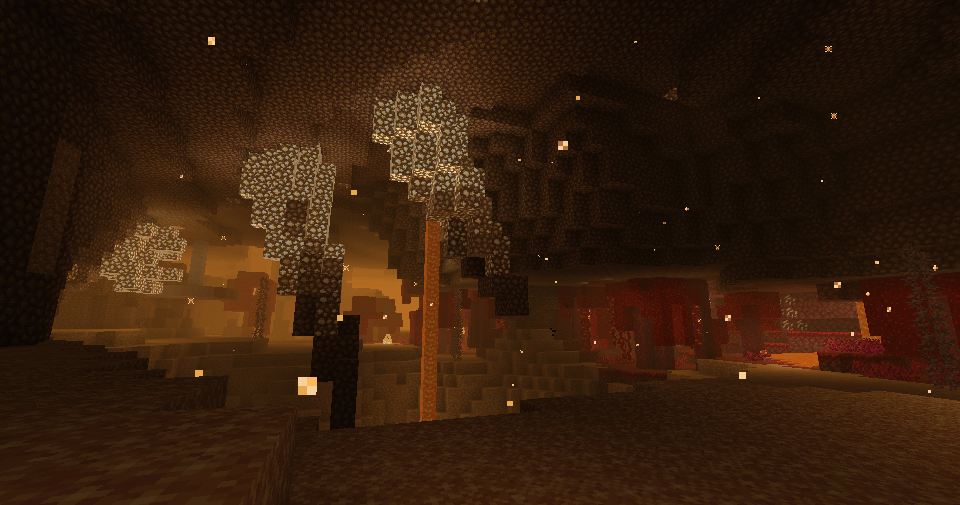
The Glowstone Canyon biome returns, featuring Glowstone Stalagmites & Stalagtites, a desert of Shimmer Sand with pits obscured by falling Glimmer Gravel, and littered with Luminous Fungus, which lights up when approached; and the prickly Dullthorns; Both of which will give you Luminous when touched, an Effect that lights you up, but which will draw the ire of the local inhabitants...
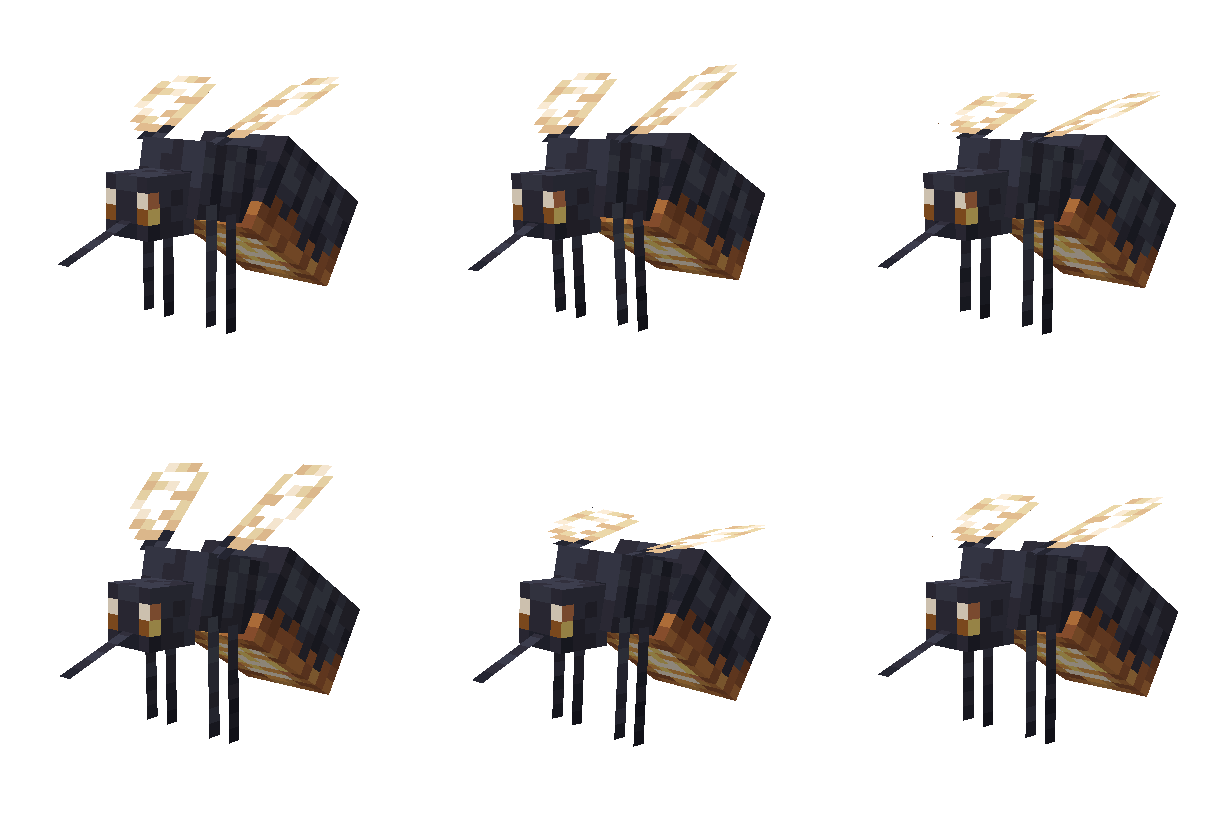
A nasty firefly-like giant Mosquito that will suck the life out of any nearby Glowstone, Dimstone and Shroomlight, turning them into the new Dimstone, Dullstone and Hollowlight respectively. It is neutral by default, but will swarm you if it thinks it can suck the light out of you via the Luminous effect.
Killing it will have it drop the compressed Glowdust from its guts,Glowcoke, which can be used to make special Glowlight-variants of normal light items.
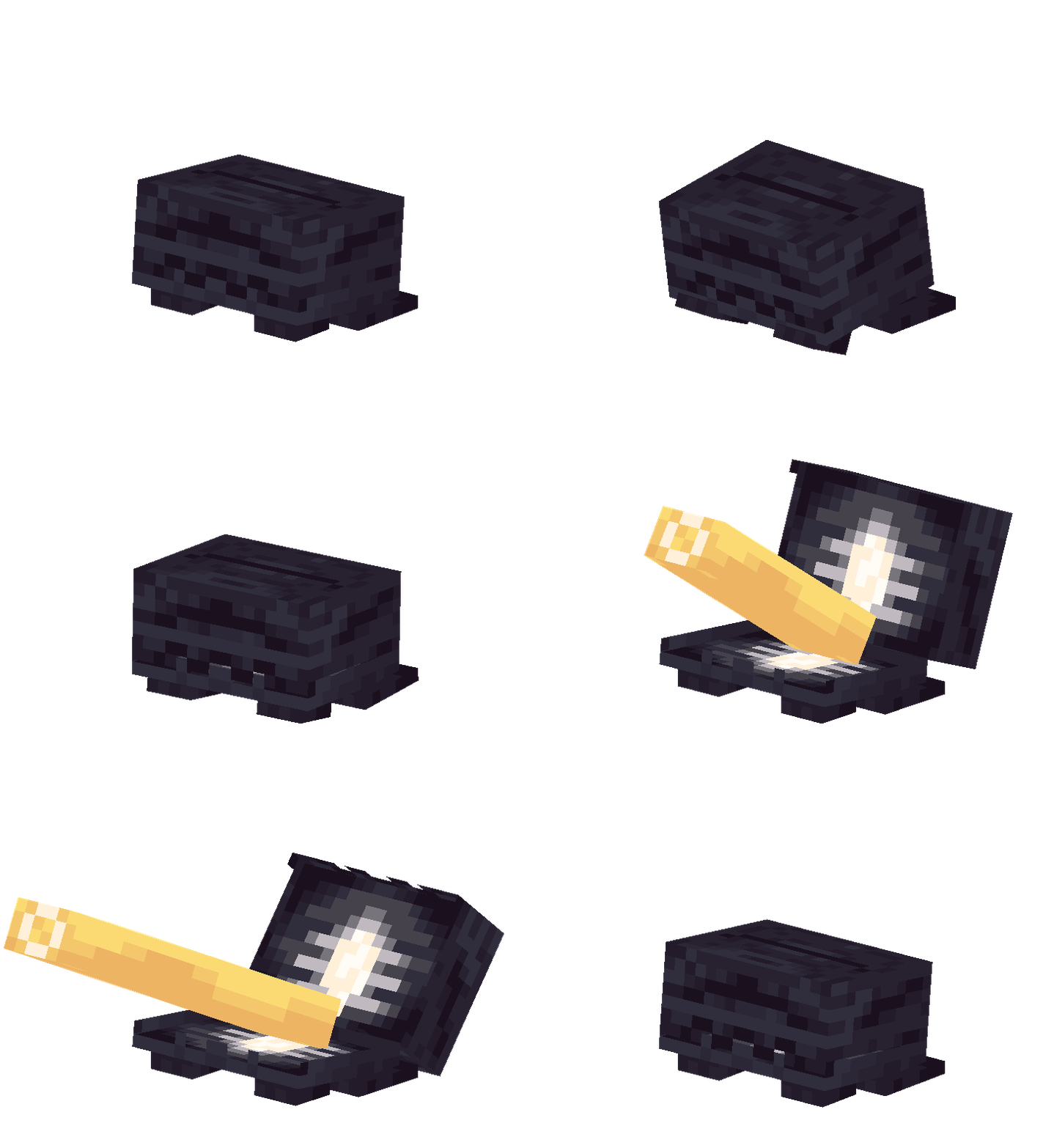

A michevious frog-like clam that swallows Glowsquitos whole. Unlike a Frog, its tongue actually knocks things away! Don't gain _Luminous_around this thing, or it might just confuse you for a Glowsquito and become a whole lot more aggressive. When slain, said tongue can actually be eaten as part of a delicious and nutricious Stew.
This project uses Gradle to manage dependencies and building.
Prerequisites:
- JDK 17: Ensure you have Java 17 installed.
Basic Commands:
-
Build everything:
./gradlew build
This will compile and build jars for Common, Fabric, and Forge.
-
Run Client: To launch the game from your development environment:
- Fabric:
./gradlew :fabric:runClient - Forge:
./gradlew :forge:runClient
- Fabric:
Dependencies are managed across several files for each loader.
-
Define the Version: Open
gradle.propertiesand add a new property for your dependency's version.# gradle.properties my_mod_version=1.0.0
-
Add the Repository (if needed): If the dependency is hosted on a repository not already listed (e.g., CurseMaven, Modrinth, etc.), add it to
buildSrc/src/main/groovy/multiloader-common.gradleinside therepositoriesblock. -
Add to Common: Open
common/build.gradleand add the dependency. Sincecommonis not a loader itself, you typically usecompileOnlyso the code can reference the classes, orimplementationif it's a platform-agnostic library.// common/build.gradle dependencies { compileOnly "com.example.mod:my-mod-common:${my_mod_version}" }
-
Add to Loaders: Add the loader-specific implementation to
fabric/build.gradleandforge/build.gradleso it is present at runtime.-
Fabric (
fabric/build.gradle):dependencies { modImplementation "com.example.mod:my-mod-fabric:${my_mod_version}" } -
Forge (
forge/build.gradle):dependencies { modImplementation "com.example.mod:my-mod-forge:${my_mod_version}" }
-
-
Refresh Gradle: Run
./gradlewor refresh the project in your IDE to download the new dependencies.