SQLTools driver with ODBC support.
-
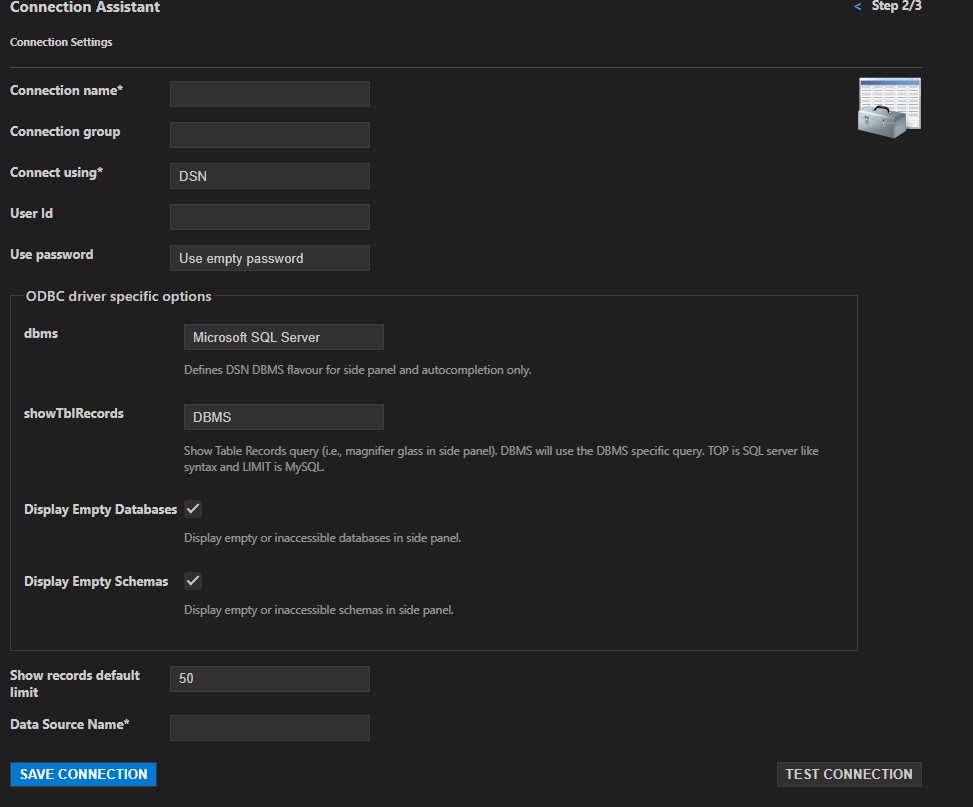
Connect via DSN
Easily establish connections using a Data Source Name (DSN).💡 On Windows, you can create a DSN using the ODBC Data Sources system application.
-
Auto-Detection of Supported Databases
Automatically detects and applies support for known databases when possible. -
Database-Specific Side Panels Customized side panel views for:
- IBM Informix
- InterSystems Caché/IRIS
- Microsoft Access
- Microsoft SQL Server
- MySQL/MariaDB
- Oracle
-
Generic Side Panels Supports general database structures using:
db.schema.tableschema.table
- Oracle: Requires both username and password, even if connecting via DSN.
- SQL Server: Requires username, even when using DSN authentication.
- MS Access: You may encounter a "no read permission on 'MSysObjects'" error when using the side panel:

This can be resolved by following this Stack Overflow answer.