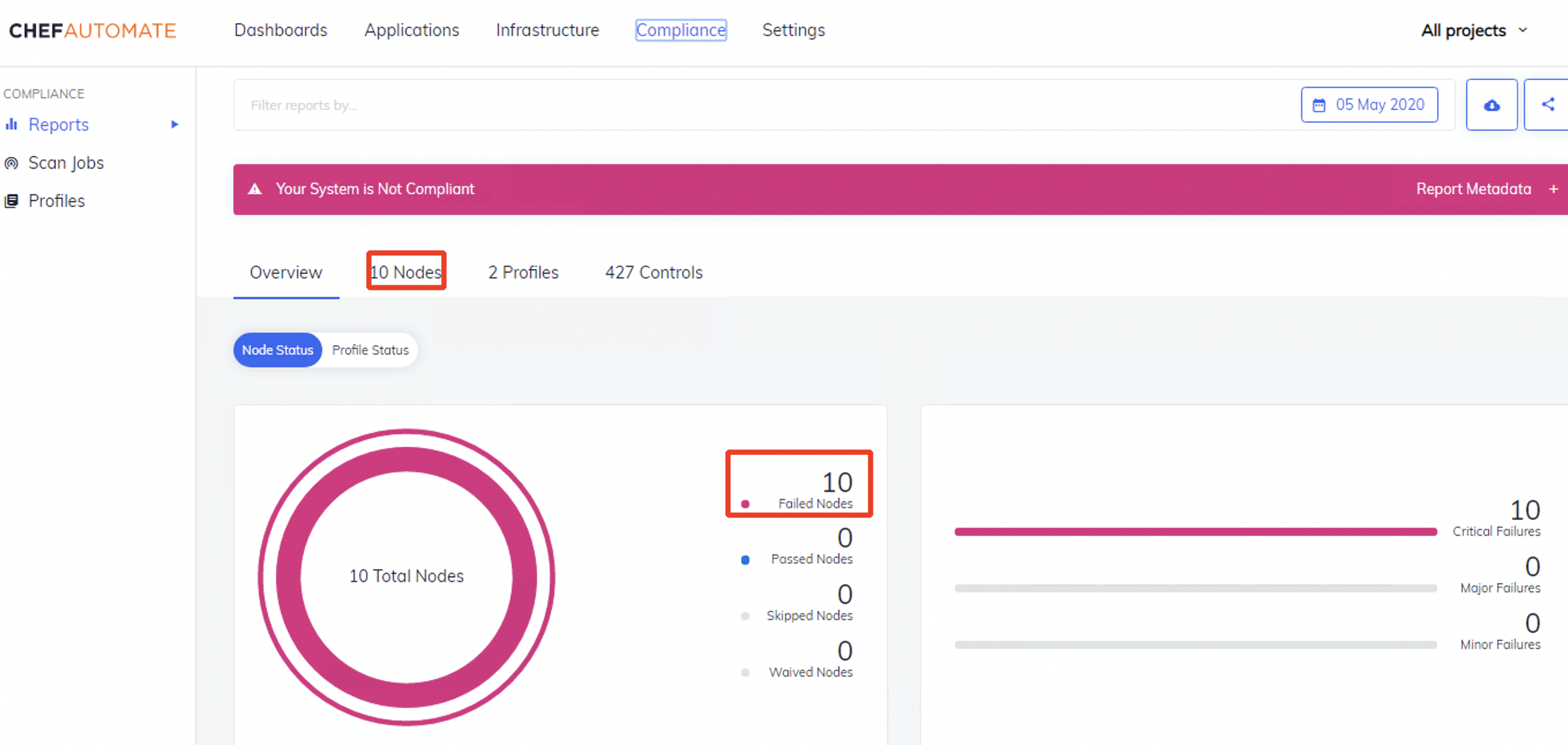
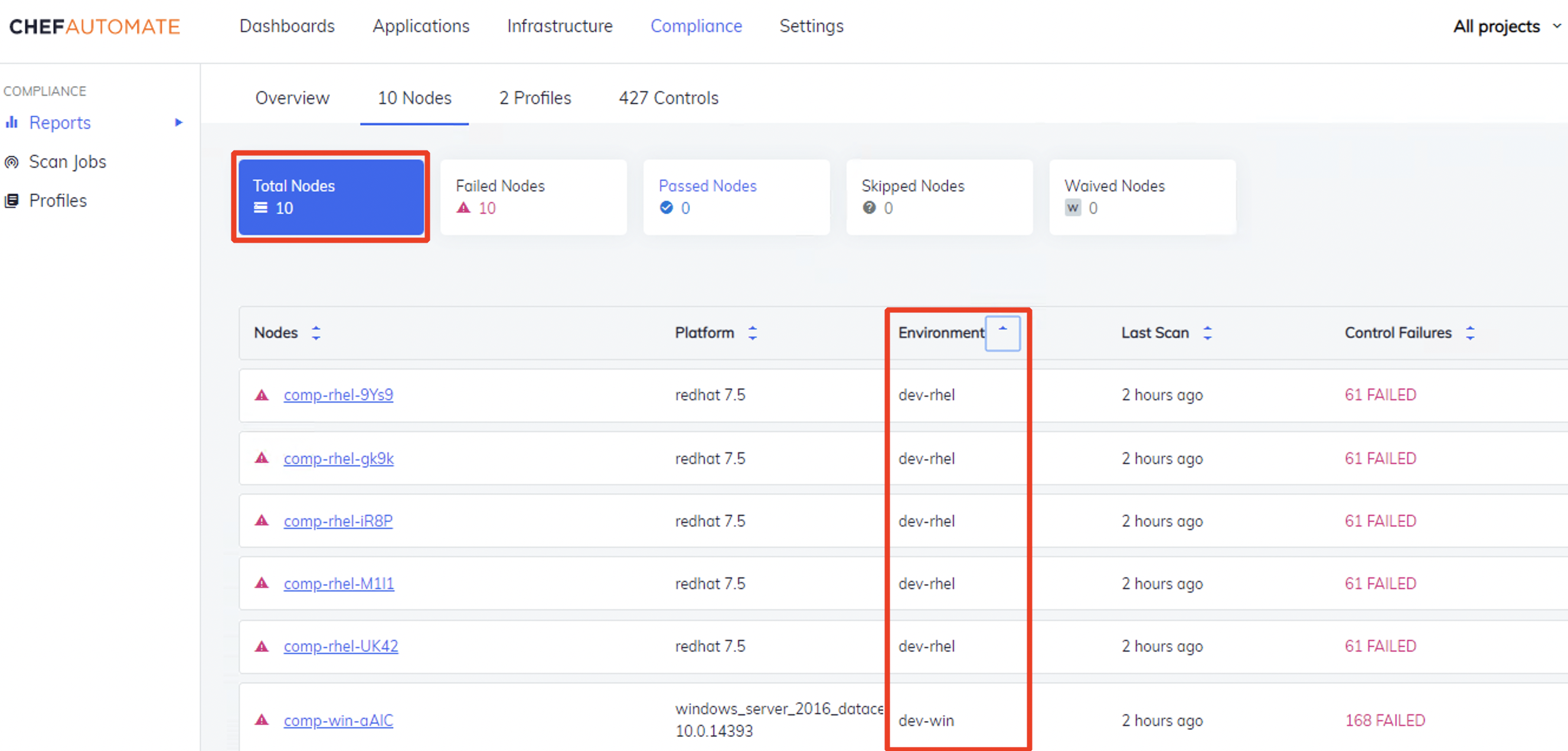
My current A2 instance has 10 targets reporting their CIS_level_1 compliance:
- 5 Rhel7
- 5 Win2016
 →
→
Real environments could have 100s or 1000s of nodes reporting back their compliance information.
Certain Teams might only be interested in seeing specific prod-level data.
We will be using the Environment data as a filter.
Since there is no prod environments in my current instance, we will use dev-rhel.
- Access CISO Project Rules:
Settings>Projects>CISO Project>Create Rule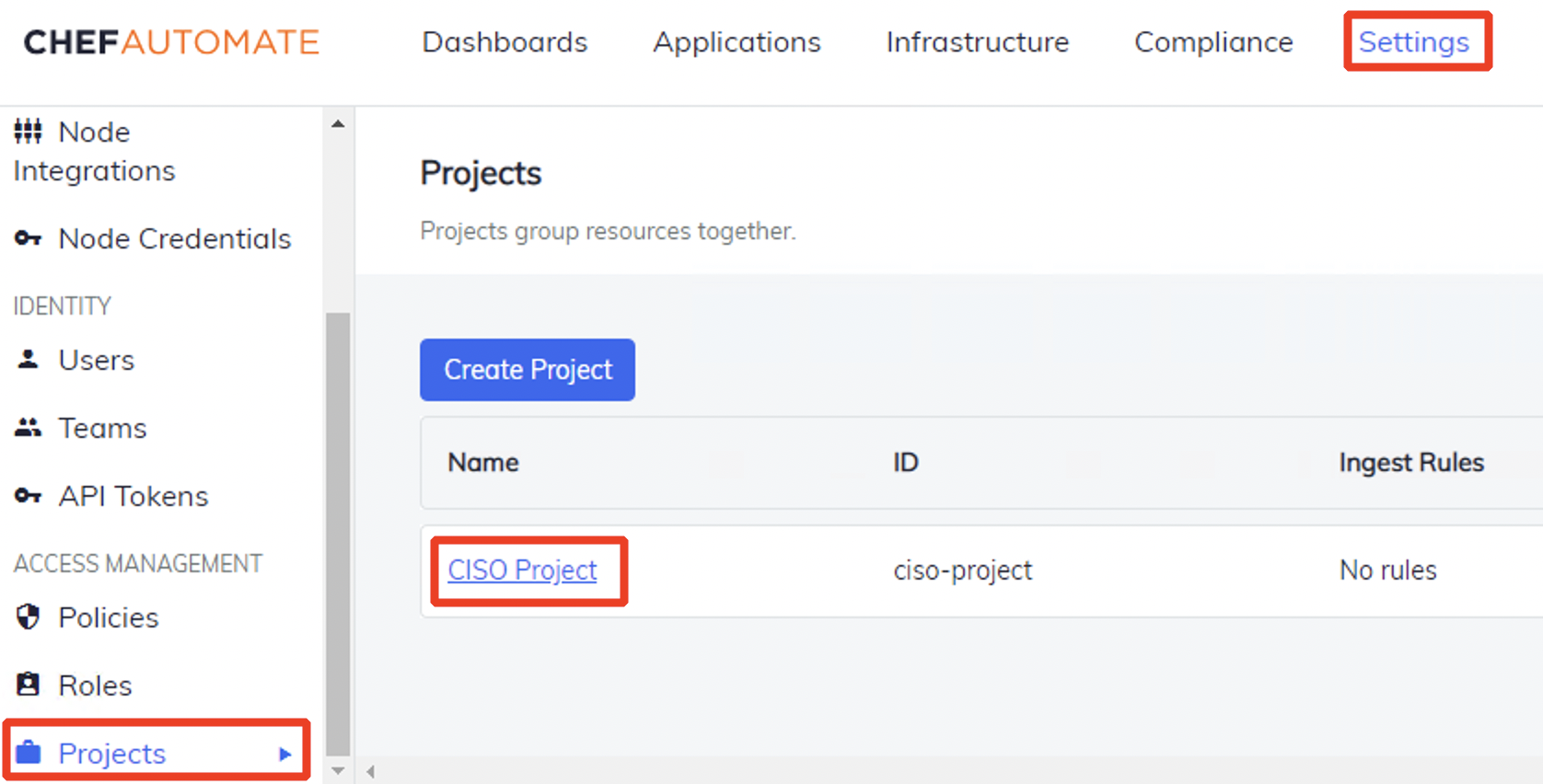 →
→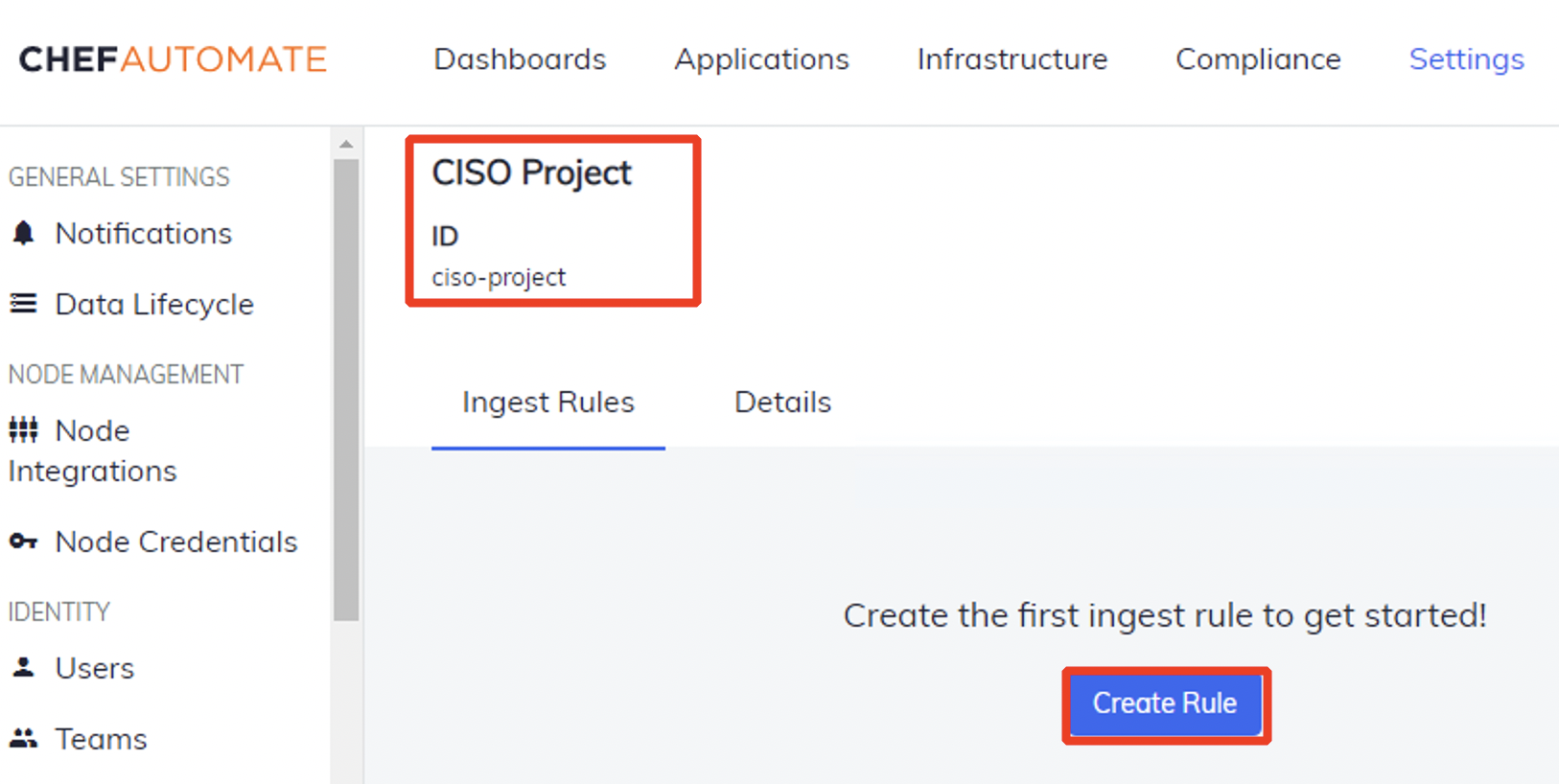
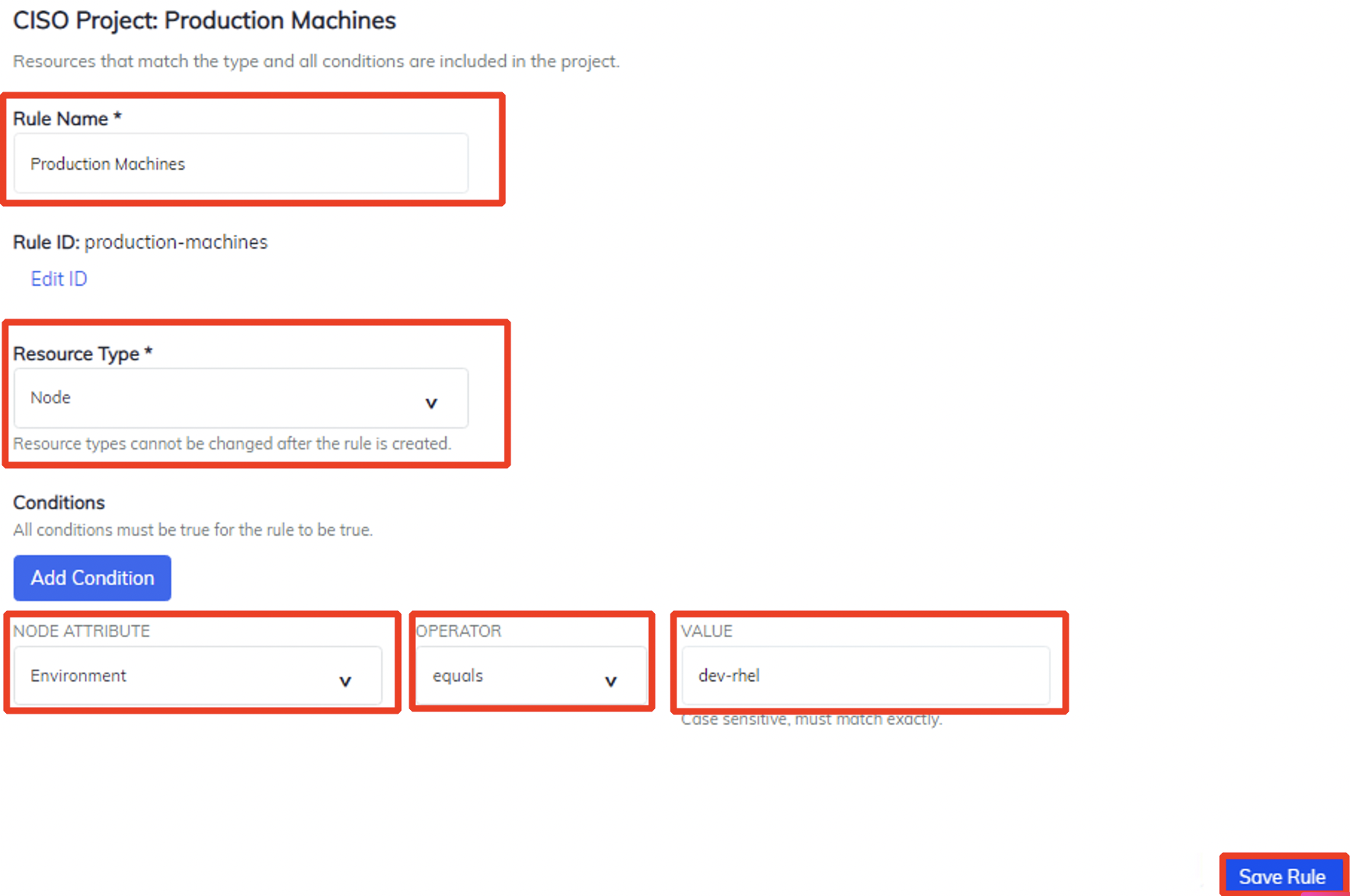
- Modify Rules:
name: Production Machines>Resource Type: Node>Conditions: Environment=dev-rhel>Save Rule
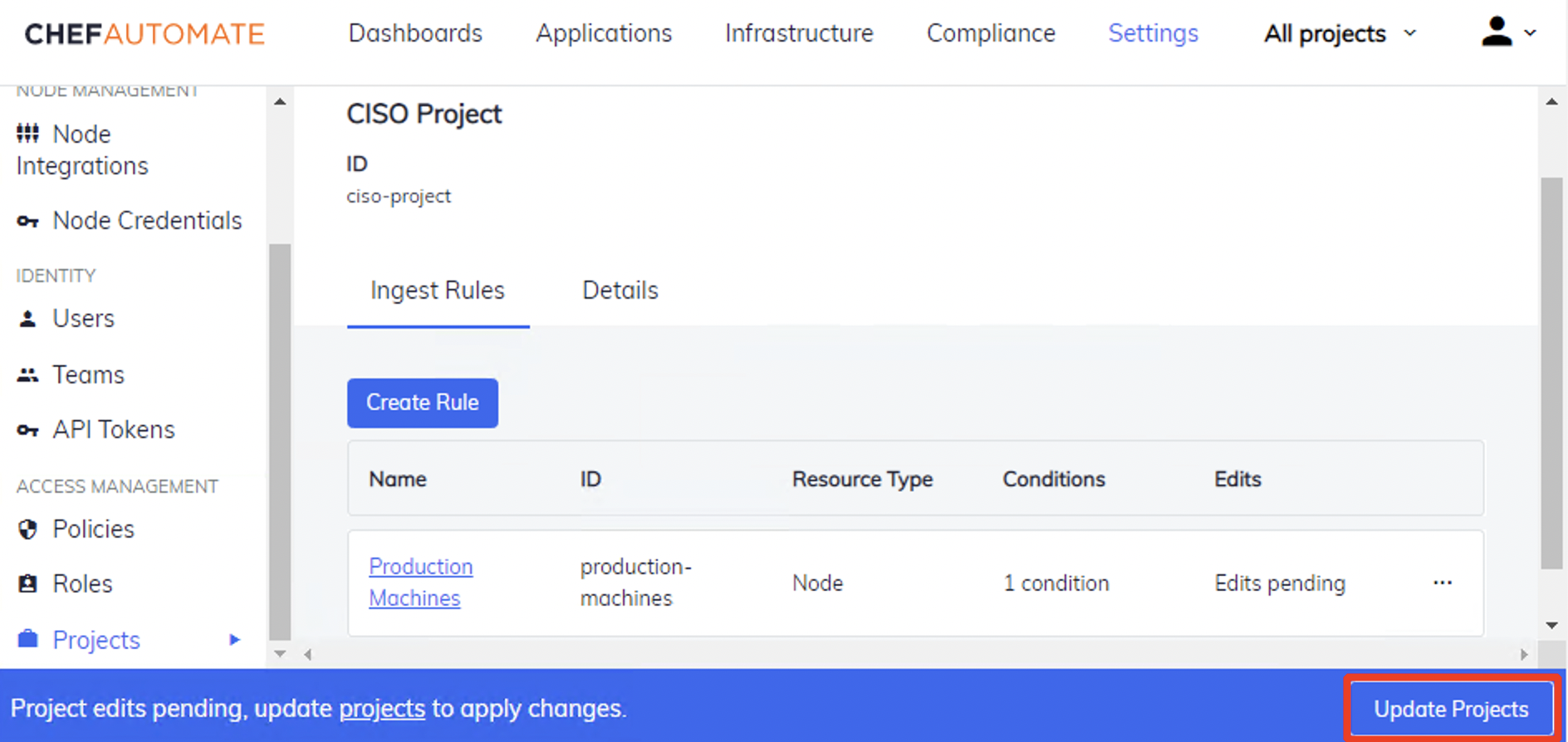
- Update Project:
Update Project(This will enable the new changes to take effect)
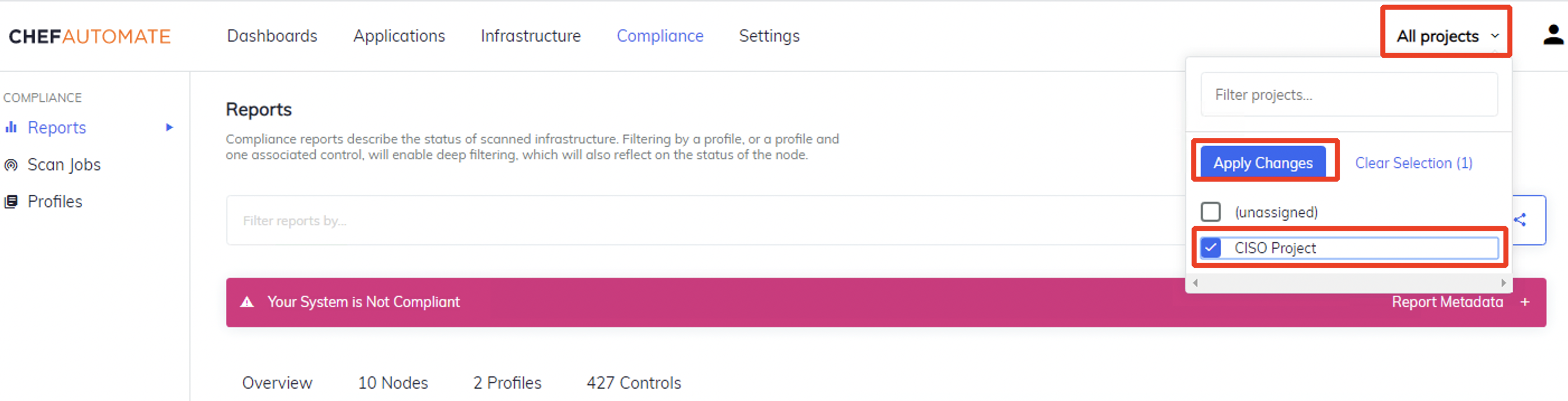
- Select CISO Project:
All projects>Checkmark: CISO Project>Apply Changes
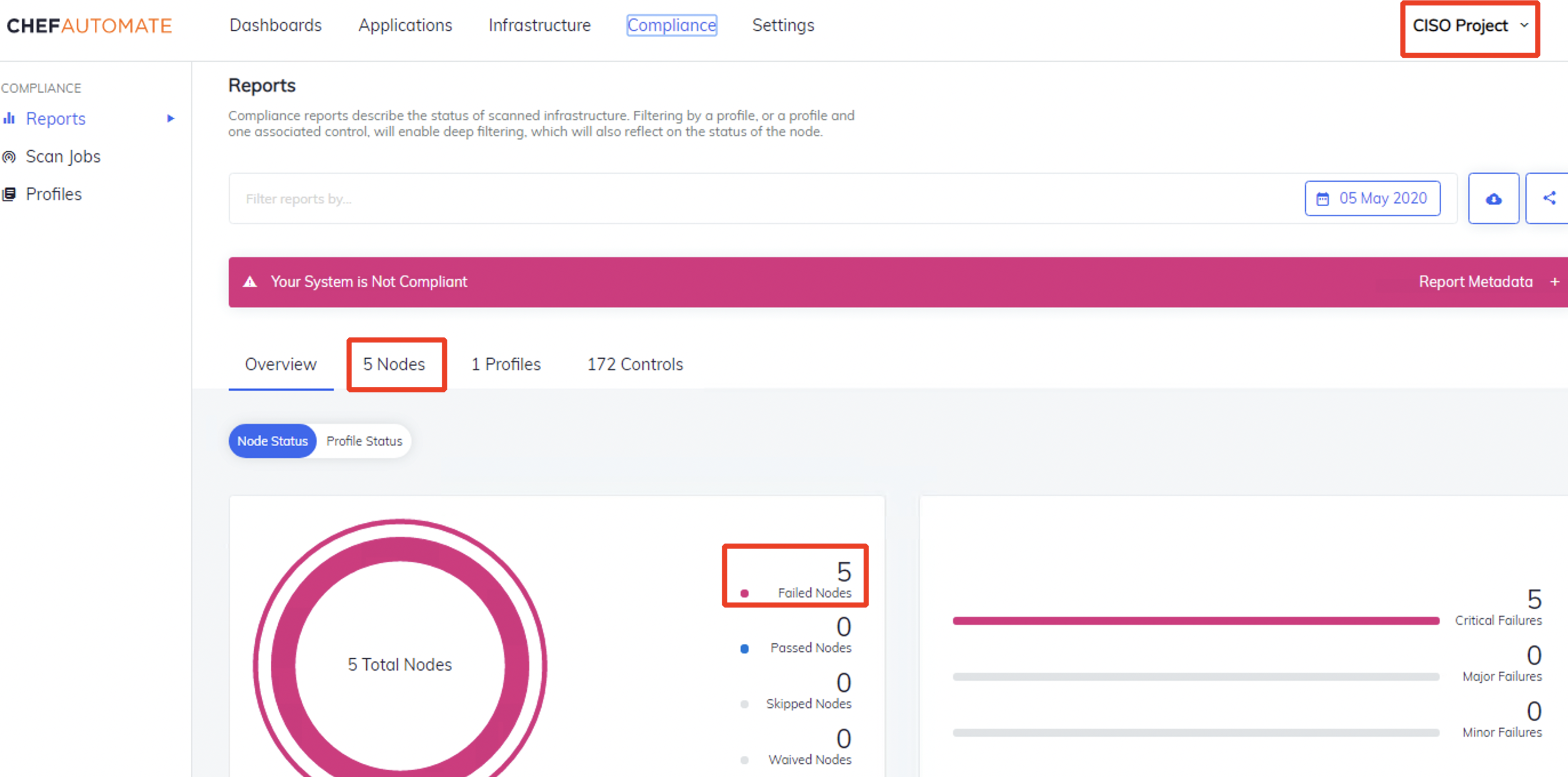
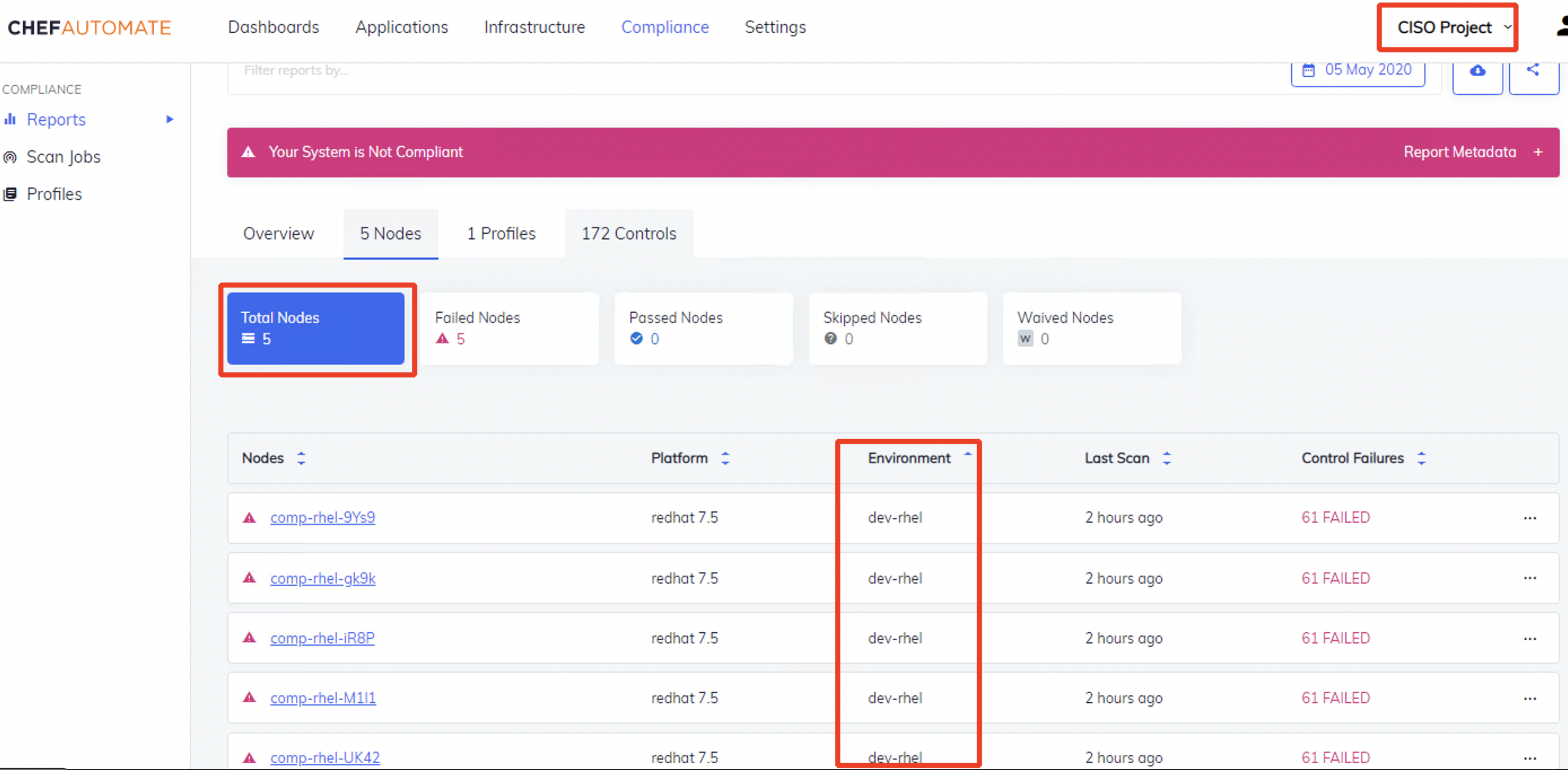
- Filtered Project View: We are now filtering based on the
dev-rhelenvironment so we only see 5 nodes:
 +
+
- You should now know how to filter Projects based on rules
- This was a simplistic example, but you can use this logic to shape your A2 Projecs
- A Project can have several rules
- A Rule can have several conditions
- Project view is great, but next we need to limit access so that users only see this view