In order to give custom access to the Compliance Leadership team, we need to modify Roles and Policies.
This requires to be done through the A2 API.
For this portion, I will be using postman. That said, you can use whatever your preferred API Dev Tool is.
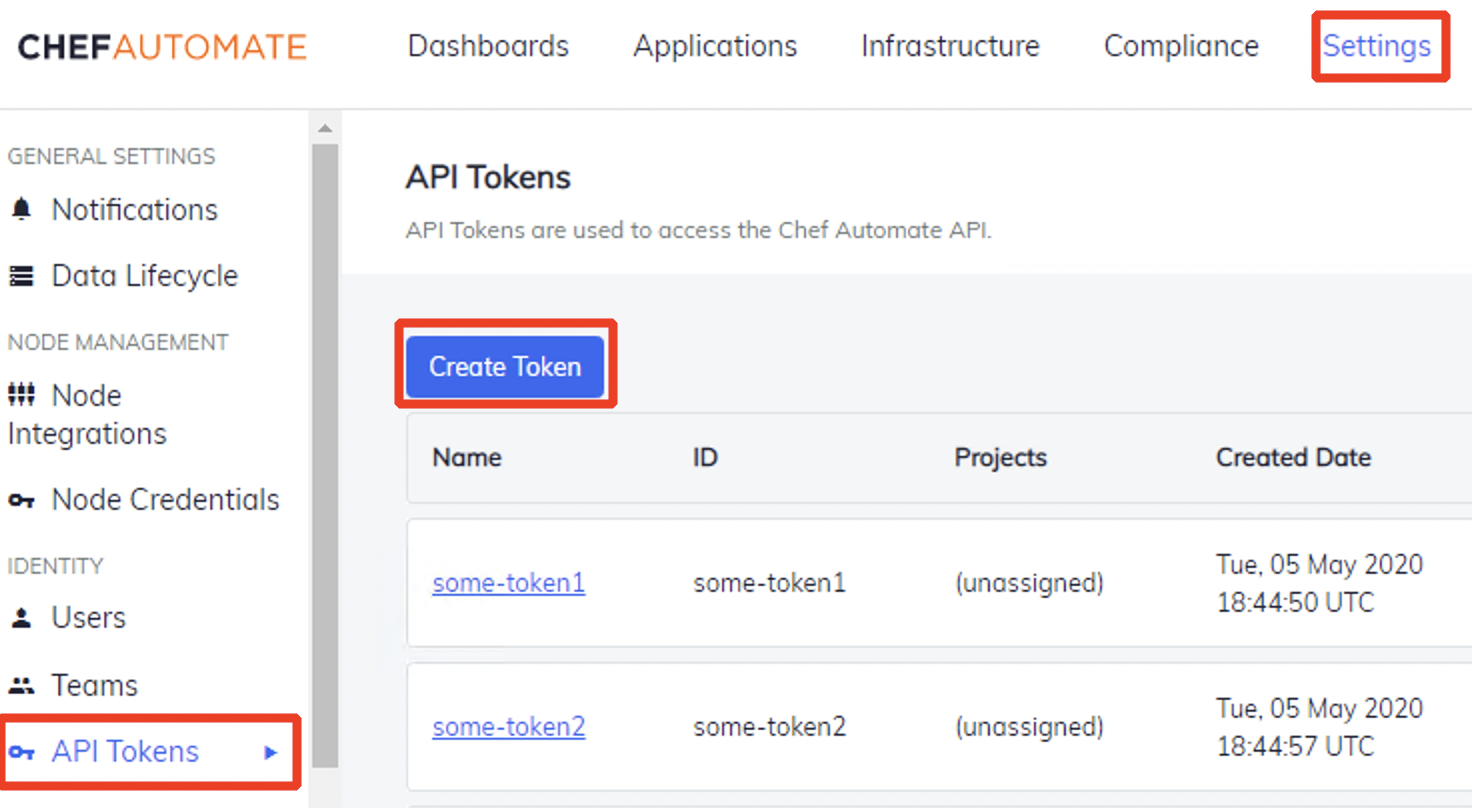
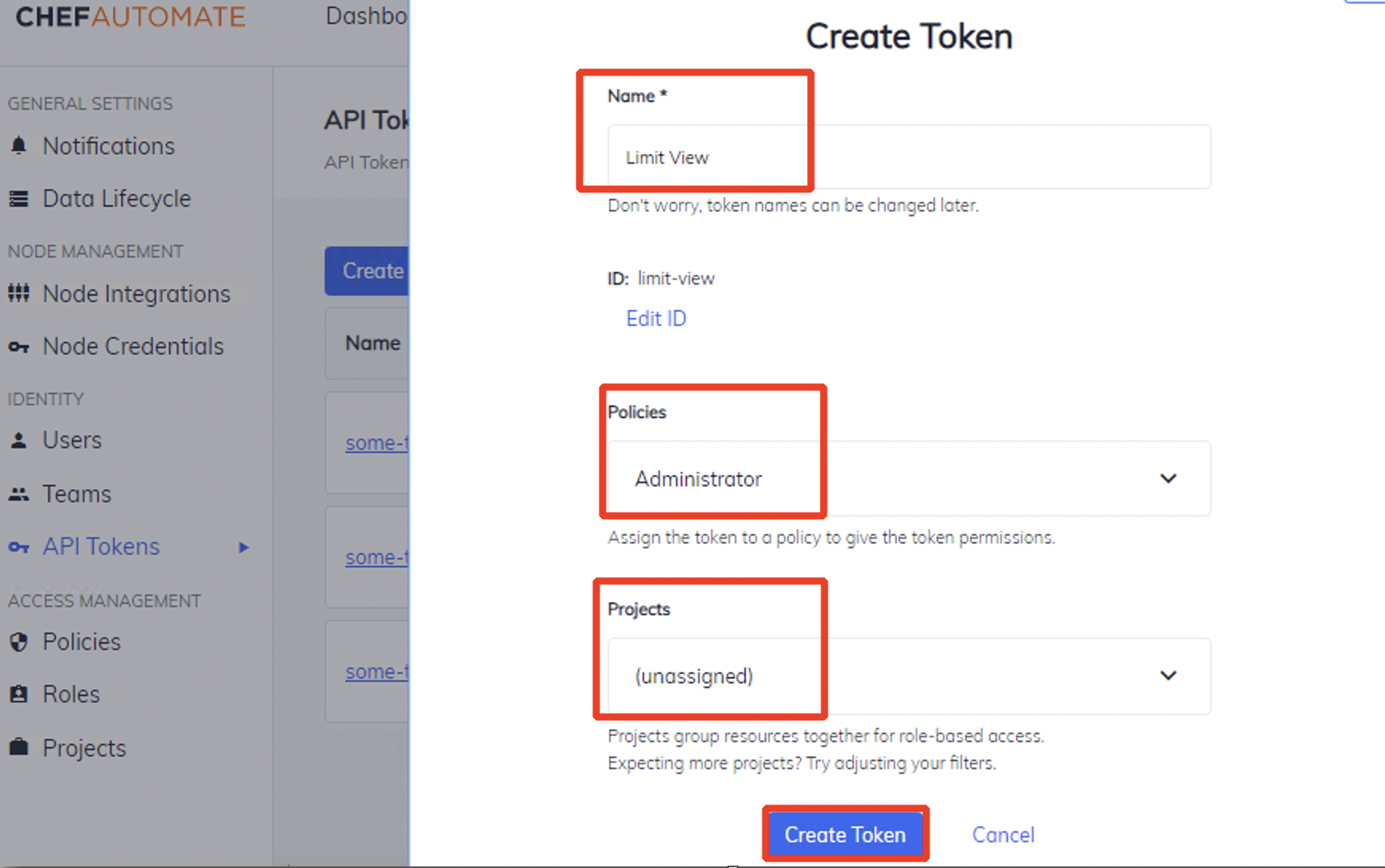
- Create A2 Token:
Settings>API Tokens>Create Token>
name: Limit View+policies: Administrator+projects: (unassigned)>Create Token
 →
→
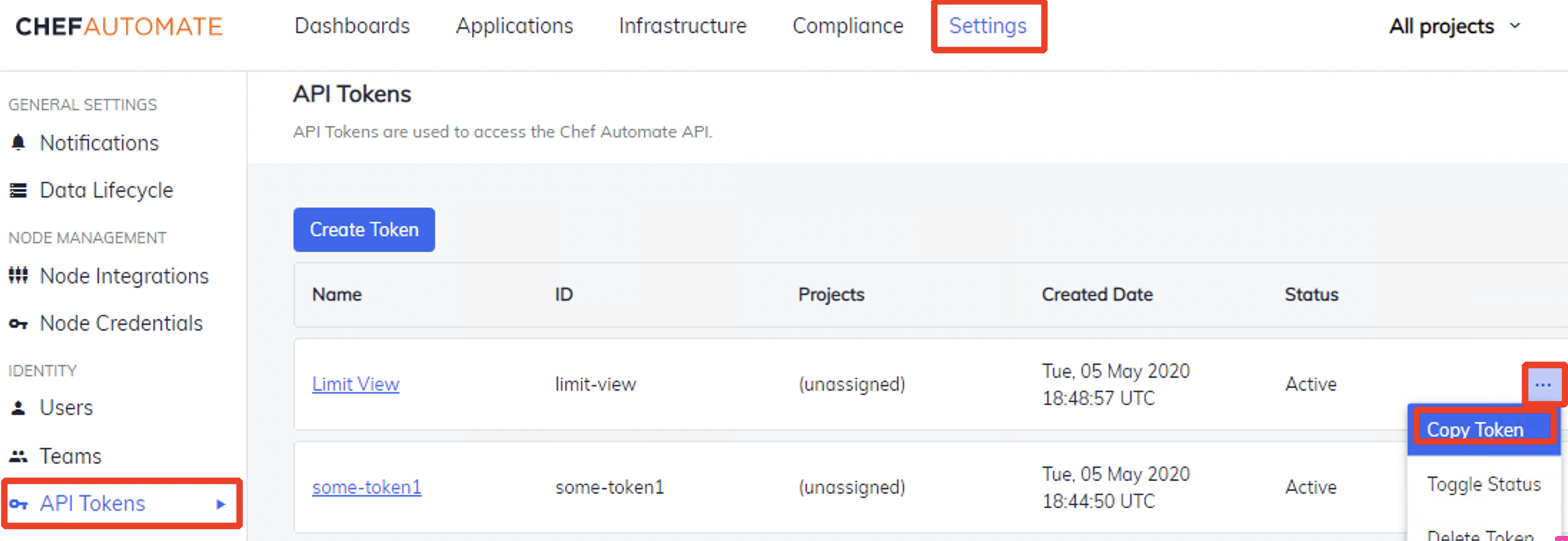
- Copy Token: Next to
Limit Viewclick on the 3 dots >Copy Token
- Optional:
- Checkout A2 API docs:
- If you are using a local A2 box, then in Postman:
Settings>General>uncheck SSL cert verification
-
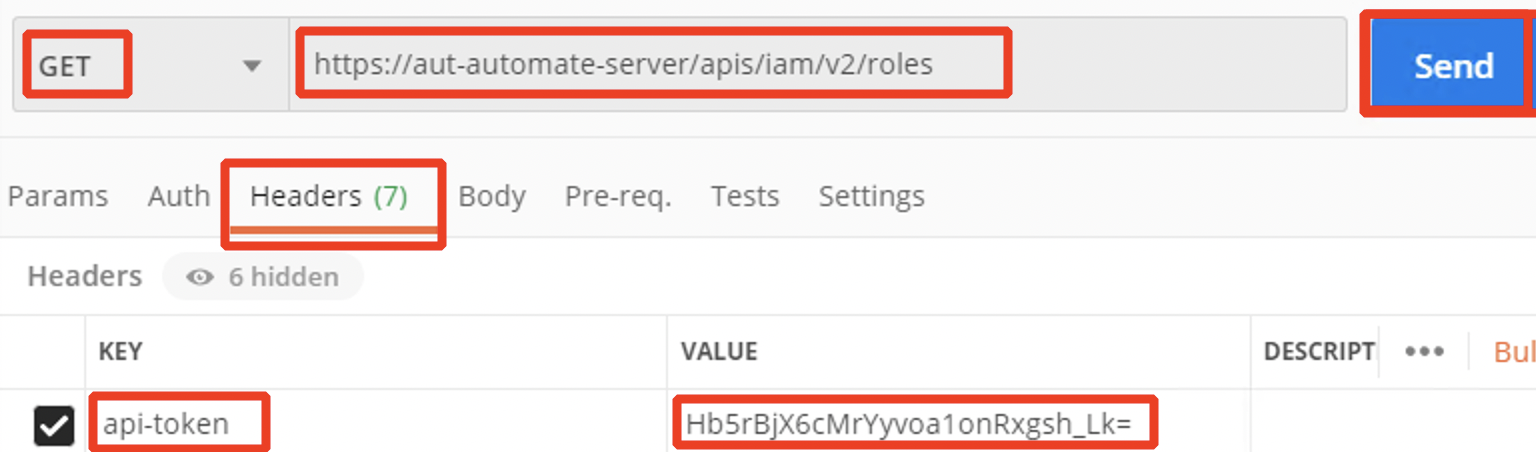
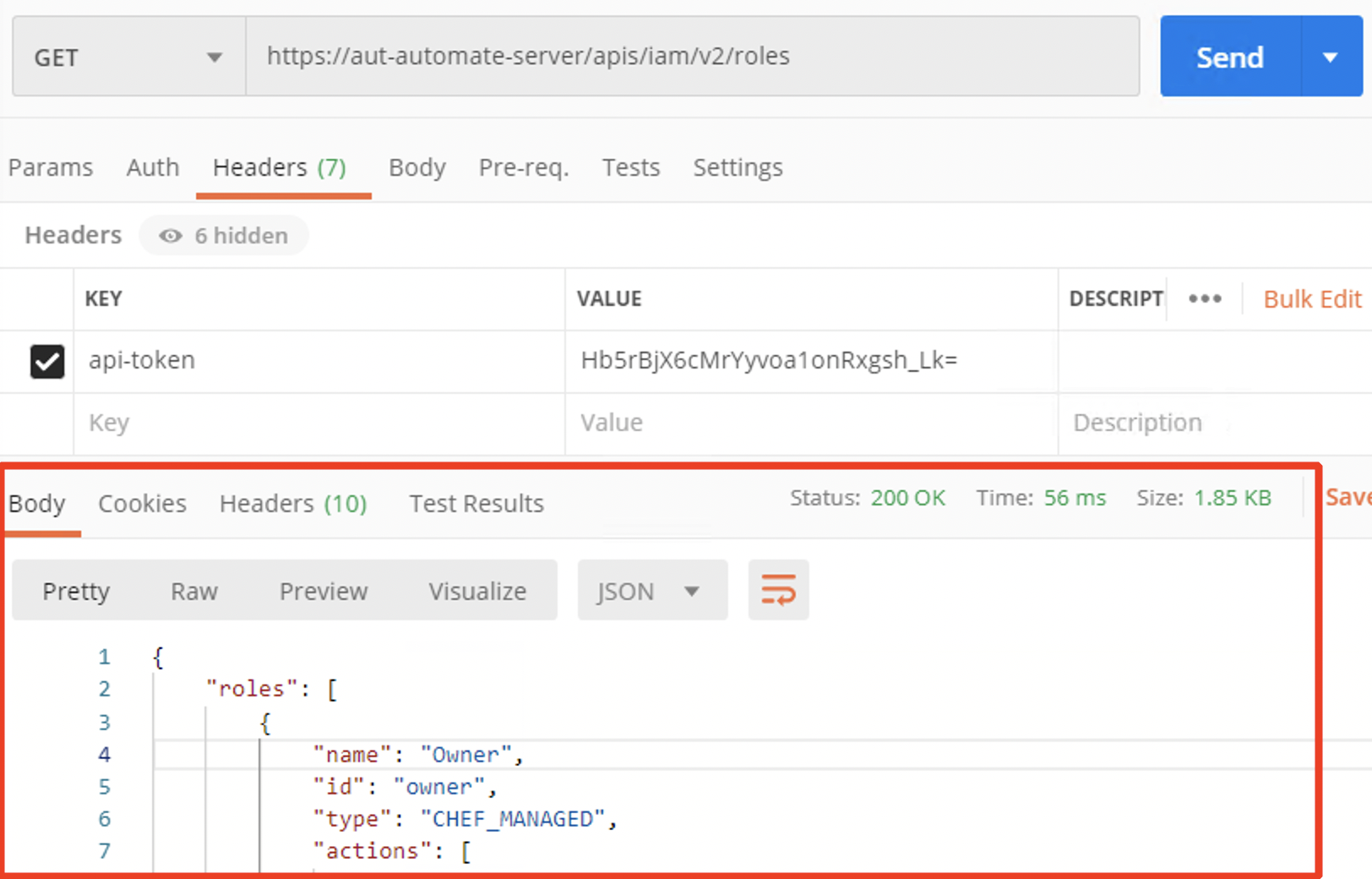
Test Connectivity:
- Set Request:
Request: GET>URL: your_a2_url/api/iam/v2/roles - Set Headers:
Headers>key=api-token>value=paste_your_token_here - Press
Send
- You should get a
Responsethat looks similar to:
- Set Request:
-
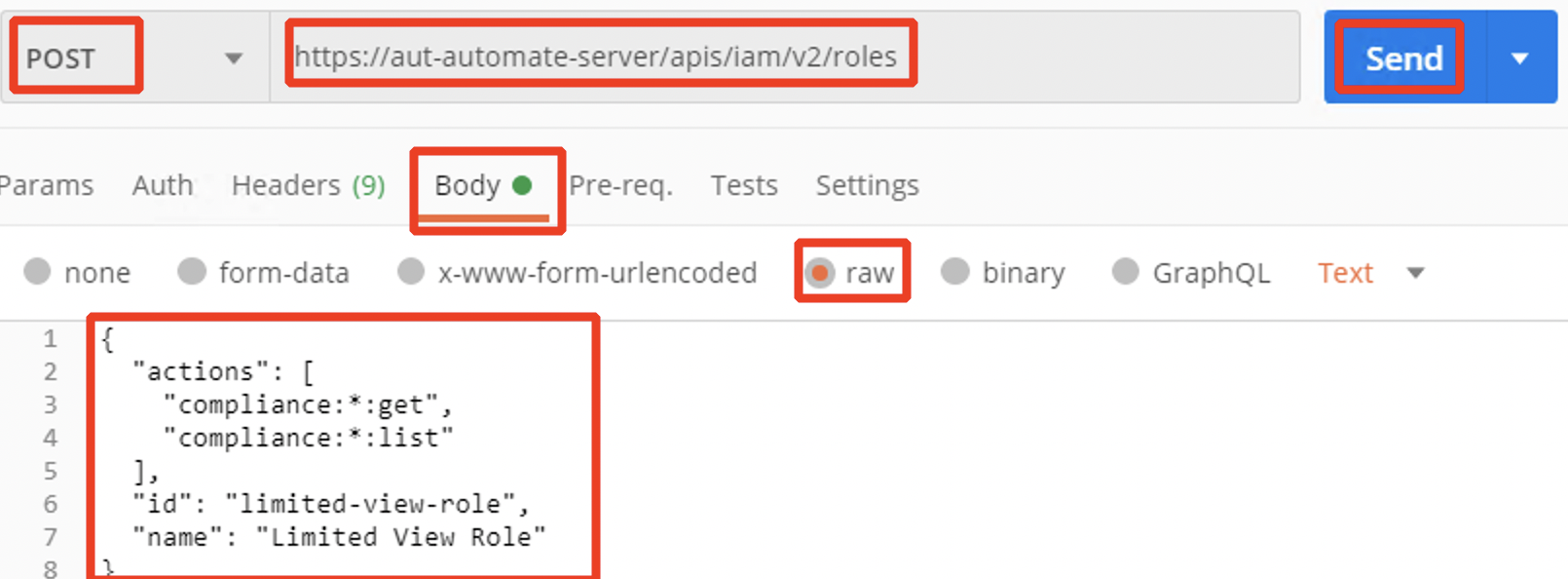
Create Role:
- Set Request to
POST>URL: your_a2_url/apis/iam/v2/roles - Set your changes:
Body>raw> Paste the following: (Get more info on API: https://automate.chef.io/docs/api/)
{ "actions": [ "compliance:*:get", "compliance:*:list" ], "id": "limited-view-role", "name": "Limited View Role" }- Press
Send
- Set Request to
-
Create Policies:
- Set Request to
POST>URL: your_a2_url/apis/iam/v2/policies - Set your changes:
Body>raw> Paste the following: (Get more info on API: https://automate.chef.io/docs/api/)
{ "id": "limited-viewer-policy", "name": "Limited View Policy", "projects": ["ciso-project"], "statements": [ { "effect": "ALLOW", "role": "limited-view-role", "projects": [ "ciso-project" ] } ] }- Press
Send
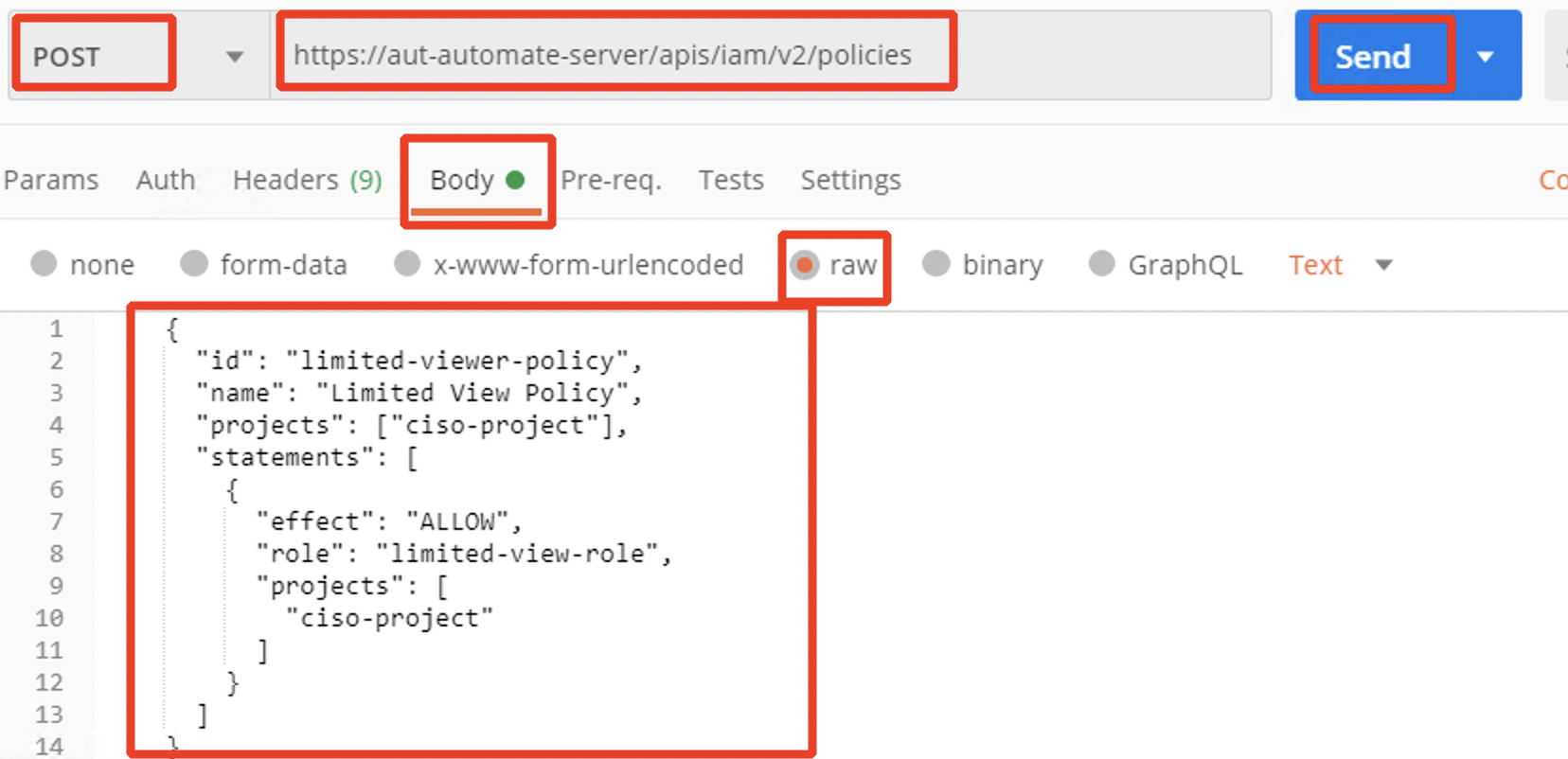
- Note: we used
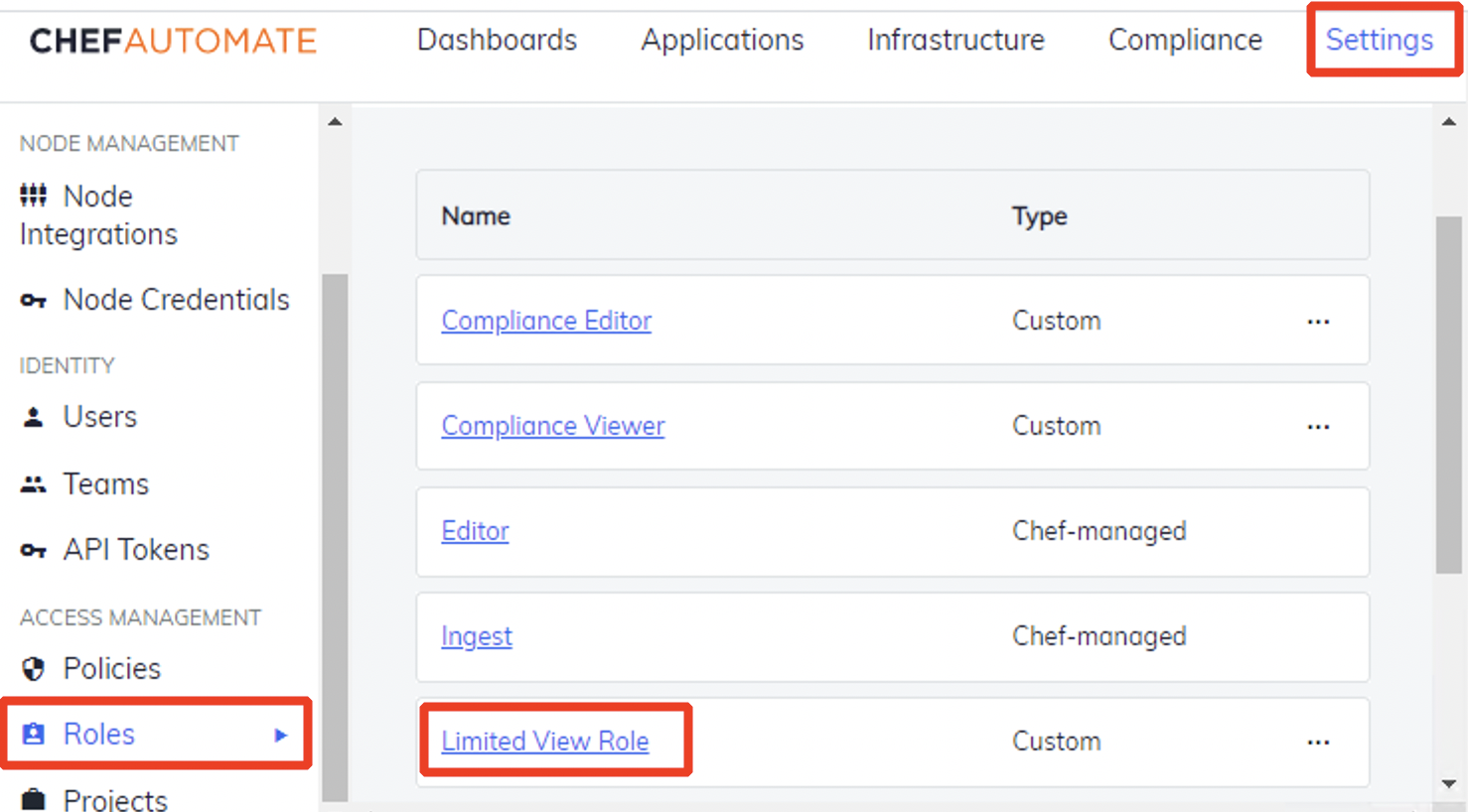
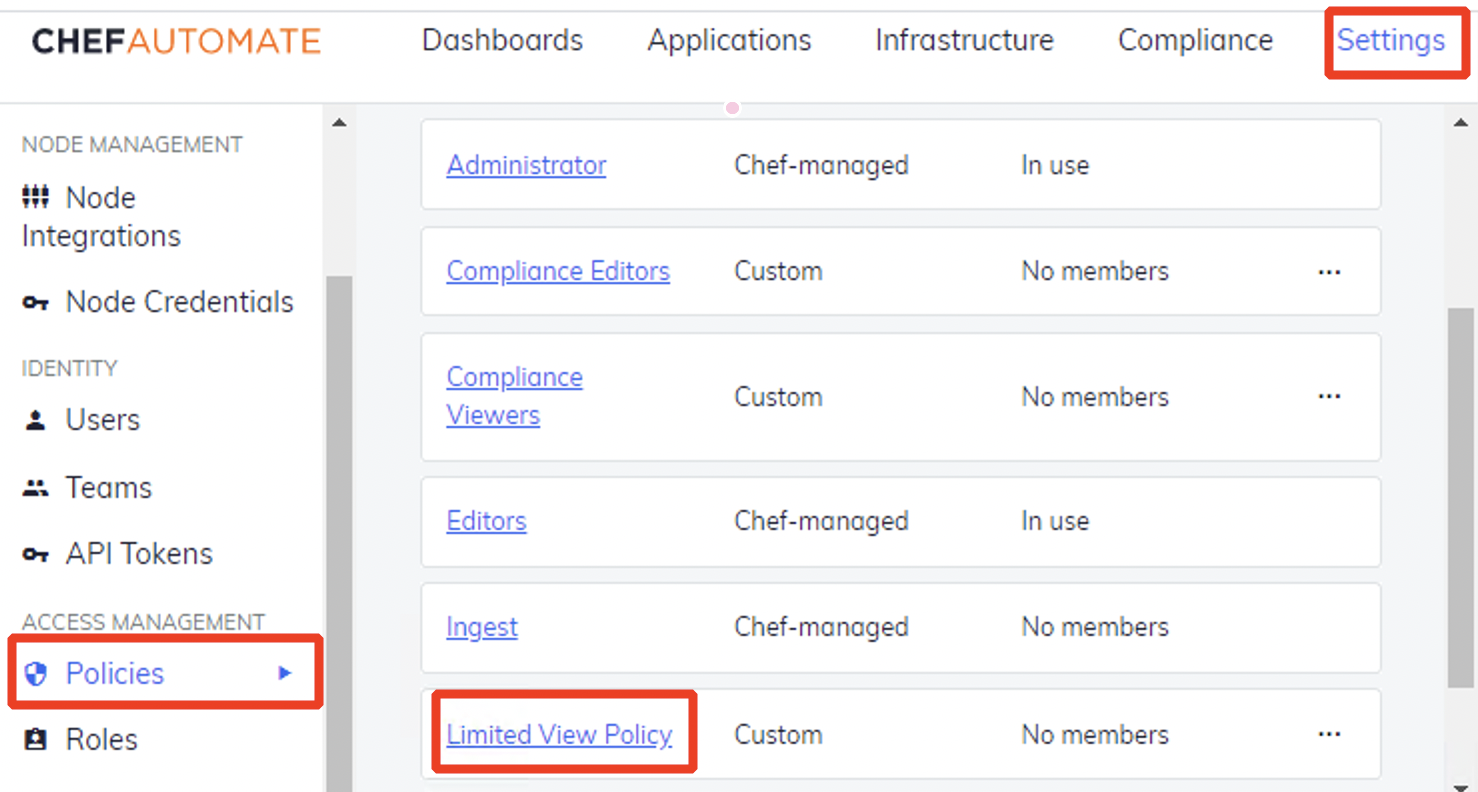
limited-view-roleand referenced theciso-projectwhen creating the new Policy - You can see your new Role and Policy within A2:
 →
→
- Set Request to
- If you've never worked with APIs, now you know how.
- You should be able to GET information, and POST information into A2
- You can use API information and manipualate the data through most programming languages
- Last step: Let's attach the policy to the team and user