Kopi is a high-performance Hugo theme featuring a sophisticated dark-mode aesthetic and a structured 2-column layout. Built for speed and seamless navigation, it utilizes Turbo for instant page transitions.

Live Demo
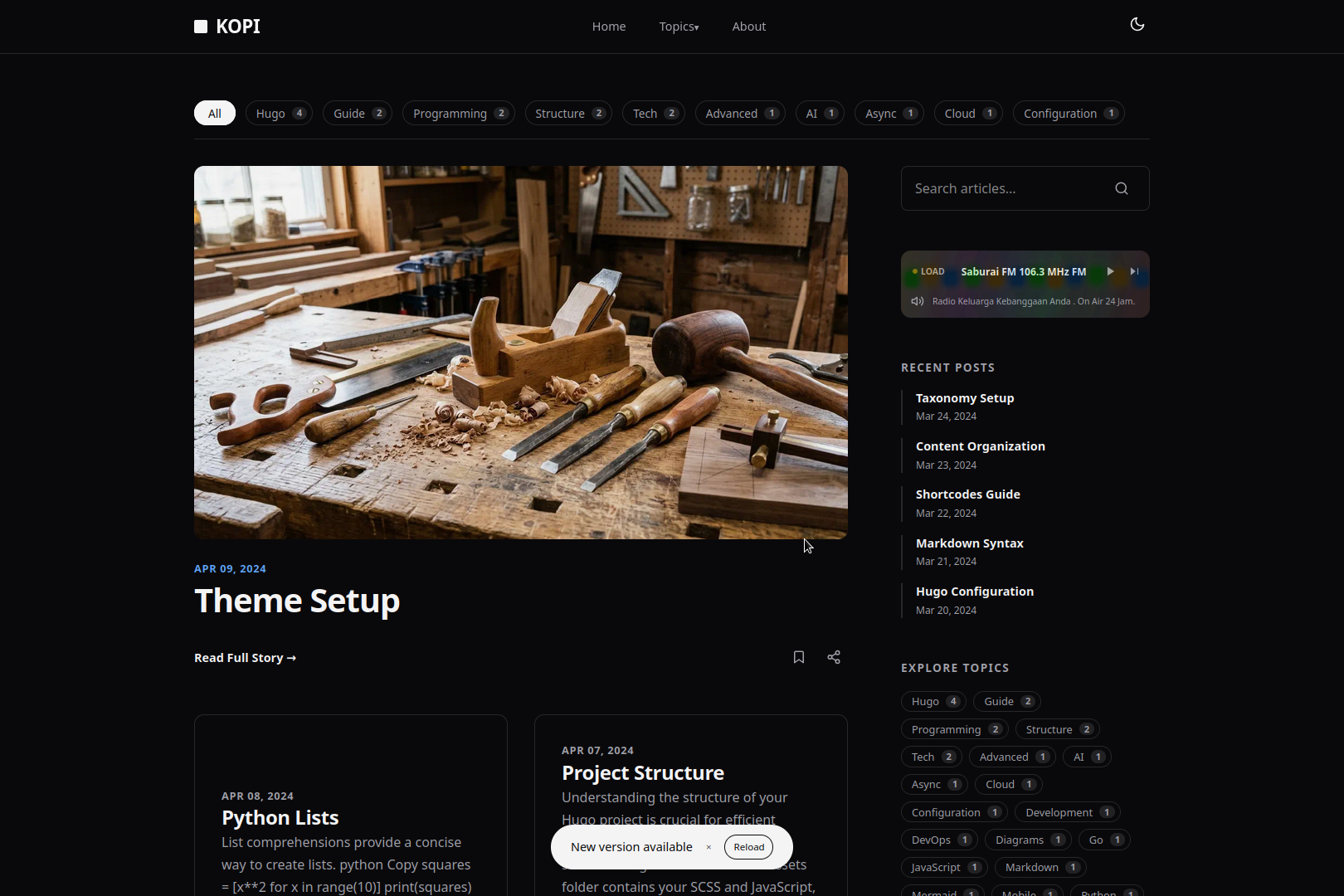
- Modern & Fast: Built with performance in mind.
- Responsive Design: Looks great on desktops, tablets, and mobile devices.
- Dark Mode: Automatic dark mode based on user's system preference.
- Turbo Navigation: Near-instant page loads for a fluid browsing experience.
- Mermaid.js Support: Create diagrams and flowcharts directly in your markdown.
- 2-Column Layout: A clean, magazine-style layout for your content.
- Radio Player: Built-in radio player widget with visualizer and playlist support.
- GitHub Pages Deployment: Includes a ready-to-use GitHub Actions workflow for easy deployment.
This theme requires Hugo Extended version 0.157.0 or higher.
-
Add the theme as a git submodule:
git submodule add https://github.com/bect/kopi.git themes/kopi
-
Add the theme to your
hugo.yaml:theme: 'kopi'
You can configure the theme by adding the following to your site's hugo.yaml. See the exampleSite/hugo.yaml for a full example.
baseURL: 'https://example.com/'
languageCode: 'en-US'
title: 'Your Site Title'
theme: 'kopi'

params:
  subtitle: 'Your site subtitle or tagline'
  author:
    name: "Your Name"
    bio: "A short bio about yourself."
    link: "#" # Link to your profile or about page
    role: "Your Role"

menus:
  main:
    - name: 'Home'
      pageRef: '/'
      weight: 10
    - name: 'About'
      url: '/about'
      weight: 20

mediaTypes:
  application/radio+json:
    suffixes:
      - json

outputFormats:
  RADIO:
    mediaType: application/radio+json
    baseName: radio
    isPlainText: true
    notAlternative: true

outputs:
  home:
    - HTML
    - RSS
    - JSON
- RADIOThis theme includes an optional radio player widget. Here’s how to configure it.
The radio widget is controlled by your site's hugo.yaml configuration.
-
To Enable, add
RADIOto theoutputslist for your home page. TheConfigurationsection above shows an example of this. -
To Disable, simply remove
RADIOfrom theoutputslist. The widget will not appear.outputs: home: - HTML - RSS - JSON # The "RADIO" entry has been removed
You can change the list of radio stations by editing the /data/radio.yaml file. Add or remove stations using the following format for each entry:
- title: "Station Name"
  description: "A short description of the station."
  stream_url: "https://stream.url/here"
  location: "City, Country"
website_url: "https://station-website.com"This theme is licensed under the MIT License. See the LICENSE file for more details.
- Turbo.js for the fast navigation.
- Mermaid.js for diagram rendering.