



Table of Contents
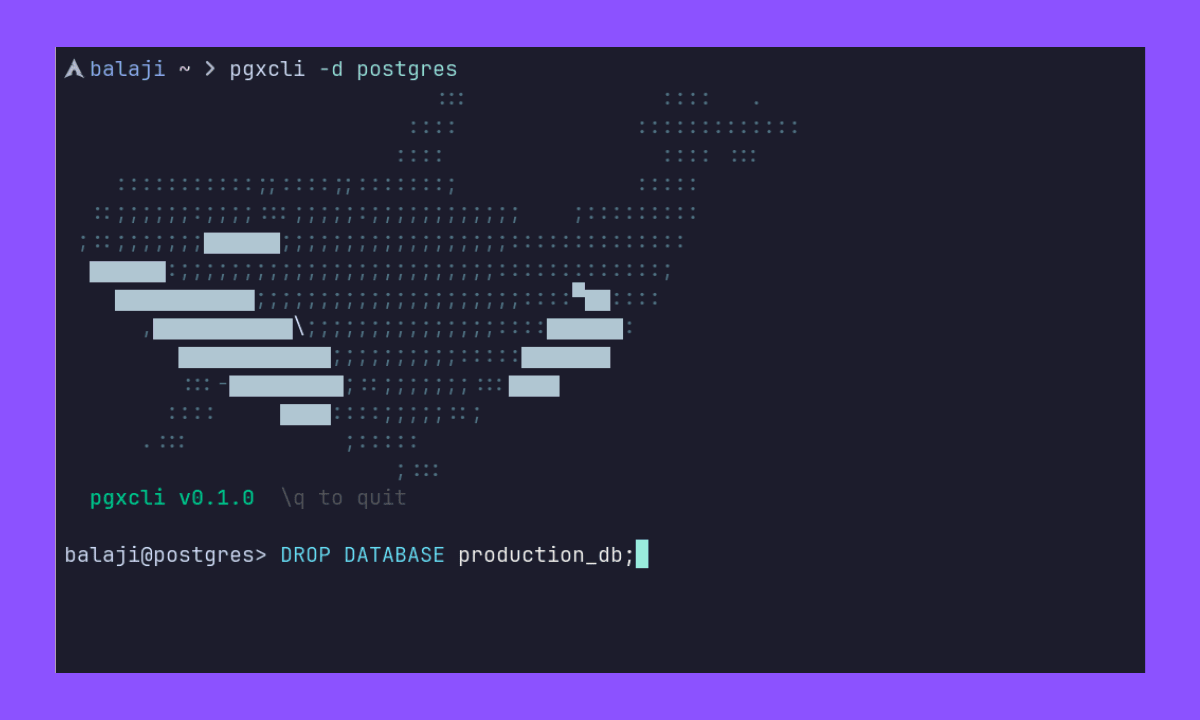
pgxcli is an interactive PostgreSQL command-line client built in Go, designed for a fast, and smooth REPL experience. It includes syntax highlighting, keyword autocompletion, command history, and support for PostgreSQL backslash commands.
Highlights:
- Interactive REPL with customizable prompt and style.
- SQL syntax highlighting.
- SQL keyword autocompletion.
- Persistent command history.
- PostgreSQL special backslash commands (
\d,\l,\dt,\q).
Pgcli is a mature PostgreSQL CLI developed over many years, which has set the standard for interactive PostgreSQL clients.
pgxcli takes the simpler approach, focusing on speed and minmal setup. It is a singe Go binary with fast startup and TOML configuration. If you need a lightweight, It may be good fit. for a more feature-rich, established experience, pgcli remains the benchmark.
- Single binary, no external runtime dependencies
- Fast startup and better performance
- Modern CLI Interface
- Streaming query results for large tables
- Browser based Table view via localhost
- Performance improvements for large tables
- Direct Table export to SQL INSERT statements, CSV, MD tables, Excel, and HTML.
Which one should I use?
Right now, I would definitely choose pgcli. I think no explanation is needed.
That could change as pgxcli matures. I would really appreciate if you give pgxcli a try and share your feedback. If you want to contribute, that would be even better.
pgxcli is distributed as a single binary for Linux, macOS, and Windows. You can download the latest version from the releases page.
Download the .deb, .rpm, .apk, or .pkg.tar.zst for your architecture and install it using your package manager.
# Example for Debian / Ubuntu
sudo dpkg -i pgxcli_*_linux_amd64.debDownload the .tar.gz for your architecture (Intel or Apple Silicon), extract it, and move the binary to your PATH.
tar -xzf pgxcli_*_darwin_arm64.tar.gz
sudo mv pgxcli /usr/local/bin/Download the .msi or .zip from the releases page. The installer will automatically add pgxcli to your PATH.
If you have Go installed, you can install directly:
go install github.com/balajz/pgxcli/cmd/pgxcli@latestFor more details, see the Installation Guide.
# positional arguments
pgxcli mydb myuser

# flags
pgxcli --host localhost --port 5432 --user postgres --dbname postgres

# connection URI
pgxcli postgres://user:password@localhost:5432/dbname

# interactive connection form
pgxcli -i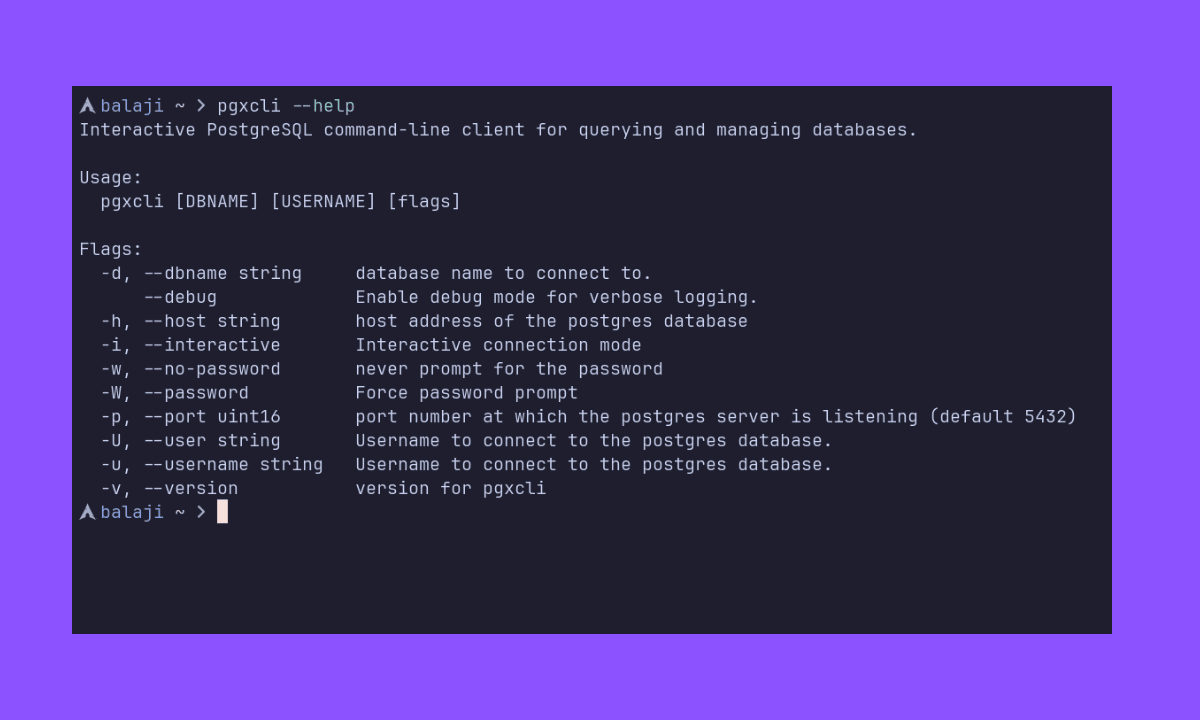
For full flag documentation, see the docs.
On first run, a config file is created at:
~/.config/pgxcli/config.toml(or the OS-equivalent user config directory)
For configuration documentation, see the docs
We welcome contributions of all kinds — bug reports, feature requests, documentation improvements, and code contributions. Whether you're fixing a typo, reporting an issue, or building a feature, every contribution helps make pgxcli better.
To get started, please read our Contributing Guide for:
- How to report bugs and suggest features
- Development setup and local testing
- Our code style and testing conventions
- Guidelines for pull requests
Thank you for being part of the community! 🙌