
The Ultimate Ephemeral Sharing Platform








🔥 Live Demo • 📖 Documentation • 🐛 Report Bug
QuickText is a zero-friction, incredibly fast web utility built to instantly transfer text snippets, share heavy files anonymously, and shorten massive tracking URLs into clean, readable formats. All powered by highly-performant modern technologies.
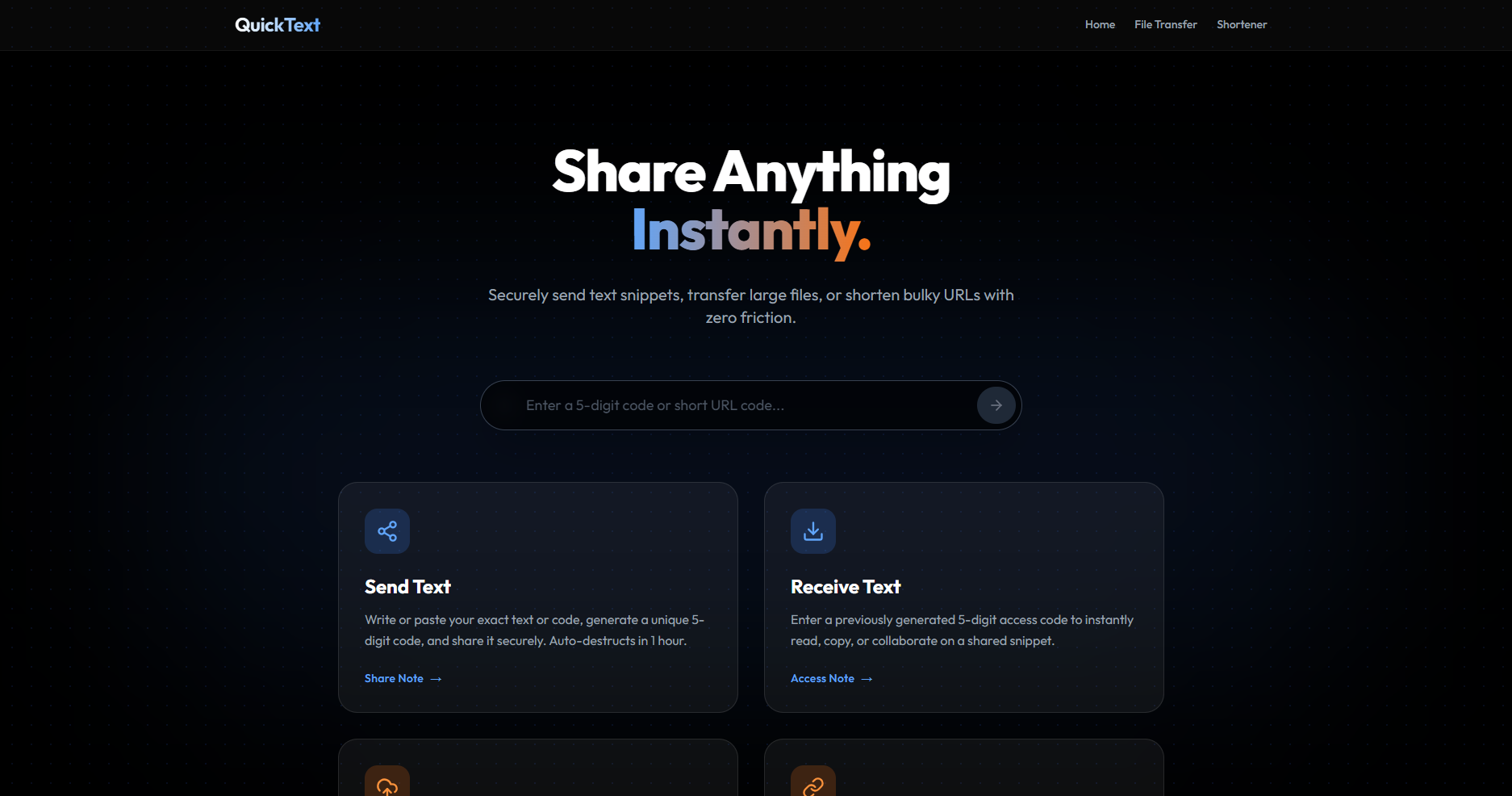
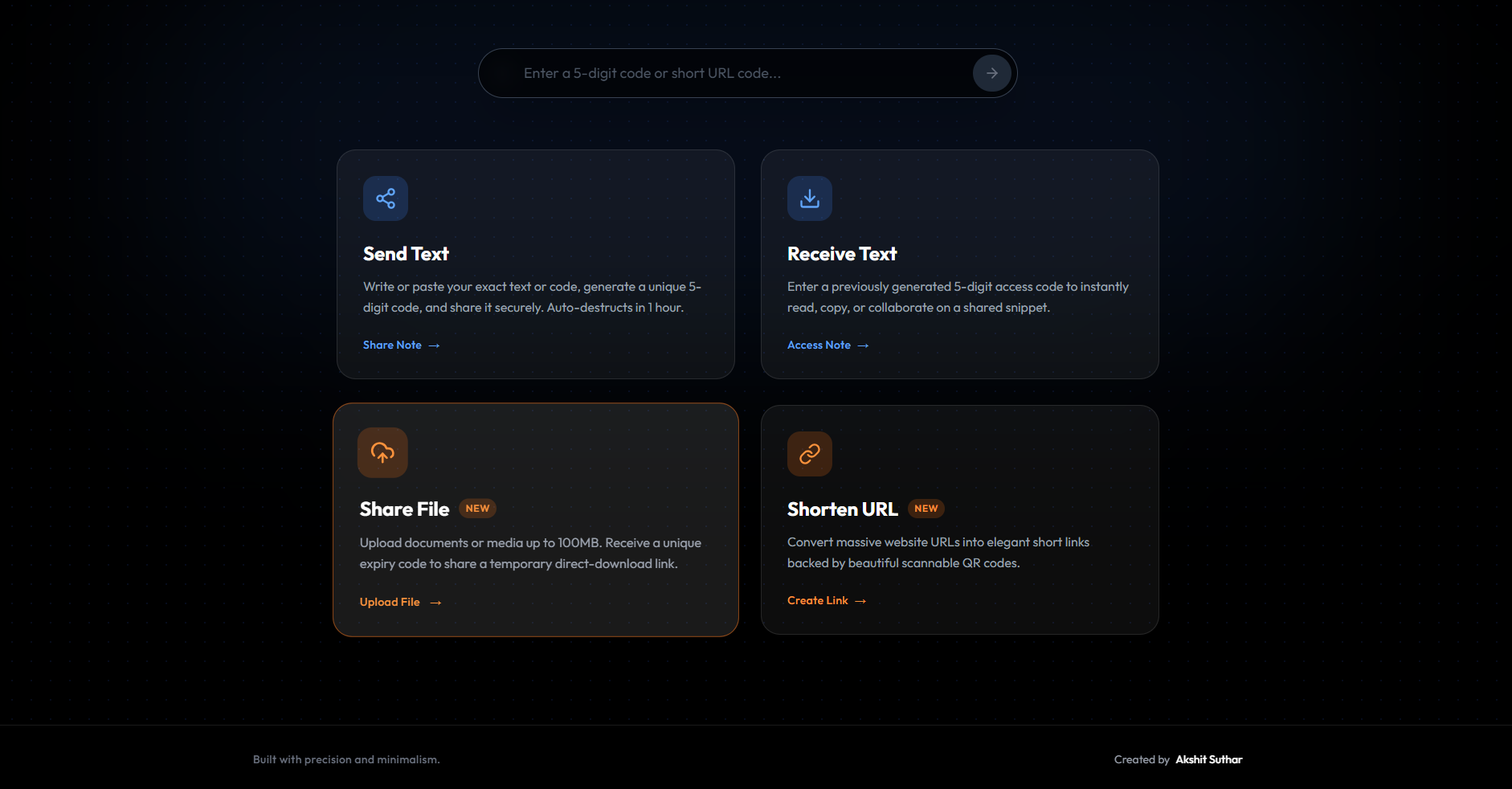
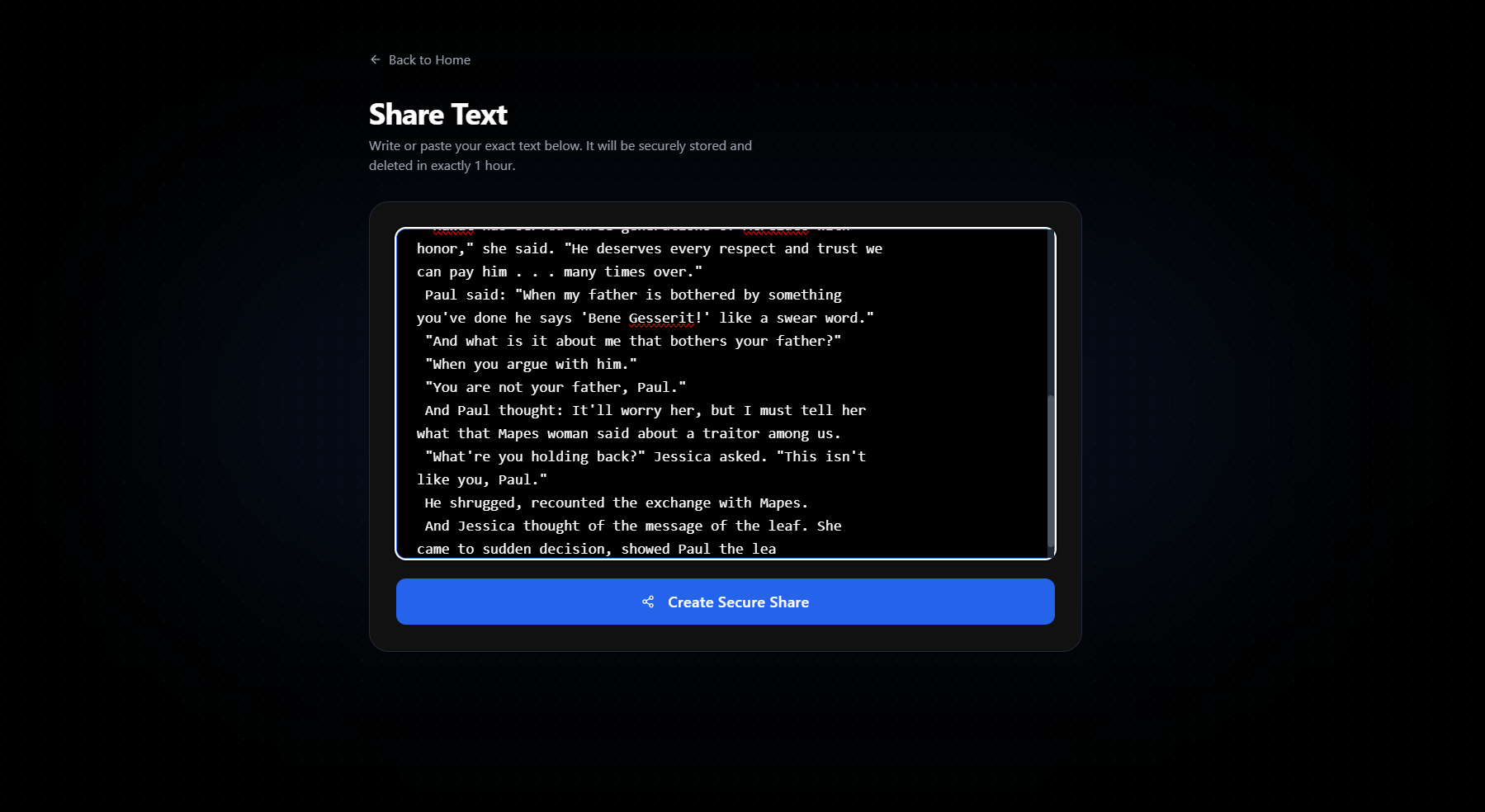
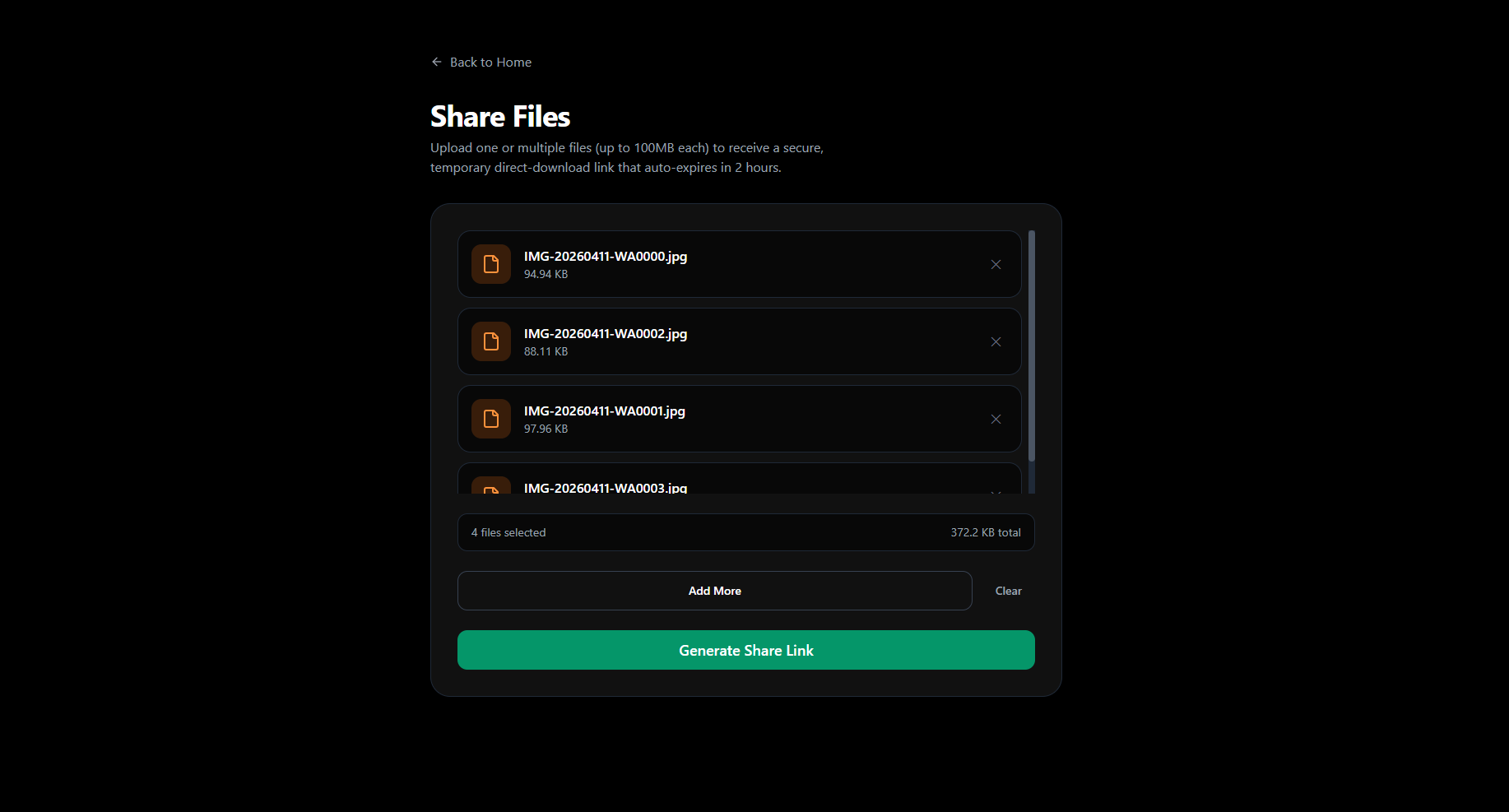
Need to move a secure API key or a code snippet across devices instantly?
- 5-Digit Access Codes: Share text with a uniquely generated, cryptographically secure 5-digit code.
- Auto-Expiration: Every snippet operates on a strict 1-hour time bomb. Once the time is up, it is systematically purged from the database.
- Live Syncing: Receive text, edit it, and sync it back instantly.
Ditch email attachments and bloated cloud drive setups.
- S3-Powered Uploads: QuickText uses Cloudflare R2's hyper-fast edge servers to process multipart file uploads.
- No Identity Required: Share anonymous binary data. Just upload, get a 5-digit code, and share.
- Presigned Downloads: Files are cryptographically sealed. Upon access, a one-time Presigned GET URL is generated, securely bypassing public bucket restrictions. Expire after 2 hours.
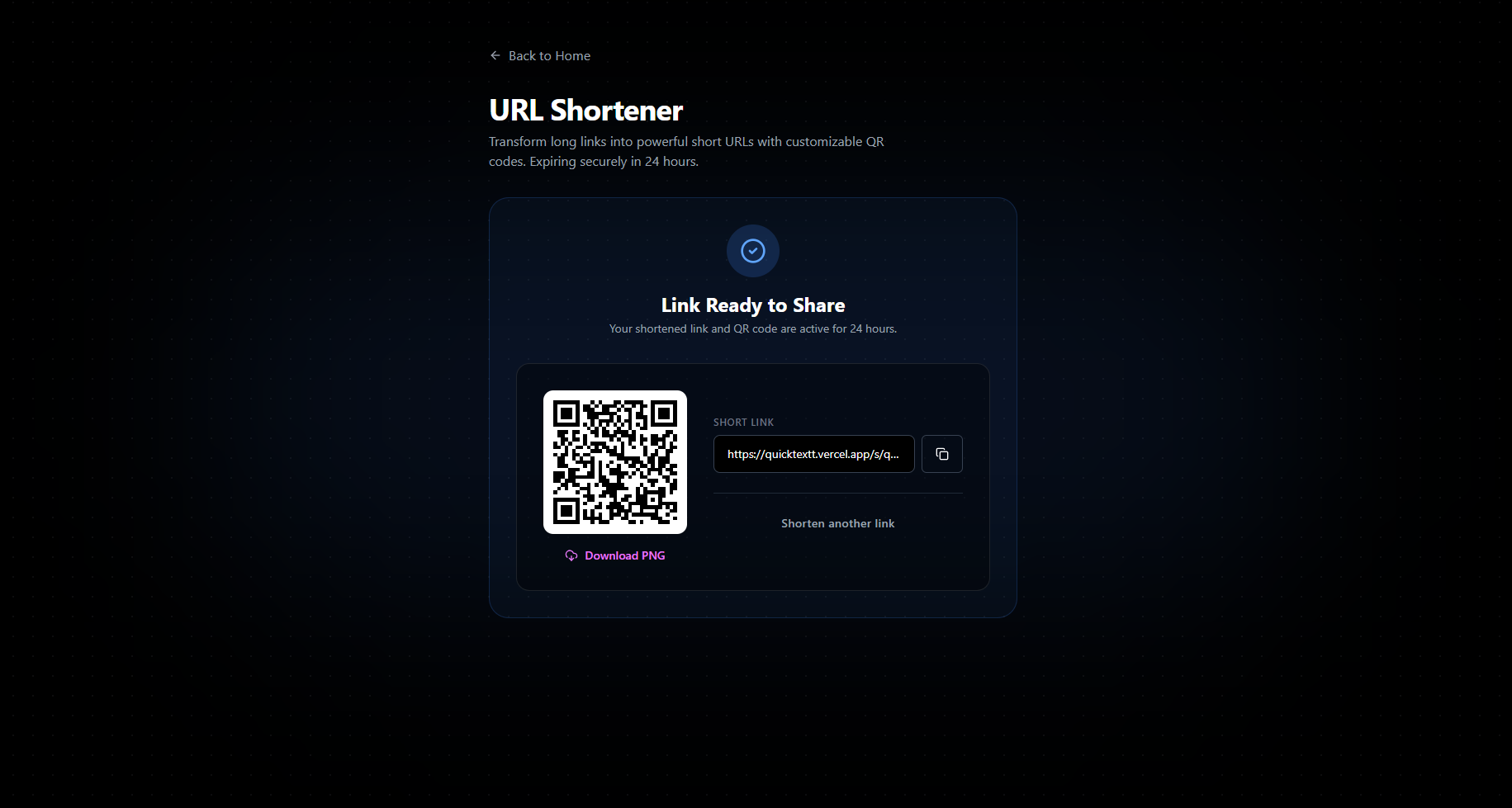
Convert nasty UTM-loaded tracking URLs into elegant links.
- Bespoke Short Links: Formats your URL to
quicktextt.vercel.app/s/mnopqr. - Dynamic QR Code Generation: Instantly builds an SVG/PNG scannable code. Download it straight to your device to print on posters or integrate into digital campaigns.
- Expiration: Links persist for 24 hours.
We eliminated complex navigation. On the homepage sits a Global Searchbar. Type your 5-digit text code, 5-digit file code, or 6-digit URL code. QuickText's router algorithm automatically queries Supabase, resolves the media type, and drops you precisely where you need to be.
QuickText was engineered with performance and aesthetics in mind.
| Category | Technology | Purpose |
|---|---|---|
| Framework | Next.js 15 (App Router) | Core React wrapper, handling Server Components and robust API endpoints. |
| Language | TypeScript | Total end-to-end type safety, eliminating runtime type errors. |
| Database | Supabase (PostgreSQL) | Stores metadata, access codes, URL metrics, and handles Edge row-level security. |
| Object Storage | Cloudflare R2 | S3-compatible, ultra-low latency, zero-egress fee blob storage for heavy files. |
| Styling | Tailwind CSS v3 | Utility-first compilation for lightning-fast UI painting. |
| Motion | Framer Motion | Smooth, physics-based micro-interactions and transitions. |
| Components | shadcn/ui | Radix-based accessible, unstyled component primitives. |
Want to run QuickText locally or deploy your own internal instance? Follow these steps:
Before beginning, ensure you have:
- Node.js 18+ installed
- Git installed
- A free Supabase account
- A free Cloudflare R2 bucket setup (or AWS S3)
# Clone the repository
git clone https://github.com/akshitsutharr/quicktext.git

# Navigate to directory
cd quicktext

# Install the necessary dependencies (Use npm to ensure lockfile sync!)
npm installCreate a .env (or .env.local) file at the root of your project:
# -----------------------------
# SUPABASE DATABASE SETTINGS
# -----------------------------
NEXT_PUBLIC_SUPABASE_URL=https://your-project-id.supabase.co
NEXT_PUBLIC_SUPABASE_ANON_KEY=eyJhbGc...

# -----------------------------
# CLOUDFLARE R2 / S3 SETTINGS
# -----------------------------
R2_ACCESS_KEY_ID=your_access_key
R2_SECRET_ACCESS_KEY=your_secret_key
R2_BUCKET_NAME=your_quicktext_bucket
R2_ENDPOINT=https://your-account-id.r2.cloudflarestorage.com
R2_PUBLIC_URL=https://your-public-bucket-domain.comNavigate to the Supabase SQL Editor and run the following commands to construct the core schemas for the application:
Click to expand the SQL schema...
-- 1. Shared Texts Table
CREATE TABLE IF NOT EXISTS shared_texts (
  id UUID DEFAULT gen_random_uuid() PRIMARY KEY,
  code VARCHAR(5) NOT NULL UNIQUE,
  content TEXT NOT NULL,
  created_at TIMESTAMP WITH TIME ZONE DEFAULT NOW(),
  expires_at TIMESTAMP WITH TIME ZONE NOT NULL
);
ALTER TABLE shared_texts ENABLE ROW LEVEL SECURITY;
CREATE POLICY "Allow all operations" ON shared_texts FOR ALL USING (true);

-- 2. Shared Files Table
CREATE TABLE public.shared_files (
    id uuid NOT NULL DEFAULT gen_random_uuid(),
    code text NOT NULL,
    file_name text NOT NULL,
    file_url text NOT NULL,
    size integer NOT NULL,
    created_at timestamp with time zone NOT NULL DEFAULT now(),
    expires_at timestamp with time zone NOT NULL,
    CONSTRAINT shared_files_pkey PRIMARY KEY (id),
    CONSTRAINT shared_files_code_key UNIQUE (code)
);
ALTER TABLE public.shared_files ENABLE ROW LEVEL SECURITY;
CREATE POLICY "Allow all public operations for shared_files" ON public.shared_files FOR ALL USING (true) WITH CHECK (true);

-- 3. Shortened URLs Table
CREATE TABLE public.shortened_urls (
    id uuid NOT NULL DEFAULT gen_random_uuid(),
    short_code text NOT NULL,
    original_url text NOT NULL,
    access_count integer NOT NULL DEFAULT 0,
    created_at timestamp with time zone NOT NULL DEFAULT now(),
    expires_at timestamp with time zone NOT NULL,
    CONSTRAINT shortened_urls_pkey PRIMARY KEY (id),
    CONSTRAINT shortened_urls_short_code_key UNIQUE (short_code)
);
ALTER TABLE public.shortened_urls ENABLE ROW LEVEL SECURITY;
CREATE POLICY "Allow all public operations for shortened_urls" ON public.shortened_urls FOR ALL USING (true) WITH CHECK (true);Because users upload their heavy files directly from their browsers to the Edge network (bypassing the slow Node server), you must inject CORS headers into your storage provider. We wrote a script for this! Just run:
node --env-file=.env scripts/setup-cors.mjsnpm run devNavigate to http://localhost:3000. Welcome to QuickText! 🎉
- Premium Glassmorphism: Avoid flat, basic styling. The entire routing infrastructure resides on a deep black
#000canvas illuminated by neon blur variablesblue-500/10andorange-500/10. - Minimalism: 1-click execution. No mandatory user accounts.
- Responsive: Cards restructure optimally for mobile and native iOS / Android web views alike.
Contributions are absolutely welcome. If you find a bug or have a feature idea, follow these steps to push your changes!
- Fork the Project
- Create your Feature Branch (
git checkout -b feature/AmazingFeature) - Commit your Changes (
git commit -m 'Add some AmazingFeature') - Push to the Branch (
git push origin feature/AmazingFeature) - Open a Pull Request
Optimized and distributed under the MIT License. See LICENSE for more information.