Tuya Smart Camera SDK provides the interface package for communication with remote cameras to accelerate the application development process. The following features are supported:
- Preview images that are taken by remote cameras
- Play back video records from remote cameras
- Record video
- Speak to the remote camera
- Doorbell call service
Add the following code block to your Podfile:
platform :ios, '9.0'

target 'your_target_name' do

  pod 'TuyaSmartHomeKit'
  pod 'TuyaSmartCameraKit'
  pod "TuyaCameraUIKit"
  pod 'TuyaSmartCloudServiceBizBundle'

end
TuyaSmartCameraKit does not support peer-to-peer (P2P) 1.0 by default. To integrate smart cameras that support P2P 1.0, add this code: pod 'TuyaSmartCameraT' .
Run the command pod update in the root directory of the project to implement the integration.
For more information about CocoaPods, see CocoaPods Guides.
For more information, see IPC SDK.
-
Clone this repo to your local computer.
-
Open the terminal and run the following sample code:
cd tuyasmart_ipc_sdk_demo/Example/
pod install
-
Open
TuyaSmartIPCDemo.xcworkspace. -
Add the security image named
t_s.bmpto your project. For more information, see Preparation. -
Set
bundleIdto your bundle ID. -
Open
AppDelegate.mand setappKeyandappSecret. -
To integrate modules that are purchased from the cloud storage service, configure the
ty_custom_config.jsonfile. In the file, the value ofappIdis obtained from the URL of the SDK configuration page. For example, if the URL ishttps://iot.tuya.com/oem/sdk?id=xxx,xxxindicates the value ofappId.tyAppKeyis your AppKey andappSchemeis your channel identifier. -
Run the project. Video decoding is supported by smart cameras. You can debug the code with your iPhone.
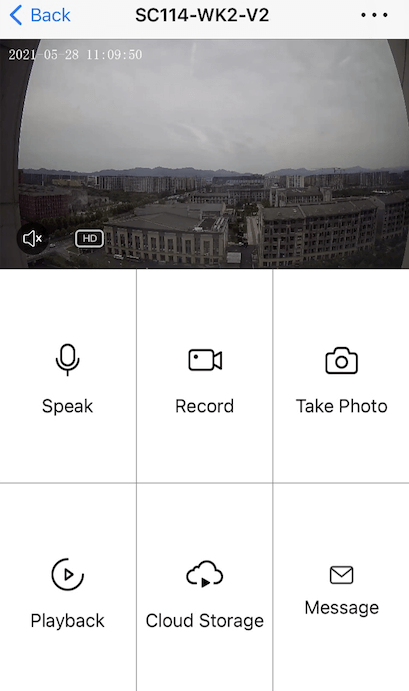
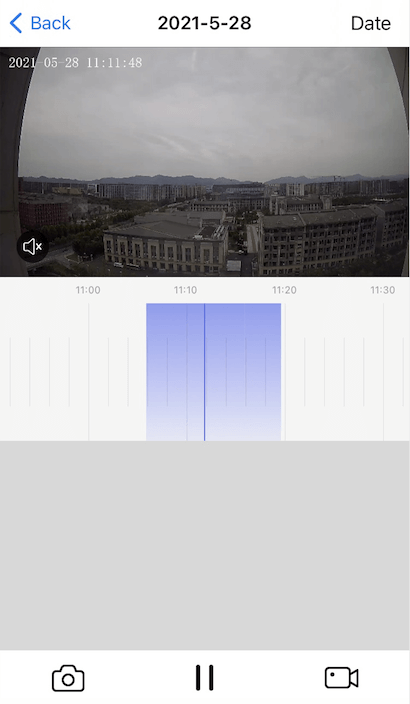
The following figures show the image preview and record playback features.
For more information, see Change Log.