


Cross-platform, lightweight clipboard manager written in Rust and GPUI.
English | 简体中文
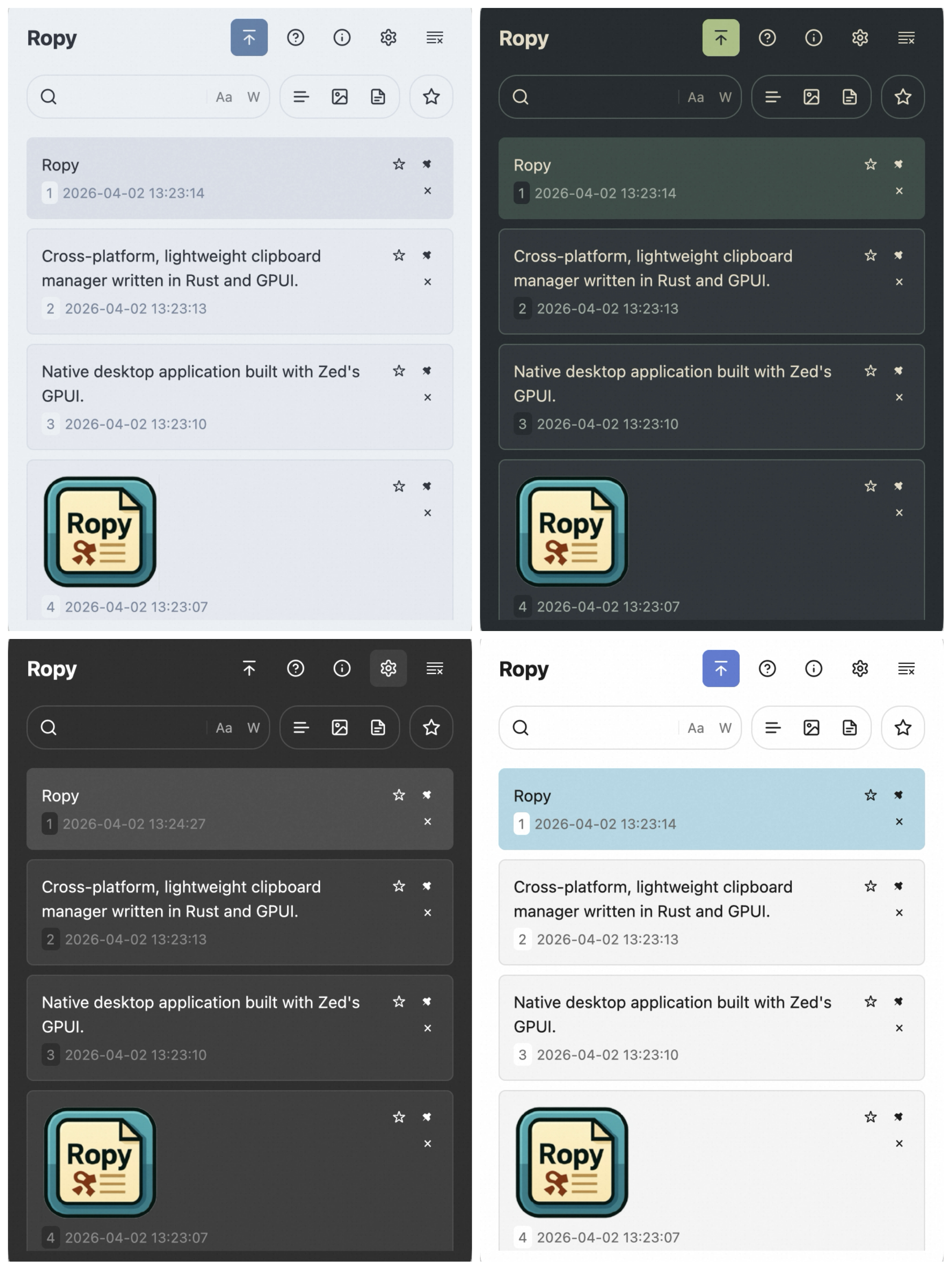
- Native desktop application built with Zed's GPUI.
- Cross-platform support for Windows, macOS, and Linux (X11).
- Tracks text, image, and file path clipboard history with content-based deduplication.
- Search the loaded history with case-sensitive and whole-word options.
- Favorite and pin records; automatic cleanup preserves pinned and favorited items.
- Preview text and images with a configurable hover delay.
- Configurable global hotkey, theme, language, autostart, and confirm mode.
- System tray integration plus in-app update check, download, and install flow.
Download the latest binaries from the Releases page.
After downloading the .dmg file and dragging Ropy.app to the Applications folder, you may need to remove the quarantine attribute to run the application without issues. Open Terminal and run the following commands:
xattr -rc /Applications/Ropy.app
sudo xattr -r -d com.apple.quarantine /Applications/Ropy.appEnsure you have Rust installed (via rustup). Then:
git clone https://github.com/StudentWeis/ropy.git
cd ropy
cargo build --release
./target/release/ropy- Launch Ropy to start recording clipboard history.
- Use the global hotkey or the tray icon to open the history window.
- Press
/to focus search, then refine results with case-sensitive, whole-word, and type filters. - Use
Up/DownorJ/Kto move through items, andEnteror1-5to confirm a selection. - Press
Spaceto toggle preview,Fto favorite the selected record, andDeleteorDto remove it. - Use row actions to pin records so they are excluded from storage cleanup.
- Choose between
copy_to_clipboardandpaste_immediatelyconfirm modes in Settings.
- The system clipboard does not expose the original application source for copied items.
- Plugin/extension system: no current plans — Ropy focuses on simplicity and small footprint.
- Cloud sync: not supported at this time.
- Command-line mode: Ropy is designed primarily as a GUI application.
- Inspired by clipboard managers such as Ditto, Maccy and CopyQ.
- Thanks to the Rust community and all upstream projects used by Ropy.
- System Clipboard API: clipboard-rs
- GUI library: Zed's gpui
- GUI components: gpui-component
- Global hotkey: global-hotkey
- Tray icon helper: tray-icon
- Embedded DB: sled
- Configuration: config-rs