Getting started with e2e tests
Detox is an end-to-end framework for mobile apps developed by Wix, one of the top contributors to the React Native community.
To start with Detox you need to configure its ecosystem. This is well documented in the Step 1: Environment Setup section.
The next step is to configure the native platforms. Let's start with the iOS platform. This is also well documented on the official page. Please, follow the instructions step by step.
If you would like to run the e2e tests on the Android platform too, then you need to configure it following the official page. These instructions are pretty long, but you might not need to follow each step.
Let's overview the config.json file:
{
  "ios": {
    "binaryPath": "ios/build/Build/Products/Debug-iphonesimulator/ReactNativeBaseProject.app",
    "build": "xcodebuild -workspace ios/ReactNativeBaseProject.xcworkspace -scheme ReactNativeBaseProject -configuration Debug -sdk iphonesimulator -derivedDataPath ios/build",
    "device": {
      "type": "iPhone 13",
      "UDID": "4B5D647D-5972-413A-AE44-F45F422F39C0"
    }
  },
  "android": {
    "binaryPath": "android/app/build/outputs/apk/debug/app-debug.apk",
    "build": "cd android && ./gradlew assembleDebug assembleAndroidTest -DtestBuildType=debug",
    "device": {
      "avdName": "Pixel_4_API_30_1"
    }
  }
}-
ios.binaryPath- the path of the local artifact. -
ios.build- the command to build the local artifact. -
ios.device.type- the name of the simulator the tests will be run on. -
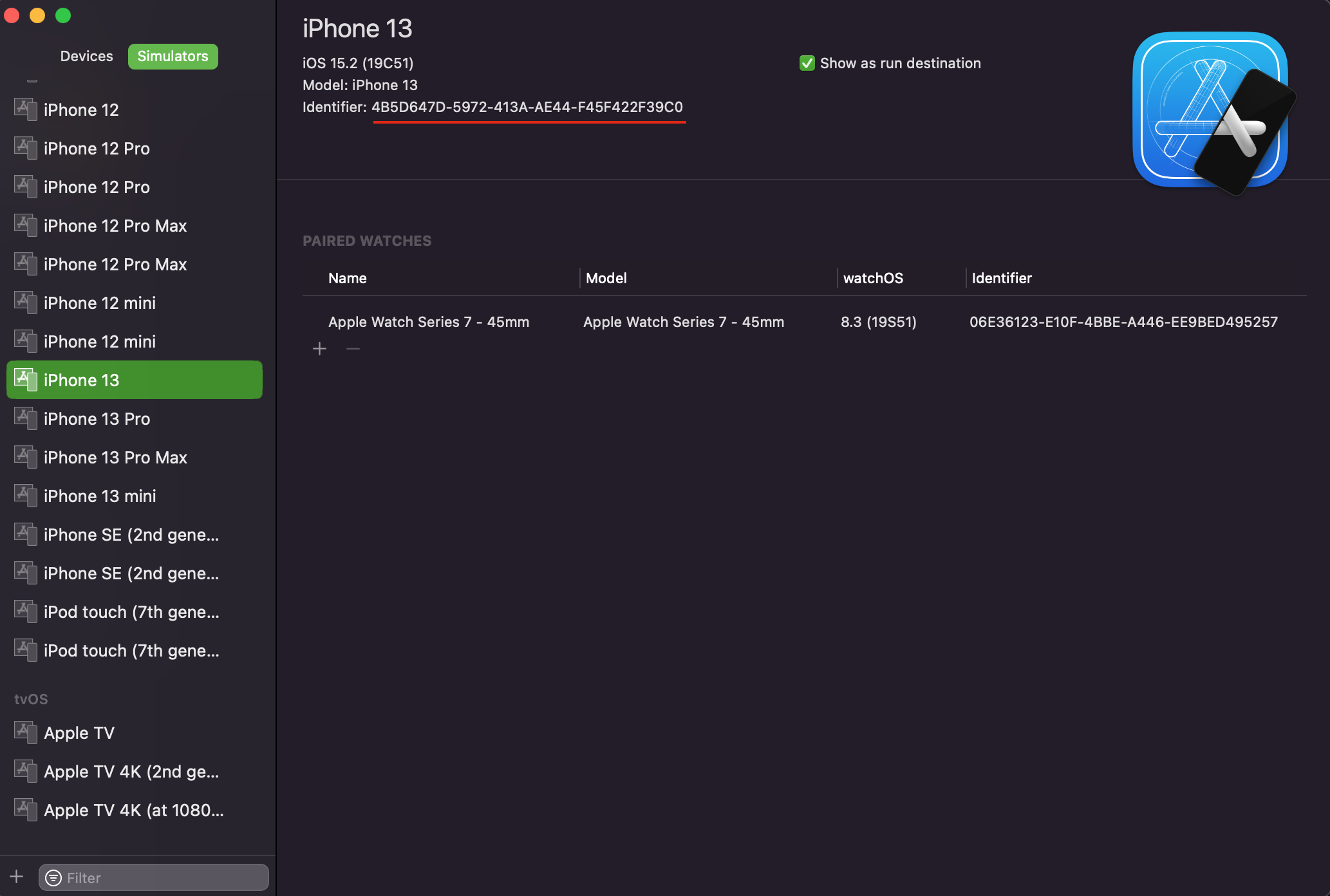
ios.device.UDID- the UDID of the simulator that will be opened before the tests are run. -
android.binaryPath- the path of the local artifact. -
android.build- the command to build the local artifact. -
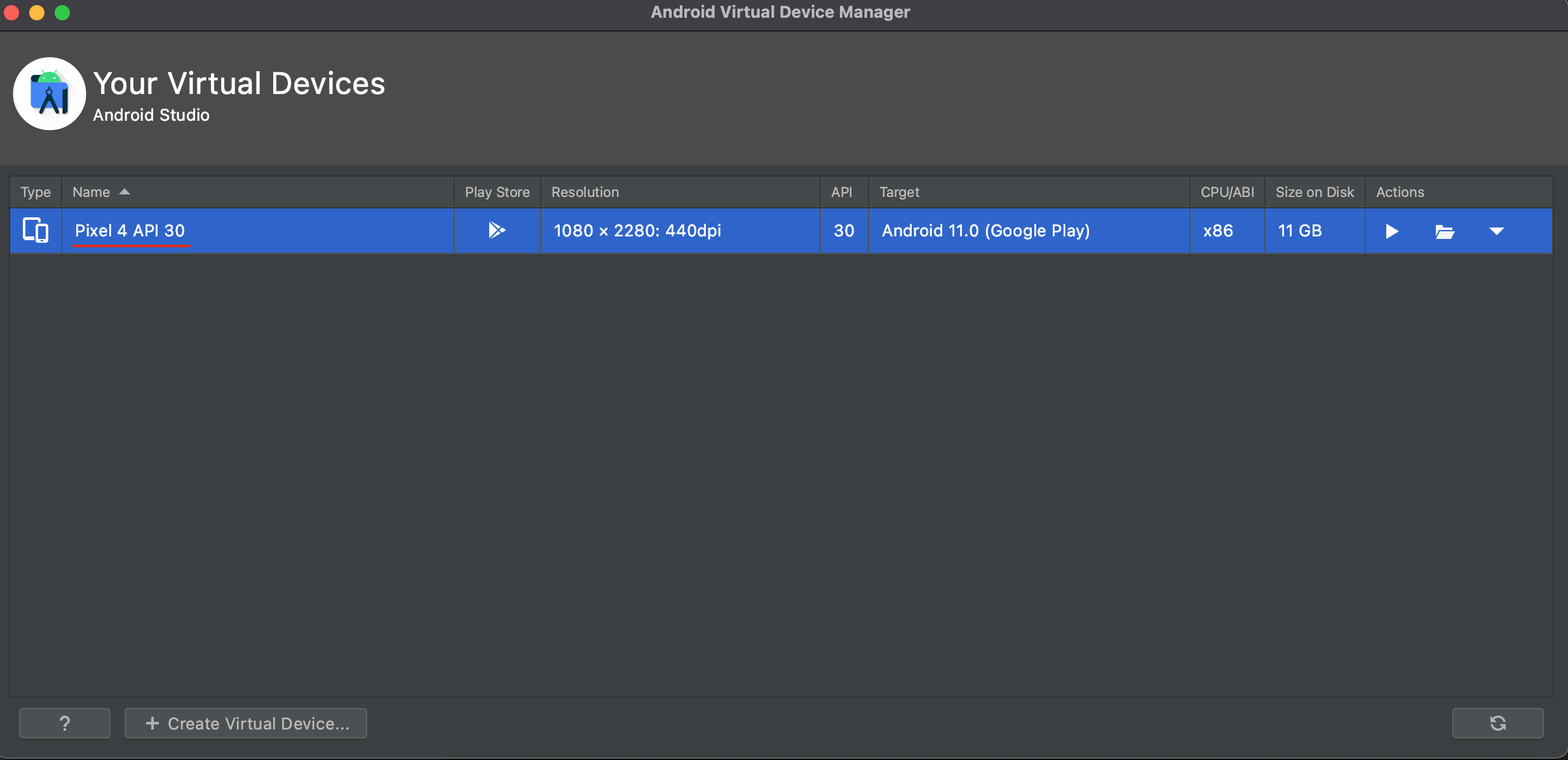
android.device.avdName- the name of the emulator the tests will be run on.
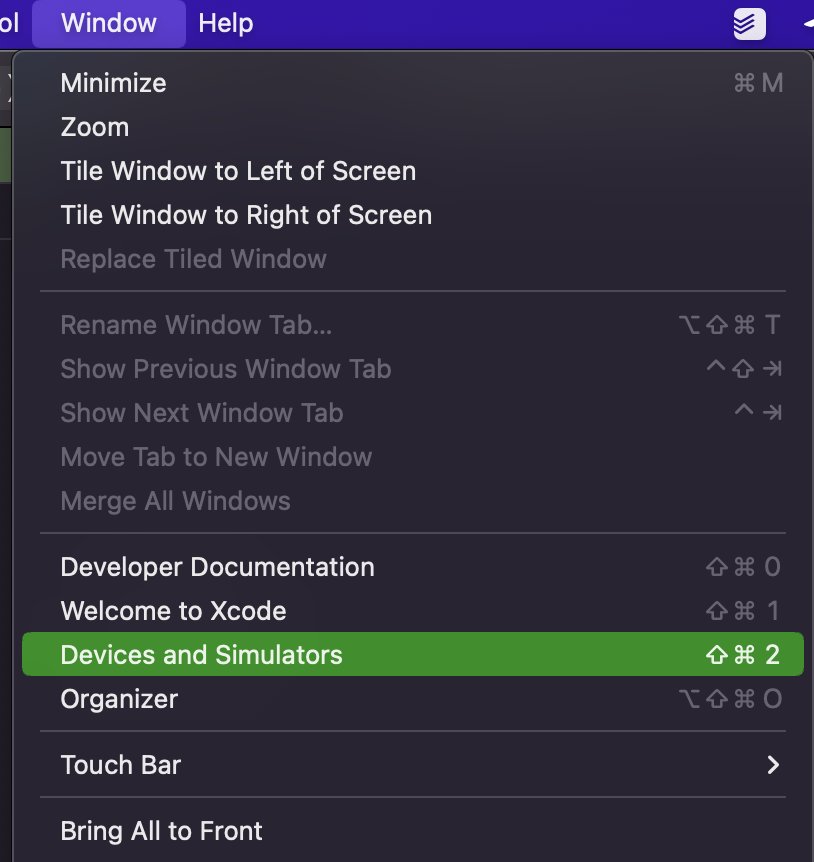
- Open
XCode. - Go to
Window -> Devices and Simulators.
- Select the
simulatoryou would like to open and copy itsUDID.
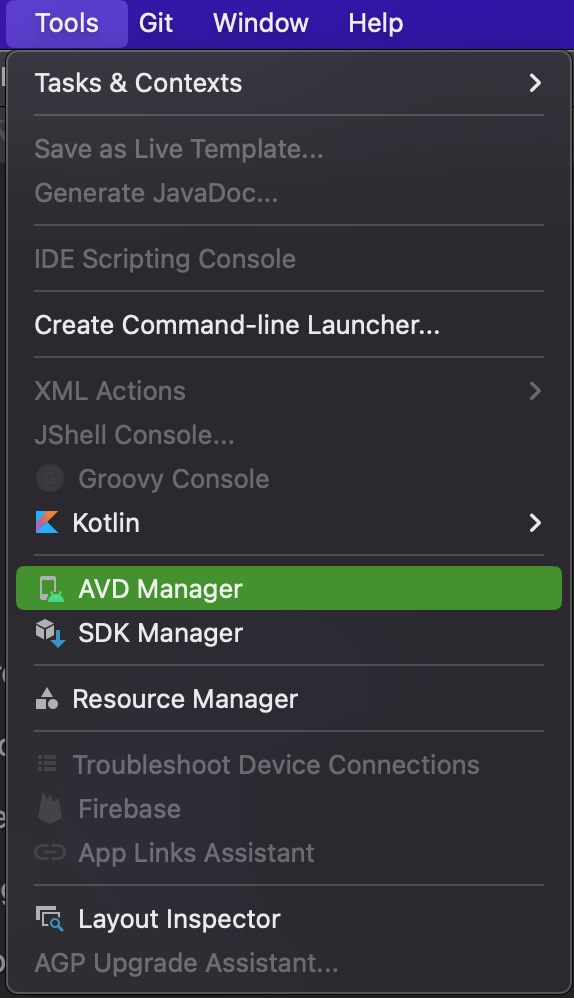
- Open
Android Studio. - Go to
Tools -> AVD Manager.
- Check the
nameof theemulatoryou would like to open (or create a new one). Note: When you set the name of the emulator you should change all the spaces with the bottom dashes. For instance,Pixel 4 API 30 -> Pixel_4_API_30.
You can configure different options when you're building the artifacts locally:
-
shouldRebuildApp(no by default) - the option that decides whether the application will be re-built or not. You have to rebuild the artifacts only if you change some parts of the code. -
shouldOpenSimulator(yes by default) - relevant only for theiOSplatform. The option that decides if the simulator will be opened. It's possible to run the tests without the opened simulator on theiOSplatform.

There is also a bunch of scripts specifically for the CI environment. They don't interact with the user and use the remote build system.
| Script | Description |
|---|---|
| e2e:ios | Runs the e2e tests on the iOS platform with the interaction. |
| e2e:android | Runs the e2e tests on the Android platform with the interaction. |
| e2e | Runs the e2e tests on both platforms with the interaction. |
| e2e:ios:ci | Runs the e2e tests on the iOS platform without the interaction. |
| e2e:android:ci | Runs the e2e tests on the Android platform without the interaction. |
| e2e:ci | Runs the e2e tests on both platforms without the interaction. |