Ansible playbook for Ceph!
Clone me:
git clone https://github.com/ceph/ceph-ansible.gitGeneral support for:
- Monitors
- OSDs
- MDSs
- RGW
More details:
- Authentication (cephx), this can be disabled.
- Supports cluster public and private network.
- Monitors deployment. You can easily start with one monitor and then progressively add new nodes. So can deploy one monitor for testing purpose. For production, I recommend to always use an odd number of monitors, 3 tends to be the standard.
- Object Storage Daemons. Like the monitors you can start with a certain amount of nodes and then grow this number. The playbook either supports a dedicated device for storing the journal or both journal and OSD data on the same device (using a tiny partition at the beginning of the device).
- Metadata daemons.
- Collocation. The playbook supports collocating Monitors, OSDs and MDSs on the same machine.
- The playbook was validated on Debian Wheezy, Ubuntu 12.04 LTS and CentOS 6.4.
- Tested on Ceph Dumpling and Emperor.
- A rolling upgrade playbook was written, an upgrade from Dumpling to Emperor was performed and worked.
- Create vagrant_variables.yml
$ cp vagrant_variables.yml.sample vagrant_variables.yml
- Create site.yml
$ cp site.yml.sample site.yml
- Create VMs
$ vagrant up --no-provision --provider=virtualbox
$ vagrant provision
...
...
...
 ____________
< PLAY RECAP >
 ------------
        \   ^__^
         \  (oo)\_______
            (__)\       )\/\
                ||----w |
                ||     ||


mon0                       : ok=16   changed=11   unreachable=0    failed=0
mon1                       : ok=16   changed=10   unreachable=0    failed=0
mon2                       : ok=16   changed=11   unreachable=0    failed=0
osd0                       : ok=19   changed=7    unreachable=0    failed=0
osd1                       : ok=19   changed=7    unreachable=0    failed=0
osd2                       : ok=19   changed=7    unreachable=0    failed=0
rgw                        : ok=20   changed=17   unreachable=0    failed=0
Check the status:
$ vagrant ssh mon0 -c "sudo ceph -s"
    cluster 4a158d27-f750-41d5-9e7f-26ce4c9d2d45
     health HEALTH_OK
     monmap e3: 3 mons at {ceph-mon0=192.168.0.10:6789/0,ceph-mon1=192.168.0.11:6789/0,ceph-mon2=192.168.0.12:6789/0}, election epoch 6, quorum 0,1,2 ceph-mon0,ceph-mon1,ceph-mon
     mdsmap e6: 1/1/1 up {0=ceph-osd0=up:active}, 2 up:standby
     osdmap e10: 6 osds: 6 up, 6 in
      pgmap v17: 192 pgs, 3 pools, 9470 bytes data, 21 objects
            205 MB used, 29728 MB / 29933 MB avail
                 192 active+clean
To re-run the Ansible provisioning scripts:
$ vagrant provisionThe Vagrantfile specifies an fsid for the cluster and a secret key for the
monitor. If using these playbooks in production, you must generate your own fsid
in group_vars/all and monitor_secret in group_vars/mons. Those files contain
information about how to generate appropriate values for these variables.
By default, ceph-common installs from Ceph repository. However, you
can set ceph_origin to "distro" to install Ceph from your default repository.
- Create vagrant_variables.yml
$ cp vagrant_variables.yml.sample vagrant_variables.yml
- Edit
vagrant_variables.ymland setup the following variables:
memory: 1024
disks: "[ '/dev/vdb', '/dev/vdc' ]"
vagrant_box: centos/7- Create site.yml
$ cp site.yml.sample site.yml
- Create VMs
$ sudo vagrant up --no-provision --provider=libvirt
$ sudo vagrant provision
- Create vagrant_variables.yml
$ cp vagrant_variables.yml.sample vagrant_variables.yml
- Edit
vagrant_variables.ymland setup the following variables:
vagrant_box: parallels/ubuntu-14.04- Create site.yml
$ cp site.yml.sample site.yml
- Create VMs
$ vagrant up --no-provision --provider=parallels
$ vagrant provision
If you want to use "backports", you can set "true" to ceph_use_distro_backports.
Attention, ceph-common doesn't manage backports repository, you must add it yourself.
Read this carefully then :). The repository centralises all the Ansible roles. The roles are all part of the Galaxy. We love contribution and we love giving visibility to our contributors, this is why all the commits must be signed-off.
To start contriuting just do:
$ git checkout -b my-working-branch
$ # do your changes #
$ git add -p
One more step, before pushing your code you should run a syntax check:
$ ansible-playbook -i dummy-ansible-hosts test.yml --syntax-check
If your change impacts a variable file in a role such as rolesceph-common/defaults/main.yml, you need to generate a group_vars` file:
$ ./generate_group_vars_sample.sh
You are finally ready to push your changes on Github:
$ git commit -s
$ git push origin my-working-branch
Worked on a change and you don't want to resend a commit for a syntax fix?
$ # do your syntax change #
$ git commit --amend
$ git push -f origin my-working-branch
Go on the github interface and submit a PR.
Now we have 2 online CIs:
- Travis, simply does a syntax check
- Jenkins Ceph: bootstraps one monitor, one OSD, one RGW
If Jenkins detects that your commit broke something it will turn red. You can then check the logs of the Jenkins by clicking on "Testing Playbooks" button in your PR and go to "Console Output". You can now submit a new commit/change that will update the CI system to run a new play.
It might happen that the CI does not get reloead so you can simply leave a comment on your PR with "test this please" and it will trigger a new CI build.
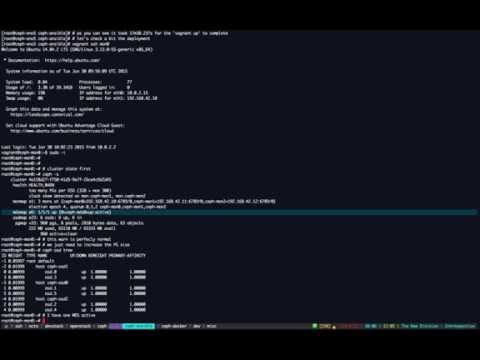
Deployment from scratch on bare metal machines: