


A modern web application for documenting and sharing your travel experiences through personalized stories and photos.
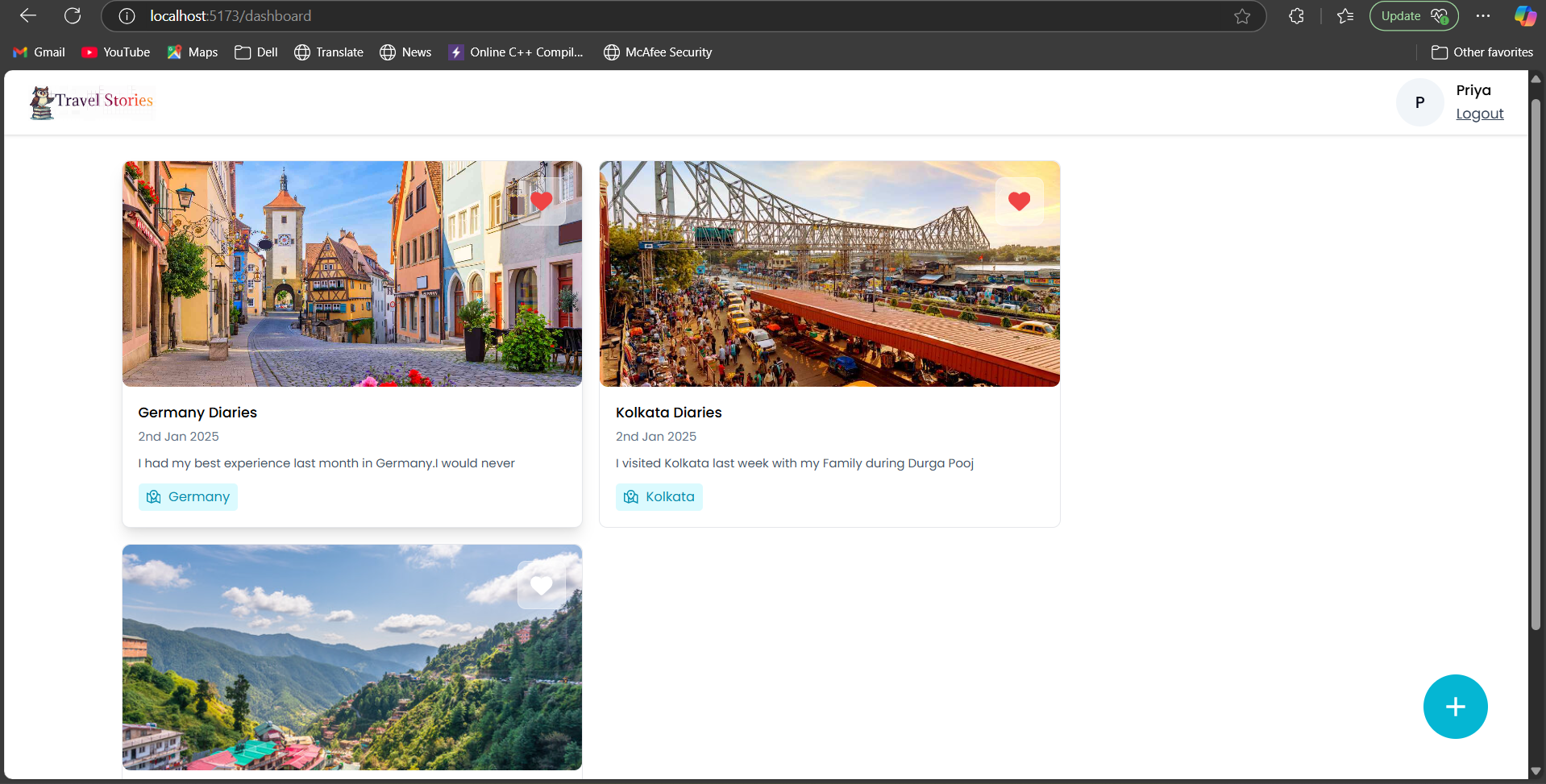
Beautifully organized travel stories with location tags, Interactive cards featuring stories from different travel tours, Like/favorite functionality for saving memorable stories, Clean, intuitive interface with easy navigation
-
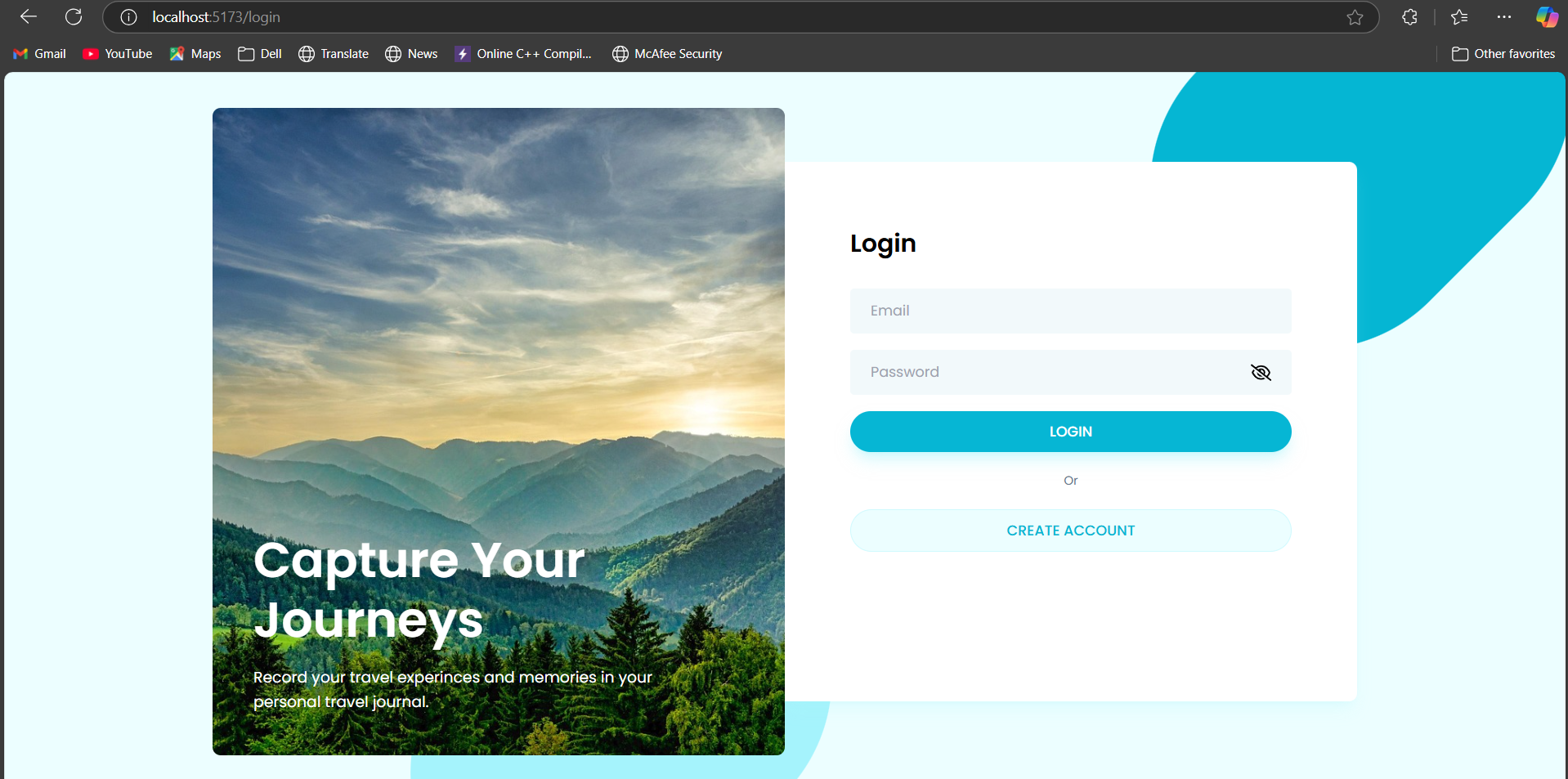
Login Page
-
SignUp Page

Modern, user-friendly signup and login interfaces Stunning travel imagery that inspires adventure Streamlined user authentication process Responsive design that works across all devices
3### User Authentication
Secure signup and login functionality JWT-based authentication system Password protection with encryption
Create and publish travel stories Add location tags and dates Upload and manage travel photos Edit and customize story content
Like/favorite stories for quick access Location-based story organization
Modern, clean user interface Mobile-first approach Seamless experience across devices
Node.js (v14 or higher) MongoDB (local or cloud instance) npm or yarn package manager
Clone the repository
bashCopygit clone https://github.com/yourusername/travel-story-app.git cd travel-story-app
bashCopynpm install
Configure environment variables Create a .env file in the root directory:
envCopyPORT=8000 MONGO_URI=your_mongodb_connection_string JWT_SECRET=your_jwt_secret_key
bashCopynpm run dev The application will be available at:
Frontend: http://localhost:5173 Backend: http://localhost:8000
React.js Tailwind CSS React Router Axios for API calls
Node.js Express.js MongoDB JWT for authentication Multer for image uploads
MongoDB Atlas
Navigate to the signup page Enter your full name, email, and password Click "CREATE ACCOUNT" to register
Visit the login page Enter your registered email and password Click "LOGIN" to access your dashboard
Click the "+" button on the dashboard to create a new story Fill in the story details:
Title Description Location Photos
Use the edit and delete options to manage existing stories Click the heart icon to favorite stories