A modern Minecraft modding library for UI, rendering, synchronization, persistence, and in-game editors.






Documentation | Java Integration | UI Guide | Discord | CurseForge | Modrinth
LDLib2 is a complete rewrite of the original LDLib, redesigned around modern Minecraft and NeoForge development. It gives mod authors a higher-level foundation for building complex UI, visual tools, renderer-backed content, synchronized data, and persistent runtime systems without rebuilding the same infrastructure in every project.
The 2.x line focuses heavily on developer experience: a modern layout engine, CSS-like styling, data binding, RPC events, plug-and-play UI components, XML UI definitions, and an in-game visual editor.
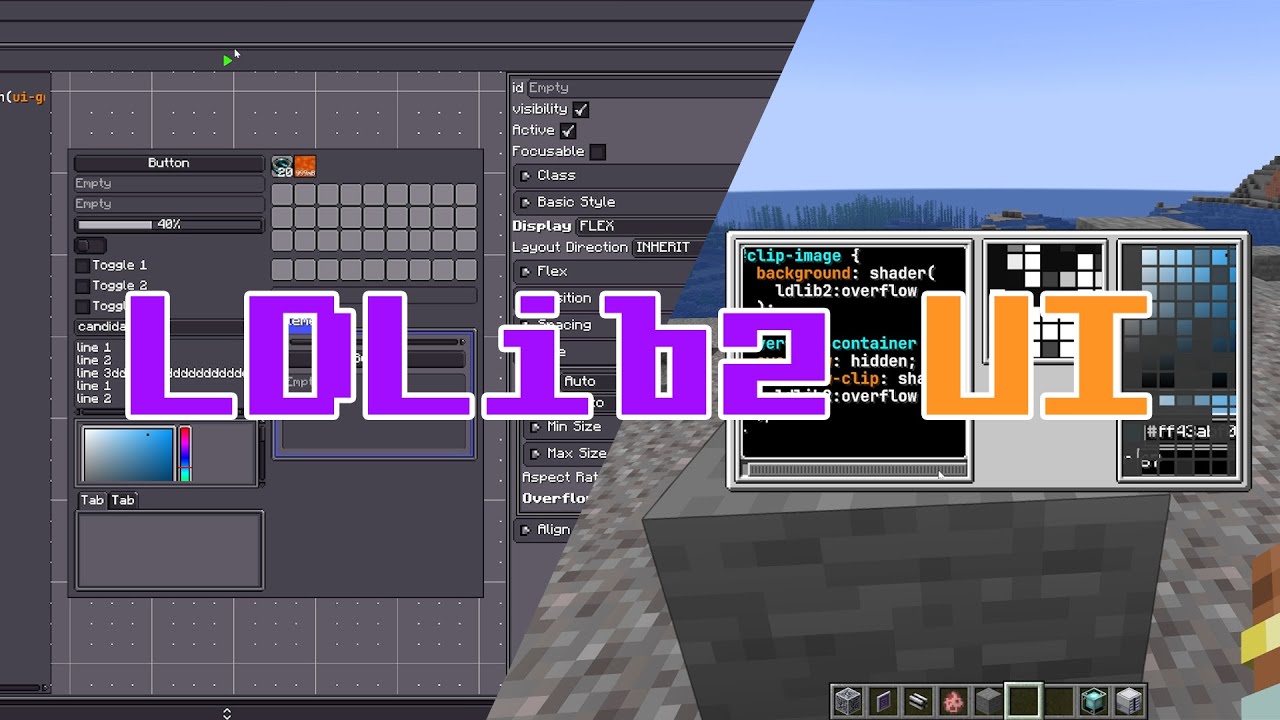
- Modern UI system: build screens with a Taffy-powered layout model, flexible event handling, and reusable components.
- LSS stylesheets: describe layout and visuals with a CSS-like stylesheet system instead of scattering style code everywhere.
- Data binding + RPC events: connect client UI state with server-side logic using built-in synchronization patterns.
- Visual UI editor: design and iterate on UI in game, then load layouts from XML or wire them up from Java/KubeJS.
- Rendering infrastructure: shader, texture, model rendering, scene, and editor utilities for advanced visual mods.
- Sync and persistence: annotation-driven data synchronization and persisted parsing for block entities and runtime data.
- Ecosystem integration: built-in support patterns for JEI, REI, EMI, KubeJS, and other common modding workflows.
| Module | What it is for |
|---|---|
| LDLib2 UI | Modular UI, layout, events, styling, XML, editor, components, HUD overlays |
| Synchronization and Persistence | Data sync, persisted parsing, RPC packets, and managed block entities |
| Rendering | Shaders, textures, model rendering, scenes, and visual editor infrastructure |
| Integrations | XEI recipe viewer support, KubeJS hooks, Java plugin entry points |
LDLib2 is published to the FirstDark Maven snapshots repository.
repositories {
    maven { url = "https://maven.firstdark.dev/snapshots" }
}

dependencies {
    implementation("com.lowdragmc.ldlib2:ldlib2-neoforge-${minecraft_version}:${ldlib2_version}:all")
}
For LDLib2 versions before 2.2.1, disable transitive dependencies and add Yoga manually:
dependencies {
    implementation("com.lowdragmc.ldlib2:ldlib2-neoforge-${minecraft_version}:${ldlib2_version}:all") {
        transitive = false
    }
    compileOnly("org.appliedenergistics.yoga:yoga:1.0.0")
}
Recommended project variables:
minecraft_version=1.21.1
ldlib2_version=2.2.6Create a plugin class when your mod needs to register LDLib2 resources, integrations, or startup hooks.
import com.lowdragmc.lowdraglib2.plugin.ILDLibPlugin;
import com.lowdragmc.lowdraglib2.plugin.LDLibPlugin;

@LDLibPlugin
public class MyLDLibPlugin implements ILDLibPlugin {
    @Override
    public void onLoad() {
        // Register LDLib2 extensions here.
    }
}This creates a small ModularUI with a label, a button, and a styled root element.
import com.lowdragmc.lowdraglib2.gui.holder.ModularUIScreen;
import com.lowdragmc.lowdraglib2.gui.ui.ModularUI;
import com.lowdragmc.lowdraglib2.gui.ui.UI;
import com.lowdragmc.lowdraglib2.gui.ui.UIElement;
import com.lowdragmc.lowdraglib2.gui.ui.elements.Button;
import com.lowdragmc.lowdraglib2.gui.ui.elements.Label;
import com.lowdragmc.lowdraglib2.gui.ui.styletemplate.Sprites;
import net.minecraft.client.Minecraft;
import net.minecraft.network.chat.Component;

public class MyScreenUi {
    public static ModularUI createUi() {
        var root = new UIElement()
                .layout(layout -> layout.paddingAll(7).gapAll(5))
                .style(style -> style.background(Sprites.BORDER));

        root.addChildren(
                new Label().setText("My First LDLib2 UI"),
                new Button()
                        .setText("Click Me")
                        .setOnClick(event -> {
                            // Handle the click here.
                        })
        );

        return ModularUI.of(UI.of(root));
    }

    public static void open() {
        Minecraft.getInstance().setScreen(
                new ModularUIScreen(createUi(), Component.empty())
        );
    }
}
For a full walkthrough, see the UI Getting Started guide.
If you develop with LDLib2, install the LDLib Dev Tool IDEA plugin for editor assistance around LDLib2-specific files and annotations. The Java Integration guide covers code highlighting, syntax checks, jump-to-definition, autocomplete, and annotation support.
LDLib2 is not a small patch over LDLib. It removes old systems and rebuilds the core architecture for Minecraft 1.21+.
- Legacy UI and outdated framework pieces have been removed.
- UI layout, styling, events, and data flow have been redesigned.
- Documentation and examples are written around the new architecture.
- Compatibility work focuses on modern NeoForge and current modding integrations.
- Documentation
- GitHub repository
- CurseForge project
- Modrinth project
- Discord community
- Original LDLib
LDLib2 is licensed under the LGPL-3.0 license.