Subagent Monitor for OpenCode.
See what your subagents are doing without losing track of them: running, done, failed, elapsed time, and token/context usage when OpenCode exposes it.
This package works as a TUI sidebar plugin for OpenCode.
When you delegate work to subagents, they can disappear into the background. That is powerful, but it also makes it easy to lose visibility:
- Is the review agent still running?
- Did the test agent finish?
- Which child session failed?
- How much context did a subagent use?
opencode-subagent-statusline adds a compact Subagent Monitor inside OpenCode so you can keep that information visible while you work.
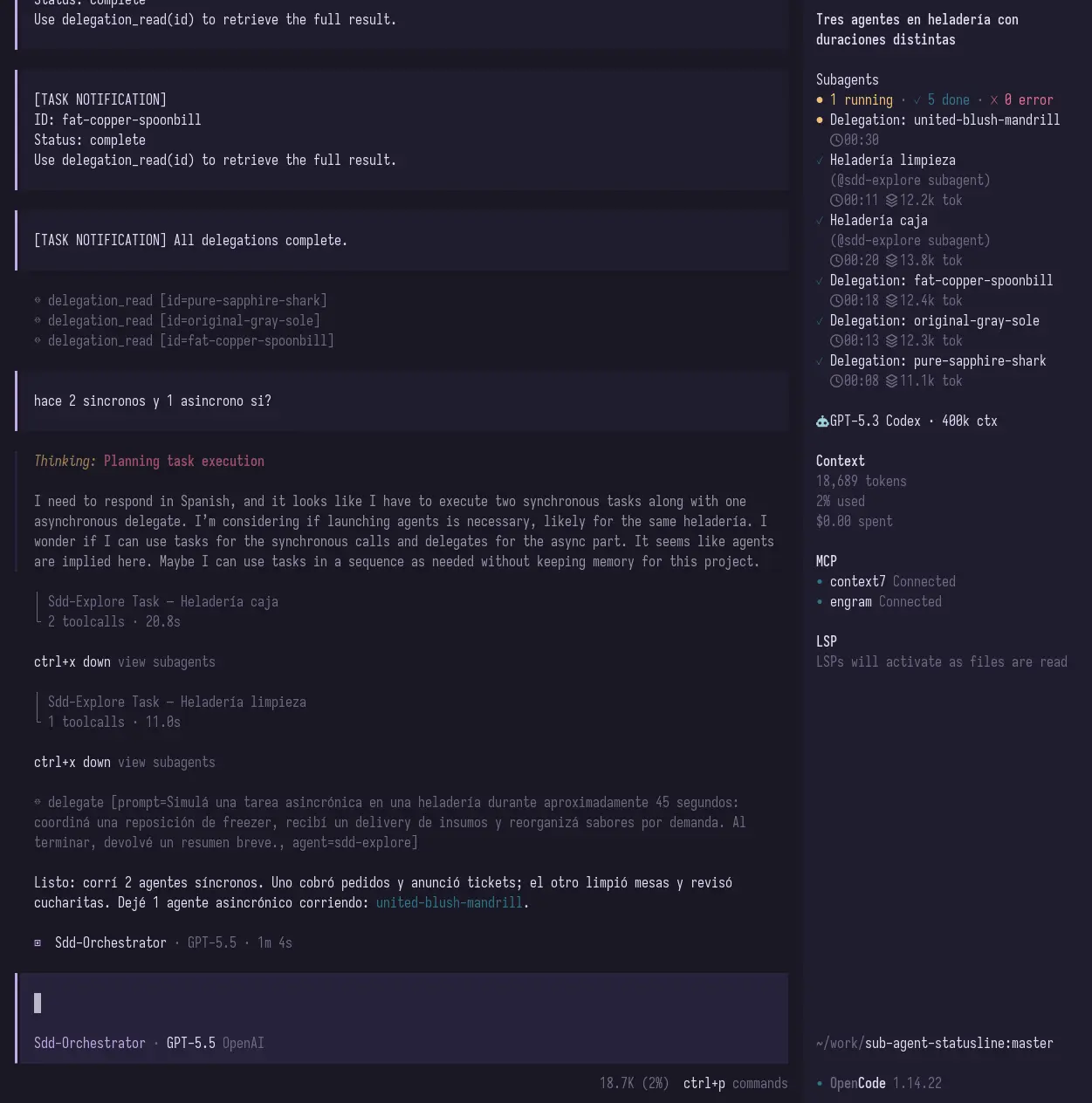
Focused sidebar view:
Add the plugin to your OpenCode TUI config:
{
  "$schema": "https://opencode.ai/tui.json",
  "plugin": ["opencode-subagent-statusline"]
}
Your TUI config usually lives at:
~/.config/opencode/tui.jsonRestart OpenCode after editing the file.
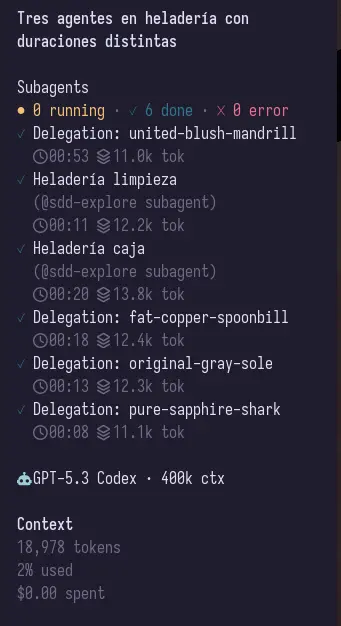
The TUI plugin adds a sidebar section that shows:
- running subagents
- completed subagents
- failed subagents
- elapsed time
- token/context usage when available
It also adds a small home/footer summary when there is active subagent activity.
Run Subagents: Focus sidebar list from the OpenCode command palette, or press
Alt+B, to focus the subagent sidebar list without using the mouse. List
navigation shortcuts are handled only while the sidebar list is focused.
| Shortcut | Action |
|---|---|
Alt+B |
Toggle focus between the subagent sidebar list and the prompt. |
j / ArrowDown |
Move selection to the next visible subagent. |
k / ArrowUp |
Move selection to the previous visible subagent. |
Enter |
Open the selected subagent session. |
h / ArrowLeft |
Collapse the subagent section. |
l / ArrowRight |
Expand the subagent section. |
Esc |
Leave list focus mode and return to the prompt. |
Opening a selected session is a no-op when there is no visible or navigable subagent.
When a child session is opened from the sidebar, returning with OpenCode Up
(session_parent) moves keyboard focus to the parent prompt so you can type
immediately.
For a deeper explanation of how the plugin works, see the structured docs:
They cover installation, architecture, event flow, state/counters, rendering, TUI behavior, advanced configuration, development/testing, and troubleshooting.
Install dependencies with lifecycle scripts disabled by default:
pnpm install --ignore-scriptsBuild the plugin:
pnpm buildTest the local TUI build by pointing OpenCode directly at dist/tui.js:
{
  "$schema": "https://opencode.ai/tui.json",
  "plugin": ["/absolute/path/to/sub-agent-statusline/dist/tui.js"]
}This project ships the OpenCode TUI sidebar plugin from src/tui.tsx.
The TUI bundle is built with tsup and esbuild-plugin-solid in Solid universal mode for OpenTUI compatibility.
Package entrypoints:
opencode-subagent-statusline          -> TUI plugin
opencode-subagent-statusline/tui      -> TUI plugin
Useful commands:
pnpm build
pnpm typecheck
pnpm test
pnpm test:watch
pnpm test:coverage
pnpm pack --dry-runRecommended local npm/pnpm hygiene, following guidance from Gentle AI and Liran Tal:
- install project dependencies with lifecycle scripts disabled when possible, for example
pnpm install --ignore-scripts; - consider setting user-level
ignore-scripts=truefor npm/pnpm and temporarily opt in only when a trusted package needs scripts; - enable dependency age/cooldown policies where supported, for example
npm config set min-release-age 3or equivalent Renovate/Dependabot cooldowns; - block or review git, tarball, URL, and other exotic dependency specs, for example
npm config set allow-git nonewhere supported; - optionally screen new packages with tools such as
npqor Socket Firewall before adding them.
These are maintainer/developer controls, not runtime enforcement by this plugin.
Release maintainers should also keep npm trusted publishing/OIDC enabled for this package, require npm 2FA on maintainer accounts, restrict and revoke legacy npm tokens once OIDC publishing is active, and protect the release branch in GitHub.
Automated tests use Vitest with @vitest/coverage-v8:
pnpm test
pnpm test:watch
pnpm test:coverage
pnpm typecheck
For the testing strategy, file map, examples, and current TUI/e2e boundaries, see
docs/testing.md.
Check OpenCode logs:
grep -n "subagent-statusline\|failed to load tui plugin" ~/.local/share/opencode/log/*.logThen restart OpenCode after changing tui.json.
OpenCode may be using a cached package. Try clearing the cached package directory under:
~/.cache/opencode/packages/Then restart OpenCode.
OpenCode event payloads can vary by version and by event type. The plugin shows token/context usage when it is available and safely omits it when it is not.
The plugin persists a local JSON state file and status.txt snapshot under XDG_RUNTIME_DIR or the system temp directory by default. Those files can include OpenCode-derived subagent titles and summaries, which may contain short fragments derived from prompts or task descriptions. Files are written best-effort with owner-only permissions and atomic temp-file replacement where Node and the host filesystem support them.
OPENCODE_SUBAGENT_STATUSLINE_STATE overrides the state file path. Treat that environment variable as trusted local configuration because the plugin will write status data to the configured path.
For token/context backfill, the TUI reads recent local OpenCode SQLite/log data only from the user's OpenCode data directory. Very large log files are skipped to avoid blocking the TUI.
MIT