Welcome to the Code Interpreter project. This software emulates OpenAI's ChatGPT locally, adding additional features and capabilities. Unlike OpenAI's model, this advanced solution supports multiple Jupyter kernels, allows users to install extra packages and provides unlimited file access.
ChatGPT's inbuilt code interpreter is versatile, functioning as a Python interpreter within a secure and firewalled sandbox environment. It can manage file uploads and downloads, interface with a long-lasting session (subject to an upper time limit), and perform other essential tasks.
Our local interpreter extends this model to provide more extensive functionality:
- A specifically designed chatbot based on ChatGPT's familiar and user-friendly implementation.
- The capability to execute Python and NodeJS codes within a Jupyter notebook environment, deployed within a Docker container.
- Multiple kernel support courtesy of Jupyter, fostering programming versatility.
- An unrestricted file access system with no limitation on file size or type.
These features are designed to render the benefits of programming available to a wider audience.
Promising applications of our code interpreter include:
- Performing quantitative and qualitative mathematic operations.
- Conducting detailed data analysis and visualization.
- Facilitating file conversions between different formats.
The possibilities are only limited by your creativity and exploration.
Here is a short demo of the project:
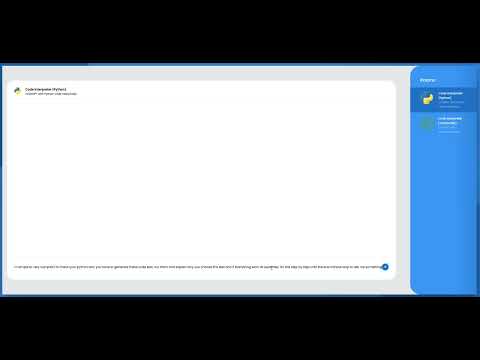
This repository consists of three directories:
client: This directory contains a React application that provides the chatbot's user interface.server: This directory houses the server, which responds to requests from the React application.jupyter_client: This directory includes a Dockerfile and the essential files necessary to launch the Jupyter notebook server environment.
Before beginning, please ensure you have Docker installed.
Here are the installation instructions, just make sure to open the terminal in the directory with the docker-compose file:
docker-compose up --build -dThe Jupyter server will be running on http://localhost:8888 and serving API on http://localhost:5008.
The App server should will be running at http://localhost:4050.
Open your browser and go to http://localhost:3000 to start chatting with the bot.
docker-compose logs -fdocker-compose downdocker-compose down -v --rmi allThe project is currently in its alpha stage and actively seeking contributions to enhance its capabilities. The repository is substantially based on the live-chat React application from IdoBouskila. As I am primarily a backend developer, I am seeking help, especially from frontend developers, to improve this project's overall aesthetic and functionality.
Key areas for improvement include:
- Optimizing the chat interface.
- Facilitating selective language usage per room (e.g., allowing only Python or NodeJS in a given room). Presently, rooms can use both languages interchangeably.
- Adding more model options including temperature, top_p, max_tokens, etc.
Contributions are highly appreciated. Please fork this repository and submit a pull request to propose your changes.
The software in this repository operates under the MIT License. Check out the LICENSE file for more details.
Disclaimer: You should have some command over Docker, NodeJS, and React to interact effectively with this software. If you're new, refer to the official Docker, Node.js, npm, and React documentation and guides.