


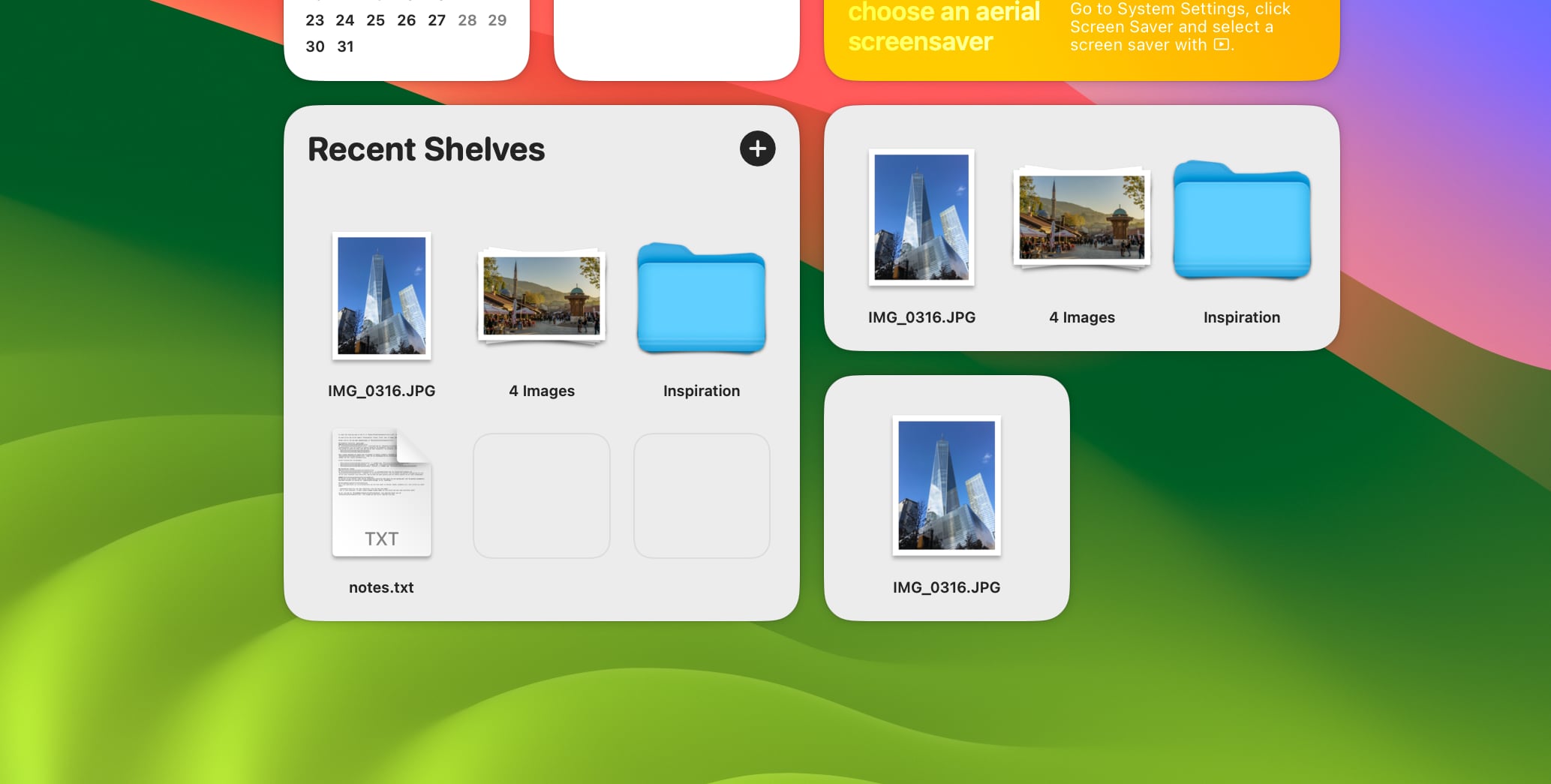
Managing files across multiple applications on macOS has always involved a certain degree of friction — the constant switching between windows, the repeated dragging of the same items, the difficulty of collecting disparate files from different locations before transferring them as a group. Dropover eliminates this friction with an elegant solution that feels like it should have been built into macOS from the start. By shaking any file slightly during a drag operation, users instantly summon a floating shelf where items can be temporarily parked, accumulated, and reorganized before being dragged to their final destination in one smooth motion. The result is a drag-and-drop workflow that is dramatically faster and more intuitive than anything the standard operating system offers.
Beyond basic file collection, Dropover functions as a comprehensive file staging environment that supports text snippets, URLs, images, and virtually any other content type that macOS handles. The persistent shelf can survive application restarts, meaning you can build up a collection of files across multiple work sessions without losing your gathered content. Cloud integration is seamlessly built in — with a single click, the entire shelf contents can be uploaded to Dropbox, iCloud Drive, or other configured storage services, automatically generating a shareable link that can be sent to colleagues or clients instantly. This transforms Dropover from a simple utility into a genuinely powerful collaboration tool for creative and professional teams.
The application's design philosophy prioritizes staying out of your way while remaining instantly accessible when needed. The menu bar icon provides quick access to settings and recent shelves without cluttering your workspace, while the floating shelf window can be resized, repositioned, and configured to match your preferred working style. Full Dark Mode support and native macOS aesthetics ensure that Dropover integrates naturally with the rest of your system. Whether you are a designer transferring assets between creative applications, a developer moving files between project directories, or a professional preparing email attachments, Dropover OSX provides a level of file management efficiency that quickly becomes indispensable.
- Instant drag shelf activation by shaking any file during a drag operation
- Collect multiple files, images, text snippets, and URLs in a single shelf
- Direct cloud upload to Dropbox, iCloud, and other storage services
- Customizable shelf appearance with size, opacity, and position options
- Share shelves via unique URL for instant collaboration with others
- Drag and drop directly into email, Slack, and other apps
- Persistent shelf storage that survives app restarts
- Support for keyboard shortcuts to trigger and manage shelves
- Beautiful macOS-native design with full Dark Mode support
- Integration with Finder for seamless file system navigation

Dropover is available on the Mac App Store and requires macOS 11.0 Big Sur or later. The app is regularly updated with new cloud service integrations and workflow improvements. A one-time purchase provides lifetime access with all future updates included.