A highly detailed, interactive fish lamp wallpaper with a vintage aesthetic, designed for Wallpaper Engine. Experience a dynamic aquatic environment with parallax effects, realistic water distortions, and atmospheric lighting right on your desktop.
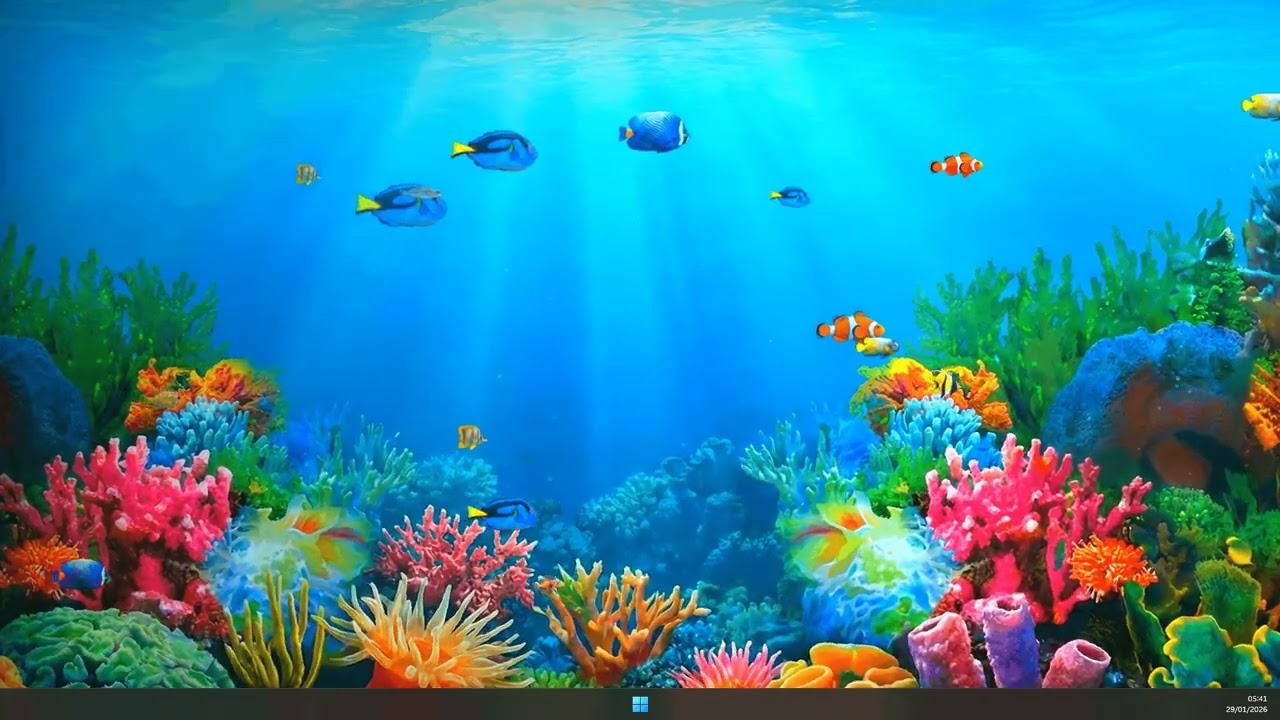
Click here to watch the preview on YouTube
(Experience the live wallpaper in action)
- Dynamic Fish Schooling: A variety of fish species (including Blue Fish, Clownfish, Dory, and more) with randomized sizes, speeds, and vertical "bobbing" animations.
- Interactive Parallax: Elements respond to your mouse movement, creating a deep 3D effect between the background, fish layers, and overlays.
- Atmospheric Effects:
- God Rays: Sun rays piercing through the water surface.
- Water Caustics: Dynamic light reflections dancing on the scene.
- Marine Snow: Floating particles and bubbles that add life to the environment.
- Realistic Water Distortion: Uses SVG turbulence and displacement filters to create a subtle, liquid-like moving effect.
- Vintage Glass Overlay: A subtle reflection effect that makes your screen look like a high-end cylindrical fish lamp.
- Fully Customizable: Adjust everything from fish count to parallax intensity via the Wallpaper Engine properties menu.
- HTML5/CSS3: Core structure and intricate animations/gradients.
- Vanilla JavaScript: Dynamic entity management, parallax logic, and interaction.
- SVG Filters: Advanced displacement mapping for the water distortion effect.
- Wallpaper Engine API: Seamless integration for user-defined properties.
When used within Wallpaper Engine, you can customize the following:
| Property | Description |
|---|---|
| Amount of Fish | Control the density of the school (1 - 50). |
| Fish Speed | Adjust how fast the fish swim across the screen. |
| Parallax Intensity | Change how much the scene reacts to mouse movement. |
| Marine Snow | Increase or decrease the density of bubbles/particles. |
| Water Reflections | Adjust the visibility of the caustics effect. |
| Sun Rays | Toggle the visibility of the God Rays. |
| Mouse Interaction | Toggle whether the scene follows your cursor. |
- Open Wallpaper Engine.
- Click "Open from File" (bottom left).
- Navigate to this project folder and select
index.html. - The wallpaper will load, and you can adjust settings in the right-hand panel.
Simply open index.html in any modern browser.
Note: A debug panel will appear to allow you to test the properties that are usually handled by Wallpaper Engine.
index.html: The main entry point and UI structure.css/style.css: Visual styling, gradients, and keyframe animations.js/script.js: Logic for fish creation, movement, and parallax.project.json: Metadata and property definitions for Wallpaper Engine.assets/: Contains all fish sprites and background textures.README.md: Project documentation.
- Author: Alexandre Douve
- Visual Assets: © 2026 Alexandre Douve. All rights reserved.
- Logic & Design: Developed as a premium interactive wallpaper experience.
Created with ❤️ by Alexandre Douve.