List All Workflow Types
This page lists all currently available workflow types in the database. It also allows users to create new workflows of given types, and (with the correct user permissions), create and edit workflow type forms and their associated steps. It can be accessed by clicking the Workflow Types sub-header in the interface's sidebar.
The listing page looks similar to the following:
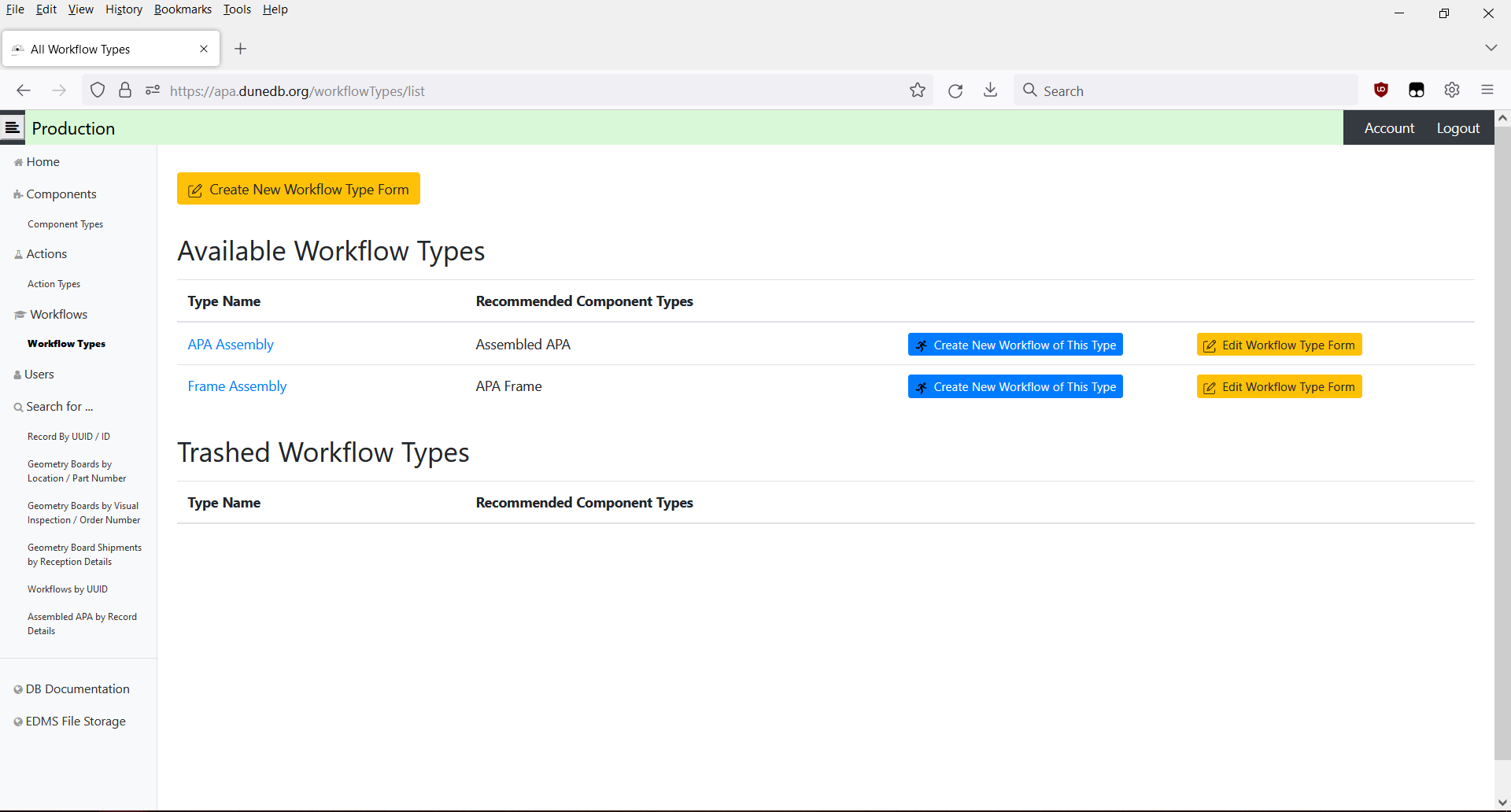
At the very top of the page is a yellow [Create New Workflow Type Form] button. If pressed, a popup will prompt the user for an ID string to assign to the new type form, and once this is confirmed, the user will be automatically redirected to the page for creating a new workflow type form and its associated steps. Please note that creating new workflow type forms can only be done by users with the 'manager' role.
The main section of the listing page is a table that displays the 'available' workflow types - that is, those that can be used by users to create new workflows. For each type, its name and recommended component type(s) are shown, along with buttons for creating a new workflow of that type and editing the type form. Please note that editing workflow type forms can only be done by users with the 'manager' role.
If the user has the 'manager' role, the listing page will have a second table showing 'trashed' workflow types. These types are not available to create new workflows with, and will eventually be removed from the database entirely - usually because they are no longer needed. Users with the correct permissions may still edit these type forms, potentially to 'untrash' them if they are deemed to become useable again.