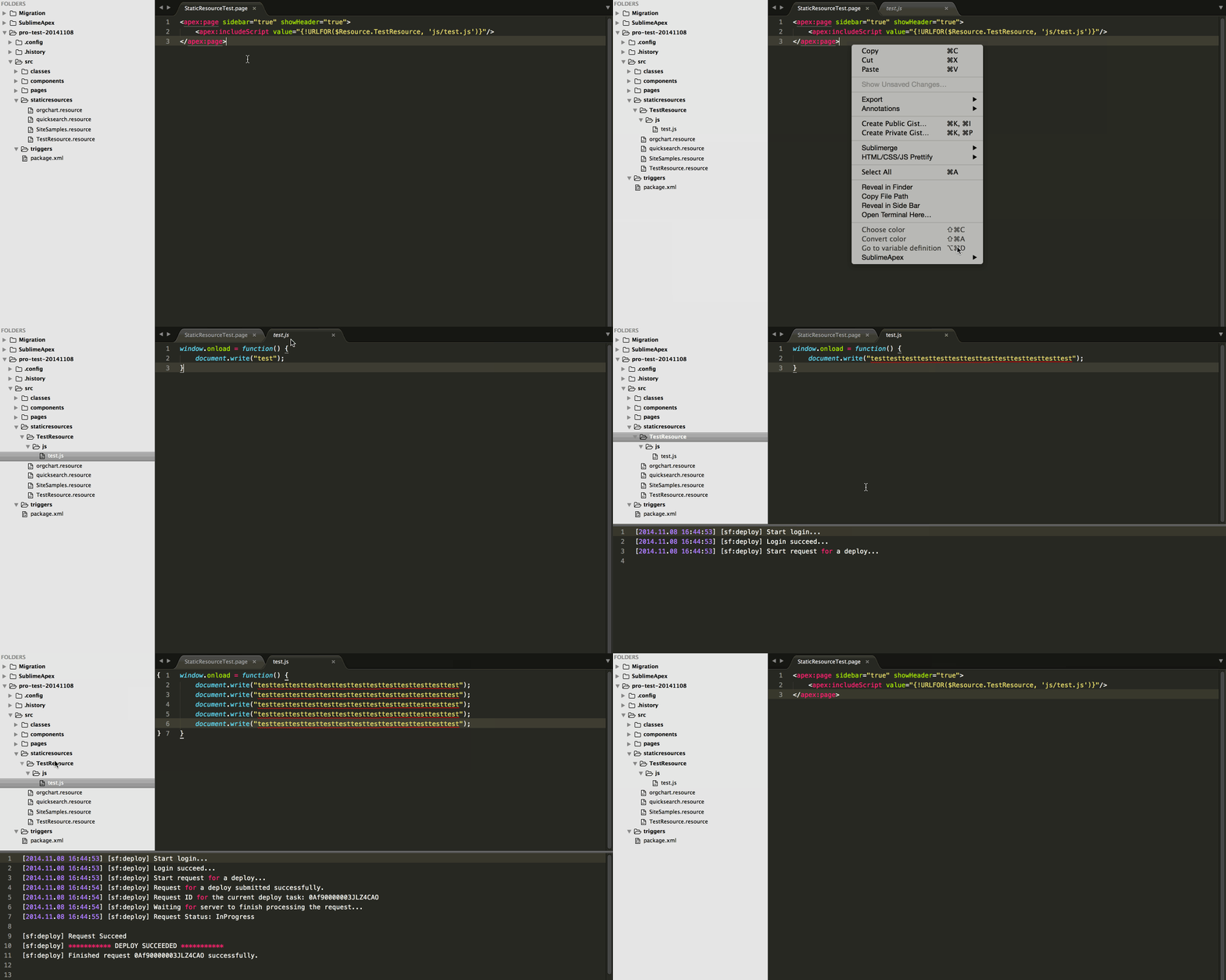
With this feature, you can directly edit static zip resource, there are several steps to do it,
-
Choose the static zip resource that you need to update in the
staticresourcesfolder -
Click
HaoIDE>Extract To Herein the Sidebar Menu to extract it tosub folderofstaticresources, which name is same with the static resource.Extract To Herecommand can extract all kinds of zip resource, no matter what extension of the file.- If file is not zip resource, error message will be shown in the output panel
-
After you made change on the file in the sub folder, choose the name of
sub folderand clickHaoIDE>Update StaticResourcein the sidebar menu to save it to server.