If you like this project, please give it a star ⭐️
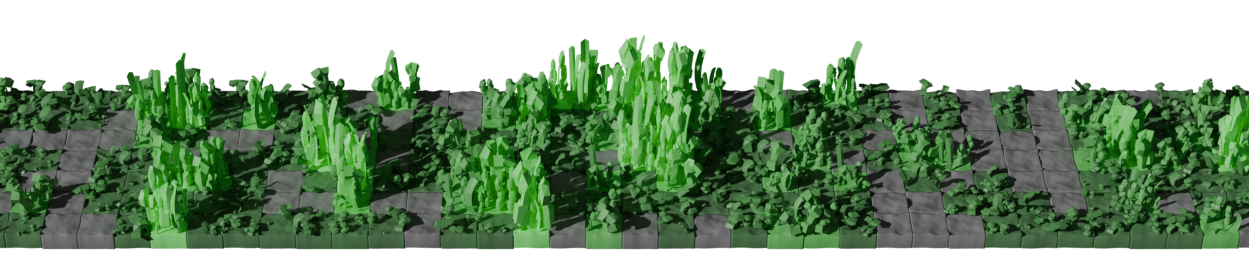
CGrass is a GitHub contribution image generator that can integrate with GitHub Actions. It allows you to generate a 3D image of your GitHub contributions and set it in your profile README.
Copy the following code to your .github/workflows/cgrass.yml file in your profile repository.
name: Generate Picture and Push to output branch

on:
    push:
        branches:
            - main
    schedule:
        - cron: '0 0 * * *' # any time you want

permissions:
    contents: write

jobs:
    generate:
        runs-on: ubuntu-24.04

        steps:
          - name: Checkout
            uses: actions/checkout@v4

          - name: Generate Picture
            uses: nrysk/cgrass@v1.0.0
            with:
                github_username: ${{ github.repository_owner }}
                github_token: ${{ secrets.GITHUB_TOKEN }}
                output_path: output/output.png
                command: "theme"
                argument: "github"

          - name: Push output image to output branch
            uses: crazy-max/ghaction-github-pages@v4
            with:
                target_branch: output
                build_dir: output
                commit_message: "Generate Output Image"
            env:
                GITHUB_TOKEN: ${{ secrets.GITHUB_TOKEN }}
You can use the following code to display the generated image. Replace <username> with your GitHub username.


command: "theme"
argument: "github" # change here
command: "theme"
argument: "github-nograss" # change here
command: "theme"
argument: "planet" # change here
command: "theme"
argument: "planet-nograss" # change hereCreate a new configuration file in your repository. For example, create a file named mytheme.toml in the root of your repository.
Configuration file example: mytheme.toml
Link the configuration file in your workflow file by changing the command and argument values in the following code.
  - name: Generate Picture
    uses: nrysk/cgrass@v1.0.0
    with:
        github_username: ${{ github.repository_owner }}
        github_token: ${{ secrets.GITHUB_TOKEN }}
        output_path: output/output.png
        command: "themefile" # change here
argument: ${{ github.workspace }}/mytheme.toml # change here- The color of the ground and grass can be specified in RGBA.
- The color of the sun can be specified in RGB.
If you have any idea, please share them

contribution-to-3d-grass is not certified by GitHub. It is provided by a third-party and is governed by separate terms of service, privacy policy, and support documentation.
Tags
(1)contribution-to-3d-grass is not certified by GitHub. It is provided by a third-party and is governed by separate terms of service, privacy policy, and support documentation.