-
Notifications
You must be signed in to change notification settings - Fork 1
Expand file tree
/
Copy pathblogPosts.yaml
More file actions
234 lines (171 loc) · 19.1 KB
/
blogPosts.yaml
File metadata and controls
234 lines (171 loc) · 19.1 KB
1
2
3
4
5
6
7
8
9
10
11
12
13
14
15
16
17
18
19
20
21
22
23
24
25
26
27
28
29
30
31
32
33
34
35
36
37
38
39
40
41
42
43
44
45
46
47
48
49
50
51
52
53
54
55
56
57
58
59
60
61
62
63
64
65
66
67
68
69
70
71
72
73
74
75
76
77
78
79
80
81
82
83
84
85
86
87
88
89
90
91
92
93
94
95
96
97
98
99
100
101
102
103
104
105
106
107
108
109
110
111
112
113
114
115
116
117
118
119
120
121
122
123
124
125
126
127
128
129
130
131
132
133
134
135
136
137
138
139
140
141
142
143
144
145
146
147
148
149
150
151
152
153
154
155
156
157
158
159
160
161
162
163
164
165
166
167
168
169
170
171
172
173
174
175
176
177
178
179
180
181
182
183
184
185
186
187
188
189
190
191
192
193
194
195
196
197
198
199
200
201
202
203
204
205
206
207
208
209
210
211
212
213
214
215
216
217
218
219
220
221
222
223
224
225
226
227
228
229
230
231
232
233
234
- title: United Offensive and More
date: 2026-04-22
body: |
Call of Duty: United Offensive has been added via Proton via the CoDUO-YAP mod, which adds QOL improvements, like widescreen support, better field of view, and more. This works for single player.

As well, Road to Vostok has been added with native Linux support, via the native Godot engine. This works now for the demo and should also work for the main game.

One other feature was added to ScummVM, where now you can pass in `LUX_SCUMMVM_GAME=<gameid>` into the launch options, replacing <gameid> with the proper ScummVM game (see https://docs.scummvm.org/en/latest/advanced_topics/command_line.html#starting-a-game). This allows you to skip the ScummVM launcher.
- title: Half Life Alyx HLA-NoVR Mod Supported
date: 2026-03-03
body: |
Valve's Half Life Alyx has been out for a while now, and only VR normally. There's a great mod HLA-NoVR that adds a "pancake" mode to the game, where you can play it just like a standard FPS, and that is now available in luxtorpeda.
This is handy if you don't have a VR headset, or if you're like me and can't handle horror segments right in front of your face!

- title: Flawless Widescreen Support Added For Some Windows Proton Titles
date: 2026-02-25
body: |
Flawless Widescreen support has been added for some Windows titles via proton, including Binary Domain and Knights of the Old Republic. This requires luxtorpeda client 76.2.0 or above.
Flawless Widescreen has various patches for games and it requires running in the background, which makes setup especially in Proton fairly difficult. The way it works is that on the first launch, it will be started and you'll have the chance to install the right plugins for the game you're wanting to play, and then once you're done you can then close the utility. Once that happens, then it'll launch again, as well as the game you're wanting to play.
Note that for KOTOR, you may have to manually edit the swkotor.ini config file to have your width and height resolution if you get a black screen. Once I did that, I was able to get in game and run in ultra-wide which looks great!
As always, if anyone has any ideas of more engines/utilities to add, or more games to support, please let me know!


- title: Thief Game Fixes Are Now Available
date: 2026-02-23
body: |
Thief Gold and Thief 2 are now supported on Luxtorpeda! Now you can play the games with the TFix and T2Fix mods with a push of a button!
Thanks to mvolt for the PR and fgsfds for the mirror!

- title: SNAKE!!! (Metal Gear Solid Games Added)
date: 2026-02-18
body: |
The Metal Gear Solid Games have been added, with MGSHDFix for METAL GEAR & METAL GEAR 2: Solid Snake, METAL GEAR SOLID 2: Sons of Liberty - Master Collection Version, and METAL GEAR SOLID 3: Snake Eater - Master Collection Version. As well, METAL GEAR SOLID - Master Collection Version with MGSM2Fix.
These fixes will help make the games easier to use, with ultrawide support and other QOL improvements.
For the games with MGSHDFix, you will need to download the new client release 76.0.0, as some additional setup was needed so the fix could see the correct directory.
Note that for MGSHDFix, you will want to use the Save & Exit option when using the config tool, as clicking launch does not seem to work. Once you do that though, the game will launch automatically if you're seeing the config tool in first time setup. You can also launch it again at any time by choosing that launch option in the client instead.
Also appreciate all the articles posted about this, great to see some more interest in luxtorpeda:
- https://www.gamingonlinux.com/2026/02/its-now-easier-to-install-mgshdfix-for-metal-gear-games-on-linux-steam-deck/
- https://www.pcgamer.com/software/linux/my-favourite-thing-about-linux-gaming-will-now-automagically-apply-crucial-fan-patches-to-your-metal-gear-installs-making-it-even-easier-than-on-windows/

- title: OldUnreal Releases Preview for UT2004
date: 2026-02-12
body: |
OldUnreal, which has provided patches for other Unreal games, just released a preview 3374 patch for UT2004! https://github.com/OldUnreal/UT2004Patches/releases/tag/3374-preview-9
This provides alot of fixes, including SDL3 support, and better widescreen.
I've added support for this option to luxtorpeda, so now if you own the game on steam and you use luxtorpeda, you'll be able to use betwen the original native Linux port, and the OldUnreal patch.
- title: More ScummVM Games Supported with 2026.1.0
date: 2026-02-02
body: |
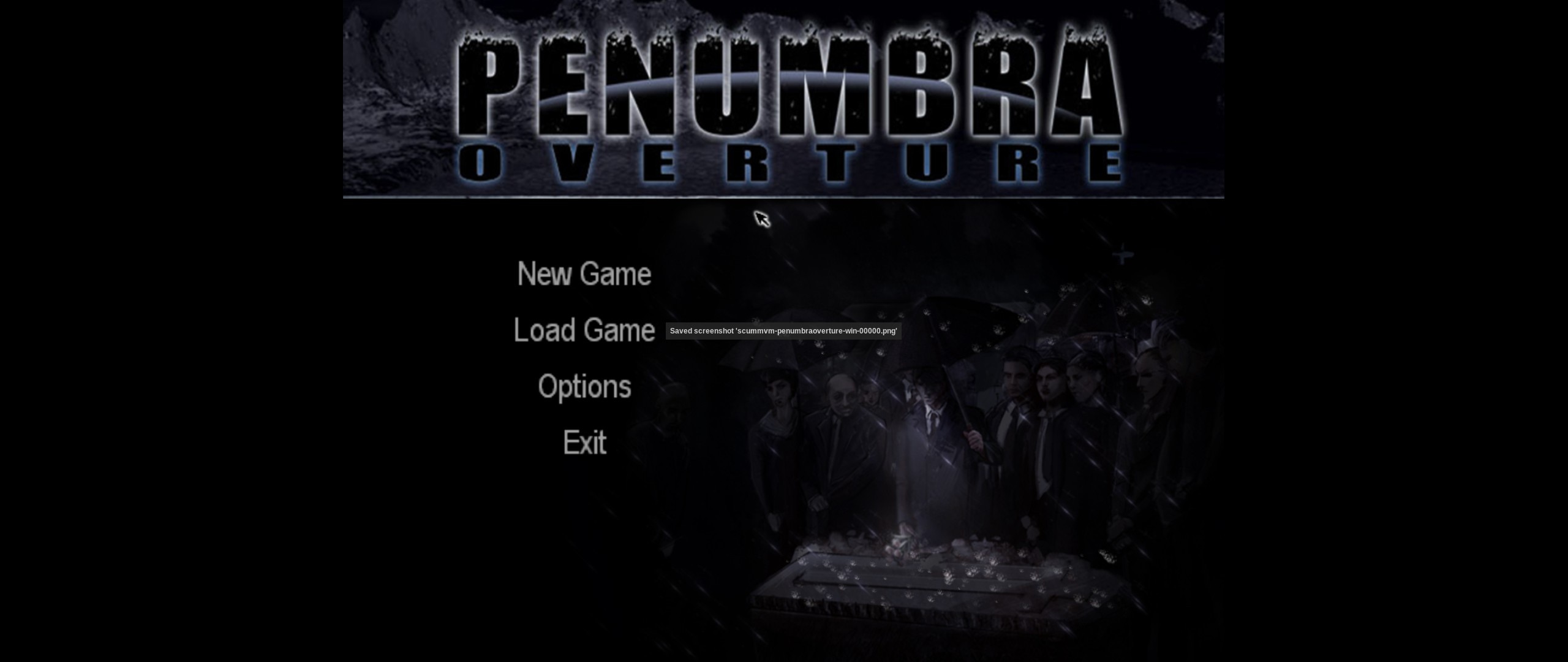
The ScummVM project recently released 2026.1.0, which is now available on Luxtorpeda! As well, thanks to the additional support on their end, I've added game support for Penumbra Overture, Nancy Drew®: Ghost Dogs of Moon Lake, and Nancy Drew®: Secret of the Scarlet Hand.
This involved updating the build script, as well as fixing a few things with the newer ScummVM version and the steam launch options.
Other Nancy Drew games may work as well via the default engine support, and feel free to let me know if there's others that could use the same treatment. Since ScummVM supports so many games, it's usually a mix of "officially" supported and launchable via the default option.

- title: New Luxtorpeda Client Release Version 75
date: 2026-01-31
body: |
It's time for another luxtorpeda client release! This has a good chunk of changes in it, especially for Windows Proton mod use via Luxtorpeda.
## Godot 4.6 Upgrade
This shouldn't change much of the look and feel of the client, but now it's using the recently released Godot 4.6. This will help continue to future proof the client, and also allow changes that could use the latest features where needed.
## Set Desired Proton Version In Packages Metadata
This is a continuation of the Proton features that were added recently. Along with being able to set your own Proton default for a game, which you can still do, now the game information in packages.json can optionally set a default Proton version for first launch. This way if the game only works well with a specific version of Proton, the user does not have to manually set it the first time. This all depends on it being in the packages metadata, so feel free to open an issue if there's a game that is supported that could use this treatment.
Note that this will continue to use whatever defaults you already have set for a game first in priority.
As part of this feature, a new error will show if a Proton version is selected for a game, so that you know you need to install it, or pick a different default.
## Running Setup for Proton Mods
For mods where there's an installer that has to be run before you can actually play and use the mod, this can now be done automatically using the existing native engine setup feature, now with Proton support. In the past, there's been cases where a engine needed to have some additional setup work done to make the game usable (extracting iso, running scripts, etc). This would run it once, and then write a file in the game directory so it knows it does not need to do it the next run.
The new release adds the ability to do the same sort of thing for mod exe installers, and anything else that would need to be run in Proton, before using the mod. So now, along with Windows mods that drop-in DLLs and the like, there's also the possibility for installer-based mods as well!
An example of this is in action with the Deus Ex Randomizer mod. The first launch, you'll be presented with their installer, and then once that's done, you can play the mod and not have to see the installer again. Note that this game won't be playable unless you're on version 75 of the client or above.
This will open up alot more possibilities in terms of the Proton mods for games that could be added, since previously it was only drop-in mods that were possible. If you have any ideas on additional Proton mods that could be added, feel free to open an issue.
- title: TaystJK Added For Jedi Academy Multiplayer
date: 2026-01-30
body: |
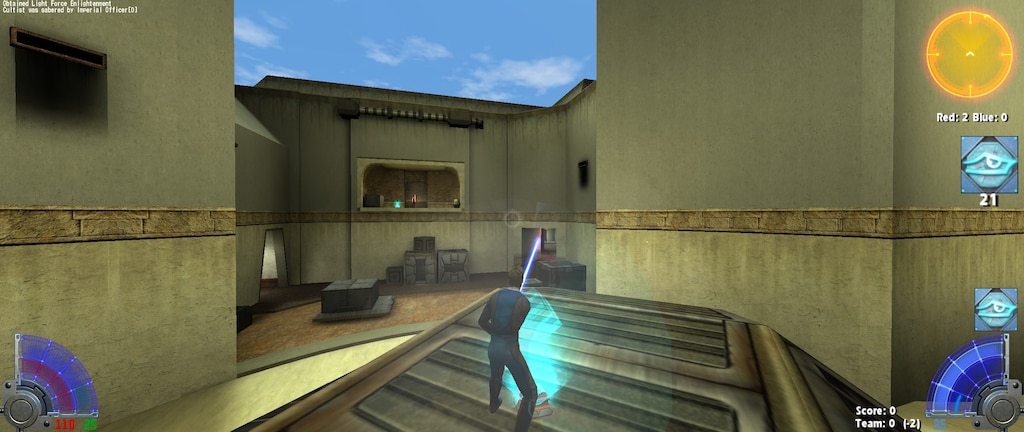
Thanks to an issue suggestion, TaystJK is now the multiplayer engine for Jedi Academy. This is a fork of a fork, that adds quality of life features. This includes a vulkan renderer which is addd as part of this fork, which has this description on how to enable it (https://taysta.github.io/TaystJK/):
Enable with
```
cl_renderer rd-vulkan; vid_restart
```
- title: LOVE2D Engine Added
date: 2026-01-23
body: |
LOVE2D support has been added as a default engine now. This means that for many Windows only LOVE2D games, you can play them with a Linux native version instead of Proton.
Note that not all games will work, as there may be slight differences in the way they work. The default at this point is that it uses the .exe file as the starting point. If you see any that don't work with the default but have another way to work, feel free to open an issue in the packages repo.
Below are some screenshots showing it working with Moonring!


- title: Saints 2 Row Juiced Patch Updated
date: 2025-12-25
body: |
The Juiced Patch for Saints Row 2 has been updated to the latest version. This allows for much smoother gameplay and lots of options than the original PC port.
- title: Godot 4.5 Update
date: 2025-10-18
body: |
With the release of version 74.3.1, the luxtorpeda client is now on Godot 4.5. Godot is used for all of the user interface for the client, with Rust doing the heavy lifting for things like downloading, extracting, etc. This ensures that the client is kept up to date, and continued improvements can be made in the future.
- title: OpenMW Tutorial Thanks to GamingOnLinux
date: 2025-09-25
body: |
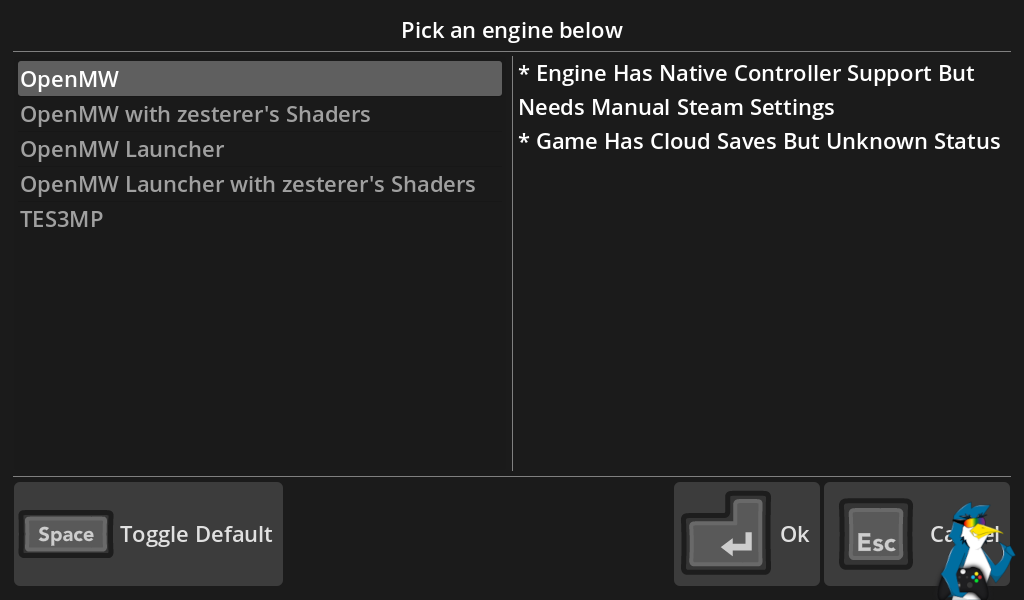
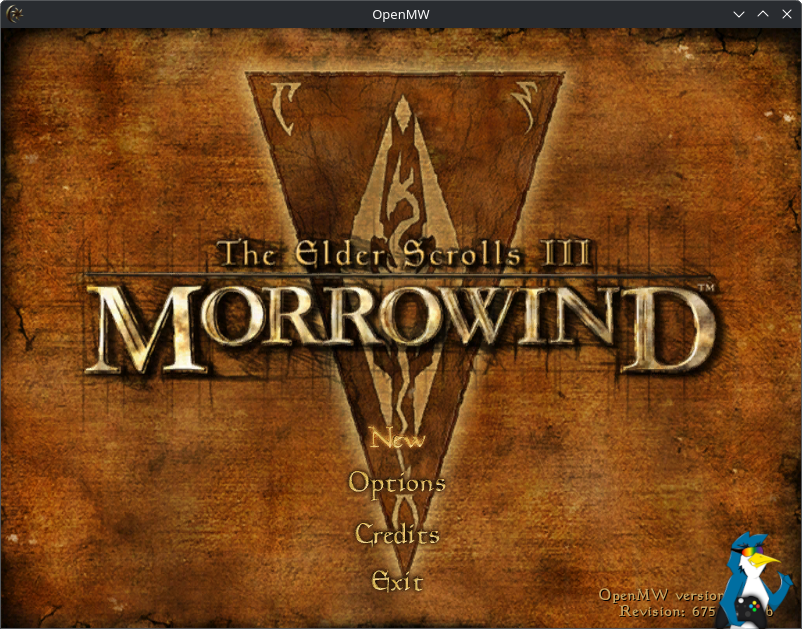
Thanks to GamingOnLinux on a great tutorial on how to setup OpenMW on Linux and/or Steam Deck with various options, including using Luxtorpeda.
https://www.gamingonlinux.com/guides/view/how-to-setup-openmw-for-modern-morrowind-on-linux-steamos-and-steam-deck/
This shows using ProtonUp-Qt, and then using Luxtorpeda as the compatibility tool and showing the ease of use inside. Images thanks to the article linked above.
- title: Even More Options for C&C Generals Zero Hour!
date: 2025-09-10
body: |
C&C Generals is an old favorite of mine, it's one of the first games I played (I started playing video games in high school) alongside Call of Duty 2 (they were on some Aspyr disk back when I had a mac).
It was exciting to have a native port thanks to EA releasing the source code, and the work that fighter19 has done. I was able to contribute to that project where I could, which helped expand some of my knowledge of SDL3 and some other things.
Now with the additional Proton support, you can play using GenTools, with a click of a button!

- title: Windows Mods via Proton
date: 2025-09-08
body: |
Alongside the existing native open source engines and closed source native binaries, there is now support for running Windows mods via Proton via Luxtorpeda! The same ease of use of downloading, extracting, and configuring various engines for native play is available for a set of Windows mods as well. In this case, the `WINEDLLOVERRIDES` that normally has to set in the launch options is done automatically with the mods that are supported.
This allows for mods like Alpine Faction for Red Faction, various widescreen improvement patches, and more.
As part of this, the Luxtorpeda client has been updated to support picking the Proton version the user wishes to use, based on the ones installed. This allows for experimentation without having to go back into Steam's compatibility tools area. Future work would include providing a "recommended" Proton for various mods.
Special thanks goes to mvoolt who made the pull request which made all this possible! This is available in Proton version 74 and above.
Feel free to suggest new mods that can run via proton, provided that they are hosted on GitHub or another public CDN. Sadly places like pcgamingwiki or nexus mods, where you have to have an account or go through a validation process cannot be automated with the client.


- title: Godot 4.4 Update and More
date: 2025-06-08
body: |
With the release of version 73.0.1, the luxtorpeda client is now on Godot 4.4, as well as rust 1.87. Godot is used for all of the user interface for the client, with Rust doing the heavy lifting for things like downloading, extracting, etc.
As well, Chocolate Quake has been added, a new source port for QUake that is a more original DOS experience.
- title: Automatic Engine Updates
date: 2025-03-18
body: |
All of the build scripts for the various engines that Luxtorpeda supports leads to alot of maintenance burden. When a new version appears, I would have to manually create a pull request to see the new version updated.
I've made some improvements to this process, using GHA workflows and some custom code to automatically detect new tags, as well as new commits (for repos that don't publish tags that often) and create pull requests automatically.
For tags, that one runs daily, and for commits that one runs weekly. This makes keeping the engines up to date much easier.
I've also implemented some checks alongside the existing download network checks to see if a newer version of a download (like a github release that is being downloaded) is available, and if so it'll create a ticket. This requires more manual effort, but at least now I'm notified when this happens!
- title: Matrix?
date: 2025-04-03
body: |
The logic behind the packages repo has been updated to support changing multiple engines at once finally. Originally if you made a pull request, it had to be one per engine. Now you can make one with multiple, and the Github Action matrix support will trigger multiple jobs to run all of them in parallel. This'll make changes much easier to manage.
- title: Unreal Gold Made Easier
date: 2024-12-15
body: |
Unreal Gold now releases archives, instead of just the exe installer, so it's even easier to use!
- title: Fun with Steam Bugs
date: 2024-10-03
body: |
You may have noticed recently when using steam that luxtorpeda would randomly start running on Steam launch. I've put out a fix for this with version 71. When Valve added some prelim steps for Proton to run in the background, it also ran Luxtorpeda and confused things. I've put some fixes in for this so it'll ignore these launch attempts.
- title: Godot 4 Upgrade
date: 2023-09-26
body: |
The luxtorpeda client has been updated to Godot 4, as well as alot of code cleanup and the ability to ask steam to download deps that have not been setup yet.
- title: More Extraction Support
date: 2023-08-14
body: |
With this release, deb files and iso files can now be read and extracted, leading to more games & engines being supported.
As well, recently steam cloud support has been added, so games that support steam cloud, and engines that provide the same file formats can now have their saves backed up like if you were playing in Proton. This'll make it easier to play between a desktop and a steam deck for example. The UI will now show you the different options.
- title: Move to Sniper Runtime
date: 2023-04-13
body: |
The engines in the packages repo are now starting to be built using the sniper runtime, which is a newer version of the Steam Runtimes, based on a newer version of Debian. This will make keeping engines up to date alot easier, since now the base isn't so out of date. This has already simplified alot of the existing engines, and made it possible to support building new ones.
- title: Move to Godot for UI
date: 2022-11-29
body: |
Today I released the new Godot UI version "officially" with a minor bug fix release. It seems to have done pretty well so far. I enjoyed learning more about Godot and the integration between it and rust, and it made for alot easier to maintain UI.
As well, it looks like luxtorpeda is continuing to get some nice traffic, version 59 got about 8k downloads, and the new 60 got about 1300, so great to see the continued interest!
Godot makes it much easier to built out the UI, compared to using tools to build the UI in code itself. I can add buttons, move layouts around, etc with their visual editing tools, and alot of code related to things like controller support are provided out of the box!
GamingOnLinux wrote an article about it as well - https://www.gamingonlinux.com/2022/11/steam-play-compatibility-tool-luxtorpeda-moves-to-godot-engine-for-the-ui/
- title: Steam Deck Support!
date: 2022-05-22
body: |
Steam Deck support is progressing nicely, mostly related to the GUI scaling and controller support, but nice to see alot of native engines working great with the platform.
- title: RetroArch Support
date: 2022-04-08
body: |
RetroArch support has been added, so that you can launch a game on steam and then it'll launch RetroArch and you can play it inside if there's a compatible game file.