Show Address Fields in Customer Registration Form.
Magento CE(EE) 2.0.x, 2.1.x, 2.2.x, 2.3.x, 2.4.x
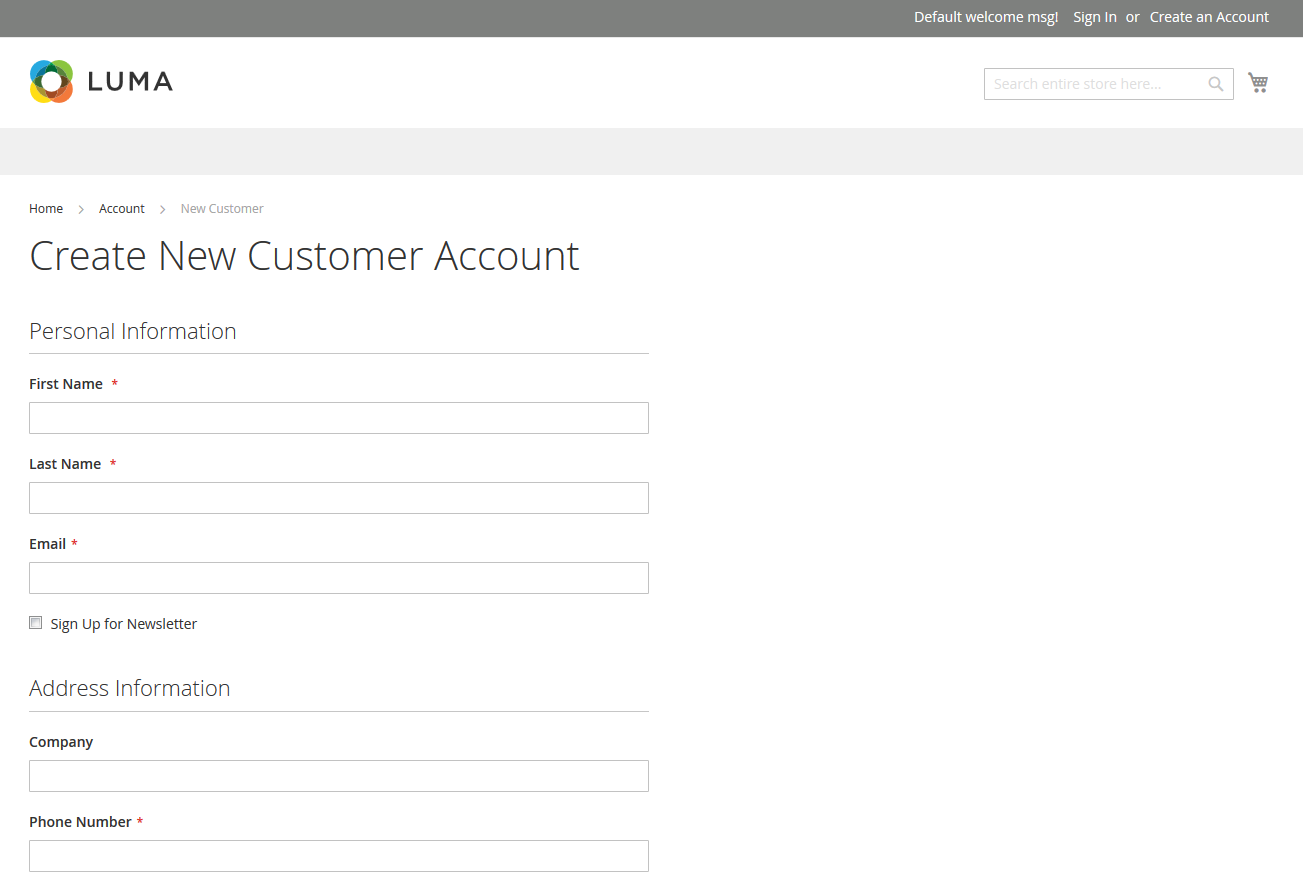
-
Go to Magento2 root folder
-
Enter following commands to install module:
composer require faonni/module-customer-create-address
Wait while dependencies are updated.
-
Enter following commands to enable module:
php bin/magento setup:upgrade
php bin/magento setup:di:compile
php bin/magento setup:static-content:deploy  (optional)
This works only with modules defined as Composer packages.
-
Go to Magento2 root folder
-
Enter following commands to remove database data:
php bin/magento module:uninstall -r Faonni_ShowAddressFields
-
Go to Magento2 root folder
-
Enter following commands to remove:
composer remove faonni/module-customer-create-address
-
Go to Magento2 root folder
-
Enter following commands:
php bin/magento setup:upgrade
php bin/magento setup:di:compile
php bin/magento setup:static-content:deploy  (optional)