
Another astronomical observatory manager. This project either uses, or is directly inspired by:
- KStars: https://github.com/KDE/kstars
- Indi: https://github.com/indilib/indi (Jasem Mutlaq + contributors)
- Pyindi-client: https://github.com/indilib/pyindi-client
- Starquew: https://github.com/GuLinux/StarQuew/tree/master/backend/indi (Marco Gulino)
- npindi: https://github.com/geehalel/npindi (Geehalel)
- Panoptes: https://github.com/panoptes/POCS
- Astropy: https://github.com/astropy/astropy
- Astroplan: https://github.com/astropy/astroplan (Brett Morris + contributors)
- Astrometry.net: https://github.com/dstndstn/astrometry.net (Dustin Lang + contributors)
- PHD2: https://github.com/OpenPHDGuiding/phd2/wiki/EventMonitoring
- SpectroDB: https://github.com/tlemoult/spectroDb (T. Lemoult)
- notebooks from ivandga for amateur spectroscopy: https://github.com/ivandga/ArasSpectraNotebooks
- SpectroStars from Serge Golovanow: https://github.com/serge-golovanow/SpectroStars
- Astroalign: https://github.com/toros-astro/astroalign
- Aladin-lite (mostly for PAWS actually): https://github.com/cds-astro/aladin-lite
- MMTO Observatory indi client: https://github.com/MMTObservatory/indiclient
- Meshcat: https://github.com/rdeits/meshcat-python but we might want to replace meshcat with scenepic in the future: https://microsoft.github.io/scenepic/python/
- PockerISO: https://github.com/shantanoo-desai/PockerISO/tree/main
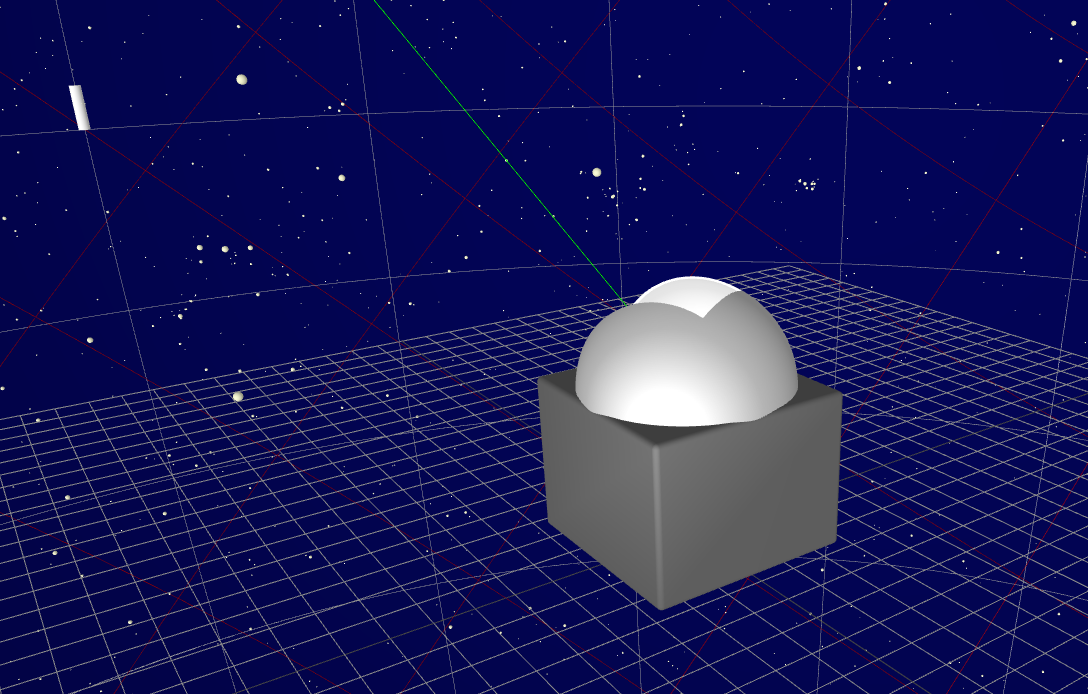
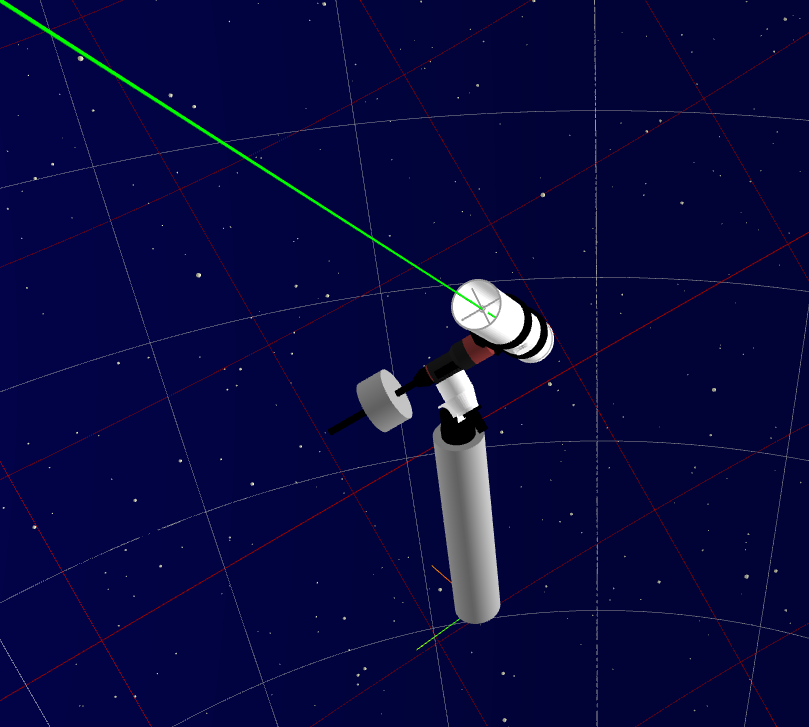
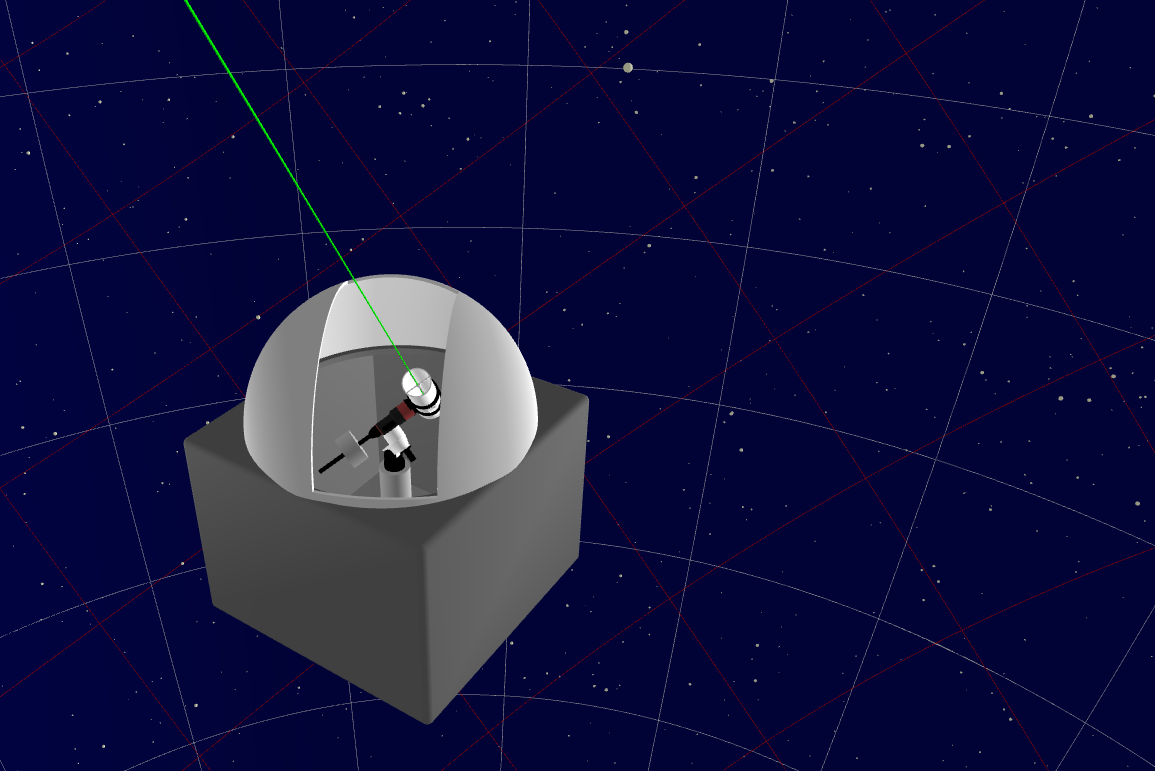
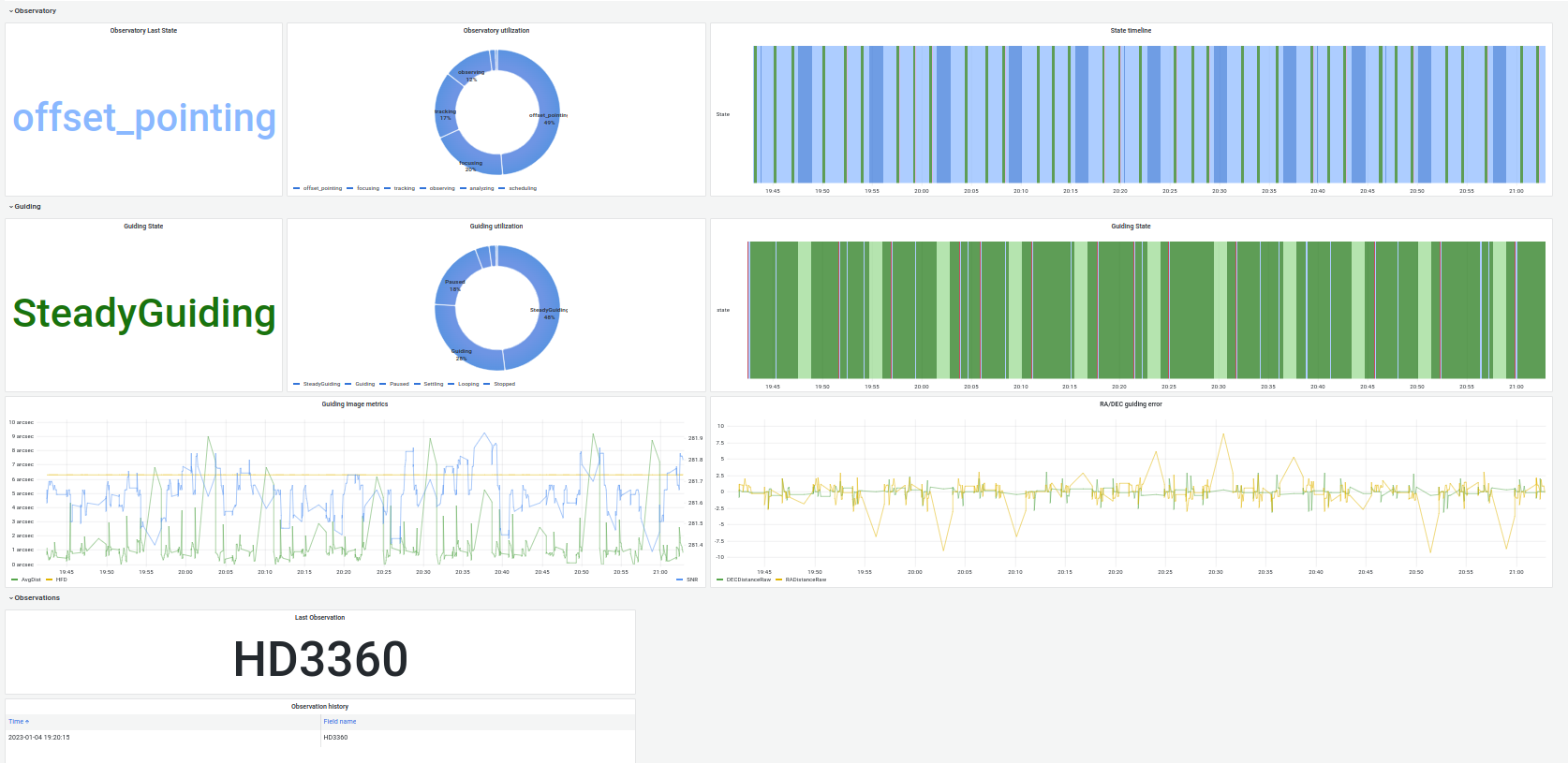
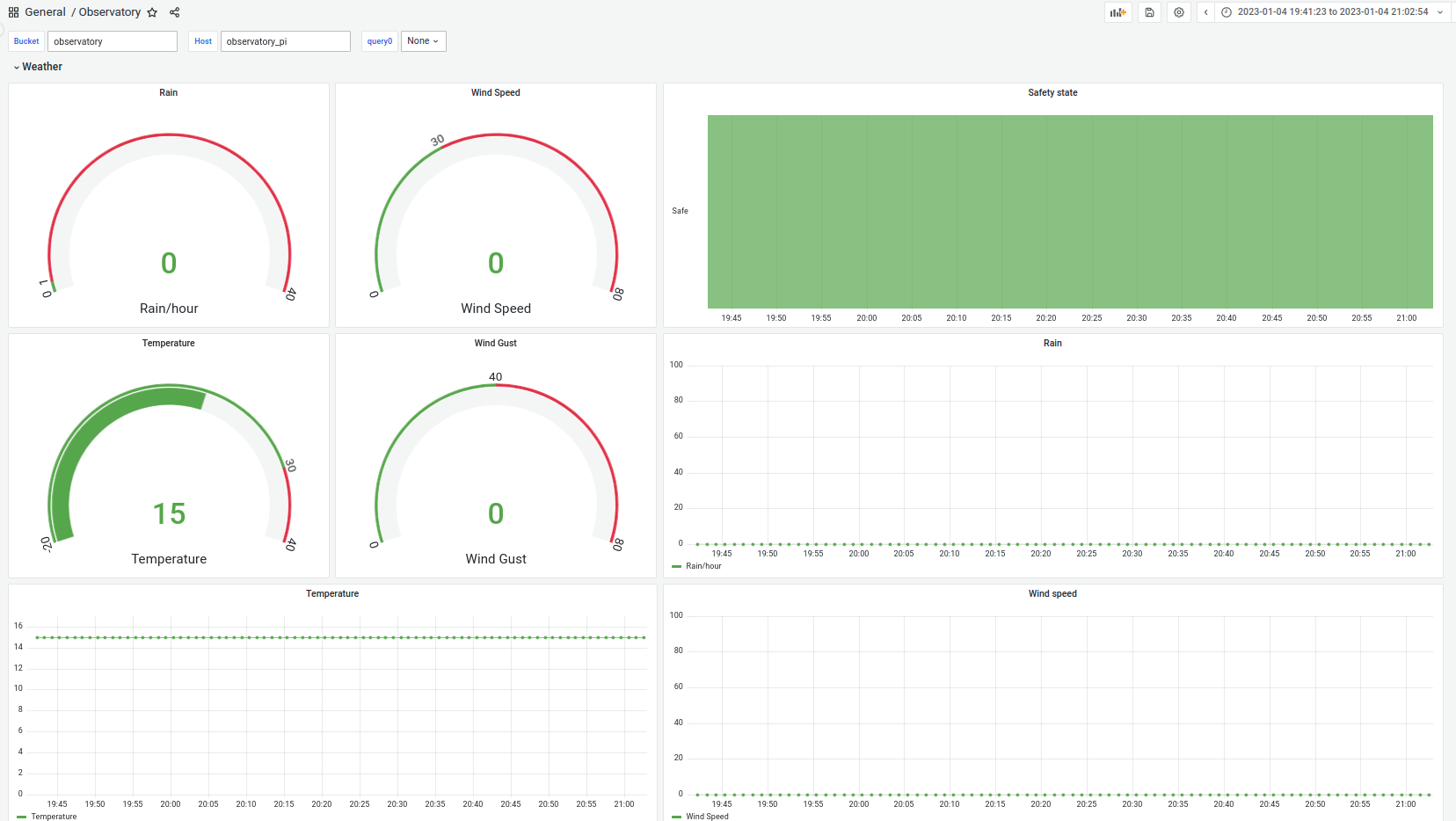
Quick overview of what you will be able to see and manage through this project
/bin/bash -c "$(curl -fsSL https://raw.githubusercontent.com/Homebrew/install/HEAD/install.sh)"
brew install python@3.9
brew install virtualenv
brew install graphviz
export GRAPHVIZ_DIR="$(brew --prefix graphviz)"
export C_INCLUDE_PATH=/Library/Developer/CommandLineTools/Library/Frameworks/Python3.framework/Versions/3.9/Headers
export CPLUS_INCLUDE_PATH=/Library/Developer/CommandLineTools/Library/Frameworks/Python3.framework/Versions/3.9/Headers
pip install pygraphviz --global-option=build_ext --global-option="-I$GRAPHVIZ_DIR/include" --global-option="-L$GRAPHVIZ_DIR/lib"sudo apt-add-repository ppa:mutlaqja/ppa
sudo add-apt-repository ppa:pch/phd2
sudo apt-get update
sudo apt-get install \
astrometry-data-4208-4219\
extra-cmake-modules\
gpsd\
indi-full\
kdelibs5-dev\
kdoctools-dev\
kstars-bleeding\
libastrometry*\
libboost-dev\
libboost-regex-dev\
libcfitsio-dev\
libcurl4-openssl-dev\
libfftw3-dev\
libftdi-dev\
libftdi1-dev\
libgphoto2-dev\
libgps-dev\
libgraphviz-dev \
libgsl-dev\
libindi-dev\
libindi1\
libjpeg-dev\
libkf5configwidgets-dev\
libkf5crash-dev\
libkf5declarative-dev\
libkf5globalaccel-dev\
libkf5kdelibs4support5-bin\
libkf5newstuff-dev\
libkf5notifications-dev\
libkf5notifyconfig-dev\
libkf5plotting-dev\
libkf5windowsystem-dev\
libkf5xmlgui-dev\
libnova*\
libogg-dev\
libpython3-dev\
libqt5svg5-dev\
libqt5websockets5-dev\
libraw-dev\
librtlsdr-dev\
libtheora-dev\
libtiff-dev\
libusb-1.0-0-dev\
libwxgtk3.0-dev\
phd2\
qttools5-dev-tools\
swig3.0\
wcslib-dev\
xplanet\
zlib1g-dev\
-y pip install virtualenv
virtualenv venv
source venv/bin/activate
pip install -r requirements.txt # Increase base side with: 1) sudo dockerd --storage-opt dm.basesize=100G
# 2) Changing DOCKER_OPTS ="--storage-opt dm.basesize=50G" in /etc/default/docker.
# Or in UI: Docker > Settings > Resources > Advanced > Disk usage limit > Apply & Restart
docker image prune -f && docker buildx prune -f && docker container prune -f && docker volume prune -af && docker system prune -af && docker builder prune -af
gcloud auth login --update-adc
docker buildx build --platform linux/amd64 -t europe-west1-docker.pkg.dev/remote-observatory-dev-jcy/remote-observatory-main-repo/remote_observatory:latest .On mac:
    brew tap hashicorp/tap
    brew install hashicorp/tap/packer
    packer # you should see a list of Packer commands and options.
    brew install qemu
On ubuntu:
    wget -O - https://apt.releases.hashicorp.com/gpg | sudo gpg --dearmor -o /usr/share/keyrings/hashicorp-archive-keyring.gpg
    echo "deb [arch=$(dpkg --print-architecture) signed-by=/usr/share/keyrings/hashicorp-archive-keyring.gpg] https://apt.releases.hashicorp.com $(lsb_release -cs) main" | sudo tee /etc/apt/sources.list.d/hashicorp.list
    sudo apt update && sudo apt install packer
    packer # you should see a list of Packer commands and options
    # You might also have to run sudo chmod 666 /var/run/docker.sock after installing docker in utm for instance
sudo apt install qemu-kvm qemu-system libvirt-daemon bridge-utils virt-manager virtinst libvirt-daemon-system # On ubuntu you might need to do echo '{ "experimental": true }' | sudo tee -a /etc/docker/daemon.json
cd packer
packer init -upgrade ./templates/ubuntu-template.pkr.hcl
# You might want to make sure you have proper formatting with
packer fmt .
# You might also want to make sure your template is valid
packer validate -var-file=./vars/ubuntu.pkrvars.hcl ./templates/ubuntu-template.pkr.hcl
# Then build the filesystem only from docker image base, on mac, make sure docker is started with "open -a Docker"
packer build -var-file=./vars/ubuntu.pkrvars.hcl -only="gen-fs-tarball.*" ./templates/ubuntu-template.pkr.hcl
mkdir ubuntu.dir
tar -vxf ubuntu.tar -C ubuntu.dir
packer build -var-file=./vars/ubuntu.pkrvars.hcl -only="gen-boot-img.*" ./templates/ubuntu-template.pkr.hcl
# You can test image with
sudo qemu-system-x86_64 -m 6192 -smp 8 \
-drive file=customized_ubuntu.img,index=0,media=disk,format=raw \
-drive if=pflash,format=raw,readonly=on,file=./config/OVMF_CODE.fd \
-drive if=pflash,format=raw,readonly=on,file=./config/OVMF_VARS.fd \
-netdev user,id=net0 \
-net user,hostfwd=tcp::22-:22,hostfwd=tcp::5901-:5901,\
hostfwd=tcp::1883-:1883,hostfwd=tcp::3000-:3000,\
hostfwd=tcp::7000-:7000,\
hostfwd=tcp::8086-:8086,hostfwd=tcp::9001-:9001,\
hostfwd=tcp::7624-:7624,hostfwd=tcp::8624-:8624,\
hostfwd=tcp::7626-:7624,hostfwd=tcp::8626-:8626,\
hostfwd=tcp::7627-:7624,hostfwd=tcp::8627-:8627,\
hostfwd=tcp::7628-:7624,hostfwd=tcp::8628-:8628 \
-net nic -device virtio-net,netdev=net0
PACKER_LOG=1 packer build -var-file=./vars/ubuntu.pkrvars.hcl -only="customize-boot-img.*" ./templates/ubuntu-template.pkr.hcl
# Compress for artifact
xz --compress --threads=4 --keep --suffix=.tomove ubuntu.img
mv ubuntu.img.tomove image.img.xz
rm -rf mnt ubuntu.*
# Uncompress and burn to usb disk
xz --keep --decompress --threads=4 --stdout ./image.img.xz > image.img
sudo dd if=/dev/zero of=/dev/sdc
sudo dd if=./image.img of=/dev/sdc bs=128M status=progressWhen running the iso for the first time, here are a few useful tips:
user: admin pwod: admin
  sudo apt-get install mosquitto-clients # brew install mosquitto
  mosquitto_sub -h 127.0.0.1 -p 1883 -t observatory/WEATHER
  mosquitto_pub -h localhost -p 1883 -t observatory/GUIDING --insecure -m '{"data": {"state": {"test": 0}}}'
mosquitto_pub -h localhost -p 1883 -t observatory/WEATHER --insecure -m '{"data": {"state": "OK", "WEATHER_FORECAST": 0.5, "WEATHER_TEMPERATURE": 17.2, "WEATHER_WIND_SPEED": 10, "WEATHER_WIND_GUST": 5.9, "WEATHER_RAIN_HOUR": 1.5, "safe": "True"}}' sudo apt-get update
sudo apt-get install -y texlive-latex-recommended texlive-publishers texlive-bibtex-extra texlive-scienceThen build with
python setup.py gen_reportpip install Cython setuptools wheel requests pyindi-client requests-cache watchdog astropy ntplib astroplan matplotlib tzwhere astroquery pymongo rawpy serial pyserial socket astroalign If you want to run the astrometry server locally, use: pip install django Pillow
  sudo apt-get install libzstd-dev
  sudo apt-get install libz-dev
  sudo apt-get install rapidjson-dev
  sudo apt-get -y install libsasl2-dev
  sudo apt-get -y install libssl-dev
  git clone https://github.com/edenhill/librdkafka
  cd ./librdkafka
  git checkout v1.9.2-RC3
  ./configure && make -j8 && sudo make install && ldconfig
pip install --no-binary :all: confluent-kafkaIf you are interested in compiling/using the arduino stuff here, please download the official Arduino IDE, and define the following environment variable: $ARDUINO_SDK_PATH
  export ARDUINO_SDK_PATH="/opt/arduino-1.8.19/"
  cd Arduino
  mkdir build && cd build
  cmake ..
  make
  cd ..
./upload.shcheck installation information on: https://github.com/knro/indiwebmanager
pip install indiweb
sudo cp indiwebmanager.service /etc/systemd/system/
sudo chmod 644 /etc/systemd/system/indiwebmanager.service
sudo systemctl daemon-reload
sudo systemctl enable indiwebmanager.service
content of indiwebmanager.service
# From https://github.com/knro/indiwebmanager
# sudo pip install indiweb
# sudo cp indiwebmanager.service /etc/systemd/system/
# sudo chmod 644 /etc/systemd/system/indiwebmanager.service
# sudo systemctl daemon-reload
# sudo systemctl enable indiwebmanager.service
# sudo reboot
# sudo systemctl status indiwebmanager.service

[Unit]
Description=INDI Web Manager
After=multi-user.target

[Service]
Type=idle
# MUST SET YOUR USERNAME HERE.

User=rock
ExecStart=/usr/local/bin/indi-web -v --xmldir /home/user/projects/RemoteObservatory/conf_files/indi_driver_conf
Restart=always
RestartSec=5

[Install]
WantedBy=multi-user.targetgo to your set of build directories:
- indi-altair
- indi-duino
- indi-libaltaircam
- indi-toupbase
- libmallincam
- libstarshootg
- indi
- indi-asi
- indi-gphoto
- indi-shelyak
- libASICamera2
- libnncam
- libtoupcam Then edit CMakeFiles/3.7.2/CMakeSystem.cmake replace aarch64 by armv8
First, if you have a custom configuration for your own setup, set the proper variable in you console:
export REMOTE_OBSERVATORY_CONFIG=backyard_config./apps/launch_indi_simu.sh
PYTHONPATH=. python ./apps/launch_remote_observatory.pyIf, in addition you want the nice dashboard (might require additional dependencies, scripts are untested)
./apps/launch_PAWS.shsudo apt-get install libgirepository1.0-dev gobject-introspection pip install PyGObject or conda install -c conda-forge pygobject
pip install dash dash-core-components dash-html-components dash-renderer plotly
For now, RemoteObservatory uses some web service to acquire data, so ensure that you have a json file containing the key for each API in your home directory:
- For WUG, get your key here and store it in your home directory inside a .wug.json file
- For nova (astrometry.net), get your key at here and store it in your home directory inside a .nova.json file
PYTHONPATH=. python3 ./apps/launch_arduino_capture.py
- make sure we are correctly scoring all constraints (not only binary values) in ObservationPlanner/Scheduler
- Correct the stub inside of launch_remote_observatory that returns safe even if not safe
- re-integrate the simulator mode that returns fine, even if not fine
- Make a proper integration between our IndiMount and abstractMount inside of IndiAbstractMount, because right now it is a mess
- Setup a calibrating_flat and calibrating_dark states
- fill-in the class Calibration that mirrors the observation class and make sure that a new calibration is issued whenever an observation has completed (This should arise in Manager ?)
- Check why the SITELONG entry in outputed file is wrong
- ObservationPlanner/Scheduler l232 you NEED to setup proper FixedTarget.from_name
- Observatory l76: uncomment the raise ScopeControllerError(msg)
- Gast is important: Service/NTPTimeService.py l 137
- Urgent: fix the hardcoded values in solve-field scripting
- Urgent fix the max_pointing_error in pointing. Current one might be too low
- L292 in StateMachine, find a better way to signal the issue when transitionning
- Remove temporary fix in Scheduler: target = FixedTarget(SkyCoord(ra=1u.deg, dec=89u.deg)
- Need to try to kill PHD2 while guiding and check that we return to parking state
- Need to simulate a PHD2 star lost and check that we return to parking state
- The loop_mode in GuiderPHD2 is ambiguous (let it like this for now)
- Check all states from the state machine, and make sure they often call model.check_messages()
- If an observation is split into multiple observing block, shouldn't they have the same id ? that would allow to skip pointing when going from one block to another
- check if we actually refocus in case the observation id is the same
- the publisher_port parameter in weather config should be refactored with messaging parameter
- PHD2 is not closed properly / two instance might be launched which cause error
- Transform the Manager.acquire_calibration into a generator, so that every acquisition is yielded toward the State, and it may issue messages in the meantime
- AbstractCamera (and potentially other classes based on BASE) have its self.config attribute overwritten somewhere ? it evaluates to None at some point, so it needs investigation
- indiclient parser and PHD2 client parser are almost the same... You need to abstract away the XML client part and make a single class for this
- use find . -path ./venv -prune -o -name '*.py' to search stuf not in venv
- use find . -path ./venv -prune -o -name '*.py' -exec grep -H string_to_find {} ;
- use find . -path ./venv -prune -o -name '*.py' -exec sed -i -e 's/get_local_time_from_ntp/get_local_time/g' {} ; to replace stuff