CppDepend is a powerful static analysis tool for C/C++ developers. This guide walks you through how to set up CppDepend on Linux, including Ubuntu and other distributions.
CppDepend offers two editions for Linux:
- Developer Edition: Available for Ubuntu 2018 / 2020 / 2022
- DevOps Edition: Works across all Linux distributions
Steps:
- Download the Developer Edition from the official download page.
- Open a terminal and navigate to the installation directory.
- Launch the visual UI:
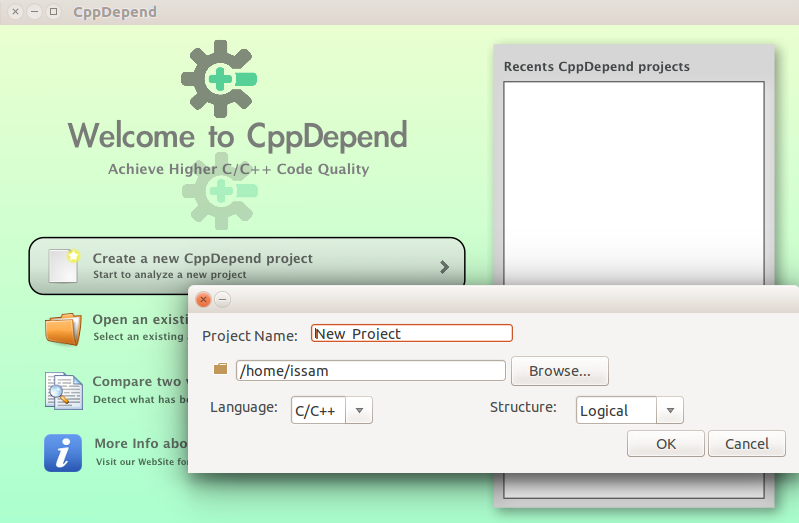
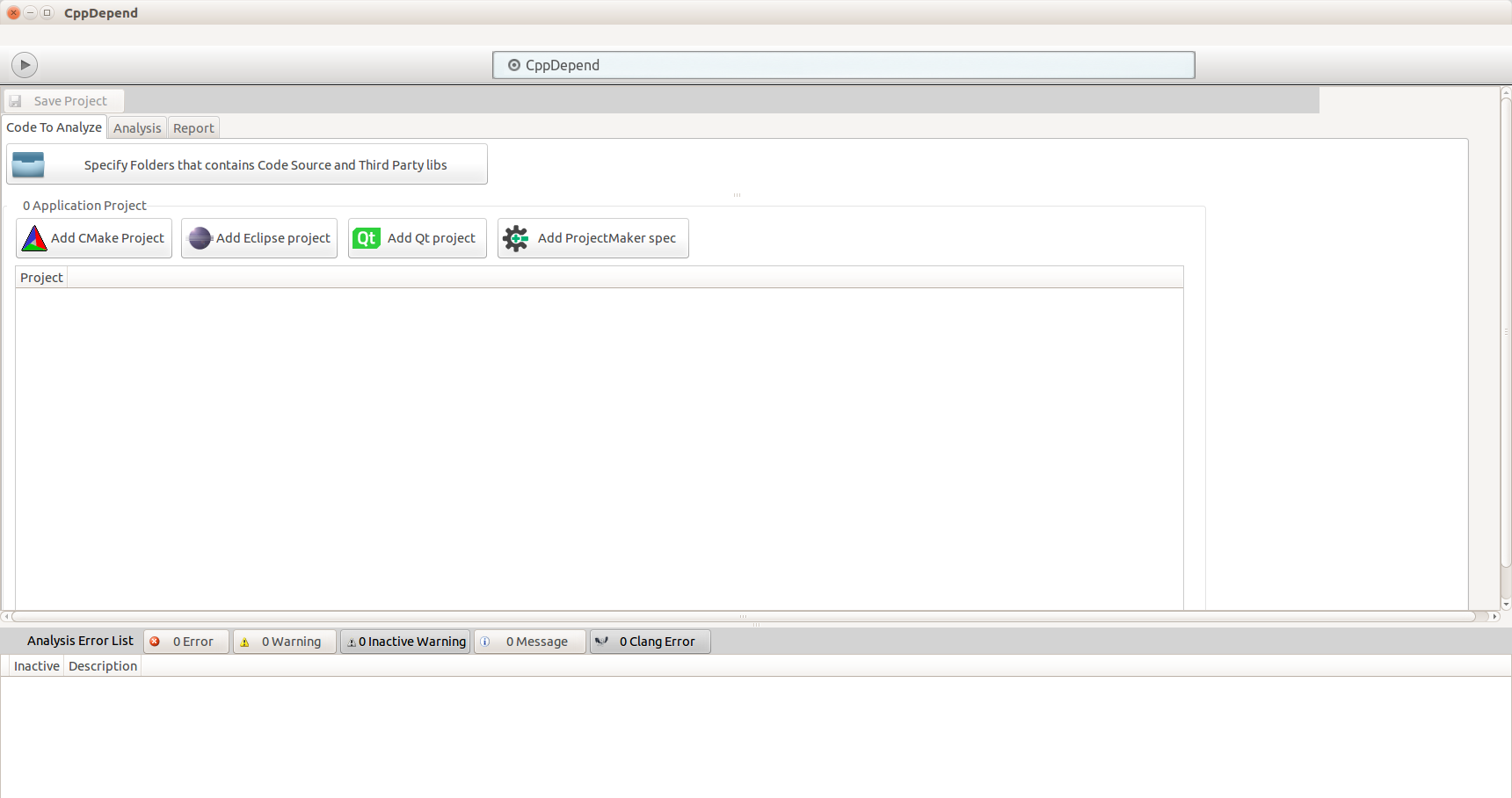
./VisualCppDepend.sh- Create a new project and import your build data using a
compile_commands.jsonfile. - Run the analysis.
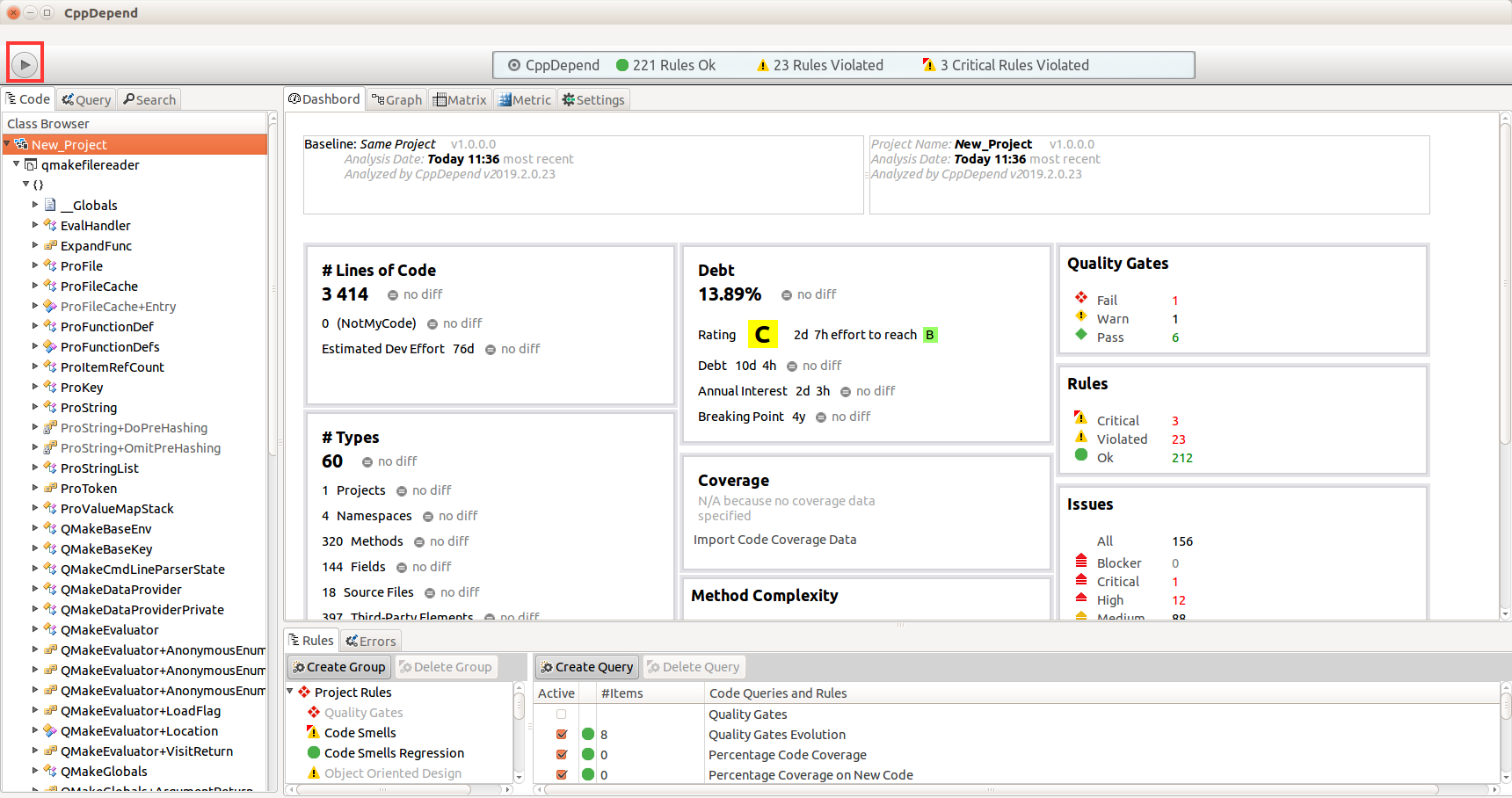
- View your analysis results in the CppDepend Dashboard.
📸 Screenshots:

Steps:
- Download the DevOps Edition from the CppDepend download page.
- Open a terminal and run:
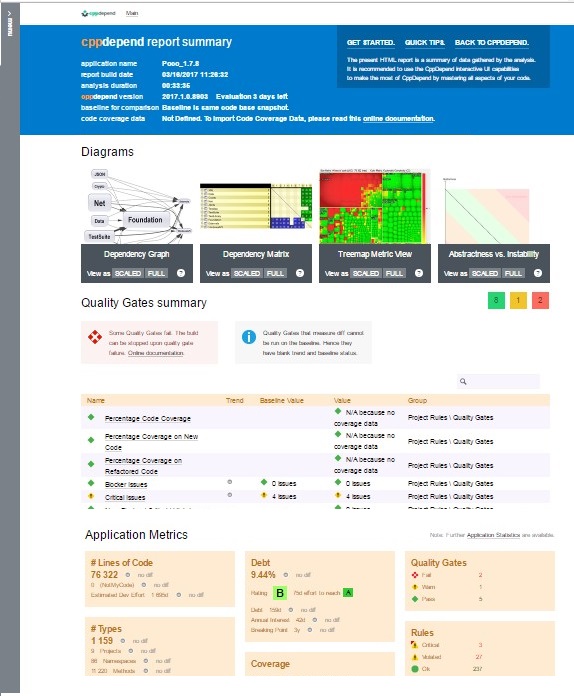
./CppDepend compilation_commands.json /OutDir /home/test/CppDependOutcompilation_commands.json: Your compile DB file/home/test/CppDependOut: Output directory for the HTML report
📸 Example Output:
| Feature | Developer Edition | DevOps Edition |
|---|---|---|
| Visual Studio Integration (Windows only) | ✅ | ❌ |
| Visual Dashboard (Linux Ubuntu + Windows) | ✅ | ❌ |
| Interactive Graphs & Matrices | ✅ | ❌ |
| Treemapping Visualization | ✅ | ❌ |
| CI Integration (Jenkins, TeamCity, etc.) | ❌ | ✅ |
| HTML Report Generation via Console | ❌ | ✅ |
| SonarQube Plugin | ❌ | ✅ |
| Quality Gates & Build Failure Conditions | ❌ | ✅ |
| Rule Editing, Technical Debt, Metrics, etc. | ✅ | ✅ |
ℹ️ The trial version includes both editions.
If you run into issues, reach out at:
📧 support@cppdepend.com