
Connect the ECG module to ground, 5v, and analog pin on ESP8266. Be sure to open the sketch file (heart_monitor.ino) and input your WiFi settings.
Run the client WPF application. The ESP8266 will detect there is no client connected, and will broadcast a packet over UDP. The desktop client will see this UDP broadcast, and automatically connect. Takes up to 3 seconds. Once connection has been made, you should begin seeing the graph running.
- Important note: wearing a shirt will cause massive interference from the static electricity
- I have found the Fontaine placement method works best.
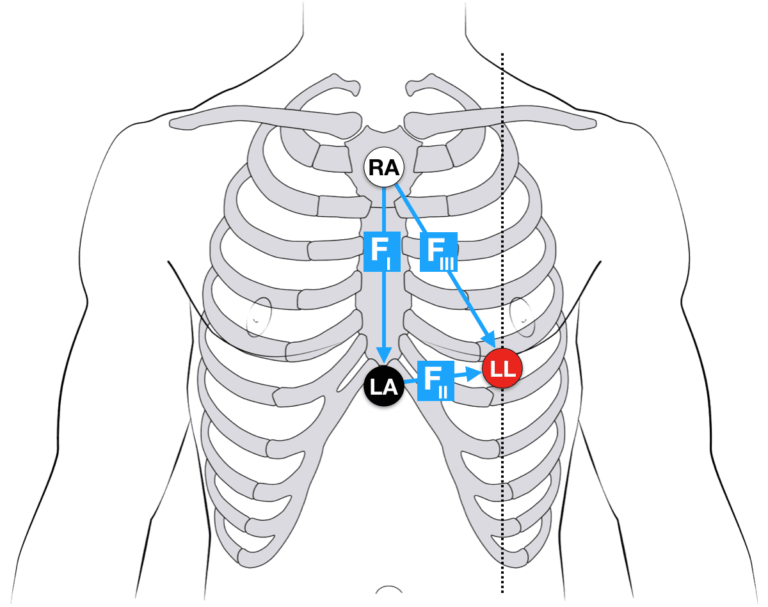
If you purchased the DFRobot module I did, then here is the color guide:
- RA: Red
- LA: Green
- LL: Yellow